The Acer TravelMate Spin P4 (2023) is a popular laptop that many users want to upgrade. This guide covers RAM, SSD, charger compatibility, and upgrade paths for this model. For a comprehensive overview of all Acer upgradeable models, visit the Acer Laptop Upgrades hub.
TravelMate Spin P4 Specifications

| Component | Specification |
|---|---|
| Processor | 13th Gen Intel Core i5/i7 (Raptor Lake) |
| RAM Type | DDR5-4800 |
| RAM Slots | 2 SO-DIMM slots |
| Max RAM | 32GB (2x 16GB) |
| Storage | M.2 2280 NVMe PCIe Gen4 |
| M.2 Slots | 1 M.2 2280 NVMe slot |
| Charger | 65W USB-C Power Delivery |
| Ports | 1x Thunderbolt 4, 1x USB-C 3.2, 2x USB-A 3.2, HDMI, RJ-45, microSD |
| Display | 14″ FHD (1920×1200) IPS touch, 16:10, 360 hinge |
| Weight | 1.55 kg (3.42 lbs) |
TravelMate Spin P4 RAM Upgrade Guide
The TravelMate Spin P4 features 2 SO-DIMM slots for DDR5-4800 memory, allowing upgrades up to a maximum of 32GB (2x 16GB). The upgrade process is straightforward and accessible through the bottom panel.
Recommended RAM Upgrades
- Corsair Vengeance DDR5 SO-DIMM — Premium DDR5 with excellent compatibility across Acer laptops.
- Kingston Fury Impact DDR5 SO-DIMM — Reliable DDR5 with proven performance and solid speeds.
- Crucial DDR5 SO-DIMM — Budget-friendly DDR5 with wide compatibility and reliable performance.
TravelMate Spin P4 SSD & Storage Upgrade Guide
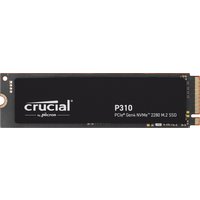
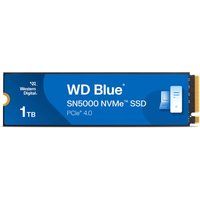
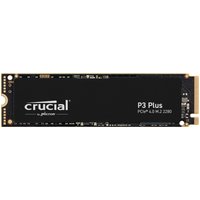
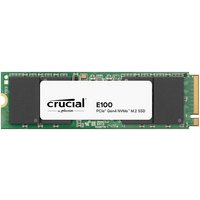
The TravelMate Spin P4 supports M.2 2280 NVMe PCIe Gen4 storage. The TravelMate Spin P4 supports a single M.2 slot. Installation requires removing the bottom panel and is straightforward for most users.
Recommended SSD Upgrades
- Samsung 990 EVO NVMe — Fast, efficient NVMe SSD with excellent endurance and reliability.
- WD Black SN850X NVMe — High-speed NVMe with strong sequential performance for demanding tasks.
- SK Hynix P41 Platinum — Excellent power efficiency and performance — great for laptops.
TravelMate Spin P4 Charger Compatibility
The TravelMate Spin P4 charges via 65W USB-C Power Delivery. Any USB-C PD charger rated at 65W or above from brands like Anker, Ugreen, or Baseus will work. Higher wattage chargers are also safe — the laptop will only draw the power it needs.
Recommended Chargers
- Anker 100W USB-C PD Charger — Compact GaN charger with multiple ports.
- Ugreen 65W+ USB-C PD Charger — Affordable universal USB-C charger with excellent build quality.
TravelMate Spin P4 Dock & Hub Compatibility
The TravelMate Spin P4 supports Thunderbolt 4 docking, allowing connection to high-bandwidth docks for multi-monitor setups, external storage, and peripheral expansion. Recommended Thunderbolt docks include the CalDigit TS4 and Belkin Thunderbolt 4 Dock Pro.
Upgrade Difficulty
The TravelMate Spin P4 has a difficulty rating of 4/5 (5 = easiest). The bottom panel is secured with standard Philips screws and can be removed without special tools. Both RAM and SSD upgrades are accessible once the panel is removed.
Tools needed:
- Philips screwdriver (PH1 or PH0)
- Plastic spudger or guitar pick
- ESD wrist strap (recommended)
Frequently Asked Questions
Can I upgrade the RAM in the Acer TravelMate Spin P4?
Yes, the TravelMate Spin P4 has 2 SO-DIMM slots supporting DDR5-4800 memory, upgradeable to 32GB.
What is the maximum RAM for the Acer TravelMate Spin P4?
The TravelMate Spin P4 supports up to 32GB (2x 16GB).
What type of SSD does the Acer TravelMate Spin P4 use?
The TravelMate Spin P4 uses M.2 2280 NVMe PCIe Gen4. Check the M.2 slot size before purchasing.
Can I use any USB-C charger with the Acer TravelMate Spin P4?
Yes, any USB-C PD charger rated at 65W or above will work.
Does the Acer TravelMate Spin P4 support Thunderbolt docking?
Yes, the TravelMate Spin P4 has Thunderbolt 4 support for high-bandwidth docking.
Is upgrading the Acer TravelMate Spin P4 difficult?
The upgrade difficulty is rated 4/5. The bottom panel is easily removable with standard Philips screws.
Recommended Products
These are the products we recommend. All links go to Amazon UK.
| Product | Why We Recommend It | Amazon UK |
|---|---|---|
| Corsair Vengeance DDR5 SO-DIMM | Premium DDR5 with excellent compatibility. | View on Amazon UK |
| Kingston Fury Impact DDR5 SO-DIMM | Reliable DDR5 with proven performance. | View on Amazon UK |
| Crucial DDR5 SO-DIMM | Budget-friendly DDR5 with wide compatibility. | View on Amazon UK |
| Samsung 990 EVO NVMe | Fast NVMe SSD with excellent endurance. | View on Amazon UK |
| WD Black SN850X NVMe | High-speed NVMe for demanding tasks. | View on Amazon UK |
| Anker 100W USB-C PD Charger | Compact GaN charger with multiple ports. | View on Amazon UK |
| CalDigit TS4 Thunderbolt 4 Dock | Professional dock with 18 ports. | View on Amazon UK |
Prices and availability may vary. As an Amazon Associate, we earn from qualifying purchases.
Related Acer Upgrade Guides
- Best RAM for Acer Laptops 2026
- Acer TravelMate Spin P4 TMP414RN-53 (2023) RAM & SSD Upgrade Guide (2023)
- Acer TravelMate P6 TMP614-53 (2023) RAM & SSD Upgrade Guide (2023)
- Acer TravelMate P4 TMP416-52 (2024) RAM & SSD Upgrade Guide (2024)
- Acer TravelMate P4 TMP414-52 (2023) RAM & SSD Upgrade Guide (2023)
- Acer Upgrade Guide
Not sure what fits? Use our free Compatibility Checker covering 3,195+ models.