Looking to upgrade your Acer Chromebook Spin 513? This comprehensive compatibility guide covers RAM, SSD, and charger compatibility for the Acer Chromebook Spin 513. Whether you need better multitasking, more storage, or a replacement charger, we have verified compatibility data and recommended components.
Acer Chromebook Spin 513 Key Specifications
| Component | Specification |
|---|---|
| Release Year | 2023 |
| Memory Type | DDR5 4800MHz |
| Memory Slots | Soldered (not upgradeable) |
| Maximum RAM | 8GB |
| Storage Interface | M.2 2280 NVMe PCIe Gen 4 |
| Charging | USB-C Power Delivery |
Memory Upgrade Path

The Acer Chromebook Spin 513 has soldered RAM that cannot be upgraded after purchase. The memory is permanently attached to the motherboard, which is common for Chromebooks and ultrabooks. Make sure to choose the right configuration at the time of purchase.
Storage Expansion

Most Chromebooks, including the Acer Chromebook Spin 513, use eMMC or soldered storage that cannot be upgraded. Some higher-end models include an M.2 SSD slot. Check your specific variant for upgradeability. You can expand storage using a microSD card or external USB storage.
Power Delivery & Charging
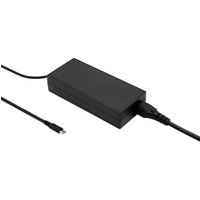
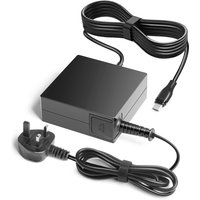
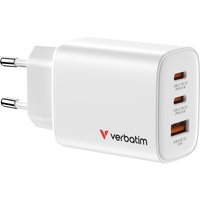
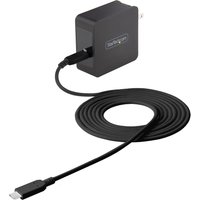
The Acer Chromebook Spin 513 supports USB-C Power Delivery charging. You can use a compatible USB-C PD charger as a replacement or spare charger. For Acer laptops of this era, we recommend a minimum 45W USB-C PD charger for reliable charging, though 65W provides faster charge times.
Compatible Charger Specifications
| Wattage | Connector | Notes |
|---|---|---|
| 45W | USB-C PD | Minimum recommended |
| 65W | USB-C PD | Standard / fast charging |
| 100W | USB-C PD | For use with docking stations |
Upgrade Difficulty & Tools Required
Chromebooks are generally not designed for user upgrades. The Acer Chromebook Spin 513 has limited internal upgradeability. Opening the device may void your warranty. We recommend using external storage and cloud services to expand your Chromebook’s capabilities.
Frequently Asked Questions
Can I upgrade the RAM in the Acer Chromebook Spin 513?
No, the Acer Chromebook Spin 513 has soldered RAM that cannot be upgraded after purchase. This is standard for Chromebooks. Choose the right configuration when buying.
Can I add more storage to the Acer Chromebook Spin 513?
While the internal storage cannot be easily upgraded, you can use a microSD card or USB external drive to add more storage space to the Acer Chromebook Spin 513.
What charger does the Acer Chromebook Spin 513 use?
The Acer Chromebook Spin 513 uses a USB-C charger. Any compatible USB-C PD charger rated at 45W or above will work as a replacement.
How long will the Acer Chromebook Spin 513 receive updates?
Google provides Chrome OS updates for at least 8 years from the device release date. Check the Chrome OS Auto Update Expiration page for the exact date for your model.
Can I run Linux on the Acer Chromebook Spin 513?
Yes, most Chromebooks including the Acer Chromebook Spin 513 support Linux apps through the built-in Linux (Crostini) feature in Chrome OS settings.
Recommended Products
- DDR5 RAM for Acer Chromebook Spin 513 — Best-selling compatible memory
- NVMe SSD for Acer Chromebook Spin 513 — Top-rated storage upgrades
- USB-C Charger for Acer Chromebook Spin 513 — Compatible power adapters
- Laptop Upgrade Toolkit — Essential tools for the job
Related Guides
Related Acer Upgrade Guides
- Best RAM for Acer Laptops 2026
- Acer TravelMate Spin P4 TMP414RN-53 (2023) RAM & SSD Upgrade Guide (2023)
- Acer TravelMate P6 TMP614-53 (2023) RAM & SSD Upgrade Guide (2023)
- Acer TravelMate P4 TMP416-52 (2024) RAM & SSD Upgrade Guide (2024)
- Acer TravelMate P4 TMP414-52 (2023) RAM & SSD Upgrade Guide (2023)
- Acer Upgrade Guide
Not sure what fits? Use our free Compatibility Checker covering 3,195+ models.