

Server memory comes in several types that are not interchangeable. Choosing the wrong type means your server will not boot. This guide explains the differences between UDIMM, RDIMM, and LRDIMM server RAM and when to use each.
UDIMM — Unbuffered DIMM

UDIMMs are the simplest and cheapest server memory type. They are used in entry-level servers like the Dell PowerEdge T150, HP ProLiant ML30, and Lenovo ThinkSystem SR250. UDIMMs are limited to lower capacities (typically 32GB per module max) and fewer slots. They work with Intel Xeon E processors and are essentially the same as desktop RAM but with ECC.
RDIMM — Registered DIMM
RDIMMs include a register (buffer) chip that reduces the electrical load on the memory controller, allowing more modules per channel and higher total capacity. Most mainstream servers use RDIMMs — Dell PowerEdge R640/R650/R660, HP ProLiant DL360/DL380, and Lenovo ThinkSystem SR630/SR650. Modules are available up to 64GB (DDR4) or 96GB (DDR5).
LRDIMM — Load-Reduced DIMM
LRDIMMs use a more advanced buffer that further reduces electrical loading, enabling the highest capacities per slot — up to 256GB per module in DDR5. They are used when maximum total memory is needed, such as large database servers, virtualisation hosts, or memory-intensive analytics. LRDIMMs cost 50-100% more than equivalent RDIMMs.
Compatibility Rules
You cannot mix types. A server that supports RDIMM will not boot with UDIMM or LRDIMM modules installed. Always check your server’s documentation for the specific memory type supported. Within a type, you can often mix capacities (e.g. 32GB and 64GB RDIMMs) but matching modules across channels provides optimal performance.
Frequently Asked Questions
Can I use desktop RAM in a server?
No. Servers require ECC memory (UDIMM, RDIMM, or LRDIMM). Standard desktop non-ECC RAM will not work.
Which is faster — RDIMM or LRDIMM?
RDIMMs offer slightly lower latency. LRDIMMs sacrifice a small amount of speed for much higher capacity per slot.
How do I know which server RAM type I need?
Check your server model’s specifications. Our server compatibility guides list the exact memory type for each model.
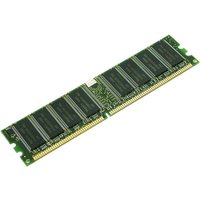
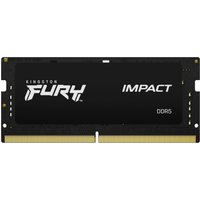
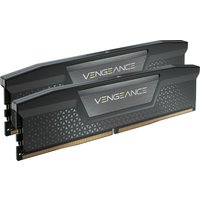
Recommended 64GB RAM Upgrades



How we verify this guide
Every compatibility figure here is checked against manufacturer specifications, official service manuals, and the standards that govern fit — memory type and speed (DDR4 / DDR5 / LPDDR5), maximum supported capacity and slot count, SSD form factor and interface (M.2 2280, NVMe PCIe vs SATA, keying), and charger wattage and connector (USB-C Power Delivery, GaN). We’re explicit about soldered or non-upgradeable parts, prioritise primary sources over retailer listings, and re-verify the data on a regular cycle. More on our method →

