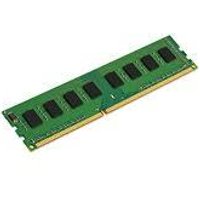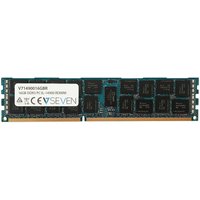
ECC (Error-Correcting Code) memory is a specialised type of RAM that can detect and correct single-bit memory errors automatically. While standard consumer PCs use non-ECC memory, servers, workstations, and NAS devices often require or recommend ECC RAM for data integrity. This guide explains when ECC memory matters and when you can skip it.
How ECC Memory Works

Standard RAM stores data as electrical charges in memory cells. Cosmic rays, electrical interference, and manufacturing imperfections can occasionally flip a bit (changing a 0 to 1 or vice versa). Non-ECC memory has no way to detect these errors. ECC memory adds an extra chip per module that stores parity data, allowing the memory controller to detect and correct single-bit errors on every read operation.
- Single-bit error correction: Fixes one flipped bit per 64-bit word automatically
- Double-bit error detection: Detects (but cannot fix) two-bit errors and halts the system
- Additional memory chip: ECC modules have 9 chips per rank instead of 8
- Performance impact: ~1-3% slower than non-ECC due to error-checking overhead
- DDR5 on-die ECC: All DDR5 has basic on-die ECC, but this is NOT the same as full ECC DIMM support
ECC Memory Types
There are several types of ECC memory for different platforms:
| Type | Form Factor | Use Case | Max Capacity |
|---|---|---|---|
| ECC UDIMM | Desktop DIMM | Workstations, NAS, entry servers | 128GB per system (typical) |
| ECC RDIMM | Server DIMM | Servers, high-end workstations | 2TB+ per system |
| ECC LRDIMM | Server DIMM | Enterprise servers | 4TB+ per system |
| ECC SODIMM | Laptop/NAS DIMM | NAS devices, embedded systems | 64GB per system (typical) |
When You Need ECC Memory
ECC memory is essential or strongly recommended for these use cases:
- File servers and NAS devices — protects stored data from silent corruption
- Database servers — prevents corrupted queries and data integrity issues
- Virtualisation hosts — a single bit flip can crash multiple virtual machines
- Scientific computing — ensures calculation accuracy over long-running jobs
- Financial systems — data accuracy is critical
- ZFS storage — ZFS checksumming benefits enormously from ECC to prevent data corruption
- Any system where data integrity is more important than raw performance
When You Do NOT Need ECC
For most consumer use cases, non-ECC memory is perfectly adequate:
- Gaming PCs — bit errors are extremely rare and a crash is the worst case (no data loss)
- General office and browsing PCs
- Home media PCs and streaming boxes
- Consumer laptops and tablets
- Development machines (unless running VMs or databases locally)
Recommended Products
Reliable ECC UDIMM for workstations and NAS devices supporting DDR5 ECC.
Check Price on Amazon UK
Enterprise-grade registered ECC memory for servers. Widely compatible with Dell, HP, and Lenovo servers.
Check Price on Amazon UK
Compact ECC memory for Synology and QNAP NAS devices that support ECC.
Check Price on Amazon UK
Frequently Asked Questions
Can I use ECC RAM in a regular desktop PC?
It depends on your CPU and motherboard. Most Intel consumer CPUs do not support ECC. AMD Ryzen CPUs technically support ECC UDIMMs on many AM4/AM5 motherboards, though it is not officially validated. Check your motherboard manual for ECC support.
Does ECC memory make my computer slower?
ECC memory has approximately 1-3% performance overhead due to error-checking operations. In most workloads this difference is imperceptible. The data integrity benefit far outweighs the minor performance cost for server and NAS applications.
Do NAS devices need ECC memory?
It is strongly recommended for NAS devices running ZFS (TrueNAS, FreeNAS). For Synology and QNAP devices running their proprietary file systems, ECC is beneficial but not strictly required. Consumer NAS devices will function with non-ECC memory.
What happens when ECC detects an error?
For single-bit errors, ECC silently corrects the error with no system impact. For double-bit errors (extremely rare), ECC detects but cannot correct — the system will halt or log a critical error to prevent data corruption from propagating.