Mac Mini M1 (2020) — Quick Specs Summary
| Component | Specification | Upgradeable? |
|---|---|---|
| Processor | Apple M1 (8-core CPU, 7/8-core GPU) | No |
| RAM | 8GB, 16GB (unified, LPDDR4X) | No — soldered |
| Internal SSD | 256GB, 512GB, 1TB, 2TB | No — soldered |
| Ports | 2× Thunderbolt 3/USB4, 2× USB-A, HDMI 2.0, Gigabit Ethernet | Expandable via TB3 docks |
| Wireless | WiFi 6 (802.11ax), Bluetooth 5.0 | No |
| Power Supply | USB-C power delivery (45W) | No |
| Display Outputs | Supports up to 2 displays (HDMI + 1× 6K via TB3) | Via Thunderbolt 3 |
| Price (used) | £250–500 (8GB/256GB to 16GB/2TB) | N/A |
M1 in 2024: Is It Still Relevant?
Performance vs Modern M-Series
The M1 (2020) is now 4 years old but remains capable:
- Still outpaces most Intel i5/i7 chips from 2020–2021
- Handles 1080p video, light 4K editing, standard development
- Web browsing, office work, video conferencing: fluid and responsive
- Gap vs M4: ~40% slower; gap vs M2: ~25% slower
Second-Hand Value Proposition
Used M1 Mac Minis are appearing at £250–350 (8GB/256GB) up to £450–500 (16GB/1TB). For students, hobbyists, or budget-conscious creatives, M1 is still a sensible entry point. Professional use (heavy video/3D) is marginal.
RAM & Storage (Both Soldered)
Configuration Constraints
M1 comes in 8GB or 16GB RAM (both soldered). No upgrade path.
Buying guide for used M1:
- 8GB — works for light browsing/office; slow with multiple apps or browser tabs
- 16GB — recommended minimum; handles development, moderate creative work
For storage, M1 maxes at 2TB (512GB, 1TB, 2TB versions exist). Pair any M1 with an external TB3 SSD (£100–150 for 1TB) for expanded capacity.
Performance Note
M1’s storage interface is slower than M2/M4 (PCIe 3.0 vs PCIe 4.0). Noticeable for large file transfers but not daily impact.
Thunderbolt 3 vs Thunderbolt 4
What’s the Difference?
M1 has 2× Thunderbolt 3 ports (40 Gbps max bandwidth), not TB4. Compatibility:
- TB3 is backward-compatible with USB-C and Thunderbolt 2
- Most TB4 accessories work with TB3 but at TB3 speeds
- Some advanced TB4 features (PCIe 4.0 tunneling) may be limited
Docking for M1
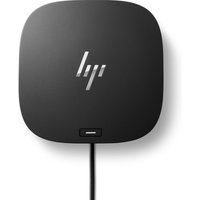
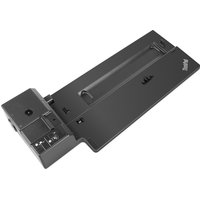
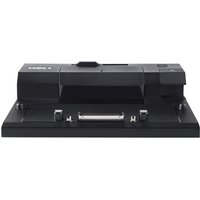
Use TB3-certified docks. Popular options:
- CalDigit TS4 — TB4 dock, backward-compatible with M1 at TB3 speeds (40 Gbps), 6 ports
- OWC Thunderbolt Dock — TB3-compatible multi-port hub
- USB-C Hub Alternatives — affordable expansion for basic connectivity
New docks are TB4-focused, so M1 users are best served by older TB3 docks or accepting TB4 docks running at TB3 capability.
Display Support Limitations
2 Displays Maximum
M1 supports:
- 1× HDMI 2.0 (4K 60Hz)
- 1× 6K display via TB3
- Total: 2 displays
M2+ support more (M2 = 2× 6K + 4K). For multi-monitor creative work, M2/M4 are better choices.
External Storage via Thunderbolt 3
M1’s soldered storage makes external SSDs essential for any heavy workload. Popular TB3-compatible expansion:
- Samsung T7 1TB — fast TB3 SSD, portable
- SanDisk Extreme Pro Portable — rugged, reliable
- OWC Mercury Extreme Pro — Mac-optimized external drive
Power & Cooling
45W USB-C Power (Lowest of the Line)
M1 uses only 45W USB-C PD—the most efficient Apple Silicon Mac Mini. Useful: older iPad chargers (20–30W) can provide partial power, though not ideal for sustained use. Stick with the 45W official adapter.
Passive Cooling Performance
M1 runs cool due to efficiency. Even sustained video exports rarely trigger thermal throttling. Ambient temp tolerance: up to 25°C without issue.
WiFi & Bluetooth Specs
WiFi 6 (Good Enough, Not 6E)
M1 has WiFi 6 (802.11ax), not WiFi 6E. Real-world speeds: 300–500 Mbps in typical offices. Sufficient for streaming, conferencing, general browsing. Not ideal for large file transfers (use Ethernet or TB3 external SSD).
Bluetooth 5.0 Limitations
Older Bluetooth 4.0 peripherals work but expect occasional pairing quirks. Modern Bluetooth 5.2+ devices (AirPods Pro, latest Beats) pair without issue.
Upgradeability Score
| Category | Score | Notes |
|---|---|---|
| RAM Upgrade | 0/10 | Soldered; impossible |
| SSD Upgrade | 1/10 | Soldered; external TB3 SSD viable |
| Ports & Connectivity | 7/10 | 2× TB3 adequate; fewer than M2/M4 but workable |
| Display Support | 6/10 | 2 displays only; M2+ supports more |
| Overall Upgradeability | 2/10 | Configuration at purchase; minimum external expansion |
Frequently Asked Questions
Should I buy used M1 in 2024?
Yes, if price is £300–400 and specs are 16GB/512GB+. Excellent value for light-to-moderate work. Avoid if under £300 or 8GB RAM.
Can M1 handle 4K video editing?
Modest 4K (24–30fps, H.264) is fine. 4K 60fps or heavy colour grading is sluggish. Stick to 1080p or pair with external RAID for proxy editing.
What Thunderbolt dock should I buy for M1?
Any TB3-native dock (Caldigit TS3 Plus if you find one) or accept TB4 docks running at TB3 speeds. Caldigit TS4 is compatible and current (though priced for TB4).
Is M1 RAM really not upgradeable?
Correct. RAM is micro-soldered to the SoC. Upgrading requires professional micro-soldering (expensive, voids warranty). Buy 16GB M1 if possible.
How long will M1 Mac Mini receive security updates?
Apple typically supports 5–6 years. M1 (2020) will likely receive updates until 2025–2026. Check compatibility with software you plan to use.
Recommended Products
These are the products we recommend based on this guide. All links go to Amazon UK where you can check current prices and availability.
| Product | Why We Recommend It | Amazon UK |
|---|---|---|
| Corsair Vengeance DDR4 SO-DIMM 32GB (2×16GB) 3200MHz | Best overall DDR4 upgrade kit | View on Amazon UK |
| Kingston Fury Impact DDR4 SO-DIMM 32GB (2×16GB) 3200MHz | Reliable alternative with tight latency | View on Amazon UK |
| Crucial DDR4 SO-DIMM 16GB 3200MHz | Budget single-stick upgrade | View on Amazon UK |
| Samsung DDR4 SO-DIMM 32GB 3200MHz | OEM-quality for business laptops | View on Amazon UK |
| Samsung 990 Pro 2TB NVMe M.2 2280 | Fastest consumer NVMe — ideal for gaming & editing | View on Amazon UK |
| WD Black SN850X 2TB NVMe | Excellent Gen4 speed with heatsink option | View on Amazon UK |
| Crucial P5 Plus 1TB NVMe | Great value Gen4 SSD | View on Amazon UK |
| Kingston NV2 1TB NVMe | Budget-friendly with solid reliability | View on Amazon UK |
Prices and availability may vary. As an Amazon Associate, we earn from qualifying purchases.
Related Apple Upgrade Guides
- Which MacBooks Have Soldered SSD & RAM? Complete List (2012-2026)
- Can You Upgrade a MacBook? RAM, SSD & Storage Options by Model
- MacBook External Monitor Compatibility
- Apple MacBook Pro 15″ (2013)
- Apple Mac mini (2014)
- Apple Upgrade Guide
Not sure what fits? Use our free Compatibility Checker covering 3,195+ models.