Affiliate disclosure: this page contains affiliate links — if you buy through them we may earn a commission at no extra cost to you. As an Amazon Associate we earn from qualifying purchases.
No—you cannot upgrade RAM on any Apple Silicon MacBook. All M1, M2, M3, and M4 MacBooks have unified memory soldered directly to the System-on-Chip (SoC). There are no upgradeable memory slots, no access panels, and no aftermarket options. Your memory configuration is locked at purchase and cannot be changed.
What Is Unified Memory Architecture?
Unlike Intel MacBooks with separate RAM modules, Apple Silicon uses unified memory—a single pool of memory shared between the CPU, GPU, and Neural Engine. This architecture is physically integrated into the SoC die itself. The memory doesn’t exist as a replaceable module; it’s part of the processor.
This design enables Apple Silicon’s efficiency and speed (an M3 MacBook Air outperforms a 13-inch Intel MacBook Pro from 2019), but it eliminates user upgrades entirely. The trade-off is: exceptional performance and thinness, but permanent memory configuration.
Affected MacBook Models
All MacBooks since 2020 fall into this category:
- MacBook Air M1 (13-inch, 2020)
- MacBook Air M2 (13-inch, 2022)
- MacBook Air M3 (13-inch, 2024)
- MacBook Pro 13-inch M1, M2, M3 (all generations)
- MacBook Pro 14-inch M1 Pro, M1 Max, M2 Pro, M2 Max, M3 Pro, M3 Max, M4 Pro, M4 Max
- MacBook Pro 16-inch M1 Pro, M1 Max, M2 Pro, M2 Max, M3 Pro, M3 Max, M4 Pro, M4 Max
Available Memory Configurations
You choose memory at purchase. These are your only options:
MacBook Air: 8GB, 16GB, 24GB, or 32GB (some models up to 64GB for custom orders)
MacBook Pro 14-inch: 16GB, 18GB, 24GB, 32GB, 64GB, 96GB, or 128GB (depending on chip)
MacBook Pro 16-inch: 18GB, 24GB, 32GB, 64GB, 96GB, or 128GB (depending on chip)
Memory Upgrade Costs at Purchase
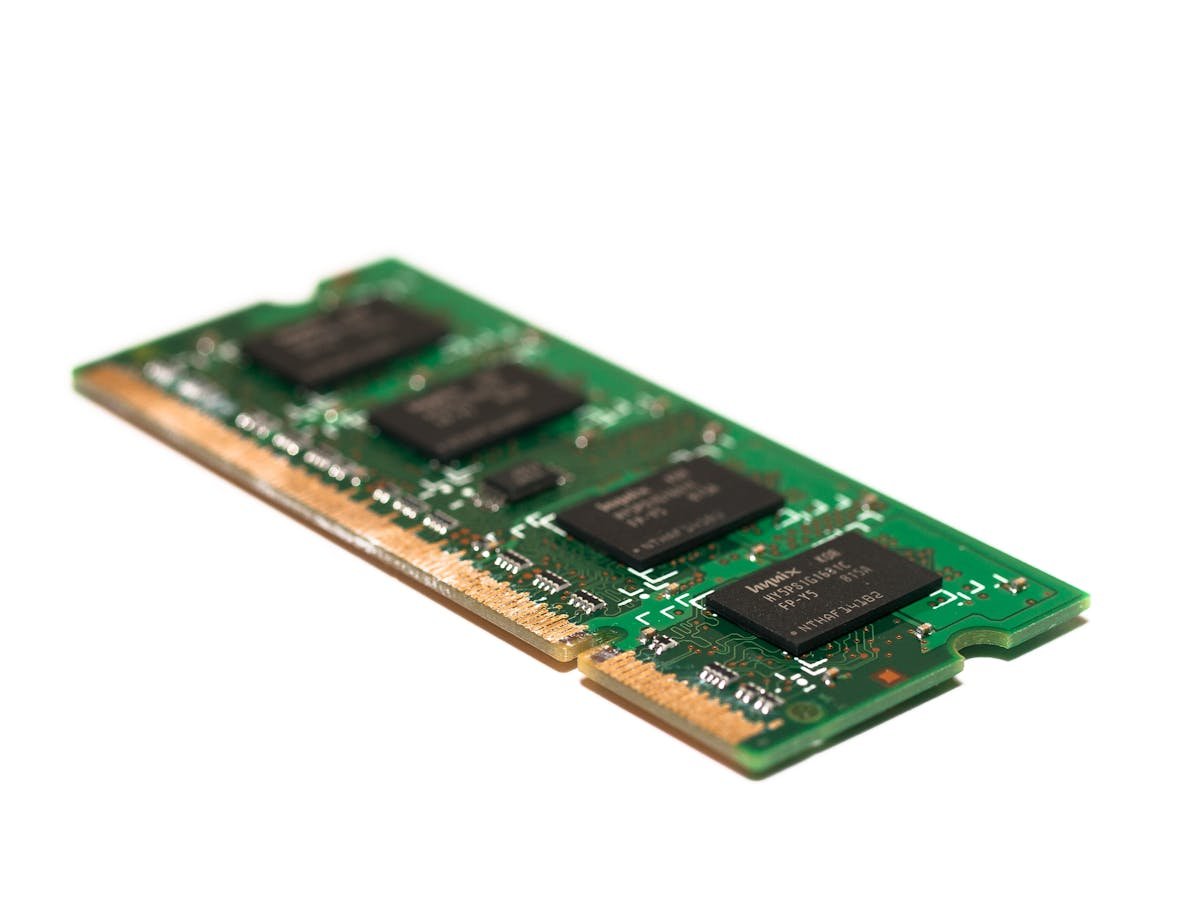
Adding memory at purchase is expensive. Apple charges approximately £200–400 per 8GB increment:
- 8GB → 16GB: £200
- 16GB → 24GB: £200
- 24GB → 32GB: £200
- 32GB → 64GB: £400
Because upgrades are expensive and permanent, buying the maximum RAM you can afford is better than upgrading later (you can’t). Selling a MacBook with insufficient RAM at resale will cost you significantly.
How Much RAM Do You Actually Need?
8GB: Absolute minimum in 2026. Sufficient for light web browsing and document editing, but expect stuttering with 15+ browser tabs and any background apps.
16GB: Baseline recommendation for most users. Comfortable for 10–15 Chrome tabs, Office, Zoom, Slack, and music simultaneously. Standard for new MacBooks.
24GB: Sweet spot for content creators. Handles photo editing (Lightroom, Capture One), light video work (Final Cut Pro with HD footage), and heavy multitasking without slowdown.
32GB+: Professional workloads: 4K video editing, large Photoshop files (100+ layers), virtual machines, data science (Jupyter, TensorFlow), and 3D rendering.
Memory Performance Matters Less Than Capacity
Apple Silicon memory runs at fixed speeds determined by the SoC (typically 100GB/s bandwidth). You don’t choose RAM speed—it’s built in. All M3 MacBooks with 16GB are identical in memory performance; the only variable is capacity.
This means buying the highest capacity you can afford is the only way to future-proof your purchase. Performance won’t change, but capacity directly impacts how long your MacBook remains comfortable to use.
See MacBook Air M3 configurations on Amazon
See MacBook Pro 14-inch M3 Pro configurations on Amazon
What About Older MacBooks?
Pre-2012 MacBook Pro (15-inch, 2011): Upgradeable RAM (DDR3). You can add up to 16GB.
2012 MacBook Pro Retina and all newer Intel MacBooks: RAM soldered to logic board. Not user-upgradeable, but older Intel MacBooks have less extreme integration than Apple Silicon, so some repair shops can desolder and replace RAM (costly and voids warranty).
If you own a 2012–2019 Intel MacBook, upgrade is technically possible but impractical ($300–500 repair cost). Better to replace the MacBook.
Frequently Asked Questions
Can I remove the M3 chip and add more RAM?
No. The memory is part of the die. You cannot desolder unified memory from an Apple Silicon SoC without destroying the chip. Even repair shops cannot perform this work.
What if I buy an 8GB MacBook Air and regret it?
You have two options: return it within 14 days (UK consumer law) and buy a 16GB model instead, or sell it and accept a loss in resale value. An 8GB MacBook Air resells for 20–30% less than a 16GB model with identical age and condition. Always buy maximum RAM you can afford.
Are external storage or memory cards an alternative?
External storage (USB-C SSD) helps with storage capacity, but external memory doesn’t exist. You cannot add external RAM to supplement unified memory. Storage and memory are separate; you need both.
Will 16GB be enough in 5 years?
For most users, yes. RAM requirements grow slowly—web browsers in 2029 may use 5–8% more memory than 2024, but macOS remains efficiently designed. For professional work (video editing, data science), 32GB is safer.
What’s the resale value difference between 8GB and 16GB?
8GB MacBook Air resells for approximately £200–300 less than a 16GB model of the same age and condition (roughly 20–30% discount). That cost difference at purchase is recovered at resale, so buying more RAM is financially smart.
Can I add a second MacBook’s memory to my first one?
No. Memory is soldered and integrated into the SoC. There is no way to combine memory from two MacBooks or transfer it between machines.
Recommended Products
These are the products we recommend based on this guide. All links go to Amazon where you can check current prices and availability.
| Product | Why We Recommend It | Amazon |
|---|---|---|
| Corsair Vengeance DDR4 SO-DIMM 32GB (2×16GB) 3200MHz | Best overall DDR4 upgrade kit | View on Amazon |
| Kingston Fury Impact DDR4 SO-DIMM 32GB (2×16GB) 3200MHz | Reliable alternative with tight latency | View on Amazon |
| Crucial DDR4 SO-DIMM 16GB 3200MHz | Budget single-stick upgrade | View on Amazon |
| Samsung DDR4 SO-DIMM 32GB 3200MHz | OEM-quality for business laptops | View on Amazon |
| Samsung 990 Pro 2TB NVMe M.2 2280 | Fastest consumer NVMe — ideal for gaming & editing | View on Amazon |
| WD Black SN850X 2TB NVMe | Excellent Gen4 speed with heatsink option | View on Amazon |
| Crucial P5 Plus 1TB NVMe | Great value Gen4 SSD | View on Amazon |
| Kingston NV2 1TB NVMe | Budget-friendly with solid reliability | View on Amazon |
Prices and availability may vary. As an Amazon Associate, we earn from qualifying purchases.
Related Apple Upgrade Guides
- Which MacBooks Have Soldered SSD & RAM? Complete List (2012-2026)
- Can You Upgrade a MacBook? RAM, SSD & Storage Options by Model
- MacBook External Monitor Compatibility
- Apple MacBook Pro 15″ (2013)
- Apple Mac mini (2014)
- Apple Upgrade Guide
Not sure what fits? Use our free Compatibility Checker covering 3,195+ models.
Helpful Guides
How we verify this guide
We cross-reference compatibility figures against manufacturer specifications where available, official service manuals, and the standards that govern fit — memory type and speed (DDR4 / DDR5 / LPDDR5), maximum supported capacity and slot count, SSD form factor and interface (M.2 2280, NVMe PCIe vs SATA, keying), and charger wattage and connector (USB-C Power Delivery, GaN). We’re explicit about soldered or non-upgradeable parts, prioritise primary sources over retailer listings, and re-verify the data on a regular cycle. More on our method →