The Dell Precision 3581 is the latest refresh of the entry-level Precision line, bringing the newest Intel Core Ultra processors and NVIDIA RTX 500 Ada GPU to an affordable, user-upgradeable workstation. Like the 3580, it features two DDR5 RAM slots (up to 64GB), a single M.2 SSD slot, Thunderbolt 4 connectivity, and USB-C Power Delivery charging — but with faster 2024-era components and Wi-Fi 7 support. For budget-conscious professionals transitioning into CAD, design, or light content creation, the 3581 is the current-generation recommendation.
RAM Compatibility for Dell Precision 3581
The Precision 3581 maintains the dual DDR5 SO-DIMM slot design, supporting up to 64GB of DDR5 RAM at 5600MHz — a speed bump from the 3580’s 4800MHz. Both memory slots are user-accessible, making RAM upgrades straightforward and cost-effective over time.
| Configuration | Max Capacity | Speed | Module Type | Best For |
|---|---|---|---|---|
| Stock (16GB) | Upgrade to 32GB or 64GB | DDR5-5600MHz | SO-DIMM (Sodimm) | Entry-level CAD, 2D design work |
| 32GB (2×16GB) | Solid mid-tier upgrade | DDR5-5600MHz | 2x SO-DIMM modules | Professional CAD, 3D assembly design, light animation |
| 64GB (2×32GB) | Maximum capacity | DDR5-5600MHz | 2x SO-DIMM modules | Complex assemblies, VFX, rendering, simulation work |
Upgrade path: Start with the stock 16GB and move to 32GB when your projects expand. For professionals planning to use the machine for 5+ years across multiple roles, jumping to 64GB upfront is a sensible investment. The DDR5-5600MHz standard ensures you’re not bottlenecking with slower memory. Buy DDR5 32GB SO-DIMM modules on Amazon UK.
SSD Compatibility for Dell Precision 3581

The Precision 3581 includes a single M.2 2280 NVMe SSD slot supporting PCIe Gen 4 (up to 7,400 MB/s). Although there’s no secondary slot, the single drive handles most professional workloads efficiently. A larger capacity drive (1TB+) is recommended to avoid storage constraints as your projects grow.
| Slot | Form Factor | Interface | Max Speed | Upgrade Strategy |
|---|---|---|---|---|
| Primary (only slot) | M.2 2280 | PCIe Gen 4 NVMe | 7,400 MB/s | Minimum 512GB for OS + apps. Recommend 1TB or 2TB for CAD projects and project files. |
Storage recommendation: Given there’s only one slot, spec a 1TB drive from the start. If you need external scratch storage later (for video editing or rendering caches), use a Thunderbolt 4 external SSD enclosure — it’ll offer near-internal speeds via the TB4 port. Shop M.2 NVMe 1TB drives on Amazon UK.
Charger Compatibility for Dell Precision 3581
The Precision 3581 uses efficient USB-C Power Delivery charging, with support for 65W to 90W adapters. This universal USB-C approach is a major advantage — you’re not locked into a proprietary barrel connector, and you can use multiport USB-C chargers for travel or multi-device charging.
| Charger Type | Power Output | Connector | Recommended Use |
|---|---|---|---|
| Dell USB-C Charger (included) | 65W–90W | USB-C | Default charger. Handles full performance under typical professional workloads. |
| Third-party USB-C PD charger | 65W–90W | USB-C | Works reliably. Any certified USB-C PD charger at 65W+ will charge the 3581 properly. |
| Multiport USB-C charger | 100W+ total (shared) | USB-C | Excellent for travel. Charge the 3581 (65–90W) plus phone, tablet, or other USB-C devices simultaneously. |
| Power bank with USB-C PD | 65W–100W | USB-C | Travel backup. Ensures you can work away from mains for a few hours. |
One of the 3581’s best features is USB-C charging flexibility. Any quality USB-C Power Delivery charger from reputable manufacturers (Anker, Belkin, Apple, etc.) will work. This ecosystem compatibility is unmatched in professional workstations. Find USB-C chargers on Amazon UK.
Dock Compatibility for Dell Precision 3581
The Precision 3581 includes Thunderbolt 4, making it compatible with any TB4-certified dock, and also works with basic USB-C hubs. For stationary work at a desk, a proper Thunderbolt 4 dock is recommended to enable multi-monitor setups and unified charging.
| Dock Type | Typical Ports | Power Passthrough | Recommendation |
|---|---|---|---|
| TB4 dock (e.g. Dell WD22) | Dual DisplayPort, USB-A, USB-C, audio, RJ45 | 100W–240W | Best for permanent desk setups. Native driver support with Precision machines. |
| Budget TB4 dock | Usually 4–6 USB ports + DisplayPort | 60W–100W | Good value. Verify at least 65W power passthrough to maintain charging speed. |
| USB-C hub (portable) | 2–4 USB-A, SD reader | Typically <60W | Travel option. Limited port count but lighter and more portable than a full dock. |
For a permanent workstation, invest in a Thunderbolt 4 dock — it’s worth it for the multi-monitor and unified charging experience. For portable work, a simple USB-C hub offers flexibility without bulk.
Dell Precision 3581 Full Specifications
| Component | Specification |
|---|---|
| Processor | Latest Intel Core Ultra 7 or Core Ultra 9 (next-gen mobile architecture) |
| RAM | 2× DDR5 SO-DIMM, up to 64GB (32GB modules at 5600MHz) |
| Storage | 1× M.2 2280 NVMe PCIe Gen 4 (7,400 MB/s) |
| Display | 15.6-inch FHD (1920×1200) standard, 4K upgrade optional |
| GPU | NVIDIA RTX 500 Ada (4GB GDDR6) — ISV-certified |
| Connectivity | Thunderbolt 4, Wi-Fi 7, USB 3.2, audio jack, SD card reader |
| Charging | USB-C Power Delivery (65W–90W) |
| Weight | Approximately 1.84 kg (lightweight and portable) |
| Warranty | 1-year standard, upgradeable to 3-year ProSupport or on-site |
Frequently Asked Questions — Dell Precision 3581
What’s the main difference between the Precision 3580 and 3581?
The 3581 features Intel Core Ultra processors (latest generation vs 13th-gen in the 3580), RTX 500 Ada GPU (vs RTX A500), DDR5-5600MHz RAM (vs 4800MHz), and Wi-Fi 7 support. Performance is noticeably faster — the 3581 is the current generation and future-proofed for the next few years.
Should I buy the 3580 or wait for the 3581?
If the 3581 is available at a reasonable premium, it’s the better choice — the newer processor and GPU provide a real performance uplift, and the faster RAM ensures you’re not bottlenecking. If the 3580 is heavily discounted, it’s still a solid entry-level workstation.
Is the RTX 500 Ada better than the RTX A500?
Yes, notably. The RTX 500 Ada (3581) uses next-gen architecture with improved CUDA cores and memory bandwidth. For GPU-accelerated applications, you’ll see measurably faster performance in rendering, simulation, and visual compute tasks.
Can I upgrade RAM and SSD myself?
Yes. Both the RAM and SSD are user-accessible. No special tools are required — standard laptop upgrade procedure. This is one of the key Precision strengths versus consumer laptops.
Is Wi-Fi 7 a significant upgrade?
Wi-Fi 7 is notably faster than Wi-Fi 6 — if you have Wi-Fi 7 infrastructure at your office or home, you’ll see 2–3x bandwidth. For most users, it’s a future-proofing feature. If you’re currently on Wi-Fi 5, the jump to Wi-Fi 7 is welcome.
Is the 3581 powerful enough for professional rendering?
It’s entry-level for rendering. The RTX 500 Ada handles CAD and light VFX smoothly, but for intensive GPU rendering (Octane, V-Ray), the premium Precision 7690 or 5690 with RTX 2000+ GPUs are better suited. The 3581 is perfect for CAD, design, and animation — not rendering farms.
Recommended Products
These are the products we recommend based on this guide. All links go to Amazon UK where you can check current prices and availability.
| Product | Why We Recommend It | Amazon UK |
|---|---|---|
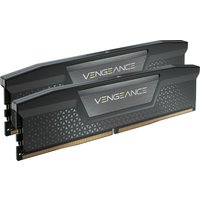
| Corsair Vengeance DDR5 SO-DIMM 32GB (2×16GB) 5600MHz | Top-rated DDR5 kit for gaming & productivity | View on Amazon UK |
| Kingston Fury Impact DDR5 SO-DIMM 32GB (2×16GB) 5600MHz | Excellent DDR5 alternative with XMP support | View on Amazon UK |
| Crucial DDR5 SO-DIMM 16GB 5600MHz | Affordable single-stick DDR5 | View on Amazon UK |
| G.Skill Ripjaws DDR5 SO-DIMM 32GB 5600MHz | High performance DDR5 for enthusiasts | View on Amazon UK |
| Samsung 990 Pro 2TB NVMe M.2 2280 | Fastest consumer NVMe — ideal for gaming & editing | View on Amazon UK |
| WD Black SN850X 2TB NVMe | Excellent Gen4 speed with heatsink option | View on Amazon UK |
| Crucial P5 Plus 1TB NVMe | Great value Gen4 SSD | View on Amazon UK |
| Kingston NV2 1TB NVMe | Budget-friendly with solid reliability | View on Amazon UK |
Prices and availability may vary. As an Amazon Associate, we earn from qualifying purchases.
Related Dell Upgrade Guides
- Dell Battery Replacement: Latitude, XPS & Inspiron Step-by-Step
- Best RAM for Dell Laptops in 2026
- Dell Precision T7920 RAM & SSD Upgrade Guide (2018)
- Dell Precision T7875 RAM & SSD Upgrade Guide (2024)
- Dell Precision T5860 RAM & SSD Upgrade Guide (2024)
- Dell Upgrade Guide
Not sure what fits? Use our free Compatibility Checker covering 3,195+ models.