The Dell Precision 5690 is a premium 16-inch mobile workstation built for professionals who demand high performance in a thin, portable chassis. This machine combines exceptional computing power with full internal upgradability — both the RAM and storage are user-accessible, making it one of Dell’s most serviceable premium workstations. Whether you’re running CAD, 3D rendering, or video editing, understanding your upgrade options is essential for maximising the 5690’s potential.
RAM Compatibility for Dell Precision 5690
The Precision 5690 ships with dual DDR5 SO-DIMM memory slots, capable of holding up to 64GB of RAM (32GB per module at 5600MHz). This is professional-grade memory designed for stability under sustained workloads. Both memory slots are equally upgradeable, and memory swaps are straightforward — no motherboard disassembly required.
| Configuration | Max Capacity | Speed | Module Type | Best For |
|---|---|---|---|---|
| Stock config (16GB) | Upgrade to 32GB or 64GB | DDR5-5600MHz | SO-DIMM (Sodimm) | Light CAD, spreadsheets |
| 32GB (2×16GB) | Good upgrade path | DDR5-5600MHz | 2x SO-DIMM modules | 3D rendering, Unreal Engine |
| 64GB (2×32GB) | Maximum capacity | DDR5-5600MHz | 2x SO-DIMM modules | GPU rendering, 8K video, large datasets |
Recommended upgrades: If you work with large datasets or parallel processing, step up to 32GB immediately. For GPU-accelerated rendering (Octane, V-Ray), 64GB is worth the investment — it eliminates memory bottlenecks. Buy DDR5 32GB SO-DIMM modules on Amazon UK.
SSD Compatibility for Dell Precision 5690

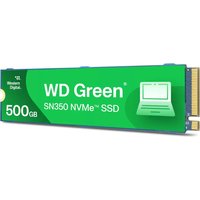
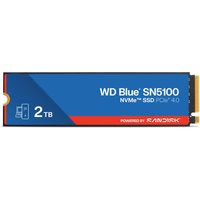
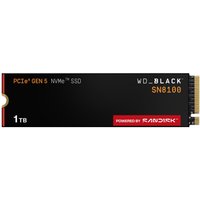
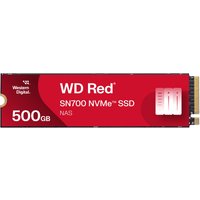
The Precision 5690 features two M.2 2280 NVMe SSD slots, both supporting PCIe Gen 4 with read/write speeds up to 7,400 MB/s. Storage is critical for workstation performance — a fast secondary SSD for scratch disks or project files can dramatically improve responsiveness during heavy rendering or video timelines.
| Slot | Form Factor | Interface | Max Speed | Upgrade Notes |
|---|---|---|---|---|
| Primary (Slot 1) | M.2 2280 | PCIe Gen 4 NVMe | 7,400 MB/s | OS and applications — replace with 1TB+ for CAD projects |
| Secondary (Slot 2) | M.2 2280 | PCIe Gen 4 NVMe | 7,400 MB/s | Dedicated scratch disk for video/rendering — optional but highly recommended |
Upgrade strategy: The Precision 5690 supports hot-swappable M.2 drives without opening the main chassis — just slide the existing drive out and insert a new one. For 3D work, populate both slots: a 1TB primary SSD for the OS and a 2TB secondary SSD dedicated as a scratch disk. This separation improves rendering performance and keeps your boot drive fast. Shop M.2 NVMe SSDs on Amazon UK.
Charger Compatibility for Dell Precision 5690
The Precision 5690 supports multiple charging methods, designed for flexibility in professional environments. It accepts both Dell’s proprietary barrel connector (up to 165W) and USB-C Power Delivery (up to 90W via Thunderbolt 4), allowing you to charge from standard USB-C power banks or multi-device chargers.
| Charger Type | Power Output | Connector | Best Use |
|---|---|---|---|
| Dell 165W Barrel Connector (standard) | 165W | Dell 4-pin barrel | Primary at-desk charging. Fastest full charge. |
| USB-C Power Delivery | Up to 90W | Thunderbolt 4 (USB-C) | Travel, hot-desking, shared chargers. Slower than barrel but universal. |
| Third-party USB-C charger | 65W–100W | USB-C | Multipurpose chargers. Ensure 90W+ for best performance. |
For desk work, stick with the 165W barrel connector — it’s the fastest option. For travel, any 90W USB-C Power Delivery charger will work, though the machine will charge more slowly. Find compatible USB-C chargers on Amazon UK.
Dock Compatibility for Dell Precision 5690
The Precision 5690 integrates Thunderbolt 4, making it compatible with a broad range of docks. Dell’s own docks are optimised for the 5690, but third-party Thunderbolt 4 docks from reputable manufacturers also work reliably. Docking stations extend connectivity and improve desk ergonomics when the 5690 is in a stationary workstation setup.
| Dock Type | Ports Typical | Power Passthrough | Recommendation |
|---|---|---|---|
| Dell Thunderbolt Dock (WD22) | Dual DisplayPort, USB-A, USB-C, audio | Up to 165W | Best integration with 5690. Native drivers, full power delivery. |
| Third-party Thunderbolt 4 dock | Varies (typically 4–6 USB ports) | Varies (60W–240W) | Works reliably. Ensure 100W+ for sustained use. |
| USB-C hub (basic) | 2–3 USB-A + SD card reader | Usually limited (<60W) | Budget option for travel. Not for sustained workloads. |
For professional environments, a Thunderbolt 4 dock is a worthwhile investment — it provides stable multi-monitor support and unified charging. The Dell WD22 is the native choice, but any TB4-certified dock will function properly.
Dell Precision 5690 Full Specifications
| Component | Specification |
|---|---|
| Processor | Intel Core Ultra 9 or Xeon W-series (latest generation) |
| RAM | 2× DDR5 SO-DIMM, up to 64GB (32GB modules at 5600MHz) |
| Storage | 2× M.2 2280 NVMe PCIe Gen 4 (up to 7,400 MB/s per slot) |
| Display | 16-inch FHD (1920×1200) or 4K+ OLED (3840×2400) options |
| GPU | NVIDIA RTX 2000 Ada (4GB GDDR6) |
| Connectivity | 2× Thunderbolt 4, USB 3.2, audio jack, SD card reader |
| Charging | 165W barrel connector or USB-C PD (90W max) |
| Weight | Starting at 1.81 kg (thin-and-light workstation design) |
| Warranty | Typically 3-year ProSupport, upgradeable to 5-year on-site |
Frequently Asked Questions — Dell Precision 5690
Can I upgrade RAM and storage myself on the Precision 5690?
Yes. Both RAM and SSD slots are user-accessible. No special tools are required — you can swap memory and drives with a basic screwdriver. Dell designs Precision workstations for serviceability, meaning you’re not locked into factory configurations. This is one of the key advantages of professional-grade hardware.
What’s the difference between the barrel charger and USB-C charging?
The 165W barrel connector delivers power fastest — optimal for demanding workloads. USB-C PD at 90W is slower but universal, letting you use any standard charger. For day-to-day desk use, the barrel charger is recommended. For travel, USB-C gives flexibility.
Is the Precision 5690 compatible with third-party Thunderbolt 4 docks?
Completely. Any TB4-certified dock will work. Dell’s own WD22 dock offers optimised integration, but you’re not locked into it. Look for docks with at least 100W power passthrough if you plan sustained use.
Can I use a second SSD for scratch disk in video editing?
Yes — and it’s highly recommended. The second M.2 slot is perfect for a dedicated scratch drive. This separates OS/app I/O from project work, reducing bottlenecks in Premier Pro or After Effects.
What DDR5 modules are compatible?
Any standard DDR5 SO-DIMM at 5600MHz or lower. Dell doesn’t restrict memory — you can use OEM modules or aftermarket brands. Just verify the module is marked for laptop (SO-DIMM) not desktop (UDIMM).
Recommended Products
These are the products we recommend based on this guide. All links go to Amazon UK where you can check current prices and availability.
| Product | Why We Recommend It | Amazon UK |
|---|---|---|
| Corsair Vengeance DDR5 SO-DIMM 32GB (2×16GB) 5600MHz | Top-rated DDR5 kit for gaming & productivity | View on Amazon UK |
| Kingston Fury Impact DDR5 SO-DIMM 32GB (2×16GB) 5600MHz | Excellent DDR5 alternative with XMP support | View on Amazon UK |
| Crucial DDR5 SO-DIMM 16GB 5600MHz | Affordable single-stick DDR5 | View on Amazon UK |
| G.Skill Ripjaws DDR5 SO-DIMM 32GB 5600MHz | High performance DDR5 for enthusiasts | View on Amazon UK |
| Samsung 990 Pro 2TB NVMe M.2 2280 | Fastest consumer NVMe — ideal for gaming & editing | View on Amazon UK |
| WD Black SN850X 2TB NVMe | Excellent Gen4 speed with heatsink option | View on Amazon UK |
| Crucial P5 Plus 1TB NVMe | Great value Gen4 SSD | View on Amazon UK |
| Kingston NV2 1TB NVMe | Budget-friendly with solid reliability | View on Amazon UK |
Prices and availability may vary. As an Amazon Associate, we earn from qualifying purchases.
Related Dell Upgrade Guides
- Dell Battery Replacement: Latitude, XPS & Inspiron Step-by-Step
- Best RAM for Dell Laptops in 2026
- Dell Precision T7920 RAM & SSD Upgrade Guide (2018)
- Dell Precision T7875 RAM & SSD Upgrade Guide (2024)
- Dell Precision T5860 RAM & SSD Upgrade Guide (2024)
- Dell Upgrade Guide
Not sure what fits? Use our free Compatibility Checker covering 3,195+ models.