The Dell Precision 7680 is an absolute powerhouse among mobile workstations, featuring one of the rarest capabilities in laptop design: four DDR5 SO-DIMM slots capable of holding up to 128GB of RAM. This unprecedented memory capacity, combined with dual SSD storage and professional-grade NVIDIA RTX GPUs, makes the 7680 the go-to machine for GPU rendering, large-scale data processing, and intensive CAD workflows. If maximum performance and future-proof upgradability are your priorities, the 7680 is a tier above competitor offerings.
RAM Compatibility for Dell Precision 7680
The Precision 7680 is a game-changer because it includes four DDR5 SO-DIMM memory slots — a rarity in mobile workstations. This means you can spec up to 128GB of DDR5 RAM at 5600MHz, making it ideal for professionals working with large datasets, parallel rendering, or memory-intensive simulations. Each slot accepts 32GB modules independently, giving you unparalleled flexibility in your upgrade path.
| Configuration | Total Capacity | Speed | Modules Required | Best For |
|---|---|---|---|---|
| Stock config (32GB) | Up to 128GB | DDR5-5600MHz | 4× SO-DIMM slots | Default setup — upgrade path available |
| 64GB (4×16GB) | Good intermediate capacity | DDR5-5600MHz | 4× SO-DIMM modules | 3D rendering, Houdini, complex assemblies |
| 96GB (4×24GB or mix) | Practical for heavy workloads | DDR5-5600MHz | 4× SO-DIMM modules | Multi-threaded rendering, machine learning training |
| 128GB (4×32GB) | Maximum capacity | DDR5-5600MHz | 4× SO-DIMM modules | Large 3D scenes, GPU rendering farms, HPC workflows, big data |
Upgrade recommendations: With four slots, you can mix and match memory modules for a phased upgrade approach. Start with 32GB, add another 32GB when your workload requires it, and upgrade further as needed. This flexibility is unique to workstations with four RAM slots. For professional CAD and rendering, 128GB is the ultimate configuration — it eliminates any memory bottleneck. Buy DDR5 32GB SO-DIMM modules on Amazon UK.
SSD Compatibility for Dell Precision 7680

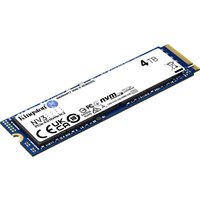
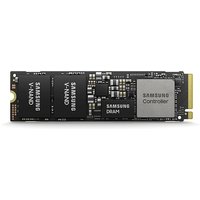
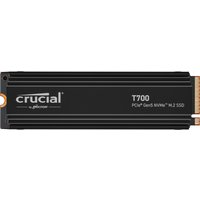
The Precision 7680 supports two M.2 2280 NVMe SSD slots, both running PCIe Gen 4. For a workstation with 128GB of RAM capacity, fast storage is essential — it ensures your boot drive, applications, and project files load instantly, and a secondary SSD provides dedicated scratch space for rendering or video work.
| Slot | Form Factor | Interface | Max Speed | Upgrade Strategy |
|---|---|---|---|---|
| Primary SSD | M.2 2280 | PCIe Gen 4 NVMe | 7,400 MB/s | Minimum 1TB for OS and applications. Consider 2TB for large CAD databases. |
| Secondary SSD | M.2 2280 | PCIe Gen 4 NVMe | 7,400 MB/s | Dedicated scratch disk for rendering jobs — recommended at 2TB for sustained workflows. |
Upgrade guidance: The beauty of the 7680’s four RAM slots is that it can handle extremely heavy rendering loads — meaning your storage must keep pace. A typical recommendation is a 2TB primary SSD (OS + applications + active projects) and a 2TB secondary SSD (scratch disk for render passes). This configuration is fast and future-proof. Shop high-capacity NVMe SSDs on Amazon UK.
Charger Compatibility for Dell Precision 7680
The Precision 7680 is a desktop-class workstation in portable form, and its charging reflects that. It supports both Dell’s high-capacity barrel connector (up to 240W) and USB-C Power Delivery, ensuring rapid charging even under sustained GPU load. The 240W barrel option is among the highest you’ll find in mobile workstations.
| Charger Type | Power Output | Connector | Use Case |
|---|---|---|---|
| Dell 240W Barrel Connector (premium) | 240W | Dell 4-pin barrel | Best for desk setups. Fastest charging and sustains full GPU load without battery drain. |
| Dell 180W Barrel Connector (standard) | 180W | Dell 4-pin barrel | Adequate for most workloads. Slightly slower than 240W but still very capable. |
| USB-C Power Delivery | Up to 100W | Thunderbolt 4 (USB-C) | Travel option. Machine charges more slowly under GPU load but functional. |
For a machine as powerful as the 7680, invest in the 240W barrel charger if you’re doing sustained rendering or GPU-heavy work. The extra power ensures your battery doesn’t drain while you’re working. USB-C PD is fine for light work or travel, but not recommended for sustained rendering sessions.
Dock Compatibility for Dell Precision 7680
The Precision 7680 features Thunderbolt 4 connectivity, making it compatible with a wide ecosystem of docks. For a workstation of this caliber, docking is essential — it provides stable multi-monitor setups, unified charging, and ergonomic desk integration, freeing you from port management.
| Dock Type | Typical Ports | Power Passthrough | Recommendation |
|---|---|---|---|
| Dell Thunderbolt Dock WD22 | Dual DisplayPort, USB-A, USB-C, audio, RJ45 | Up to 240W | Native optimisation for Precision workstations. Full power delivery. Recommended. |
| Certified TB4 third-party dock | Typically 4–8 ports (USB-A, USB-C, DisplayPort) | Varies (100W–240W) | Works well. Verify 180W+ power passthrough for sustained GPU use. |
| USB-C hub (basic) | 2–4 USB-A, SD reader | <100W | Not recommended for 7680. Insufficient power and ports for professional use. |
A Thunderbolt 4 dock is strongly recommended for the Precision 7680. This is a machine built for sustained desktop use with maximum capability — the docking experience should match that level of performance.
Dell Precision 7680 Full Specifications
| Component | Specification |
|---|---|
| Processor | 13th Gen Intel Core i7/i9 or Xeon W-series (with ECC support) |
| RAM | 4× DDR5 SO-DIMM, up to 128GB (32GB modules at 5600MHz) — UNIQUE 4-slot design |
| Storage | 2× M.2 2280 NVMe PCIe Gen 4 (7,400 MB/s per slot) |
| Display | 16-inch FHD (1920×1200) or 4K (3840×2400) options |
| GPU | NVIDIA RTX 3500/4000/5000 Ada series (24–48GB GDDR6 vRAM) |
| Connectivity | 2× Thunderbolt 4, USB 3.2, audio jack, SD card reader, RJ45 optional |
| Charging | 240W or 180W barrel connector, USB-C PD (100W) |
| Weight | Approximately 2.5 kg (premium mobile workstation design) |
| Warranty | 3-year ProSupport standard, upgradeable to 5-year on-site |
Frequently Asked Questions — Dell Precision 7680
Why does the Precision 7680 have four RAM slots when most laptops have two?
This is a distinguishing feature of Dell’s premium Precision line. Four slots allow professionals to reach 128GB of RAM — impossible with two slots. This capacity is essential for large-scale 3D scenes, machine learning workflows, and video rendering where memory becomes the bottleneck.
Is 128GB of RAM overkill?
Not for professional workflows. GPU rendering, Houdini simulations, large point-cloud processing, and big-data analysis all benefit dramatically from 128GB. You’re not paying per GB to install — it’s a one-time hardware investment that keeps the machine capable for 5+ years.
Should I max out to 128GB or start smaller?
Start with 32GB or 64GB. The four-slot design lets you upgrade later without replacement — just add new 32GB modules. This phased approach spreads investment and lets you scale based on actual workload demands.
What’s the difference between the 180W and 240W chargers?
The 240W charger maintains full performance during sustained GPU rendering or multi-GPU docking. The 180W charger is still powerful but may throttle slightly under peak load. For serious rendering work, 240W is the safer choice.
Can I use a single 32GB module to populate all four slots?
Yes. Dell allows any combination of DDR5 SO-DIMM modules up to 128GB total. You could use four identical 32GB modules, or mix smaller modules (e.g., 16GB + 32GB + 32GB + 32GB). Just ensure they’re DDR5 5600MHz or lower, laptop SO-DIMM type.
Is the 7680 compatible with docking on-site at different offices?
Absolutely. Thunderbolt 4 docking is universal across any TB4-certified dock. You can dock at multiple locations using different docks and everything will work seamlessly. The WD22 is optimised for Precision machines, but third-party TB4 docks are fully compatible.
Recommended Products
These are the products we recommend based on this guide. All links go to Amazon UK where you can check current prices and availability.
| Product | Why We Recommend It | Amazon UK |
|---|---|---|
| Corsair Vengeance DDR5 SO-DIMM 32GB (2×16GB) 5600MHz | Top-rated DDR5 kit for gaming & productivity | View on Amazon UK |
| Kingston Fury Impact DDR5 SO-DIMM 32GB (2×16GB) 5600MHz | Excellent DDR5 alternative with XMP support | View on Amazon UK |
| Crucial DDR5 SO-DIMM 16GB 5600MHz | Affordable single-stick DDR5 | View on Amazon UK |
| G.Skill Ripjaws DDR5 SO-DIMM 32GB 5600MHz | High performance DDR5 for enthusiasts | View on Amazon UK |
| Samsung 990 Pro 2TB NVMe M.2 2280 | Fastest consumer NVMe — ideal for gaming & editing | View on Amazon UK |
| WD Black SN850X 2TB NVMe | Excellent Gen4 speed with heatsink option | View on Amazon UK |
| Crucial P5 Plus 1TB NVMe | Great value Gen4 SSD | View on Amazon UK |
| Kingston NV2 1TB NVMe | Budget-friendly with solid reliability | View on Amazon UK |
Prices and availability may vary. As an Amazon Associate, we earn from qualifying purchases.
Related Dell Upgrade Guides
- Dell Battery Replacement: Latitude, XPS & Inspiron Step-by-Step
- Best RAM for Dell Laptops in 2026
- Dell Precision T7920 RAM & SSD Upgrade Guide (2018)
- Dell Precision T7875 RAM & SSD Upgrade Guide (2024)
- Dell Precision T5860 RAM & SSD Upgrade Guide (2024)
- Dell Upgrade Guide
Not sure what fits? Use our free Compatibility Checker covering 3,195+ models.