The Gigabyte AORUS 17X (2024) is a premium 17.3-inch gaming laptop powered by the Intel Core i9-14900HX processor and RTX 4080 or 4090 GPU. This comprehensive guide covers RAM, SSD, charger, dock, and full specifications for upgrading and maintaining your AORUS 17X.
RAM Compatibility & Upgrade Guide

The Gigabyte AORUS 17X (2024) features user-upgradeable DDR5 memory with 2 SO-DIMM slots supporting up to 64GB of DDR5-5600 RAM. Full upgradeability makes this one of the most future-proof gaming laptops available.
Upgrade potential: ★★★★★ (Fully upgradeable)
Compatible Memory Modules
| Capacity | Speed | Type | Maximum Configuration |
|---|---|---|---|
| 8GB DDR5 | DDR5-5600 | SO-DIMM | 16GB (2×8GB) |
| 16GB DDR5 | DDR5-5600 | SO-DIMM | 32GB (2×16GB) |
| 32GB DDR5 | DDR5-5600 | SO-DIMM | 64GB (2×32GB) |
Best Upgrade Path: Start with the 32GB config and upgrade to 64GB when needed for content creation, streaming, or heavy multitasking.
SSD & Storage Compatibility
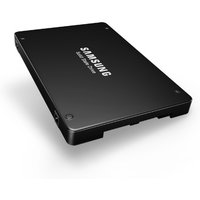
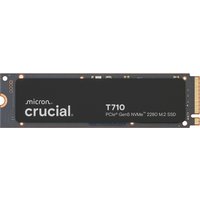
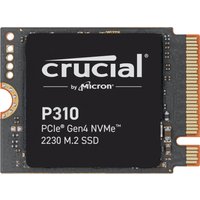
The Gigabyte AORUS 17X (2024) features 2 M.2 2280 PCIe Gen 4/Gen 5 NVMe slots, supporting both latest-generation and current-generation SSDs for maximum flexibility.
| Product | Capacity | Speed | Price (£) | Link |
|---|---|---|---|---|
| Samsung 990 Pro (Gen 4) | 1TB / 2TB / 4TB | 7,100 MB/s | £79–£249 | View on Amazon UK |
| Samsung 990 EVO Plus (Gen 5) | 1TB / 2TB | 9,500 MB/s | £99–£159 | View on Amazon UK |
| SK Hynix P41 Platinum | 1TB / 2TB | 7,100 MB/s | £75–£120 | View on Amazon UK |
| WD Black SN850X (Gen 4) | 1TB / 2TB / 4TB | 7,100 MB/s | £69–£199 | View on Amazon UK |
Storage Notes: Both slots accept M.2 2280 drives. PCIe Gen 5 drives offer future-proofing but Gen 4 is still very fast. You can mix Gen 4 and Gen 5 drives without issues.
Charger & Power Compatibility
The Gigabyte AORUS 17X (2024) uses a powerful proprietary 330W barrel connector to support the large 17.3″ display and RTX 4080/4090 GPU. This is the highest wattage in the AORUS line.
| Charger Type | Wattage | Connector | Use Case |
|---|---|---|---|
| Original Gigabyte 330W | 330W | Proprietary Barrel | Full-speed gaming with RTX 4080/4090 |
| USB-C PD 100W | 100W | USB Type-C | Light productivity (not recommended for gaming) |
Critical: The 330W charger is essential for the AORUS 17X. Using lower-wattage chargers will cause significant performance throttling, especially when gaming with the RTX 4090.
Dock & Hub Compatibility
The Gigabyte AORUS 17X (2024) features Thunderbolt 4, supporting the fastest possible external displays, storage, and docking solutions. Thunderbolt 4 is fully backward compatible with Thunderbolt 3 and USB 3.2.
Compatible Docking Options:
- Thunderbolt 4 docks (recommended for optimal performance)
- Thunderbolt 3 docks (backward compatible)
- USB 3.2 Type-C hubs (universal compatibility)
- eGPU enclosures for additional GPU compute power
Professional Use: The Thunderbolt 4 port supports dual 6K displays, making this laptop excellent for creative professionals, video editors, and 3D artists who need multiple high-resolution monitors.
Full Specifications Table
| Component | Specification |
|---|---|
| CPU | Intel Core i9-14900HX |
| GPU | NVIDIA RTX 4080 or RTX 4090 Laptop |
| Display | 17.3″ QHD (2560×1440) 240Hz IPS |
| RAM | 2× DDR5-5600 SO-DIMM (up to 64GB, User-upgradeable) |
| Storage | 2× M.2 2280 PCIe Gen 4/Gen 5 NVMe (User-replaceable) |
| Charger | 330W Proprietary Barrel (USB-C PD 100W backup) |
| Connectivity | Thunderbolt 4, Multiple USB 3.2 Type-A, Headphone Jack, HDMI 2.1 |
| Weight | ~2.65 kg |
| Battery | 86Wh Li-Po |
| Upgradeability Score | ★★★★★ |
Frequently Asked Questions
Is the RAM in the AORUS 17X 2024 upgradeable?
Yes! The AORUS 17X (2024) has 2 DDR5-5600 SO-DIMM slots supporting up to 64GB of total memory. Upgrades are user-friendly and require only basic tools.
Can I use PCIe Gen 5 SSDs in this laptop?
Yes, the AORUS 17X (2024) supports PCIe Gen 5 NVMe drives. It also supports PCIe Gen 4, so you can mix and match as needed. Gen 5 drives offer future-proofing with faster speeds.
What charger do I need for gaming?
The original Gigabyte 330W barrel charger is required for gaming with the RTX 4080 or 4090. USB-C PD chargers are not suitable for gaming loads on this laptop.
Can I connect external monitors via Thunderbolt 4?
Yes! Thunderbolt 4 supports up to dual 6K displays or a single 8K display. This makes the AORUS 17X ideal for professionals who need multiple high-resolution external monitors.
How much total storage can I have?
With 2 M.2 2280 slots supporting up to 4TB drives each, the maximum storage is 8TB. This is plenty for large game libraries, video editing projects, and media collections.
Recommended Products
These are the products we recommend based on this guide. All links go to Amazon UK where you can check current prices and availability.
| Product | Why We Recommend It | Amazon UK |
|---|---|---|
| Corsair Vengeance DDR5 SO-DIMM 32GB (2×16GB) 5600MHz | Top-rated DDR5 kit for gaming & productivity | View on Amazon UK |
| Kingston Fury Impact DDR5 SO-DIMM 32GB (2×16GB) 5600MHz | Excellent DDR5 alternative with XMP support | View on Amazon UK |
| Crucial DDR5 SO-DIMM 16GB 5600MHz | Affordable single-stick DDR5 | View on Amazon UK |
| G.Skill Ripjaws DDR5 SO-DIMM 32GB 5600MHz | High performance DDR5 for enthusiasts | View on Amazon UK |
| Samsung 990 Pro 2TB NVMe M.2 2280 | Fastest consumer NVMe — ideal for gaming & editing | View on Amazon UK |
| WD Black SN850X 2TB NVMe | Excellent Gen4 speed with heatsink option | View on Amazon UK |
| Crucial P5 Plus 1TB NVMe | Great value Gen4 SSD | View on Amazon UK |
| Kingston NV2 1TB NVMe | Budget-friendly with solid reliability | View on Amazon UK |
Prices and availability may vary. As an Amazon Associate, we earn from qualifying purchases.
Related Gigabyte Upgrade Guides
- Gigabyte AORUS 17H BXF
- Gigabyte G7 KE (2022)
- Gigabyte A5 X1 (2022)
- Gigabyte AERO 14 OLED (2023)
- Gigabyte G5 GE (2022)
- Gigabyte Upgrade Guide
Not sure what fits? Use our free Compatibility Checker covering 3,195+ models.