The HP Pavilion 14 (2024) is a sleek, portable laptop designed for everyday computing, student work, and light professional tasks. Featuring up to an Intel Core i5-1335U or AMD Ryzen 5 7530U processor with integrated graphics, it prioritizes battery life and thin design over raw performance. However, upgrade options are limited due to its ultra-slim form factor.
This guide covers the upgrade possibilities, RAM options, storage expansion, and specifications to help you get the most from your Pavilion 14 (2024).
RAM Compatibility & Upgrade Guide

The HP Pavilion 14 (2024) comes in multiple configurations. Some models feature 8GB LPDDR5-4800 soldered directly to the motherboard (not upgradeable), while others include 8GB DDR4 + 1× SO-DIMM slot (partially upgradeable). Check your specific configuration before purchasing upgrade RAM.
Configuration variants:
- Config A: 8GB LPDDR5 soldered (non-upgradeable)
- Config B: 8GB DDR4 soldered + 1× DDR4 SO-DIMM slot (upgrade possible)
Compatible RAM (Config B only):
- Type: DDR4 SO-DIMM
- Speed: 3200 MHz (standard for 12th-gen Intel)
- Capacity: Up to 8GB per slot (16GB max)
- Voltage: 1.2V standard DDR4
Recommended RAM upgrades (Config B):
Important note: Check your purchase receipt or specification sheet to confirm your configuration before buying upgrade RAM. Many entry-level Pavilion 14 models use soldered LPDDR5 (non-upgradeable).
SSD & Storage Compatibility
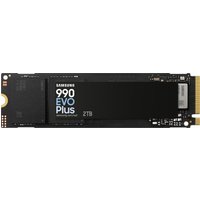
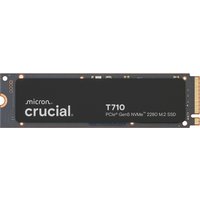
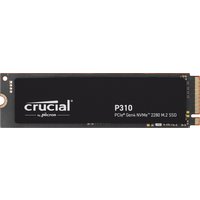
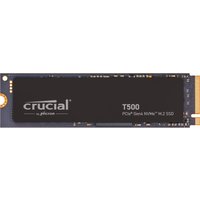
The Pavilion 14 (2024) includes 1× M.2 2280 PCIe Gen 3 or Gen 4 NVMe slot. Most come with a 256GB or 512GB drive; upgrading to a larger capacity is straightforward.
Compatible SSD specifications:
- Form factor: M.2 2280 (22mm wide, 80mm long)
- Interface: NVMe (PCIe Gen 3 or Gen 4)
- Capacity: Up to 2TB
- Speed: 3500+ MB/s (Gen 3), 5000+ MB/s (Gen 4)
| SSD Model | Capacity | Speed | Price (UK) | Link |
|---|---|---|---|---|
| Kingston NV2 | 256GB / 512GB / 1TB | 3500 MB/s (Gen 3) | £30–80 | View on Amazon UK |
| Crucial P3 | 500GB / 1TB | 3500 MB/s (Gen 3) | £35–75 | View on Amazon UK |
| Samsung 980 | 512GB / 1TB | 5000 MB/s (Gen 4) | £45–100 | View on Amazon UK |
| WD Blue SN570 | 512GB / 1TB | 4950 MB/s (Gen 4) | £40–90 | View on Amazon UK |
Storage tip: Upgrading to a 512GB or 1TB drive is highly recommended for modern applications and Windows updates. The single slot limits you to one drive; plan accordingly.
Charger & Power Compatibility
The HP Pavilion 14 (2024) is ultra-efficient and uses a modest 45W USB-C Power Delivery charger in most configurations. This supports lightweight workloads and daily computing.
Compatible charger specifications:
- Wattage: 45W USB-C PD
- Voltage: 20V / 2.25A
- Connector: USB-C (standard, future-proof)
- Charging: Adequate for office work, web browsing, light productivity
Charger options:
- HP official 45W USB-C charger
- Anker 45W USB-C PD charger
- UGREEN 45W USB-C PD (multi-device compatible)
Dock & Hub Compatibility
The Pavilion 14 (2024) features USB-C 3.2 Gen 2 ports. USB-C docks with USB-C PD pass-through are ideal for desk setups, extending connectivity without adding bulk.
Compatible dock types:
- USB-C 3.2 Gen 2 hubs: Expand USB-A, HDMI, card readers
- USB-C PD docks: Charge + display + peripheral expansion
- Note: No Thunderbolt 4 support; standard USB-C hubs only
Dock recommendations:
- USB-C hubs with PD pass-through — affordable, versatile
- Multi-port USB-C docks — desktop productivity
Full Specifications Table
| Component | Specification | Upgradeable? |
|---|---|---|
| Processor | Intel Core i5-1335U / AMD Ryzen 5 7530U | No |
| GPU | Intel Iris Xe / AMD Radeon | No |
| RAM | 8GB LPDDR5 soldered OR 8GB DDR4 + 1 slot | Partial (config-dependent) |
| Storage | 1× M.2 2280 NVMe (Gen 3 or 4) | Yes ✓ |
| Display | 14″ FHD (1920×1080) IPS | No |
| Charger | 45W USB-C PD | Yes (replaceable) |
| Ports | 2× USB-C 3.2 Gen 2, USB-A, HDMI | No |
| Overall Upgradeability | ★★☆☆☆ Limited | – |
Frequently Asked Questions
Is the HP Pavilion 14 (2024) RAM upgradeable?
It depends on your configuration. If you have DDR4 + SO-DIMM slot, yes. If you have LPDDR5 soldered RAM, no. Check your specification sheet or purchase receipt.
What SSD form factor does it use?
M.2 2280 (standard laptop size). You can replace it with any PCIe Gen 3 or Gen 4 NVMe drive up to 2TB.
Can I use a higher-wattage USB-C charger?
Yes, any 45W+ USB-C PD charger is compatible. Higher wattage won’t damage the laptop; it will simply charge faster or support heavier workloads without throttling.
Does the Pavilion 14 (2024) support docking stations?
Yes, via USB-C. Standard USB-C docks and hubs work well for monitor, keyboard, and peripheral expansion.
How much storage space does Windows take?
Windows 11 occupies about 25–30GB on the C: drive. A 256GB SSD leaves only ~200GB for applications and files. Upgrading to 512GB or 1TB is recommended.
Recommended Products
These are the products we recommend based on this guide. All links go to Amazon UK where you can check current prices and availability.
| Product | Why We Recommend It | Amazon UK |
|---|---|---|
| Corsair Vengeance DDR4 SO-DIMM 32GB (2×16GB) 3200MHz | Best overall DDR4 upgrade kit | View on Amazon UK |
| Kingston Fury Impact DDR4 SO-DIMM 32GB (2×16GB) 3200MHz | Reliable alternative with tight latency | View on Amazon UK |
| Corsair Vengeance DDR5 SO-DIMM 32GB (2×16GB) 5600MHz | Top-rated DDR5 kit for gaming & productivity | View on Amazon UK |
| Kingston Fury Impact DDR5 SO-DIMM 32GB (2×16GB) 5600MHz | Excellent DDR5 alternative with XMP support | View on Amazon UK |
| Samsung 990 Pro 2TB NVMe M.2 2280 | Fastest consumer NVMe — ideal for gaming & editing | View on Amazon UK |
| WD Black SN850X 2TB NVMe | Excellent Gen4 speed with heatsink option | View on Amazon UK |
| Crucial P5 Plus 1TB NVMe | Great value Gen4 SSD | View on Amazon UK |
| Kingston NV2 1TB NVMe | Budget-friendly with solid reliability | View on Amazon UK |
Prices and availability may vary. As an Amazon Associate, we earn from qualifying purchases.
Related HP Upgrade Guides
- HP Battery Replacement: EliteBook, Pavilion & OMEN Step-by-Step
- Best RAM for HP Laptops in 2026
- HP ProLiant DL365 Gen11 RAM & SSD Upgrade Guide (2023)
- HP ProLiant ML30 Gen11 RAM & SSD Upgrade Guide (2023)
- HP ProLiant DL385 Gen10 Plus RAM & SSD Upgrade Guide (2020)
- HP Upgrade Guide
Not sure what fits? Use our free Compatibility Checker covering 3,195+ models.