HP Spectre x360 14 (2024) Premium Features

HP’s Spectre x360 14 is a flagship convertible ultrabook for 2024, featuring Intel Core Ultra processors, an OLED multi-touch display, and Thunderbolt 4 connectivity. The chassis prioritizes thinness and portability, which means all memory is soldered — a premium design choice that eliminates upgrade paths but maximizes internal space.
| Component | Specification |
|---|---|
| Processor | Intel Core Ultra 7 185H (Meteor Lake, 2024) |
| RAM | LPDDR5X 16GB or 32GB (SOLDERED) |
| Max RAM | 16GB or 32GB (no upgrades) |
| Storage | 512GB / 1TB M.2 2280 NVMe Gen4 |
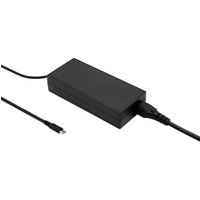
| Charger | 65W USB-C (USB Power Delivery) |
| Ports | 2× Thunderbolt 4, 2× USB-A 3.2, HDMI 2.1, SD card |
| Display | 14″ OLED, 2880×1800 (3:2), 120Hz, Gorilla Glass |
| Weight | 1.32 kg (2.9 lbs) |
Memory: Soldered LPDDR5X (Non-Upgradeable)
The Spectre x360 14 (2024) uses LPDDR5X memory soldered directly to the motherboard — a design choice common in premium ultrabooks for weight and thinness. Memory cannot be upgraded or replaced after purchase.
Available configurations:
- 16GB LPDDR5X (entry-level, suitable for browsing, productivity)
- 32GB LPDDR5X (recommended for creative professionals, multitasking)
Upgrade implications: Choose your RAM size carefully at purchase. If you anticipate heavy workloads — video editing, 3D modeling, multiple virtual machines, music production — opt for 32GB. Upgrading the entire laptop later will be far more expensive than selecting the correct configuration now.
LPDDR5X benefits: Soldered memory allows HP to reduce weight to just 1.32 kg while maintaining performance. The trade-off is reduced upgradeability.
Storage: SSD Upgrade Options
The Spectre x360 14 (2024) includes one M.2 2280 NVMe Gen4 slot. Unlike memory, the SSD is upgradeable and can be replaced with a larger drive.
Upgrade specifications:
- Form factor: M.2 2280 (standard 42mm length)
- Speed: PCIe Gen4 (up to 7,400 MB/s)
- Capacity: Up to 2TB practical (4TB possible but unnecessary)
- Installation: 15–20 minutes, requires thin Philips screwdriver
Recommended SSDs:
- Samsung 990 EVO 2TB — Excellent speed-to-price, proven reliability
- WD Black SN850X 2TB — Premium performance, enterprise endurance
- SK Hynix Platinum P41 1TB — Power-efficient, excellent for ultrabooks
Tip: The OLED display consumes power for color-rich visuals. A power-efficient SSD like SK Hynix Platinum P41 extends battery life by a few percent.
Power Delivery & Charging
The Spectre x360 14 (2024) uses a 65W USB-C Power Delivery charger — standard USB PD compatible with any equivalent or higher-wattage charger.
OEM charger: HP 65W USB-C PD (compact, lightweight design)
Compatible third-party chargers:
- Anker 65W Atom PD Charger — Compact, extremely portable, affordable
- Lenovo 65W USB-C Charger — Enterprise reliability, premium build
- ASUS 100W Dual-Port Charger — Extra wattage and USB-A port for phones
Travel note: At 1.32 kg, the Spectre x360 14 is an excellent travel companion. Pairing it with a lightweight Anker 65W charger keeps total travel weight minimal.
Premium Ports & Thunderbolt 4 Docking
The Spectre x360 14 (2024) includes premium connectivity:
- 2× Thunderbolt 4 ports (USB-C form factor, 40 Gbps bandwidth, Daisy-chain support)
- 2× USB-A 3.2 ports (5 Gbps, legacy peripheral support)
- HDMI 2.1 (4K@60Hz, native output)
- SD UHS-II card reader (full-size, for photographers and creators)
Thunderbolt 4 advantage: Both USB-C ports support full Thunderbolt 4 bandwidth, enabling daisy-chaining multiple Thunderbolt 4 docks and external GPUs without bandwidth compromise.
Recommended Thunderbolt 4 docks:
- CalDigit Thunderbolt 4 Dock Pro — 18 ports, premium professional build
- Belkin Thunderbolt 4 Dock — Compact, minimalist Apple-like design
- OWC Thunderbolt 4 Dock — Video-focused, professional creatives
Display & Conversion Mechanism
The Spectre x360 14 (2024) features a 14″ 3:2 OLED multi-touch display — the standout feature of this model.
Display specs:
- Resolution: 2880×1800 (3:2 aspect, more vertical space than 16:9)
- Technology: AMOLED OLED with HDR support
- Refresh rate: 120Hz (smooth scrolling, editing)
- Brightness: 400 nits (outdoor usable)
- Color gamut: 100% DCI-P3 (professional color accuracy)
- Touch: 10-point capacitive multi-touch
Conversion mechanism: 360-degree hinge allows laptop, tent, and tablet modes. The hinge is mechanically sealed and not user-serviceable.
Upgrade Difficulty & Tools
RAM upgrade: Impossible. All memory is soldered directly to the motherboard.
SSD upgrade: Moderate (3/5 difficulty). The Spectre x360 14 uses a thin, densely-packed chassis. SSD access requires careful bottom panel removal (multiple small screws), but replacement is straightforward once you reach the slot.
Tools needed:
- Thin Philips screwdriver (small-head, for compact screw holes)
- Anti-static wrist strap (important in premium devices)
- Spudger or plastic pry tool (for panel clips)
Service manual: HP publishes detailed service guides. Panel removal is routine maintenance; however, the hinge and display assembly should never be disassembled by users.
Recommended Upgrades & Accessories
- SSD expansion: Samsung 990 EVO 2TB — Double storage, excellent speed
- Premium SSD: SK Hynix Platinum P41 1TB — Power-efficient for ultrabooks
- Travel charger: Anker 65W Atom PD — Minimal weight addition for travel
- Thunderbolt dock: CalDigit Thunderbolt 4 Dock Pro — Professional desk setup
- Protective case: Tomtoc 14″ Laptop Sleeve — Lightweight protection for travel
Frequently Asked Questions
Recommended Products
These are the products we recommend based on this guide. All links go to Amazon UK where you can check current prices and availability.
| Product | Why We Recommend It | Amazon UK |
|---|---|---|
| Corsair Vengeance DDR5 SO-DIMM 32GB (2×16GB) 5600MHz | Top-rated DDR5 kit for gaming & productivity | View on Amazon UK |
| Kingston Fury Impact DDR5 SO-DIMM 32GB (2×16GB) 5600MHz | Excellent DDR5 alternative with XMP support | View on Amazon UK |
| Crucial DDR5 SO-DIMM 16GB 5600MHz | Affordable single-stick DDR5 | View on Amazon UK |
| G.Skill Ripjaws DDR5 SO-DIMM 32GB 5600MHz | High performance DDR5 for enthusiasts | View on Amazon UK |
| Samsung 990 Pro 2TB NVMe M.2 2280 | Fastest consumer NVMe — ideal for gaming & editing | View on Amazon UK |
| WD Black SN850X 2TB NVMe | Excellent Gen4 speed with heatsink option | View on Amazon UK |
| Crucial P5 Plus 1TB NVMe | Great value Gen4 SSD | View on Amazon UK |
| Kingston NV2 1TB NVMe | Budget-friendly with solid reliability | View on Amazon UK |
Prices and availability may vary. As an Amazon Associate, we earn from qualifying purchases.
Related HP Upgrade Guides
- HP Battery Replacement: EliteBook, Pavilion & OMEN Step-by-Step
- Best RAM for HP Laptops in 2026
- HP ProLiant DL365 Gen11 RAM & SSD Upgrade Guide (2023)
- HP ProLiant ML30 Gen11 RAM & SSD Upgrade Guide (2023)
- HP ProLiant DL385 Gen10 Plus RAM & SSD Upgrade Guide (2020)
- HP Upgrade Guide
Not sure what fits? Use our free Compatibility Checker covering 3,195+ models.