The Lenovo IdeaPad 1 15 is an entry-level laptop designed for everyday computing, offering solid performance for web browsing, document editing, and streaming. However, its upgradeability is extremely limited due to soldered RAM and fixed storage configurations. This guide covers all compatible components and what you can realistically upgrade on this budget machine.
RAM Compatibility & Upgrade Guide

The IdeaPad 1 15 ships with RAM that is soldered directly to the motherboard, making memory upgrades impossible. Depending on your configuration, you’ll find either 4GB LPDDR4X or 8GB DDR4 pre-installed, but neither can be replaced or expanded.
Key points:
- RAM is soldered (non-upgradeable)
- 4GB or 8GB options available at purchase only
- LPDDR4X or DDR4 depending on CPU variant
- No SO-DIMM slots available
Recommendation: If you need more than 8GB RAM, consider purchasing a model with 8GB pre-installed and choosing a different laptop for memory-intensive tasks.
SSD & Storage Compatibility
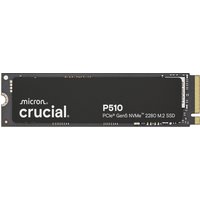
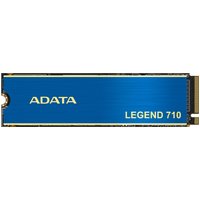
The IdeaPad 1 15 includes one M.2 NVMe SSD slot, but configurations vary between M.2 2242 and M.2 2280 form factors. Your SSD is upgradeable if you need faster storage or more capacity.
| Component | Specification |
|---|---|
| SSD Slot | 1× M.2 NVMe (2242 or 2280 depending on config) |
| Interface | PCIe Gen 3 |
| Capacity | 256GB or 512GB (stock) |
Compatible SSD Upgrades:
- M.2 2280 NVMe PCIe Gen 3 drives (most common)
- Samsung 970 EVO Plus – reliable budget option
- Kingston NV2 – affordable Gen 3 SSD
- WD Black SN850 – faster Gen 4 option
Note: If your model uses M.2 2242, you’ll be limited to smaller capacity drives.
Charger & Power Compatibility
The IdeaPad 1 15 uses either a 45W USB-C charger or a traditional barrel connector, depending on your specific configuration. Before purchasing a replacement, check your current charger connector type.
| Configuration | Power Adapter |
|---|---|
| USB-C models | 45W USB-C PD charger |
| Barrel connector models | 45W proprietary barrel connector |
Compatible Chargers:
- 45W USB-C PD chargers – if your model supports USB-C
- Official Lenovo 45W chargers – guaranteed compatibility
Warning: Mixing charger types may damage your laptop. Always verify the connector type before purchasing a replacement.
Dock & Hub Compatibility
Since the IdeaPad 1 15 is an entry-level model, it has minimal port connectivity. USB-C docks and hubs can expand your connectivity options, but support varies by configuration.
- USB-C docking stations – if your model has USB-C
- USB-A hubs – for expanding USB ports
Full Specifications Table
| Component | Specification |
|---|---|
| Processor | Intel Celeron N4500 / AMD Athlon Silver 7120U |
| RAM | 4GB or 8GB (soldered, non-upgradeable) |
| Storage | 256GB or 512GB SSD (M.2 2242 or 2280) |
| Display | 15.6″ FHD (1920×1080) TN or IPS |
| Battery | 5,000–5,500 mAh, up to 11 hours |
| Ports | 2× USB-A 3.2, 1× USB-C (on some), 1× HDMI, 3.5mm jack |
| Weight | ~1.83 kg (4.03 lbs) |
| Upgradeability Rating | ★☆☆☆☆ (very limited) |
Frequently Asked Questions
Q: Can I upgrade the RAM on my IdeaPad 1 15?
A: No. The RAM is soldered to the motherboard and cannot be upgraded or replaced. Choose your RAM configuration at purchase.
Q: What SSD sizes are compatible with the IdeaPad 1 15?
A: The SSD must match your model’s form factor (M.2 2242 or 2280). Most newer models use 2280. Check your current SSD size before purchasing a replacement.
Q: Can I use any 45W charger on this laptop?
A: Only if your model supports USB-C charging. Barrel connector models require a specific connector type. Always verify compatibility before purchasing.
Q: Is the IdeaPad 1 15 good for gaming?
A: No. The integrated graphics (Intel UHD or Radeon) are suitable for light gaming only. For demanding games, you’ll need a dedicated GPU.
Q: Can I add an external GPU (eGPU) via USB-C?
A: Some USB-C models may support Thunderbolt eGPU enclosures, but performance depends on your specific configuration. Check if your model supports Thunderbolt.
Recommended Products
These are the products we recommend based on this guide. All links go to Amazon UK where you can check current prices and availability.
| Product | Why We Recommend It | Amazon UK |
|---|---|---|
| Corsair Vengeance DDR4 SO-DIMM 32GB (2×16GB) 3200MHz | Best overall DDR4 upgrade kit | View on Amazon UK |
| Kingston Fury Impact DDR4 SO-DIMM 32GB (2×16GB) 3200MHz | Reliable alternative with tight latency | View on Amazon UK |
| Crucial DDR4 SO-DIMM 16GB 3200MHz | Budget single-stick upgrade | View on Amazon UK |
| Samsung DDR4 SO-DIMM 32GB 3200MHz | OEM-quality for business laptops | View on Amazon UK |
| Samsung 990 Pro 2TB NVMe M.2 2280 | Fastest consumer NVMe — ideal for gaming & editing | View on Amazon UK |
| WD Black SN850X 2TB NVMe | Excellent Gen4 speed with heatsink option | View on Amazon UK |
| Crucial P5 Plus 1TB NVMe | Great value Gen4 SSD | View on Amazon UK |
| Kingston NV2 1TB NVMe | Budget-friendly with solid reliability | View on Amazon UK |
Prices and availability may vary. As an Amazon Associate, we earn from qualifying purchases.
Related Lenovo Upgrade Guides
- Lenovo Battery Replacement: ThinkPad, IdeaPad & Legion Step-by-Step
- Best RAM for Lenovo ThinkPad in 2026
- Lenovo ThinkSystem SR665 V3 RAM & SSD Upgrade Guide (2023)
- Lenovo ThinkSystem SR665 RAM & SSD Upgrade Guide (2020)
- Lenovo ThinkSystem SR645 RAM & SSD Upgrade Guide (2020)
- Lenovo Upgrade Guide
Not sure what fits? Use our free Compatibility Checker covering 3,195+ models.
Helpful Guides
For more Lenovo laptop compatibility guides, visit our Lenovo Laptop Upgrades Hub.