The Lenovo Legion 7 Gen 9 (2024) represents the cutting edge of gaming laptop engineering. Featuring Intel Core i9-14900HX, RTX 4070/4080/4090 graphics, Thunderbolt 4 connectivity, 16″ WQXGA+ Mini LED 240Hz display, and up to 64GB DDR5 RAM, this is a machine built for gamers and professionals who refuse to compromise. Here’s everything you need to maximize its potential.
RAM Compatibility & Upgrade Guide

The Legion 7 Gen 9 continues the DDR5-5600 platform with 2× SO-DIMM slots supporting up to 64GB (2×32GB). Both slots are fully user-accessible, and the Gen 9’s improved thermal design ensures even 32GB modules run cool.
Top DDR5-5600 32GB modules for Gen 9:
- Corsair DOMINATOR SODIMM DDR5-5600 (32GB) – Premium performance, CAS 28 timing
- Kingston Fury Beast DDR5-5600 (32GB) – Best value for high-capacity upgrade
- G.Skill Flare X5 DDR5-5600 (32GB) – Overclocking-friendly, tight timings
- Crucial CT32G56C46S5 – OEM-grade reliability, factory-tested
When to max out to 64GB on the Legion 7 Gen 9:
- Gaming + streaming: 64GB eliminates memory pressure entirely; OBS won’t bottleneck your FPS
- 3D rendering (Blender, Unreal Engine): 64GB is almost mandatory for complex scenes (1-2GB per frame)
- Video production: 4K video editing + color grading demands 48–64GB minimum
- Future-proofing: You’re investing £2500+ in this machine—64GB future-proofs it for 3–4 years
- AI & machine learning: If training local models, 64GB VRAM is increasingly common
Installation procedure:
- Power off and disconnect all peripherals
- Remove the bottom panel (magnetic screwdriver makes this easier)
- Gently unplug the battery connector (single connector) to eliminate accidental shorts
- Locate both SO-DIMM slots and gently remove any existing modules
- Insert new 32GB modules at a 30° angle, then press straight down until clips snap
- Reconnect battery, replace panel, and boot
- Verify in Windows: Settings > System > About > Installed RAM
SSD & Storage Compatibility
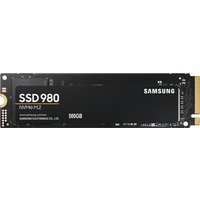
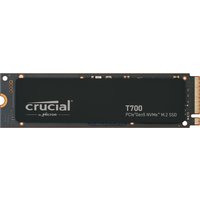
The Legion 7 Gen 9 includes 2× M.2 2280 PCIe Gen 4 NVMe slots, both fully user-upgradeable. Expect most configs to ship with a single 1TB drive; adding a second 2TB SSD gives you 3TB total—plenty for a full game library + creative projects.
Premium PCIe 4.0 drives for sustained high-speed work:
| Drive | Capacity | Speed | Specialty | Link |
|---|---|---|---|---|
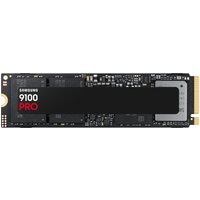
| Samsung 990 PRO | 500GB–4TB | 7,100 MB/s | Sustained sequential writes (pro-tier) | Amazon UK |
| WD Black SN850X | 500GB–4TB | 7,100 MB/s | Best all-rounder for gaming & creative | Amazon UK |
| SK Hynix Platinum P41 | 500GB–2TB | 7,100 MB/s | Low power, cool-running, reliable | Amazon UK |
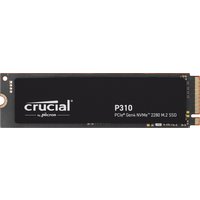
| Crucial P5 Plus | 500GB–2TB | 6,600 MB/s | Thermal efficiency, stable | Amazon UK |
Recommended storage configuration for Legion 7 Gen 9:
- Slot 1 (Primary): Keep the factory 1TB (OS + software)
- Slot 2 (Secondary): Add a 2TB drive (game library + video cache)
- Total: 3TB — gives you massive headroom while maintaining excellent access speed
- For professional video: Consider upgrading slot 1 to 1TB + slot 2 to 2TB (projects are storage-hungry)
Installation guide:
- Shut down, unplug all cables, and wait 60 seconds
- Remove bottom panel and disconnect battery connector
- Locate the empty M.2 slot (usually slot 2, marked on PCB)
- Remove the protective screw from the M.2 socket
- Insert the new drive at 30° and press down firmly until the clips engage
- Tighten the M.2 screw (snug, not overtight)
- Reconnect battery, close panel, and boot
- Initialize the new drive in Disk Management (Windows will auto-detect)
Pro tip: If you’re doing sustained 4K video editing, apply a thin thermal pad to the back of the secondary SSD—it reduces thermal throttling on long render passes.
Charger & Power Compatibility
The Legion 7 Gen 9 ships with a 300W–330W Slim Tip barrel charger depending on configuration. The i9-14900HX is slightly more efficient than the 13th-gen, but RTX 4080/4090 demand every watt.
Charger output by configuration:
- Intel i9-14900HX + RTX 4070: 300W Slim Tip (standard)
- Intel i9-14900HX + RTX 4080: 300W–330W Slim Tip (config-dependent)
- Intel i9-14900HX + RTX 4090: 330W Slim Tip (maximum headroom)
- USB-C Power Delivery: 140W (Gen 9 improvement over Gen 8’s 100W)
Power delivery comparison:
| Charger Type | Output | Full Charge Time | Sustainability Under Load |
|---|---|---|---|
| 300W Slim Tip | Standard barrel | ~90 mins (0–100%) | Full performance sustained |
| 330W Slim Tip | Premium barrel | ~75 mins (0–100%) | Slight headroom on RTX 4090 |
| USB-C 140W PD | USB-C (if config supports) | Slow charge | Trickle charge during gaming |
Replacement charger buying guide:
- Official Lenovo 330W Slim Tip: £75–110, guaranteed compatibility and future-proofing
- Third-party alternatives: £40–70, but ensure they’re certified (many counterfeits)
- Recommendation: Invest in the official 330W charger—you’re protecting a £2500+ system
Dock & Hub Compatibility
The Legion 7 Gen 9 retains Thunderbolt 4 (Intel variant), plus an improved USB ecosystem. This is one of the few gaming laptops with truly professional-grade external connectivity.
Full port layout (all Gen 9 models):
- 2× Thunderbolt 4 ports (40 Gbps, Intel i9-14900HX variant)
- 2× USB 3.2 Gen 1 Type-A (5 Gbps)
- 1× HDMI 2.1 (supports 4K@60Hz+)
- 1× 3.5mm audio jack
- No SD card reader
Best Thunderbolt 4 docks for Gen 9 (unlock external GPU potential):
| Dock | Key Features | Best For | Link |
|---|---|---|---|
| CalDigit TS4 | Thunderbolt 4, 8 downstream devices | Professional 4K video editing | Amazon UK |
| OWC Thunderbolt 4 Dock Pro | 96W power delivery, external GPU support | Desktop replacement setup | Amazon UK |
| Anker 777 Docking Station | USB-C, 4× USB-A, HDMI, Ethernet | Productivity + gaming desk | Amazon UK |
Thunderbolt 4 game-changer: The Legion 7 Gen 9 can support external Thunderbolt 4 GPUs (like the Razer Core X), effectively doubling your graphics power when docked. This is true desktop-replacement capability.
Full Specifications Table
| Component | Specification |
|---|---|
| Processor | Intel Core i9-14900HX (24 cores: 8P+16E, up to 6.0 GHz) |
| GPU | NVIDIA RTX 4070 (12GB), RTX 4080 (12GB), or RTX 4090 (24GB GDDR6) |
| Display | 16″ WQXGA+ (2560×1600) Mini LED, 240Hz, 500 nits, 100% DCI-P3 |
| RAM | 2× DDR5-5600 SO-DIMM, up to 64GB (2×32GB user-upgradeable) |
| Storage | 2× M.2 2280 NVMe PCIe Gen 4 (both user-accessible) |
| Charger | 300W OR 330W Slim Tip barrel (config-dependent) |
| USB-C Power Delivery | 140W (improved from Gen 8’s 100W) |
| Thunderbolt 4 | Yes (2 ports, 40 Gbps each) |
| Other Ports | USB-A×2 Gen 1, HDMI 2.1, 3.5mm jack |
| Weight | ~2.8 kg (similar to Gen 8) |
| Battery | 80Wh (improved efficiency: 6–7 hrs light use, 2–3 hrs gaming) |
| Warranty | 1 year limited (upgrade to 3 years with accidental damage recommended) |
| Upgradeability Rating | ★★★★★ (64GB DDR5, dual SSD, Thunderbolt 4, external GPU capable) |
Frequently Asked Questions
How much faster is the i9-14900HX vs. the 13th-gen i9 in the Legion 7 Gen 8?
The 14900HX delivers 10–15% better multi-threaded performance and similar single-threaded speed. For gaming (single-threaded), it’s negligible. For rendering, video editing, and AI workloads, the improvement is real. The Gen 9 is worth it for content creators; gamers can save £300–400 with a Gen 8 if found at discount.
Should I upgrade to RTX 4090 on the Legion 7 Gen 9?
Only if you’re rendering, AI training, or doing serious professional work. For gaming at 1440p, the RTX 4080 is sufficient and will keep you happy for 3–4 years. The RTX 4090’s extra VRAM (24GB vs. 12GB) and cores benefit CUDA-accelerated workflows far more than gaming. Gaming? Save the £500+ and go with RTX 4080.
Is the 140W USB-C Power Delivery good enough for gaming on the Gen 9?
No. 140W will charge the battery slowly while gaming, but the laptop will throttle performance slightly. The barrel charger (300W/330W) is mandatory for sustained gaming and rendering. USB-C 140W is perfect for office work and light gaming, but not for competitive 1440p sessions.
Can the Legion 7 Gen 9 connect to an external GPU via Thunderbolt 4?
Yes. The Thunderbolt 4 connection supports external eGPUs like the Razer Core X or Sonnet breakaway puck. You can attach an RTX 6800 XT or 7900 XTX, effectively giving you a desktop replacement setup when docked. Very cool for power users, but the onboard RTX 4080/4090 is powerful enough for most gaming scenarios.
Should I max out to 64GB RAM immediately or upgrade later?
If you’re a content creator (streaming, video editing, rendering), max out to 64GB now—prices are stable and future upgrades are unlikely. If you’re gaming only, start with 32GB and upgrade if you hit memory limits (unlikely). Check Task Manager under gaming load to validate your RAM usage before spending £300+ on an upgrade.
Recommended Products
These are the products we recommend based on this guide. All links go to Amazon UK where you can check current prices and availability.
| Product | Why We Recommend It | Amazon UK |
|---|---|---|
| Corsair Vengeance DDR5 SO-DIMM 32GB (2×16GB) 5600MHz | Top-rated DDR5 kit for gaming & productivity | View on Amazon UK |
| Kingston Fury Impact DDR5 SO-DIMM 32GB (2×16GB) 5600MHz | Excellent DDR5 alternative with XMP support | View on Amazon UK |
| Crucial DDR5 SO-DIMM 16GB 5600MHz | Affordable single-stick DDR5 | View on Amazon UK |
| G.Skill Ripjaws DDR5 SO-DIMM 32GB 5600MHz | High performance DDR5 for enthusiasts | View on Amazon UK |
| Samsung 990 Pro 2TB NVMe M.2 2280 | Fastest consumer NVMe — ideal for gaming & editing | View on Amazon UK |
| WD Black SN850X 2TB NVMe | Excellent Gen4 speed with heatsink option | View on Amazon UK |
| Crucial P5 Plus 1TB NVMe | Great value Gen4 SSD | View on Amazon UK |
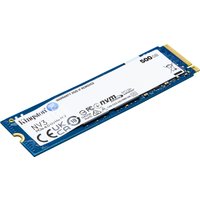
| Kingston NV2 1TB NVMe | Budget-friendly with solid reliability | View on Amazon UK |
Prices and availability may vary. As an Amazon Associate, we earn from qualifying purchases.
Related Lenovo Upgrade Guides
- Lenovo Battery Replacement: ThinkPad, IdeaPad & Legion Step-by-Step
- Best RAM for Lenovo ThinkPad in 2026
- Lenovo ThinkSystem SR665 V3 RAM & SSD Upgrade Guide (2023)
- Lenovo ThinkSystem SR665 RAM & SSD Upgrade Guide (2020)
- Lenovo ThinkSystem SR645 RAM & SSD Upgrade Guide (2020)
- Lenovo Upgrade Guide
Not sure what fits? Use our free Compatibility Checker covering 3,195+ models.