The Lenovo ThinkPad X1 2-in-1 Gen 9 is an enterprise-grade convertible laptop designed for business professionals who demand reliability, security, and versatility. With Intel Core Ultra processors, WUXGA OLED touchscreen, and Thunderbolt 4 connectivity, it delivers exceptional performance for demanding business workflows. This guide covers compatibility details for RAM, storage, power, and docking solutions.
RAM Compatibility & Upgrade Guide

The ThinkPad X1 2-in-1 Gen 9 features LPDDR5X-6400 RAM that is soldered directly to the motherboard, making upgrades impossible. This integrated memory design is common on premium business ultrabooks for reliability and thermal efficiency.
Memory specifications:
- 16GB LPDDR5X-6400 soldered (standard configuration)
- 32GB LPDDR5X-6400 soldered (premium configuration)
- NO SO-DIMM slots (fully soldered)
Recommendation: For business professionals running virtualization, large spreadsheets, or multitasking across many applications, choose the 32GB model at purchase.
SSD & Storage Compatibility
The ThinkPad X1 2-in-1 includes one M.2 2280 NVMe SSD slot supporting PCIe Gen 4. The SSD is user-replaceable and a key area for storage capacity and performance upgrades.
| Component | Specification |
|---|---|
| SSD Slot | 1× M.2 2280 NVMe |
| Interface | PCIe Gen 4 |
| Capacity | 256GB, 512GB, or 1TB (stock) |
Compatible SSD upgrades:
- M.2 2280 PCIe Gen 4 NVMe drives – standard replacement
- Samsung 990 Pro 1TB – enterprise-grade performance
- WD Black SN850X – reliable and fast
- Intel enterprise SSDs – business-optimized
Charger & Power Compatibility
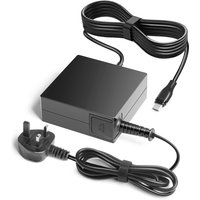
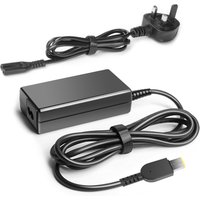
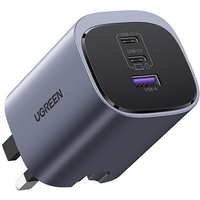
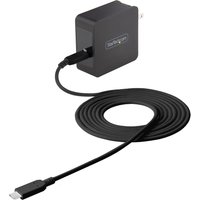
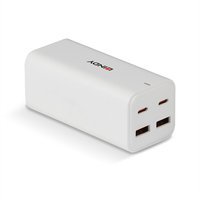
The ThinkPad X1 2-in-1 Gen 9 uses a 65W USB-C PD charger. Enterprise-grade power management ensures reliable charging across multiple environments.
| Configuration | Power Adapter |
|---|---|
| Standard model | 65W USB-C PD charger |
Compatible chargers:
- 65W USB-C PD chargers – universal compatibility
- Official Lenovo ThinkPad 65W chargers – guaranteed compatibility
- Third-party 65W USB-C chargers – business-friendly
Dock & Hub Compatibility
The ThinkPad X1 2-in-1 Gen 9 features Thunderbolt 4 connectivity (2 ports), offering enterprise-class docking and expansion options. This enables seamless integration with corporate workstations and display setups.
- Lenovo ThinkPad Thunderbolt docks – optimized for X1 series
- Thunderbolt 4 business docks – enterprise-grade expansion
- Thunderbolt 4 hubs with 4K monitor support – portable connectivity
Full Specifications Table
| Component | Specification |
|---|---|
| Processor | Intel Core Ultra 7 165U |
| RAM | 16GB or 32GB LPDDR5X-6400 (soldered, non-upgradeable) |
| Storage | 256GB, 512GB, or 1TB SSD (M.2 2280 PCIe Gen 4) |
| Display | 14″ WUXGA (1920×1200) OLED touchscreen |
| Battery | 3-cell, up to 14 hours |
| Ports | 2× Thunderbolt 4, 2× USB-A 3.2, HDMI, microSD |
| Weight | ~1.4 kg (3.1 lbs) |
| Upgradeability Rating | ★★★☆☆ (SSD + Thunderbolt docks) |
Frequently Asked Questions
Q: Can I upgrade the RAM on my ThinkPad X1 2-in-1 Gen 9?
A: No. The LPDDR5X-6400 RAM is soldered to the motherboard and cannot be upgraded. Select your memory configuration (16GB or 32GB) at purchase.
Q: What’s the WUXGA OLED advantage for business use?
A: WUXGA OLED offers superior contrast, colour accuracy, and reduced eye strain compared to standard LCD. Perfect for spreadsheets, design work, and video conferencing in bright or low-light environments.
Q: Can I replace my 512GB SSD with a 2TB drive?
A: Yes. The M.2 2280 PCIe Gen 4 slot supports up to 2TB drives. This is an excellent upgrade for professionals handling large project files.
Q: Does the ThinkPad X1 2-in-1 work well with corporate docking stations?
A: Yes. The Thunderbolt 4 connectivity and enterprise security features make it fully compatible with corporate docking solutions, VPN networks, and enterprise IT deployments.
Q: Can I use the 2-in-1 mode for presentations?
A: Yes. The touchscreen and tent/stand modes make it excellent for interactive presentations, client meetings, and collaborative work environments.
Recommended Products
These are the products we recommend based on this guide. All links go to Amazon UK where you can check current prices and availability.
| Product | Why We Recommend It | Amazon UK |
|---|---|---|
| Corsair Vengeance DDR5 SO-DIMM 32GB (2×16GB) 5600MHz | Top-rated DDR5 kit for gaming & productivity | View on Amazon UK |
| Kingston Fury Impact DDR5 SO-DIMM 32GB (2×16GB) 5600MHz | Excellent DDR5 alternative with XMP support | View on Amazon UK |
| Crucial DDR5 SO-DIMM 16GB 5600MHz | Affordable single-stick DDR5 | View on Amazon UK |
| G.Skill Ripjaws DDR5 SO-DIMM 32GB 5600MHz | High performance DDR5 for enthusiasts | View on Amazon UK |
| Samsung 990 Pro 2TB NVMe M.2 2280 | Fastest consumer NVMe — ideal for gaming & editing | View on Amazon UK |
| WD Black SN850X 2TB NVMe | Excellent Gen4 speed with heatsink option | View on Amazon UK |
| Crucial P5 Plus 1TB NVMe | Great value Gen4 SSD | View on Amazon UK |
| Kingston NV2 1TB NVMe | Budget-friendly with solid reliability | View on Amazon UK |
Prices and availability may vary. As an Amazon Associate, we earn from qualifying purchases.
Related Lenovo Upgrade Guides
- Lenovo Battery Replacement: ThinkPad, IdeaPad & Legion Step-by-Step
- Best RAM for Lenovo ThinkPad in 2026
- Lenovo ThinkSystem SR665 V3 RAM & SSD Upgrade Guide (2023)
- Lenovo ThinkSystem SR665 RAM & SSD Upgrade Guide (2020)
- Lenovo ThinkSystem SR645 RAM & SSD Upgrade Guide (2020)
- Lenovo Upgrade Guide
Not sure what fits? Use our free Compatibility Checker covering 3,195+ models.
Helpful Guides
For more Lenovo laptop compatibility guides, visit our Lenovo Laptop Upgrades Hub.