The LG Gram 17 (2024) is an exceptional 17-inch ultrabook that weighs just 1.35kg — the lightest 17-inch laptop available. It features an Intel Core Ultra 7 processor, a stunning 17″ WQXGA IPS display, and an impressive 80Wh battery for all-day productivity. Like the Gram 16, the RAM is soldered, but the SSD is fully upgradeable, and the USB-C Power Delivery charging provides excellent third-party compatibility. This guide covers all upgrade and accessory options for the Gram 17.
RAM Compatibility & Upgrade Options
The LG Gram 17 uses LPDDR5x memory soldered directly to the motherboard, making it non-upgradeable after purchase. Your RAM is fixed at either 16GB or 32GB depending on your purchase configuration. The soldered design is essential to achieving the Gram 17’s remarkably low weight — traditional RAM slots would add significant mass.
For standard productivity work, 16GB is adequate. If you routinely work with multiple applications, large spreadsheets, video editing, or heavy multitasking, the 32GB configuration is worth choosing at purchase time. Since RAM cannot be upgraded later, make this decision carefully.
Supplementary Storage & External Memory
While internal RAM cannot be expanded, external Thunderbolt 4 SSDs provide fast supplementary storage. This is useful if you work with large video files, extensive photo libraries, or CAD datasets that exceed your internal SSD capacity.
SSD Compatibility & Upgrades

The LG Gram 17 features 1x M.2 2280 slot supporting PCIe Gen 4 NVMe SSDs. The SSD is fully user-upgradeable, meaning you can replace it with virtually any modern PCIe 4.0 M.2 2280 drive for expanded storage or improved performance.
Compatible M.2 2280 PCIe Gen 4 Drives
Excellent options include:
- Samsung 990 EVO — Reliable all-rounder, TLC NAND, up to 5GB/s read speeds
- WD Black SN850X — Premium performance (7GB/s), outstanding thermals
- Crucial P5 Plus — Solid performance-to-price ratio
- SK Hynix Platinum P41 — Exceptional efficiency, minimal heat generation
- Samsung 870 QVO — Budget-friendly high-capacity option (QLC NAND)
- Sabrent Rocket 4 Plus — High-capacity alternative with good thermals
All M.2 2280 PCIe Gen 4 drives are plug-and-play replacements. Remove the access screw, pull the existing drive out at 45 degrees, insert the new one, and secure it. Windows 11 recognises the new drive instantly — no drivers needed.
Storage Expansion Recommendations
The Gram 17 ships with either 512GB or 1TB. Given the large 17″ display and excellent battery life that make this an ideal laptop for extended use away from a desk, upgrading to 2TB is sensible. This provides room for a substantial media library, project files, and applications without frequent cloud uploads or external drive management.
Charger & Power Bank Compatibility
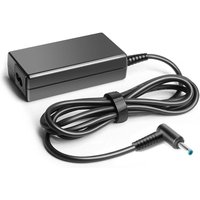
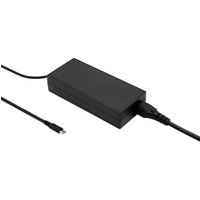
The LG Gram 17 supports USB-C Power Delivery charging at 65W. Like the Gram 16, the Gram 17 comes with a 65W USB-C charger, but you have excellent alternatives from major brands. USB-C PD 65W is a standard supported by many ultrabooks, so you can share chargers across devices.
Compatible USB-C PD Chargers (65W+)
Anker 737 Charger — Compact GaNPrime technology, dual USB-C output. Charges the Gram 17 fully in approximately 90 minutes. Lighter and smaller than LG’s original charger, excellent for travel.
Baseus 65W Charger — Multi-port USB-C design lets you power the laptop and charge accessories simultaneously. Slightly bulkier than Anker but offers more connectivity.
RAVPower 65W GaN Charger — Budget-friendly, reliable, compact. Excellent value for backup or secondary chargers.
Travel Power Banks
For extended travel, a USB-C power bank with 60W+ output can top up the Gram 17 on long flights or remote work days. The Anker 737 Power Bank (25,000mAh, 140W output) provides emergency runtime extension in a relatively lightweight package.
Docking Station & Thunderbolt 4 Accessories
The LG Gram 17 features Thunderbolt 4 connectivity, excellent for stationary desk setups. Thunderbolt 4 docks provide:
- Multiple USB 3.2 and USB 2.0 ports for peripherals
- High-speed external storage support
- Daisy-chaining of multiple Thunderbolt devices
- Full power delivery (up to 100W) back to the laptop
- Dual 4K display support or single 6K monitor
- SD card reader and audio I/O on premium models
Thunderbolt 4 Dock Recommendations
Any Thunderbolt 4 dock is compatible with the Gram 17. Caldigit, OWC, and ASUS offer quality options. For users who value the Gram 17’s lightweight design, a portable USB-C hub might be preferable to a full docking station — it matches the ultralight philosophy while still providing external storage and monitor support.
If you work primarily at a desk, investing in a Thunderbolt 4 dock with multiple ports and full power delivery simplifies your setup and provides excellent connectivity for monitors, external SSDs, and peripherals.
LG Gram 17 Specifications Table
| Component | Specification | Upgradeable? |
|---|---|---|
| Processor | Intel Core Ultra 7 | No |
| RAM | LPDDR5x 16GB or 32GB (soldered) | No |
| SSD | M.2 2280 PCIe Gen 4 NVMe (512GB/1TB) | Yes (full swap) |
| Display | 17″ WQXGA IPS (2560 x 1600) | No |
| GPU | Intel Arc Graphics (integrated) | No |
| Charging | USB-C PD 65W | Multi-brand compatible |
| Battery | 80Wh | No |
| Weight | 1.35kg (~2.97 lbs) | N/A |
| Ports | 2x Thunderbolt 4, 1x USB-C, 1x 3.5mm audio | External only |
Frequently Asked Questions
Can I upgrade the RAM in the LG Gram 17?
No. The LPDDR5x RAM is soldered to the motherboard and cannot be upgraded or replaced. Choose 16GB or 32GB at purchase time. The soldered design is critical to the Gram 17’s ultralight weight profile.
What M.2 SSD upgrades are compatible with the Gram 17?
Any M.2 2280 PCIe Gen 4 NVMe SSD is compatible. Samsung 990 EVO, WD Black SN850X, Crucial P5 Plus, and SK Hynix Platinum P41 are all excellent choices. Simply swap the drive — no software installation needed.
Can I use third-party chargers with the Gram 17?
Yes. Any USB-C PD charger rated 65W or higher works. Anker 737, Baseus, and RAVPower chargers are all compatible and will charge the Gram 17 effectively.
How much does the LG Gram 17 weigh?
The LG Gram 17 weighs just 1.35kg (2.97 lbs), making it the lightest 17-inch laptop on the market. This is achieved through magnesium alloy construction and soldered RAM.
Are Thunderbolt 4 docks compatible with the Gram 17?
Yes. Any Thunderbolt 4 dock is fully compatible. Caldigit, OWC, and ASUS offer quality options. For portability, a USB-C hub is a lighter alternative that still supports external storage and monitors.
Recommended Products
These are the products we recommend based on this guide. All links go to Amazon UK where you can check current prices and availability.
| Product | Why We Recommend It | Amazon UK |
|---|---|---|
| Corsair Vengeance DDR5 SO-DIMM 32GB (2×16GB) 5600MHz | Top-rated DDR5 kit for gaming & productivity | View on Amazon UK |
| Kingston Fury Impact DDR5 SO-DIMM 32GB (2×16GB) 5600MHz | Excellent DDR5 alternative with XMP support | View on Amazon UK |
| Crucial DDR5 SO-DIMM 16GB 5600MHz | Affordable single-stick DDR5 | View on Amazon UK |
| G.Skill Ripjaws DDR5 SO-DIMM 32GB 5600MHz | High performance DDR5 for enthusiasts | View on Amazon UK |
| Samsung 990 Pro 2TB NVMe M.2 2280 | Fastest consumer NVMe — ideal for gaming & editing | View on Amazon UK |
| WD Black SN850X 2TB NVMe | Excellent Gen4 speed with heatsink option | View on Amazon UK |
| Crucial P5 Plus 1TB NVMe | Great value Gen4 SSD | View on Amazon UK |
| Kingston NV2 1TB NVMe | Budget-friendly with solid reliability | View on Amazon UK |
Prices and availability may vary. As an Amazon Associate, we earn from qualifying purchases.
Related LG Upgrade Guides
- LG Gram 17 (2023) RAM & SSD Upgrade Guide
- LG Gram Pro 16 (2024) RAM & SSD Upgrade Guide
- LG Gram 16 (2023) RAM & SSD Upgrade Guide
- LG Gram 15 (2024)
- LG Gram 14 (2024)
- LG Upgrade Guide
Not sure what fits? Use our free Compatibility Checker covering 3,195+ models.