Affiliate disclosure: this page contains affiliate links — if you buy through them we may earn a commission at no extra cost to you. As an Amazon Associate we earn from qualifying purchases.
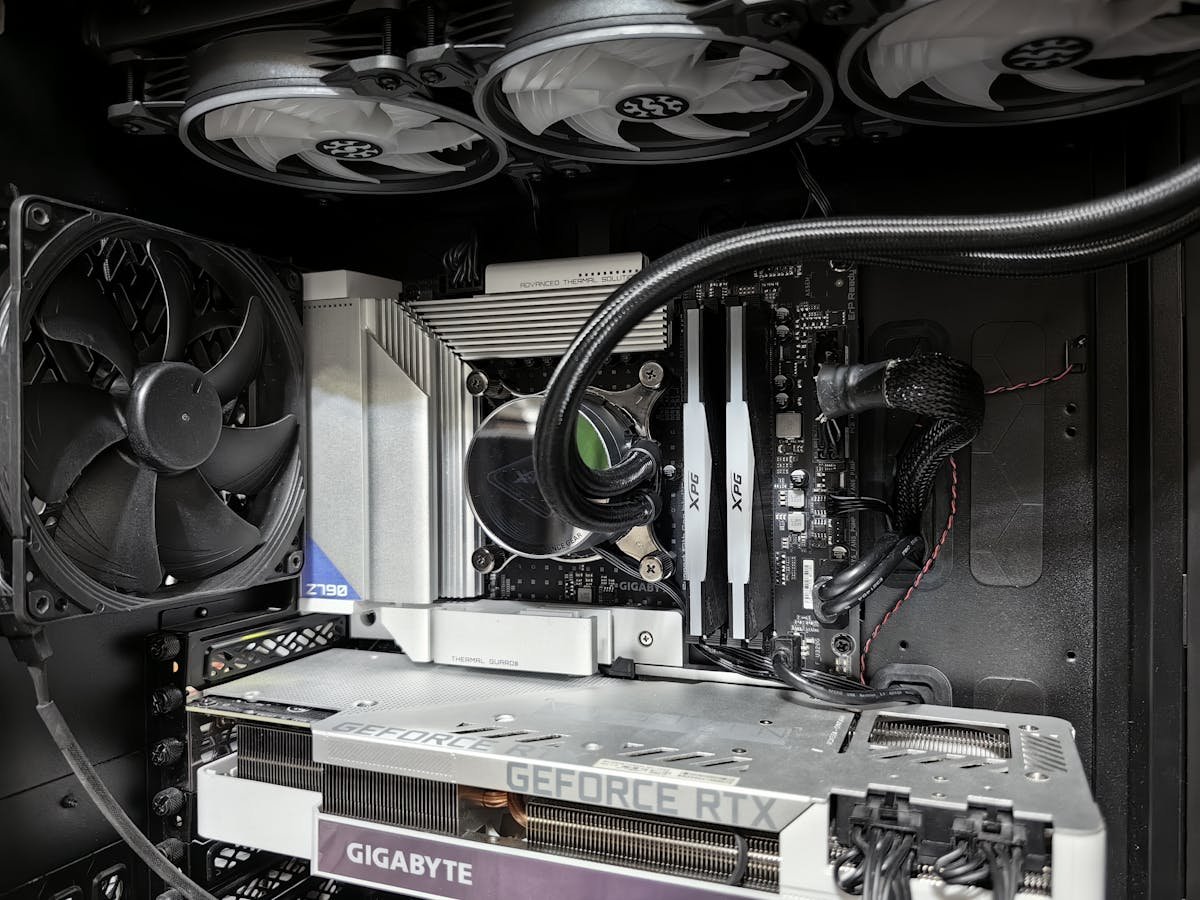
16GB of RAM is the mainstream sweet spot for desktop PCs in 2026, but whether it’s “enough” depends entirely on what you do with your computer. This guide breaks down real-world usage scenarios and tells you exactly when 16GB suffices and when you need 32GB or more.
The Short Answer
Yes, 16GB is enough for most users in 2026. However:
- Gaming: 16GB is comfortable
- Heavy multitasking: 16GB is tight but workable
- 4K video editing: 16GB is marginal; 32GB recommended
- Streaming + gaming: 16GB is cutting edge; 32GB preferred
- Professional workloads: 32GB+ is necessary
Real-World RAM Usage by Scenario
Scenario 1: Gaming at 1440p (16GB is Comfortable)
Setup: Intel Core i7-14700K, RTX 4070, Windows 11
RAM allocation while gaming:
- Windows 11 baseline: 2–3 GB
- Game (Cyberpunk 2077, ultra settings, 1440p): 7–9 GB
- Discord + browser with 10 tabs: 1.5–2 GB
- Total: 10–14 GB (85% utilization)
Free headroom: 2–6 GB available for sudden spikes.
Verdict: 16GB is comfortable. You won’t experience stutters or out-of-memory crashes.
Scenario 2: Gaming at 1080p Competitive (16GB is Overkill)
Setup: Ryzen 5 5600X, RTX 3060 Ti, 240 FPS competitive gaming
RAM allocation:
- Windows 11: 2 GB
- Game (Valorant, Fortnite, Apex Legends): 3–5 GB
- Total: ~5–7 GB (30–44% utilization)
Free headroom: 9–11 GB unused.
Verdict: 8GB would actually suffice here, but 16GB future-proofs you and provides buffer for stream overlays or Discord.
Scenario 3: Heavy Multitasking (16GB is Tight)
Setup: Developer with 50 browser tabs, 3 IDEs, Docker containers, 2 terminals
RAM allocation:
- Windows 11: 2 GB
- Chrome with 50 tabs: 5–7 GB (browsers are heavy in 2026)
- Visual Studio Code + IntelliJ IDEA: 2–3 GB
- Docker with 2 containers: 2–3 GB
- Spotify + Discord: 0.5 GB
- Total: 11.5–15.5 GB (72–97% utilization)
Free headroom: 0.5–4.5 GB. On the high end of the range, you’re at 97% utilization.
Verdict: 16GB works but feels tight. If a large file opens or you compile a big project, you’ll hit memory pressure. 32GB recommended for comfort.
Scenario 4: 4K Video Editing (16GB is Marginal)
Setup: Adobe Premiere Pro, 4K 60fps timeline with effects, color grading
RAM allocation:
- Windows 11: 2 GB
- Premiere Pro + effects cache: 8–11 GB
- Media Browser (thumbnail cache): 1–2 GB
- Photoshop for graphics: 2–3 GB
- Total: 13–18 GB (81–112% of 16GB)
Free headroom: -2 GB to +3 GB. You’ll experience memory pressure or page to SSD.
Verdict: 16GB is cutting it close. Timeline scrubbing will stutter. You’ll wait for preview renders. 32GB recommended.
Scenario 5: Streaming While Gaming (16GB is Marginal)
Setup: Gaming + Twitch streaming at 1080p 60fps with OBS
RAM allocation:
- Windows 11: 2 GB
- Game (Starfield, 1080p epic, 60 FPS): 8–10 GB
- OBS (encoding, buffering): 2–3 GB
- Discord + browser: 1.5–2 GB
- Total: 13.5–17 GB (84–106% of 16GB)
Free headroom: -1 GB to +2.5 GB. Peak moments (sudden scene changes, game loads) cause memory pressure.
Verdict: 16GB works for 1080p streaming, but you’re pushing it. 4K streaming + gaming? Forget it. 32GB recommended for stable streams.
Scenario 6: Content Creator Workflow (16GB is Insufficient)
Setup: Photographer importing RAW files, editing in Lightroom + Photoshop
RAM allocation:
- Windows 11: 2 GB
- Lightroom (working with 5000+ RAW files): 4–5 GB
- Photoshop (editing 300 MP panorama): 6–8 GB
- Total: 12–15 GB (75–94% utilization)
Impact: Lightroom feels sluggish. Panorama stitching is slow. But works.
Verdict: 16GB technically works but feels cramped. 32GB recommended for professional speed and responsiveness.
When 16GB Is Not Enough
| Use Case | Why 16GB Is Tight | Recommended RAM |
|---|---|---|
| 4K Video Editing | Timeline caching + effects require 8–11 GB alone | 32GB |
| 3D Rendering (Blender) | Large scenes + textures require 10+ GB for fast preview renders | 32GB |
| Machine Learning Training | Loading datasets + model weights exhausts 16GB quickly | 64GB |
| Running 3+ VMs | Each VM needs 4–8 GB; 3 VMs = 12–24 GB + OS | 32GB |
| Streaming 4K Video While Gaming | Game (10GB) + encoder (3GB) = 13GB leaves little buffer | 32GB |
| Professional CAD (Large Assemblies) | Complex models with 50K+ parts require 12+ GB | 32–64GB |
| Server/Workstation with Multiple Services | Database + web server + cache layers = 12+ GB | 32GB+ |
When 16GB Is Plenty
| Use Case | RAM Used | Headroom |
|---|---|---|
| Gaming at 1440p/4K | 9–12 GB | 4–7 GB surplus |
| Office Work + Web Browsing | 4–8 GB | 8–12 GB surplus |
| Software Development (local projects) | 8–12 GB | 4–8 GB surplus |
| Photo Editing (lightroom, single images) | 6–8 GB | 8–10 GB surplus |
| 1080p Video Streaming (YouTube, Twitch) | 2–4 GB | 12–14 GB surplus |
| Casual Multitasking (20 browser tabs + apps) | 8–10 GB | 6–8 GB surplus |
The Key Metric: Memory Pressure
Memory pressure is how much of your RAM is actively used. It determines system responsiveness and stability.
Safe Operating Ranges
- 0–50% utilization: Plenty of headroom. System is responsive. Nothing is paging to SSD.
- 50–75% utilization: Healthy. Apps can burst without issues. No stutters.
- 75–90% utilization: Approaching capacity. Occasional page file usage. Brief stutters possible during spikes.
- 90%+ utilization: Critical. System pages to SSD frequently. Noticeable slowdowns and stutters.
How to Monitor Your RAM
Windows Task Manager: Ctrl+Shift+Esc → Performance → Memory. You’ll see current RAM usage percentage.
If you frequently see 90%+, you need more RAM. If you peak at 85% during intense work but average 60%, you’re fine.
Should You Buy 16GB or 32GB?
Buy 16GB if:
- You’re purely a gamer (1440p/4K)
- Your work is browsing, office, and light development
- You’re on a strict budget (~£100–150 for 16GB vs ~£200–300 for 32GB)
- You don’t multitask heavily (< 20 browser tabs)
- You’re not streaming or editing video professionally
Buy 32GB if:
- You do any video editing (1080p minimum, 4K preferred)
- You stream while gaming or create content
- You’re a professional (CAD, rendering, data science)
- You plan to keep this PC for 4+ years (software grows heavier)
- You frequently run 30+ browser tabs + other apps
- You value buffer and don’t want potential future upgrade costs
- The price difference is only £100 (often worth it for peace of mind)
Future-Proofing: Software Gets Heavier Over Time
2020: 8GB was mainstream; 16GB was overkill for most users
2024: 16GB is mainstream; 32GB is becoming standard for power users
2028 (predicted): 32GB will be mainstream; applications will demand it
Why? Browsers load more assets, codebases grow, video resolution increases, AI integration bloats applications, and caching becomes more aggressive.
Verdict: If you’re buying in 2026 and plan to keep the system 4+ years, buy 32GB now rather than upgrading in 2028. It costs ~£80–100 more now but saves costly upgrades later.
The 16GB vs 32GB Trade-off Analysis
| Factor | 16GB | 32GB |
|---|---|---|
| Cost (DDR5) | £100–160 | £200–320 |
| Gaming at 1440p | Comfortable ✅ | Overkill (wasted) |
| Heavy multitasking | Tight (85%+ utilization) | Comfortable (60–70%) |
| Video editing 4K | Marginal ❌ | Comfortable ✅ |
| Streaming + gaming | Tight (90%+ utilization) | Comfortable (75%) |
| Future-proofing (4+ years) | May feel cramped by 2028 | Still comfortable in 2028 |
| Upgrade cost in 2–3 years | Add 16GB (£80–120) | Unlikely to need upgrade |
Summary: Is 16GB Enough in 2026?
For gaming and general use: Yes. 16GB is the sweet spot for 1440p gaming and typical desktop work.
For content creation or streaming: Marginal. 16GB technically works but approaches memory pressure. 32GB recommended for smooth, professional workflows.
For future-proofing: Questionable. If you’re buying now and keeping until 2029–2030, software will likely demand 32GB. Better to buy 32GB today than upgrade in 2 years.
Final recommendation: If the price difference is < £100, buy 32GB. If you're on a tight budget, 16GB is defensible for pure gaming. If you edit video, stream, or do professional work, 32GB is essential.
Related FAQs
Prices and availability may vary. As an Amazon Associate, we earn from qualifying purchases.
Recommended Desktop RAM Upgrades
Verified compatible products with free UK delivery via Amazon Prime.
Corsair Vengeance DDR5 32GB (2x16GB) 5600MHz
Best value DDR5 kit — future-proof for gaming and productivity
Check Price on AmazonKingston FURY Beast DDR4 32GB (2x16GB) 3200MHz
Reliable DDR4 upgrade if your board doesn't support DDR5
Check Price on AmazonCrucial RAM 16GB DDR4 3200MHz
Budget-friendly 16GB stick for basic productivity builds
Check Price on AmazonAs an Amazon Associate, Computer Compatibility earns from qualifying purchases at no extra cost to you.
Recommended upgrades
As an Amazon Associate we earn from qualifying purchases. Prices & availability shown on Amazon.
For desktops that use DDR5 DIMMs
For desktops that use DDR4 DIMMs
How we verify this guide
We cross-reference compatibility figures against manufacturer specifications where available, official service manuals, and the standards that govern fit — memory type and speed (DDR4 / DDR5 / LPDDR5), maximum supported capacity and slot count, SSD form factor and interface (M.2 2280, NVMe PCIe vs SATA, keying), and charger wattage and connector (USB-C Power Delivery, GaN). We're explicit about soldered or non-upgradeable parts, prioritise primary sources over retailer listings, and re-verify the data on a regular cycle. More on our method →