The ASUS TUF Gaming F15 FX506 (2021) is upgradeable with DDR4-3200 SODIMM RAM and supports up to 32GB across 2 slots. This guide covers RAM and SSD upgrade options.
ASUS TUF Gaming F15 FX506 Specifications

| Specification | Details |
|---|---|
| Processor | 11th Gen Intel |
| Release Year | 2021 |
| RAM Type | DDR4-3200 |
| RAM Slots | 2 |
| Maximum RAM | 32GB |
| Storage | M.2 2280 NVMe PCIe 3.0 |
ASUS TUF Gaming F15 FX506 RAM Upgrade Guide
Compatible RAM
The ASUS TUF Gaming F15 FX506 uses DDR4-3200 SODIMM modules. With 2 slots, you can install up to 32GB of RAM.
Recommended Configurations
| Configuration | Total RAM | Modules |
|---|---|---|
| Budget | 16GB | 2 × 8GB SODIMM |
| Standard | 32GB | 2 × 16GB SODIMM |
Installation Steps
- Shut down the laptop and disconnect the charger
- Remove the bottom panel screws (refer to your service manual for screw locations)
- Carefully pry off the bottom panel using a plastic spudger
- Disconnect the battery connector from the motherboard for safety
- Locate the RAM slot(s) — they are typically covered by a metal shield or near the centre of the board
- To remove existing RAM: push the retention clips outward and the module will pop up at an angle
- Insert the new SODIMM at a 30-degree angle, aligning the notch with the slot key
- Press down until the retention clips click into place
- Reconnect the battery, replace the bottom panel, and power on
- Verify in Task Manager (Ctrl+Shift+Esc → Performance → Memory) that the new RAM is detected
ASUS TUF Gaming F15 FX506 SSD Upgrade
The ASUS TUF Gaming F15 FX506 supports M.2 2280 NVMe PCIe 3.0 solid state drives. Upgrading the SSD is one of the best performance improvements you can make, especially if the laptop came with a smaller capacity drive.
SSD Installation
- Shut down and remove the bottom panel as described above
- Locate the M.2 SSD slot (usually secured with a single screw)
- Remove the retaining screw and carefully slide the existing SSD out at an angle
- Insert the new M.2 NVMe SSD at a 30-degree angle
- Press down flat and secure with the retaining screw
- Reassemble the laptop and install your operating system
Recommended Upgrade Products
| Product | Type | Best For | Link |
|---|---|---|---|
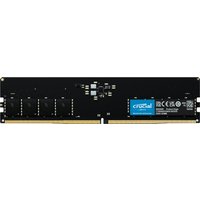
| Crucial 16GB DDR4-3200 SODIMM | RAM | 16GB stick | Shop |
| Kingston Fury Impact 16GB DDR4-3200 SODIMM | RAM | 16GB stick | Shop |
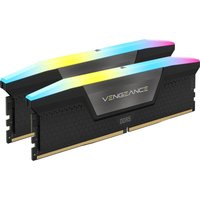
| Corsair Vengeance 32GB DDR4-3200 SODIMM Kit | RAM | 32GB kit (2×16GB) | Shop |
| Samsung 970 EVO Plus 1TB NVMe | SSD | High performance | Shop |
| WD Blue SN570 1TB NVMe | SSD | Great value | Shop |
| Crucial P3 Plus 1TB NVMe | SSD | Budget NVMe | Shop |
Prices and availability may vary. As an Amazon Associate, we earn from qualifying purchases.
Frequently Asked Questions
Q: What is the maximum RAM for the ASUS TUF Gaming F15 FX506?
A: The ASUS TUF Gaming F15 FX506 supports up to 32GB of DDR4-3200 RAM across 2 SODIMM slots.
Q: Can I upgrade the RAM in the ASUS TUF Gaming F15 FX506?
A: Yes, the ASUS TUF Gaming F15 FX506 has 2 accessible SODIMM slots. You can upgrade by removing the bottom panel and inserting compatible DDR4-3200 modules.
Q: What SSD does the ASUS TUF Gaming F15 FX506 use?
A: The ASUS TUF Gaming F15 FX506 uses a M.2 2280 NVMe PCIe 3.0 solid state drive. You can replace it with any compatible M.2 drive for more storage.
Q: How do I check my current RAM and storage?
A: Open Task Manager (Ctrl+Shift+Esc), click Performance, then check Memory and Disk tabs. For detailed specs, use CPU-Z (free utility).
Q: Is the ASUS TUF Gaming F15 FX506 worth upgrading?
A: Adding more RAM and a larger SSD can significantly extend the useful life of the ASUS TUF Gaming F15 FX506. A RAM upgrade improves multitasking, while an SSD upgrade provides more storage and faster boot times.
Related Guides
- ASUS Laptop Upgrade Guide
- RAM Compatibility Guide 2026
- SSD Compatibility Guide 2026
- Laptop Battery Replacement Guide