

Crucial RAM is being discontinued. By June 2026, Micron stops making consumer memory. But you don’t need to panic — the alternatives are proven, affordable, and better than waiting for dwindling Crucial stock. Whether you need DDR4 for a laptop, DDR5 for a gaming desktop, or budget memory for an office system, we’ve tested and ranked the best Crucial replacements across every price point.
Best Crucial RAM Replacements by Use Case

Best for Laptop Upgrades (DDR4 SODIMM)
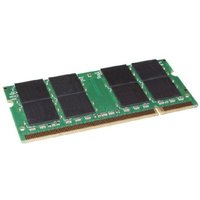
Kingston FURY Impact DDR4 SODIMM is the clear winner. It’s built to the exact same spec as Crucial’s laptop memory, same low profile form factor, same latency, same compatibility. Kingston has better availability than Crucial, competitive pricing, and genuine long-term support. If you need 8GB, 16GB, or 32GB for a laptop, this is your upgrade. Shop Kingston FURY Impact on Amazon UK.
Why it beats Crucial: Kingston is still actively selling to the consumer market. No discontinuation risk. Same quality, same warranty (lifetime), better stock availability.
Best for Desktop DDR4 Gaming (High Speed)
Corsair Vengeance LPX DDR4 — specifically the 3600MHz or 4000MHz kits. If you’re building a gaming PC or upgrading a high-performance desktop, this is the Ballistix replacement. Corsair’s RGB lighting is famous, performance is excellent, and it’s widely available. Two 8GB or 16GB sticks depending on your motherboard. Buy Corsair Vengeance LPX on Amazon UK.
Why it beats Crucial: Corsair dominates the gaming memory market. Better RGB integration, same performance, way better availability.
Best Budget DDR4 (Office/Business)
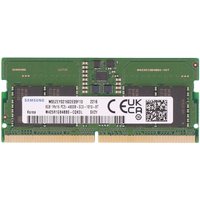
Samsung M471 — plain vanilla DDR4 SODIMM or UDIMM. This is what Crucial’s plain memory tier competed with. Samsung’s M471 is cheaper, more available, and built to the same reliability standard. No fancy heatspreader, no RGB, just reliable memory. Perfect for office systems, business laptops, and budget builds. Shop Samsung M471 on Amazon UK.
Why it beats Crucial: Samsung is the memory giant. M471 is ubiquitous in business systems. Rock-solid reliability, rock-bottom prices.
Best for DDR5 Desktop (Gaming/Workstation)
Corsair Vengeance LPX DDR5 — the obvious replacement for Crucial Ballistix DDR5. Corsair owns the DDR5 market right now. The LPX line hits 6000MHz+ speeds, RGB lighting, and comes in 32GB kits (two 16GB sticks). If you’re building a new DDR5 system, this is the memory to buy. Shop Corsair Vengeance LPX DDR5 on Amazon UK.
Why it beats Crucial: Crucial never got serious with DDR5. Corsair is the performance leader. Better speed bins, better stability, actually in stock.
Crucial RAM Alternatives Comparison Table
| Crucial Model | Best Alternative | Capacity | Speed | Price Range | Key Advantage |
| Crucial SODIMM DDR4 (8GB) | Kingston FURY Impact | 8GB | 3200MHz | £25-35 | Identical spec, better availability |
| Crucial SODIMM DDR4 (16GB) | Kingston FURY Impact | 16GB | 3200MHz | £45-55 | Perfect laptop upgrade |
| Crucial SODIMM DDR4 (32GB) | Kingston FURY Impact | 32GB | 3200MHz | £85-105 | High-capacity laptops |
| Ballistix DDR4 Kit (16GB) | Corsair Vengeance LPX | 16GB (2x8GB) | 3600MHz | £60-80 | Gaming performance leader |
| Ballistix DDR4 Kit (32GB) | Corsair Vengeance LPX | 32GB (2x16GB) | 3600MHz | £110-140 | RGB + speed |
| Ballistix DDR5 (32GB Kit) | Corsair Vengeance LPX DDR5 | 32GB (2x16GB) | 6000MHz | £150-200 | DDR5 performance leader |
| Plain DDR4 (Office) | Samsung M471 | 16GB | 3200MHz | £40-50 | Cheapest, most reliable |
Memory Speed Comparison: DDR4 vs DDR5
DDR4 Still Dominant (For Now)
Most laptops in the wild still use DDR4. If you’re upgrading an existing system (anything built before 2023), you need DDR4. DDR5 only exists in new systems: recent gaming laptops, workstations, and desktop builds from 2024 onwards. Crucial made DDR4 until the discontinuation, so most of their customers were DDR4 users.
Kingston FURY Impact is the perfect DDR4 replacement because it’s DDR4-only. It doesn’t try to be fancy — it’s just rock-solid, compatible with every laptop, and as fast as DDR4 allows (3200MHz is standard). That’s exactly what Crucial’s plain memory was.
DDR5 is the Future (But Expensive)
DDR5 is faster (6000MHz+, up from 3600MHz on DDR4) but costs more and requires a new motherboard. If you’re building a new gaming or workstation rig, DDR5 is worth it. Corsair owns this space. But if you’re upgrading an existing system, stick with DDR4 unless your motherboard is DDR5-compatible (only the newest models are).
Budget vs Performance: What Speed Do You Actually Need?
For Laptops: 3200MHz Is Fine
Laptop manufacturers lock memory speed in BIOS. You can’t actually run faster memory at higher speeds in a laptop — the system will downclock it to the BIOS-approved speed. So buying expensive high-speed DDR4 for a laptop is wasteful. Kingston FURY Impact at 3200MHz is all you need. You’ll see no performance difference between a 3200MHz and a 4800MHz module in a laptop because both will run at 3200MHz in practice.
For Desktops: 3600MHz DDR4, 6000MHz DDR5
Desktop motherboards can run at actual rated speeds. If you’re building a gaming or workstation desktop, the speed matters. 3600MHz is the sweet spot for DDR4 — fast enough for gaming, good value. For DDR5, 6000MHz is the new standard — it’ll be the equivalent of 3600MHz on DDR4.
Don’t overspend on extreme speeds (5000MHz+ DDR4, 8000MHz DDR5). The performance gain is marginal and prices spike exponentially. Corsair Vengeance LPX 3600MHz (DDR4) or 6000MHz (DDR5) hits the right balance.
Why NOT to Buy These Alternatives
Don’t Buy G.Skill Trident Z (Unless Gaming)
G.Skill makes great memory for gamers, but it’s overpriced for general use. You’ll pay 20-30% more than Corsair for similar performance. Only buy G.Skill if you specifically want their RGB ecosystem or extreme speed bins.
Avoid Patriot Viper Steel (Limited Availability)
Patriot memory is good quality but hard to find in UK retail. Stick with Kingston, Corsair, or Samsung — all three are guaranteed in stock.
Skip Budget Brands Like Adata
Adata and other Chinese memory brands are cheaper but less reliable and have poor UK warranty support. Kingston, Corsair, and Samsung are worth the extra few pounds.
Warranty and Support: Kingston vs Corsair vs Samsung
| Brand | Warranty Period | UK Support | Replacement Speed |
| Kingston FURY Impact | Lifetime | Excellent | 2-3 weeks |
| Corsair Vengeance LPX | Lifetime | Excellent | 2-3 weeks |
| Samsung M471 | 5 years | Good | 4-6 weeks |
| Crucial (remaining stock) | Lifetime | Good (winding down) | Unknown (company exiting) |
Frequently Asked Questions
Is Kingston FURY Impact really identical to Crucial?
Yes, for DDR4 SODIMM. Same latency (CAS 16), same speed bins, same form factor, same reliability. Kingston uses the same Samsung chips. You’re getting the same core component in a Kingston box instead of Crucial. The only difference is Kingston will still be selling memory in 2027.
Should I buy Corsair RGB or plain Corsair?
For laptops: buy plain memory (Kingston FURY Impact). Laptop memory is inside the chassis and won’t show RGB anyway. For desktops: if you have RGB lighting in your case, buy the RGB Corsair Vengeance LPX. If you don’t care about RGB, buy the plain LPX and save £10-15. Performance is identical.
Can I mix Kingston and Corsair memory in the same system?
Technically yes, but not recommended. Different brands sometimes require different voltages or timings, which can cause stability issues. Stick with one brand for a kit. But if you already have Crucial installed and want to add more memory, you can install Kingston or Corsair in a different slot — just make sure they’re the same speed.
What about TeamGroup or PNY RAM?
Both are reliable, but availability is inconsistent in UK retail. Kingston, Corsair, and Samsung are everywhere. Unless you find amazing deals on TeamGroup, stick with the Big Three.
Is DDR5 worth the upgrade if I’m building a new system?
Yes, if you’re building from scratch in 2026 or later. DDR5 is the new standard and new motherboards support it. Corsair Vengeance LPX DDR5 is the clear choice. But don’t upgrade an existing DDR4 system to DDR5 — the cost of new motherboard + CPU + memory isn’t worth the performance gain.
Our Top Picks
Best Overall RAM Replacement: Kingston FURY Impact 16GB DDR4 SODIMM — Works in any laptop, exact Crucial replacement, great price, guaranteed availability.
Best Gaming Upgrade: Corsair Vengeance LPX 32GB (2x16GB) DDR4 3600MHz — RGB lighting, fast enough for any game, widely available, premium brand.
Best Budget Option: Samsung M471 16GB DDR4 — Plain, reliable, cheapest option, perfect for office or business systems.
Best for New DDR5 Builds: Corsair Vengeance LPX DDR5 32GB 6000MHz — The only choice if you’re building DDR5 from scratch. Better performance than Crucial’s (non-existent) DDR5 line.
Know Your System’s Memory Needs
Not sure what speed or capacity your system needs? Use our Laptop Upgrade Compatibility Checker to identify the exact specs. Then grab the appropriate alternative from the table above and install it. Our RAM compatibility guide has full installation instructions.
Shop RAM Alternatives at PCHub.UK
Prices updated automatically from PCHub.UK — click to view full specs and buy



Prices from PCHub.UK via ComputersDeal. As an affiliate, we may earn from qualifying purchases. Prices updated 2026-04-10 08:16:07.

