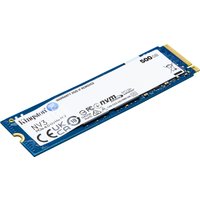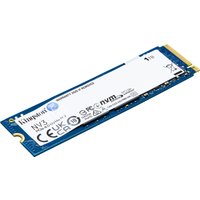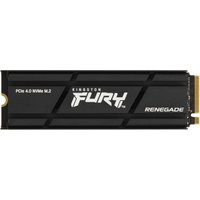
The laptop SSD market in 2026 has settled into a sweet spot: fast NVMe Gen 4 drives are now genuinely affordable, sub-£100 for solid 512GB capacities. Gone are the days of paying £200+ for storage speed. If you’re upgrading an older laptop or building a new one, this guide covers the best drives across every budget and use case — from ultrabook 2230s to high-capacity 2TB drives for power users.
We’ve focused on real-world performance, warranty support, and value for money. Whether you need a replacement SSD for your existing laptop or you’re choosing one at purchase, you’ll find the right drive here.
Quick Picks: Best Laptop SSDs at a Glance

| Category | Drive | Capacity | Type | Typical Price |
|---|---|---|---|---|
| Best Overall | Samsung 990 Pro | 1TB | NVMe Gen 4 | £120–140 |
| Best Budget | WD Black SN770 | 512GB | NVMe Gen 4 | £50–65 |
| Best Performance | SK Hynix P41 Platinum | 1TB | NVMe Gen 4 | £110–130 |
| Best Value 2TB | Crucial T500 | 2TB | NVMe Gen 4 | £150–170 |
| Best 2230 Form Factor | WD SN740 | 512GB | NVMe Gen 4 | £75–95 |
| Best SATA (Legacy) | Samsung 870 EVO | 1TB | SATA | £90–110 |
Best Overall: Samsung 990 Pro
The Samsung 990 Pro is our recommendation for most buyers. It’s fast (up to 7,100 MB/s read), reliable, and backed by Samsung’s reputation and a solid warranty. In 2026, prices have dropped enough that the 1TB model sits around £120–140, making it great value for a flagship drive.
Specs:
- Sequential read: 7,100 MB/s
- Sequential write: 6,000 MB/s
- Form factor: 2280 (standard laptop size)
- DRAM cache: Yes (full cache)
- Warranty: 5 years, 600 TBW (1TB)
- Available capacities: 256GB, 512GB, 1TB, 2TB, 4TB
Pros: Excellent sustained performance, aggressive cache system, Samsung’s excellent support, widely available, works in all modern laptops, proven reliability track record.
Cons: Not the absolute cheapest option (but the price gap to budget drives has shrunk). DRAM cache is power-hungry on battery (negligible impact on modern systems).
Best for: Anyone who wants a proven, fast flagship drive. Video editors, software developers, power users. A safe choice if you’re unsure.
Buy Samsung 990 Pro on Amazon UK
Best Budget: WD Black SN770
The WD Black SN770 is a true Gen 4 drive at budget pricing. Western Digital has released several OEM versions at different speeds — make sure you get the 4,000+ MB/s variant, not the slower 3,100 MB/s OEM model. At £50–65 for 512GB, it offers excellent Gen 4 performance without the flagship price tag.
Specs:
- Sequential read: 4,050 MB/s
- Sequential write: 3,950 MB/s
- Form factor: 2280
- DRAM cache: Yes
- Warranty: 5 years, 600 TBW (1TB)
- Available capacities: 256GB, 512GB, 1TB, 2TB
Pros: Excellent value for money, genuine Gen 4 performance, solid warranty, reliable Western Digital engineering, works in all modern laptops.
Cons: Slower than Samsung 990 Pro (but still fast enough for everyday use), less aggressive power management, fewer capacity options at higher tiers.
Best for: Budget-conscious buyers. Students. Anyone upgrading from a SATA or old Gen 3 drive — the performance jump is massive.
Buy WD Black SN770 on Amazon UK
Best Performance: SK Hynix P41 Platinum
If pure speed is your goal, the SK Hynix P41 Platinum competes directly with Samsung’s flagship at a lower price point. At 7,200 MB/s read speed, it’s marginally faster than the 990 Pro and typically costs £15–25 less. SK Hynix’s reputation for reliability is less flashy than Samsung’s, but it’s equally solid in the enterprise space.
Specs:
- Sequential read: 7,200 MB/s
- Sequential write: 6,000 MB/s
- Form factor: 2280
- DRAM cache: Yes
- Warranty: 5 years, 1,200 TBW (1TB)
- Available capacities: 512GB, 1TB, 2TB
Pros: Fastest consumer NVMe in its class, exceptional endurance rating (1,200 TBW is outstanding), slightly cheaper than Samsung 990 Pro, excellent sustained performance.
Cons: Lower profile in retail — less brand recognition than Samsung, potentially harder to source in some markets, warranty support less visible but equally solid.
Best for: Performance enthusiasts who want maximum speed and endurance. Video professionals. Large-file workflows.
Buy SK Hynix P41 Platinum on Amazon UK
Best Value 2TB: Crucial T500
For buyers who need 2TB of storage, the Crucial T500 offers genuine value. At £150–170 for 2TB, you’re paying roughly £75–85 per TB — competitive with 1TB flagship pricing per gigabyte. It’s a solid Gen 4 drive with balanced performance and good endurance.
Specs:
- Sequential read: 5,000 MB/s
- Sequential write: 4,200 MB/s
- Form factor: 2280
- DRAM cache: Yes (2GB on 2TB)
- Warranty: 5 years, 1,200 TBW (2TB)
- Available capacities: 1TB, 2TB
Pros: Excellent capacity-for-money value, solid Gen 4 performance, outstanding endurance rating, Crucial’s reputation for reliability, good thermal profile.
Cons: Speed trails the 990 Pro by 2,000 MB/s (but still feels fast in real-world use), only 2 capacity tiers available, slightly less aggressive brand recognition than Samsung.
Best for: Video editors, photographers, developers who need large local storage. Anyone building a future-proof system.
Best 2230 Form Factor: WD SN740
Modern ultrabooks and compact gaming laptops increasingly use the 2230 form factor — a smaller SSD that saves space. The WD SN740 (Western Digital’s OEM variant, widely available retail) offers Gen 4 speeds in the compact form factor. This is critical if you have a Framework laptop, recent MacBook Pro, or ultra-thin laptop.
Specs:
- Sequential read: 4,000+ MB/s
- Sequential write: 3,200 MB/s
- Form factor: 2230 (compact)
- DRAM cache: Yes
- Warranty: 5 years, 600 TBW
- Available capacities: 256GB, 512GB, 1TB
Pros: Fits ultrabooks and compact laptops, Gen 4 performance, proven Western Digital reliability, reasonably priced for the form factor.
Cons: Limited to smaller capacities (1TB max), slightly harder to source than standard 2280 drives, niche audience (only certain laptop models).
Best for: Framework laptop owners, ultrabook users, anyone with a space-constrained laptop.
Alternatives: Sabrent Rocket 2230 (£70–90 for 512GB) and Kioxia BG5 (OEM availability varies).
Best SATA SSD: Samsung 870 EVO
If your laptop has an older SATA-only M.2 slot (most laptops made before 2018), NVMe drives won’t fit. The Samsung 870 EVO is the last great SATA SSD still in production. SATA is capped at 550 MB/s, but for older systems, this is still a massive upgrade from a spinning hard drive.
Specs:
- Sequential read: 560 MB/s
- Sequential write: 530 MB/s
- Form factor: 2280 (M.2 SATA)
- DRAM cache: Yes (full)
- Warranty: 5 years, 1,200 TBW (1TB)
- Available capacities: 256GB, 512GB, 1TB, 2TB
Pros: Works in any laptop with M.2 SATA slot, Samsung reliability and warranty, excellent endurance, widely available, mature technology (very stable).
Cons: Much slower than NVMe (SATA protocol limit of 550 MB/s), not upgradeable to NVMe without motherboard/laptop compatibility checking.
Best for: Older laptop upgrades (pre-2018 models). Anyone stuck with a SATA-only system.
Buy Samsung 870 EVO on Amazon UK
Best for Gaming Laptops
Gaming laptops benefit more from large capacity than from top-tier speed. Modern AAA games are 100–200GB each, and storage-constrained gaming laptops become frustrating (constant deletions, slow shader compilation). Choose a 1TB or 2TB drive over a faster 512GB.
Top picks for gaming:
- Crucial T500 2TB — Value and capacity, £150–170. A gamer’s best friend.
- Samsung 990 Pro 2TB — Top speed and capacity, £180–200. For budget-unlimited systems.
- WD Black SN770 1TB — Budget-friendly capacity upgrade, £60–75.
Why capacity matters: Games are stored files, not streamed to VRAM like code. Loading times max out at around 2,500 MB/s (SATA limitation), so 7,100 MB/s NVMe gains you 2–3 seconds per level load. Capacity stops you redownloading games constantly (5–30 minute per-game penalty if storage runs out).
Best for Business Laptops
Business systems prioritise reliability and endurance over pure speed. You’ll be running Office, Slack, Chrome tabs, and video calls — all applications that work perfectly on Gen 3 NVMe. Focus on warranty, TBW rating, and power efficiency.
Top picks for business:
- SK Hynix P41 Platinum — Outstanding endurance (1,200 TBW), 5-year warranty, excellent reliability record.
- WD Black SN770 — Solid Western Digital engineering, good warranty, affordable.
- Crucial T500 — Exceptional endurance (1,200 TBW), proven durability, excellent price.
Why endurance matters: Business laptops accumulate write cycles slowly (email, documents, caching). A 600 TBW drive will last 5–7 years in real-world office use. Enterprise users targeting 10-year lifecycles should choose 1,200+ TBW models.
What to Look For When Buying an SSD
Don’t just chase MB/s numbers. Here are the specs that actually matter:
Capacity: Minimum 256GB (tight but workable), comfortable 512GB (most laptops), recommended 1TB (future-proof), power-user 2TB+.
Form Factor: Standard 2280 fits all modern laptops. Check if you need 2230 (ultrabooks) or 2242 (some older systems). SATA M.2 vs. NVMe — verify your slot type before buying.
DRAM Cache: Look for drives with DRAM cache (full cache, not HMB/host memory). DRAM cache improves sustained write performance and reduces file-copy stalls. Budget drives sometimes use HMB to save cost — acceptable but not ideal.
TBW Endurance Rating: Total Bytes Written. 600 TBW = normal consumer use, 1,200 TBW = heavy workload. Higher is future-proofing. Check the warranty period matches your expected laptop lifetime.
Warranty: Most 2026 flagship drives offer 5 years. Budget drives sometimes 3 years. Longer is better, but realistic — most drives outlast the warranty by years.
Controller & NAND Type: Less important for general buyers (all modern controllers are solid), but look for proven combinations. Samsung’s proprietary controller + Samsung NAND = excellent. SK Hynix’s in-house NAND is outstanding. Western Digital’s controllers are reliable.
Speed Claims: Don’t overbuy. The difference between 4,000 MB/s and 7,100 MB/s is ~2–3 seconds on a large file copy. Real-world laptop tasks feel identical. Prioritise capacity and reliability.
How Much Storage Do You Need?
| Capacity | Real-World Space | Best For | Notes |
|---|---|---|---|
| 256GB | ~180GB usable | Minimal: Office work, email, lightweight coding | Tight. Requires discipline with file management. Avoid if buying new. |
| 512GB | ~380GB usable | Comfortable: General browsing, Office, light media work, light development | Default choice. Works for most users without compromise. |
| 1TB | ~750GB usable | Recommended: Video/photo editing, game installations, large code projects, multi-user systems | Sweet spot. Future-proof for 4–5 years. No file management stress. |
| 2TB | ~1.5TB usable | Power user: Heavy creative work, 50+ games installed, local media library, long-term projects | 2026 prices have made this genuinely affordable (£150–200). |
Rule of thumb: Buy the largest capacity you can afford. Storage never feels excessive, and it simplifies your workflow. OS + critical apps take ~30GB; you want headroom above that.
Complete Comparison Table
| Drive | Capacity | Read (MB/s) | Write (MB/s) | TBW | Warranty | Price (1TB) | Best For |
|---|---|---|---|---|---|---|---|
| Samsung 990 Pro | 1TB | 7,100 | 6,000 | 600 | 5 years | £120–140 | Overall winner, video work |
| SK Hynix P41 Platinum | 1TB | 7,200 | 6,000 | 1,200 | 5 years | £110–130 | Performance + endurance |
| Crucial T500 | 1TB | 5,000 | 4,200 | 1,200 | 5 years | £75–95 | Value, business use |
| Crucial T500 | 2TB | 5,000 | 4,200 | 1,200 | 5 years | £150–170 | Capacity value winner |
| WD Black SN770 | 512GB | 4,050 | 3,950 | 600 | 5 years | £50–65 | Budget champion |
| WD Black SN770 | 1TB | 4,050 | 3,950 | 600 | 5 years | £60–80 | Budget 1TB |
| WD SN740 (2230) | 512GB | 4,000 | 3,200 | 600 | 5 years | £75–95 | Ultrabooks |
| Samsung 870 EVO (SATA) | 1TB | 560 | 530 | 1,200 | 5 years | £90–110 | Older laptops (SATA only) |
Frequently Asked Questions
Is NVMe really faster than SATA in real use?
For raw sequential file operations, yes — 7,100 MB/s (NVMe) vs. 550 MB/s (SATA) is a 13× difference. In real-world laptop use (launching Office, browsing, email), the difference feels minimal — maybe 1–2 seconds faster OS boot, imperceptible responsiveness gains. Video/photo editing and game installs show the clearest performance gap. For general productivity, both feel instant.
Can I upgrade my laptop’s SSD myself?
Usually, yes. Most modern laptops have an M.2 slot accessible via a bottom panel. Check your model’s manual or iFixit — typically a 5-minute job with a screwdriver. Older models (MacBooks, some gaming laptops) are soldered and not upgradeable. If unsure, check your laptop manufacturer’s spec sheet before buying.
Should I buy Gen 5 NVMe drives?
Gen 5 drives (up to 14,000 MB/s) exist but are expensive (£250+) and offer no real-world benefit for laptops. Desktop systems with sustained high write workloads benefit more. For laptops, Gen 4 is optimal price-to-performance through 2027.
What’s the difference between endurance ratings?
TBW (Total Bytes Written) is a manufacturer’s estimate of how much data you can write before the drive might fail. A 600 TBW drive rated for 5 years in normal use should outlast your warranty. Real-world endurance often exceeds specs by 2–3×, but the rating gives you confidence for heavy workloads.
Do I need to enable XMP or change BIOS settings?
No. NVMe drives work plug-and-play — no BIOS configuration needed. Your laptop will automatically detect and use the drive at its maximum speed. Just slot it in and let Windows/macOS/Linux recognize it.
What’s the warranty process if my SSD fails?
All major brands (Samsung, Western Digital, SK Hynix, Crucial) offer international 5-year warranties. Contact the manufacturer (not necessarily where you bought it) and they’ll arrange replacement. Keep your proof of purchase. Typical replacement time: 2–4 weeks via mail. This is why buying from reputable retailers matters.
Final Thoughts
The 2026 SSD market is healthy and affordable. You can get a fast, reliable, warranty-backed NVMe drive for under £100. Unless you have a legacy SATA-only laptop, buy NVMe — the speed difference is real and the price premium has vanished. Prioritise capacity and warranty over hitting the highest MB/s numbers.
Our top recommendation remains the Samsung 990 Pro 1TB for most buyers: proven reliability, excellent speed, and a price that reflects the market’s maturity. Budget-conscious buyers should look at the WD Black SN770 512GB or Crucial T500 1TB — both excellent drives at £50–95.
Recommended Products
These are the products we recommend based on this guide. All links go to Amazon UK where you can check current prices and availability.
| Product | Why We Recommend It | Amazon UK |
|---|---|---|
| Corsair Vengeance DDR4 SO-DIMM 32GB (2×16GB) 3200MHz | Best overall DDR4 upgrade kit | View on Amazon UK |
| Kingston Fury Impact DDR4 SO-DIMM 32GB (2×16GB) 3200MHz | Reliable alternative with tight latency | View on Amazon UK |
| Crucial DDR4 SO-DIMM 16GB 3200MHz | Budget single-stick upgrade | View on Amazon UK |
| Samsung DDR4 SO-DIMM 32GB 3200MHz | OEM-quality for business laptops | View on Amazon UK |
| WD SN770M 1TB M.2 2230 NVMe | Best 2230 SSD for Dell, Surface, Steam Deck | View on Amazon UK |
| Sabrent Rocket 2230 1TB | Fast 2230 alternative | View on Amazon UK |
| Samsung PM991a 1TB 2230 | OEM-grade 2230 at good prices | View on Amazon UK |
| Samsung 990 Pro 2TB NVMe M.2 2280 | Fastest consumer NVMe — ideal for gaming & editing | View on Amazon UK |
Prices and availability may vary. As an Amazon Associate, we earn from qualifying purchases.
Related Guides
- Ssd Compatibility
- How To Check Laptop Ssd Compatibility
- Nvme Ssd In Sata Slot Guide
- Best 4Tb Laptop Ssd
- Best 2Tb Laptop Ssd