

Finding compatible RAM for your laptop or desktop used to be easy — you’d just visit Crucial’s Memory Advisor tool. But with Crucial exiting the consumer market in 2026, many users are looking for alternatives. This guide compares the best RAM compatibility checkers available, from manufacturer tools to independent options, helping you find exactly the right memory for your system.
Table of Contents

- Best RAM Compatibility Checkers Compared
- Computer Compatibility Checker (Our Tool)
- Kingston Memory Search
- Corsair Memory Finder
- CPU-Z and HWiNFO (System Scanners)
- PCPartPicker
- What Happened to Crucial’s Memory Advisor?
- How to Check RAM Compatibility Without a Tool
- Recommended Products
- Frequently Asked Questions
Best RAM Compatibility Checkers Compared
| Tool | Type | Database Size | Best For | Rating |
|---|---|---|---|---|
| Computer Compatibility Checker | Free web tool | 4,500+ models | Laptops + desktops + servers | ★★★★★ |
| Kingston Memory Search | Manufacturer tool | Large | Kingston product recommendations | ★★★★ |
| Corsair Memory Finder | Manufacturer tool | Medium | Corsair product recommendations | ★★★½ |
| CPU-Z / HWiNFO | System scanner | N/A — reads hardware | Identifying current RAM specs | ★★★★ |
| PCPartPicker | Build compatibility | Desktop focused | Desktop builds and upgrades | ★★★½ |
Computer Compatibility Checker (Our Tool)
Our free Laptop RAM & SSD Compatibility Checker covers over 4,500 laptop, desktop, mini PC, and server models from 14+ brands. Simply select your brand, series, and model to see exactly what RAM and SSD upgrades are compatible, including DDR type, maximum capacity, number of slots, supported speeds, and recommended products with UK pricing.
The tool is completely free, requires no downloads or sign-ups, and works in any web browser. It’s updated regularly to include the latest laptop releases and current pricing from Amazon UK.
Kingston Memory Search
Kingston’s configurator at kingston.com lets you search by system manufacturer, system type, or Kingston part number. It recommends specific Kingston products and provides detailed compatibility information. The database is comprehensive and well-maintained.
The main limitation is that it only recommends Kingston products. If you want to compare options from multiple brands, you’ll need to use the compatibility information to search independently.
Corsair Memory Finder
Corsair’s tool at corsair.com/memory-finder helps find compatible Corsair RAM and SSD products for your system. Like Kingston’s tool, it’s limited to recommending Corsair’s own products. The database is smaller than Kingston’s, particularly for older systems.
Corsair’s tool works well for desktop motherboard compatibility but has a more limited laptop database compared to Kingston or our own checker.
CPU-Z and HWiNFO (System Scanners)
CPU-Z (free, Windows) and HWiNFO (free, Windows) are downloadable tools that scan your computer’s hardware and report exactly what’s installed. They’ll tell you your current RAM type, speed, capacity, number of slots used, and available slots. This is useful for identifying what you currently have but doesn’t directly recommend upgrades.
These tools are particularly helpful when you don’t know your exact laptop model or want to verify what RAM is currently installed before purchasing upgrades.
PCPartPicker
PCPartPicker’s compatibility checker at pcpartpicker.com is excellent for desktop PC builds. It checks motherboard and RAM compatibility, compares prices across retailers, and flags potential issues. However, it has limited laptop support and is primarily focused on the US market.
For desktop users planning a full build or upgrade, PCPartPicker remains one of the best resources for ensuring all components work together.
What Happened to Crucial’s Memory Advisor?
Crucial (owned by Micron) operated the most popular memory compatibility tool for over a decade. However, Micron announced it is exiting the Crucial consumer business by Q2 2026. The Crucial Memory Advisor and their article library have been gradually going offline, with many pages now returning 404 errors.
This has left millions of users looking for alternatives. Our Computer Compatibility Checker was built specifically to fill this gap, covering the same device database with brand-agnostic RAM and SSD recommendations and UK pricing.
How to Check RAM Compatibility Without a Tool
If you prefer to check manually, you need to know four things: DDR generation (DDR4 or DDR5 — not interchangeable), form factor (SODIMM for laptops, DIMM for desktops), maximum supported speed (e.g., 3200 MHz, 4800 MHz), and maximum capacity per slot and total slots.
Find this information in your laptop’s user manual, service manual, or specifications page on the manufacturer’s website. Then search for RAM matching those specifications from any brand — as long as the DDR generation, form factor, and speed are compatible, the RAM will work.
Recommended Products
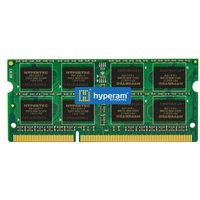
Works with virtually any DDR5 laptop. The safest, most compatible choice for laptop upgrades.
From £28 · Check Price on Amazon UK →
High-performance DDR5 kit for gaming and creative laptops. Dual-channel for maximum bandwidth.
From £70 · Check Price on Amazon UK →
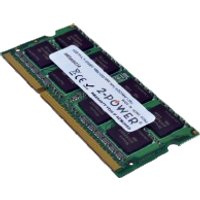
Reliable DDR4 upgrade kit for older laptops. Great value with proven compatibility.
From £30 · Check Price on Amazon UK →
OEM-quality module with the widest compatibility. Samsung is the world’s largest RAM manufacturer.
From £32 · Check Price on Amazon UK →
Frequently Asked Questions
Is Crucial’s memory compatibility tool still working?
As of 2026, Crucial’s Memory Advisor is being phased out as Micron exits the consumer business. Many pages return 404 errors. We recommend using our Computer Compatibility Checker or Kingston’s Memory Search as alternatives.
Do I need to use RAM from the same brand as my laptop?
No. RAM is standardised — any DDR4 SODIMM will work in any DDR4 SODIMM slot, regardless of brand. What matters is the DDR generation, form factor, speed, and capacity — not the brand name.
What if my laptop isn’t listed in a compatibility checker?
Check your laptop’s service manual or specifications page on the manufacturer’s website. Look for the RAM type (DDR4/DDR5), form factor (SODIMM), maximum speed, and maximum capacity. You can then purchase any matching RAM.
Can I use faster RAM than my laptop supports?
Yes, but it will run at your laptop’s maximum supported speed. Buying DDR5 5600MHz RAM for a laptop that supports up to 4800MHz is perfectly safe — the RAM will simply run at 4800MHz. This can be useful for future-proofing.
How do I know my current RAM specifications?
On Windows, open Task Manager (Ctrl+Shift+Esc), click Performance, then Memory. You’ll see total capacity, speed, form factor, and slots used. For more detail, download CPU-Z (free) which shows manufacturer, part number, and timing information.
Is there a free system scanner that recommends upgrades?
Our Computer Compatibility Checker is free and doesn’t require any downloads. Simply select your laptop model from the dropdown menus. For scanning your current hardware, CPU-Z and HWiNFO are both free and show detailed RAM information.
Final Thoughts
With Crucial’s Memory Advisor going offline, having reliable alternatives for checking RAM compatibility is more important than ever. Our free Computer Compatibility Checker covers over 4,500 models with brand-agnostic recommendations and UK pricing. For the most accurate results, always verify your specific model’s specifications before purchasing.
Check Your Laptop’s Compatibility
Use our free tool to find compatible RAM and SSD upgrades for your specific laptop model.
Launch Compatibility Checker →Shop Compatible Upgrades at PCHub.UK
Prices updated automatically from PCHub.UK — click to view full specs and buy


Prices from PCHub.UK via ComputersDeal. As an affiliate, we may earn from qualifying purchases. Prices updated 2026-04-10 13:15:58.

