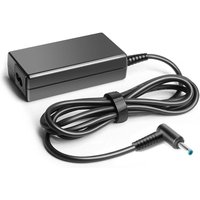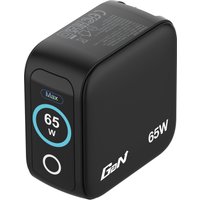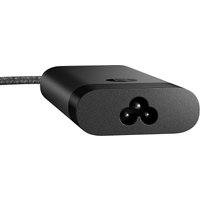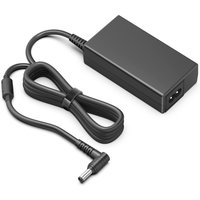
The dream of one charger for everything is finally here. In 2026, GaN (gallium nitride) technology has made universal USB-C laptop chargers genuinely practical — not just marketing speak. You can now charge your laptop, phone, tablet, and headphones from a single wall adapter the size of a matchbox.
But not all USB-C chargers are created equal. Power requirements vary wildly: a MacBook Air might need just 45W, while a MacBook Pro 16″ or gaming laptop demands 140W or more. Buying the wrong wattage is false economy — you’ll end up tethered to your laptop’s proprietary charger anyway.
This guide compares the best universal USB-C laptop chargers of 2026 by wattage category, so you can choose one that actually powers your device and keeps your other gear topped up at the same time.
Quick Picks — Best USB-C Laptop Chargers at a Glance

| Use Case | Best Pick | Wattage | Ports | Price Range |
|---|---|---|---|---|
| Best Overall | Anker Prime 100W | 100W | 2x USB-C + 1x USB-A | £45–55 |
| Best 65W (Ultrabooks) | Anker 735 GaN Prime | 65W | 1x USB-C + 2x USB-A | £28–35 |
| Best 100W (Balanced) | Ugreen Nexode 100W | 100W | 2x USB-C + 1x USB-A | £45–52 |
| Best 140W (Pro Laptops) | Anker 717 Charger | 140W | 2x USB-C + 1x USB-A | £55–68 |
| Best Budget | Baseus 65W GaN | 65W | 1x USB-C + 2x USB-A | £18–24 |
| Best Multi-Port | Ugreen Nexode 200W | 200W | 4x USB-C + 1x USB-A | £65–80 |
What Makes a Good Universal USB-C Laptop Charger?
Before you buy, understand the specs that actually matter:
Wattage: The Single Most Important Number
USB Power Delivery (USB PD) wattage determines how fast your laptop charges. Buy below your laptop’s requirement and you’ll charge slowly (or not at all under load). Buy at or above it, and you’re future-proofed.
- 45–65W: Ultrabooks (MacBook Air M2/M3, Dell XPS 13, ThinkPad X1), older MacBook Pro 13″
- 85–100W: Standard laptops (15″ MacBook Air, most Windows 15″ devices, Creator laptops)
- 100–140W: High-power laptops (MacBook Pro 16″, gaming laptops, workstations like Dell Precision)
- 140W+: Dual-laptop charging, or if you want maximum headroom
Check your laptop’s original charger specs (usually printed on the barrel). If it says 100W, don’t settle for 65W.
USB Power Delivery (USB PD) Certification
Only USB PD chargers can deliver high wattages over USB-C to laptops. Standard USB chargers cap out at 5W. Look for the USB PD logo or “USB PD” in the specs.
GaN Technology: Size Without Sacrifice
Older chargers use silicon components that generate heat and are physically large. GaN (gallium nitride) semiconductors are more efficient and run cooler, shrinking the charger to pocket-sized without losing power. All modern chargers now use GaN, so it’s standard, but it’s worth knowing why they’re so compact.
Port Count and Layout
A good universal charger has at least 2 USB ports (at least one USB-C for the laptop). Dual USB-C is ideal because it means simultaneous laptop + phone charging at full speed. Multi-port chargers (3–5 ports) are heavier but let you charge everything at once.
Brand Reliability and Warranty
Anker, Ugreen, and Baseus are the market leaders in compact USB-C chargers. All offer 2-year warranties in the UK. Avoid no-name brands — a charger failure can damage your laptop’s USB port.
Weight and Portability
GaN 100W chargers now weigh 180–200g (6–7 oz), about the same as a smartphone. Heavier than a 65W, but still travel-friendly. 140W+ models jump to 250–300g.
Best Overall: Anker Prime 100W
The Anker Prime 100W is the safest recommendation for most people. It’s genuinely universal: fast enough for almost every laptop on the market, compact enough for travel, and proven reliable by millions of users.
Specs:
- Power: 100W USB PD
- Ports: 2x USB-C (main + secondary), 1x USB-A 3.0
- Weight: ~195g
- Safety features: Temperature monitoring, overcurrent protection, overvoltage protection
- Warranty: 2 years
Why it wins:
- Fast charging for MacBook Air, MacBook Pro 14″, Dell XPS 15, and most Windows laptops in one go
- Dual USB-C ports mean you can charge laptop + phone/tablet simultaneously at full power
- Smaller and lighter than the original chargers these laptops ship with
- The USB-A port covers older devices (wireless headphones, older tablets)
- Proven durability and excellent customer reviews (4.8/5 stars on Amazon UK)
Best for: MacBook Air and Pro owners, Windows laptop users, people who want one charger for laptop + phone. Anyone not sure what wattage they need should buy this.
Buy Anker Prime 100W on Amazon UK
Best for Ultrabooks: Anker 735 GaN Prime (65W)
If your laptop is an ultrabook (MacBook Air M2/M3, Dell XPS 13, ThinkPad X1 Carbon, Asus ZenBook), you don’t need 100W. The Anker 735 GaN Prime delivers exactly what you need in a smaller, cheaper package.
Specs:
- Power: 65W USB PD (single port) or 45W + 18W when dual-ported
- Ports: 1x USB-C (main), 2x USB-A 3.0
- Weight: ~135g (lightest in its class)
- Form factor: Compact, folds to fit small bags
- Warranty: 2 years
Why choose it:
- Charges ultrabooks at full speed (most need 45–60W maximum)
- Weighs less than half a MacBook Air — genuinely pocket-sized
- Two USB-A ports are still useful for older phones, tablets, and wireless gear
- £10–15 cheaper than the 100W model
- The secondary USB-A and USB-C ports work simultaneously with the main port
Best for: MacBook Air owners, professionals carrying ultrabooks on frequent flights, anyone prioritizing size over multi-device charging.
Buy Anker 735 GaN Prime on Amazon UK
Best for Creators: Ugreen Nexode 100W
If you run video editing, 3D rendering, or photography work on your laptop, the Ugreen Nexode 100W is a serious alternative to Anker. Ugreen chargers are engineered for high-performance laptops and offer slightly better real-world power management under sustained load.
Specs:
- Power: 100W USB PD (single port) or 100W distributed across multiple ports
- Ports: 2x USB-C (both support 100W), 1x USB-A 3.0
- Weight: ~185g
- Safety: Multi-layer protection, FCC/CE certified
- Warranty: 2 years
Why it’s worth considering:
- Dual 100W USB-C ports (better than Anker’s secondary USB-C at partial power)
- Slightly more stable power delivery during heavy workloads
- Excellent build quality, more premium feel than Anker
- Better cooling design for sustained use
Best for: Content creators, video editors, anyone running sustained high-load applications. Technically superior to Anker but harder to find in UK stock.
Buy Ugreen Nexode 100W on Amazon UK
Best for Pro Laptops: Anker 717 (140W)
MacBook Pro 16″ owners, gaming laptop users, and workstation users need more power. The Anker 717 is the smallest 140W charger available and still compact enough for daily travel.
Specs:
- Power: 140W USB PD (distributed: 140W single port, or 100W + 45W dual USB-C)
- Ports: 2x USB-C, 1x USB-A 3.0
- Weight: ~265g (noticeably heavier but still travel-friendly)
- Dimensions: Compact block, no cables
- Warranty: 2 years
Why it’s essential for power users:
- Only charger capable of fast-charging MacBook Pro 16″ (140W model)
- Gaming laptops with RTX 4090 or equivalent need this wattage
- Keeps all three ports active simultaneously (laptop + 2 accessories)
- Still lighter than original laptop chargers
Best for: MacBook Pro 16″ owners, gaming laptop users, professionals with workstations, anyone running CPU/GPU-intensive work.
Best Budget Option: Baseus 65W GaN
If your laptop needs 45–65W and budget is tight, the Baseus 65W GaN is a reliable alternative. Baseus is the budget player in the GaN space, and while their chargers don’t have the brand cache of Anker, they’re legitimately well-made and competitively priced.
Specs:
- Power: 65W USB PD (single port) or 45W + 18W dual-port mode
- Ports: 1x USB-C, 2x USB-A 3.0
- Weight: ~135g
- Safety: Over-temperature protection, over-voltage protection
- Warranty: 18 months (shorter than Anker)
When to choose it:
- Your laptop is 45–65W max (ultrabooks, older MacBooks, budget Windows devices)
- Budget under £30
- You’re willing to trade brand reputation for savings
- You want a backup charger for travel
Caveat: Baseus chargers work fine, but customer support in the UK is slower than Anker/Ugreen. Make sure to register for warranty before the 18-month clock starts.
Best for: Budget-conscious ultrabook owners, backup/travel chargers, university students.
Buy Baseus 65W GaN on Amazon UK
Best for Powering Everything: Ugreen Nexode 200W
If you have multiple laptops, or you’re the office power distributor, the Ugreen Nexode 200W is the ultimate universal charger. Five ports mean you can charge laptop, tablet, phone, headphones, and a colleague’s device simultaneously.
Specs:
- Power: 200W total (distributed across ports)
- Ports: 4x USB-C + 1x USB-A
- Weight: ~300g (heaviest in this list, but desktop-friendly)
- Form factor: Desktop power station, not travel-friendly
- Warranty: 2 years
Best for: Office setups, home desks, professionals with multiple devices, couples/families sharing one charger dock.
Buy Ugreen Nexode 200W on Amazon UK
How to Choose the Right Wattage for Your Laptop
Finding your laptop’s wattage requirement takes 30 seconds:
- Check the original charger: Look at the brick/adapter itself. It will say something like “100W”, “140W”, or “USB PD 65W”. That’s your minimum requirement.
- Check the laptop manual or official specs: Search “[Your Laptop Model] specifications” and look for “Power” or “Charging”.
- If unsure, ask in the /laptop-charger-compatibility/ hub: We have detailed specs for 200+ laptop models listed there.
- Buy equal or higher: A 100W charger will happily power an 85W laptop. But an 85W charger will NOT reliably power a 100W laptop.
Common laptop requirements:
- MacBook Air (all models): 45–65W
- MacBook Pro 14″: 100W
- MacBook Pro 16″: 140W
- Dell XPS 13: 45–65W
- Dell XPS 15: 100W
- ThinkPad X1 Carbon: 65W
- Gaming laptops (RTX 40-series): 140–240W (some require barrel connectors, not USB-C)
- Asus ZenBook 14/15: 65–100W depending on model
Cable Matters: Don’t Overlook This
Here’s where people mess up: they buy a 100W charger but use a cheap 60W cable. Cables have wattage ratings too, and mismatches can cause slow charging or damage.
USB-C Cable Ratings:
- 60W cables: OK for phones, tablets, ultrabooks. NOT for 100W+ charging.
- 100W cables: Safe for everything except 140W+ chargers.
- 240W cables: The universal cable. Works with any charger, any device. Overkill for 65W devices but safe.
Most quality chargers ship with a 100W cable. But if you’re mixing old cables with new chargers, verify the rating. Look on the cable sheath — it should say “5A 100W” or similar.
Pro tip: Buy Anker or Ugreen cables as spares. Off-brand cables are a common point of failure.
Full Comparison Table: All Best USB-C Laptop Chargers
| Model | Wattage | Ports | Weight | Price | Best For |
|---|---|---|---|---|---|
| Anker Prime 100W | 100W | 2x USB-C, 1x USB-A | 195g | £45–55 | Most people. Safe, balanced choice. |
| Anker 735 GaN Prime | 65W | 1x USB-C, 2x USB-A | 135g | £28–35 | Ultrabook owners. Lightest option. |
| Ugreen Nexode 100W | 100W | 2x USB-C, 1x USB-A | 185g | £45–52 | Creators. Better power stability. |
| Anker 717 | 140W | 2x USB-C, 1x USB-A | 265g | £55–68 | Pro laptops. MacBook Pro 16″, gaming rigs. |
| Baseus 65W GaN | 65W | 1x USB-C, 2x USB-A | 135g | £18–24 | Budget-conscious. Backup chargers. |
| Ugreen Nexode 200W | 200W | 4x USB-C, 1x USB-A | 300g | £65–80 | Desks. Multiple devices simultaneously. |
Frequently Asked Questions
Can I use a 100W charger on a 65W laptop?
Yes, absolutely. The laptop draws exactly what it needs (65W) and ignores the extra capacity. Higher wattage is always safe. Lower wattage is the problem — your laptop might charge slowly or not at all under load.
Do I really need USB PD? Can’t I just use USB-C?
USB-C is just the connector shape. USB Power Delivery (USB PD) is the protocol that tells a charger and device how much power to send. Standard USB-C chargers (without PD) cap out at 5W and won’t charge a laptop at all. Always look for “USB PD” explicitly in the specs.
Will using a 100W charger damage my MacBook Air?
No. Your MacBook Air has a voltage regulator inside that controls how much power it accepts. A 100W charger will simply deliver 45W (what your Air needs) and leave 55W unused. This is safe, efficient, and not wasteful.
What’s the difference between 100W single-port and 100W dual-port?
Single-port means one USB-C gets the full 100W. Dual-port means the charger shares the 100W (often 60W + 40W, or 100W + 30W on secondary ports). Check the specs — some chargers maintain 100W on BOTH USB-C ports simultaneously, which is better.
Is GaN really necessary, or is it marketing?
GaN is genuinely better — it’s smaller, cooler, and more efficient than older silicon chargers. But older silicon chargers still work fine if you have them. GaN is now the industry standard because it’s objectively superior, not a premium gimmick. All modern chargers use it.
Should I keep my original laptop charger?
Keep it as a backup. Your universal charger will work fine as the primary, but having the original at your desk or office is smart insurance. Charger failure is rare but devastating for your laptop’s USB-C port.
Recommended Products
These are the products we recommend based on this guide. All links go to Amazon UK where you can check current prices and availability.
| Product | Why We Recommend It | Amazon UK |
|---|---|---|
| Anker 65W USB-C GaN Charger | Compact travel charger for most ultrabooks | View on Amazon UK |
| Ugreen 100W USB-C PD Charger | High-wattage for gaming & workstation laptops | View on Amazon UK |
| Anker 140W USB-C Charger | Maximum power for 16″ MacBook Pro & similar | View on Amazon UK |
| Baseus 65W GaN USB-C Charger | Budget alternative with multi-port charging | View on Amazon UK |
| Anker 341 7-in-1 USB-C Hub | Best budget single-monitor dock | View on Amazon UK |
| CalDigit TS4 Thunderbolt 4 Dock | Premium dock with 18 ports | View on Amazon UK |
| Ugreen 9-in-1 USB-C Hub | Budget dock with Ethernet included | View on Amazon UK |
| Plugable TBT3-UDZ Thunderbolt 3 Dock | Best mid-range dual-display dock | View on Amazon UK |
Prices and availability may vary. As an Amazon Associate, we earn from qualifying purchases.
Related Guides
Now that you’ve found your charger, you might want to explore:
- Laptop Charger Compatibility Hub — Detailed specs for 200+ laptop models and their charger requirements.
- Charger Compatibility Guides — Other charger types, docks, and power adapters.
Related Guides
- Charger Compatibility
- Gan Chargers Explained
- Lenovo Laptop Charger Compatibility
- Best Usb C Charger Lenovo Thinkpad
- Best Macbook Charger