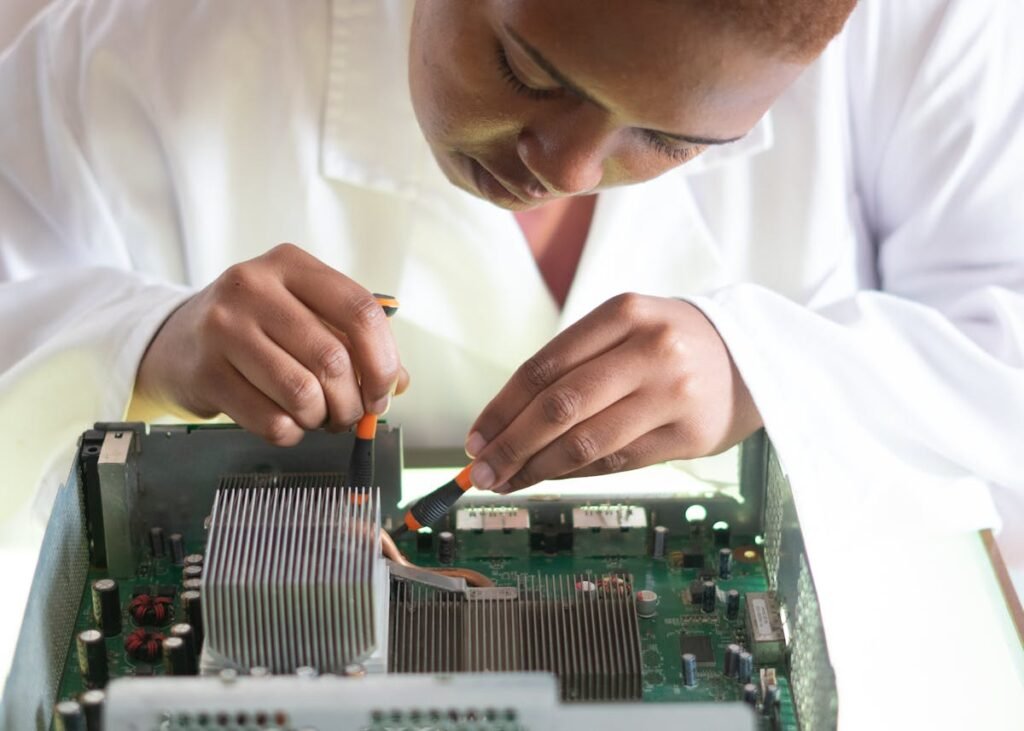
Your laptop came with Crucial RAM, but you want to add a Kingston or Corsair module to upgrade. Or you have two Crucial sticks and one failed, and you’re wondering if you can replace it with a different brand. Here’s the technical truth: yes, you can mix RAM brands, but there are some important rules you need to follow to avoid problems.
The Short Answer: Yes, You Can Mix Brands

RAM brands are completely interchangeable as long as these specs match:
1. DDR generation: DDR4 to DDR4 only. DDR5 to DDR5 only. Never mix DDR4 and DDR5 — they’re physically incompatible.
2. Speed (MHz): DDR4-3200 to DDR4-3200. DDR5-4800 to DDR5-4800. Mixing speeds works but your system will run all RAM at the slower speed.
3. Form factor: SO-DIMM (laptop) to SO-DIMM. DIMM (desktop) to DIMM. Never mix these — physical sizes are different and won’t fit.
4. Voltage: Nearly always the same for a given speed. DDR4-3200 always runs at 1.2V. Don’t worry about this unless you’re overclocking.
That’s it. Brand is completely irrelevant. A Crucial DDR4-3200 stick will sit happily next to a Kingston DDR4-3200 stick.
Why Brands Are Interchangeable
RAM chips (DRAM) are commodity products. Micron (Crucial), Samsung, SK Hynix, and a few others make the actual memory chips. Kingston, Corsair, and others buy these chips, put them on PCBs with voltage regulators and heat spreaders, and sell them under their brand name.
So a Kingston FURY module might actually contain Samsung DRAM chips inside. A Corsair Vengeance might contain Micron (Crucial’s parent) chips. The actual memory silicon is commodity — the brand is just the packaging and warranty.
What matters: The speed (MHz), generation (DDR4 vs DDR5), and form factor (SO-DIMM vs DIMM). Not the brand.
Real-World Mixing Scenarios
Scenario 1: One Crucial Stick Fails, Replace with Kingston
Your laptop came with 2x8GB Crucial DDR4-3200. One stick fails, so you buy a Kingston FURY DDR4-3200 8GB module to replace it.
Result: Your laptop runs 16GB (1x Crucial + 1x Kingston), both at DDR4-3200, in dual-channel mode. Works perfectly. Your system will detect both modules and run them at the same speed automatically.
Scenario 2: Upgrade from 8GB to 32GB (Mixed Brands)
Your Dell laptop has 1x8GB Crucial DDR4-3200 in slot 1. You buy 1x16GB Kingston FURY DDR4-3200 and install it in slot 2.
Result: Your laptop sees 24GB total (8GB Crucial + 16GB Kingston), runs both at DDR4-3200 in dual-channel mode. Perfectly fine. Mismatched capacities are OK — only the speed and generation matter.
Scenario 3: Mixing Different Speeds (DDR4-3200 + DDR4-3600)
You have 1x16GB Crucial DDR4-3200. You buy 1x16GB Corsair DDR4-3600 to pair with it.
Result: Both modules installed, but your laptop runs them both at DDR4-3200 (the slower speed). The Corsair 3600 is running at 3200, which is fine — it doesn’t hurt the module, it just doesn’t get the speed advantage.
Lesson: Matching speeds is better, but mixing is OK. System defaults to the slower speed for stability.
Scenario 4: Dual-Channel Performance (What You Need to Know)
Dual-channel mode = your system can access both RAM modules simultaneously, doubling bandwidth. This is slightly faster (5-10% in benchmarks) than single-channel.
Dual-channel requires: Two modules of the same speed installed in matching slots (usually slots 1 and 3, or 2 and 4 depending on your motherboard).
Does brand matter for dual-channel? No. Two different brands work in dual-channel if speeds match. 1x Crucial DDR4-3200 + 1x Kingston DDR4-3200 in slots 1 and 3 = perfect dual-channel performance.
Critical Rule: Never Mix DDR4 and DDR5
DDR4 and DDR5 are physically incompatible. Different slot shapes, different voltage (1.2V DDR4 vs 1.1V DDR5), different signalling. You cannot put DDR5 in a DDR4 slot or vice versa. The module won’t fit and will break your laptop if you try to force it.
Rule: Check your laptop’s spec sheet. If it came with DDR4, buy DDR4 replacements. If it came with DDR5, buy DDR5 replacements. No mixing.
Compatibility Checking Before You Buy
Before buying a Kingston or Corsair module to pair with your Crucial stick:
1. Check your Crucial module: Open Task Manager on Windows (or System Profiler on Mac). Note the exact DDR generation (DDR4 or DDR5) and speed (3200, 4800, etc.).
2. Check your laptop’s slot count: How many RAM slots does your laptop have? Usually 2. Some have 1 (soldered RAM, can’t upgrade). Check your spec sheet.
3. Match DDR generation and speed exactly: Buy Kingston DDR4-3200 if your Crucial is DDR4-3200. Buy Corsair DDR5-4800 if your Crucial is DDR5-4800.
Use our compatibility checker to confirm before ordering.
Performance Impact: Real-World Numbers
Dual-channel (matching modules): 5-10% faster in benchmarks compared to single-channel. In real-world use (gaming, web browsing, office work), the difference is unnoticeable.
Different brands in dual-channel: No performance penalty. Kingston + Crucial in dual-channel is identical to two Crucial sticks.
Mismatched speeds: System runs all modules at the slower speed. No performance hit — it’s just the speed cap. DDR4-3200 + DDR4-3600 runs both at 3200.
Frequently Asked Questions
Can I mix Crucial with Kingston?
Yes, as long as DDR generation (DDR4 vs DDR5) and speed (3200 vs 3600) match. Brand is irrelevant.
What if one is DDR4-3200 and the other is DDR4-3600?
Both run at DDR4-3200 (the slower speed). Your system automatically throttles the faster module down. No damage, just no speed advantage from the 3600 stick.
Will my laptop recognize mismatched brands?
Yes, instantly. BIOS detects RAM by speed and capacity, not brand. You’ll see 16GB (or whatever the total is) on boot. No drivers or configuration needed.
Can I mix DDR4 and DDR5?
No. They’re physically incompatible. Different slot shapes, different voltage. You cannot mix them.
Is dual-channel performance worth matching brands?
No. Dual-channel works with different brands. The speed matching matters, brand doesn’t. Buy whatever brand is available and cheapest.
What if I accidentally install wrong DDR generation?
The module won’t fit into the slot — different shapes. You can’t force it without damaging your laptop. Check before you buy.
Warranty Implications
Mixing RAM brands does NOT void your warranty. Your laptop manufacturer doesn’t care if you mix Kingston with Crucial. The only scenario where mixing could be an issue is if you’re overclocking — some systems have stability issues with mixed brands at non-standard speeds. But for standard speeds (3200 MHz, 4800 MHz), any brands work fine together.
Our Recommendation
If replacing one Crucial stick: Buy Kingston FURY matching your Crucial’s speed and DDR generation. Works perfectly with mixed brands.
If upgrading from 8GB to 16GB: Keep your existing Crucial stick, add a matching Kingston or Corsair stick. Dual-channel works great with mixed brands.
Next Steps
Check your exact DDR generation and speed. Then buy a matching Kingston or Corsair module. Follow our RAM installation guide for step-by-step help.
Shop Compatible RAM at PCHub.UK
Prices updated automatically from PCHub.UK — click to view full specs and buy



Prices from PCHub.UK via ComputersDeal. As an affiliate, we may earn from qualifying purchases. Prices updated 2026-04-10 08:16:07.