

Chromebooks are designed to be affordable, lightweight, and low-maintenance — but that design philosophy means most models have limited or zero upgrade options. If you’re wondering whether you can add more RAM or storage to your Chromebook, the short answer is: probably not, but there are alternatives worth knowing about.
The Hard Truth About Chromebook Hardware

The vast majority of Chromebooks use soldered RAM and eMMC or soldered SSD storage. Unlike traditional laptops where memory and storage are modular and replaceable, Chromebook components are permanently attached to the motherboard to save cost and space. This means the RAM and storage you buy is what you’re stuck with for the life of the device.
Chromebook Upgrade Options by Component
| Component | Upgradeable? | Details |
|---|---|---|
| RAM | No (99% of models) | Soldered LPDDR4X/LPDDR5 on nearly all Chromebooks |
| Internal Storage (eMMC) | No | eMMC is soldered to the motherboard |
| Internal Storage (NVMe SSD) | Rare — some models | A few higher-end Chromebooks use M.2 NVMe SSDs |
| MicroSD Card | Yes (most models) | Expand storage with a microSD card — up to 1TB |
| USB External Storage | Yes | USB flash drives and external SSDs work with ChromeOS |
| Battery | Technically possible | Some models have replaceable batteries, but parts are hard to find |
Chromebooks with Upgradeable Storage
A small number of Chromebooks do include M.2 NVMe or M.2 SATA SSD slots that can be replaced. These tend to be higher-end or enterprise models:
| Model | SSD Type | RAM Upgradeable? |
|---|---|---|
| Framework Laptop Chromebook Edition | M.2 2230 NVMe ✅ | Yes — SO-DIMM DDR4 |
| Acer Chromebook Vero 514 | M.2 2280 NVMe ✅ | No — soldered |
| ASUS Chromebook CX5 (CX5500) | M.2 2280 NVMe ✅ | No — soldered |
| HP Elite Dragonfly Chromebook | M.2 2230 NVMe ✅ | No — soldered LPDDR5 |
| Lenovo ThinkPad C14 Gen 1 | M.2 2242 NVMe ✅ | No — soldered |
How to Expand Chromebook Storage
Even though you can’t upgrade internal storage on most Chromebooks, there are practical alternatives that work well with ChromeOS:
MicroSD Card (Best Option)
Most Chromebooks have a microSD card slot that accepts cards up to 1TB. A 256GB or 512GB microSD card costs £15-40 and adds substantial storage for files, photos, and offline content. ChromeOS treats microSD cards as permanent storage — you can move Downloads and Linux files to the card.
USB-C External SSD
For maximum speed and capacity, a USB-C external SSD provides near-internal speeds. A 500GB portable SSD costs around £35-50 and connects without any adapters on most modern Chromebooks.
Google Drive Cloud Storage
Chromebooks come with Google Drive integration built in. Google One plans start at £1.59/month for 100GB. For users with reliable internet, cloud storage is the most seamless way to extend capacity without any hardware.
Buying Tips — Choose the Right Chromebook First Time
Since upgrades are limited, getting the right specs at purchase is critical. For 2026, we recommend a minimum of 8GB RAM and 128GB storage for a Chromebook that will last 3-4 years. If you use Android apps heavily or plan to run Linux containers, 16GB RAM is worth the premium.
Frequently Asked Questions
Can I add more RAM to my Chromebook?
No. Nearly all Chromebooks have soldered RAM that cannot be upgraded. The only notable exception is the Framework Laptop Chromebook Edition, which uses standard SO-DIMM slots.
Can I replace the SSD in a Chromebook?
Only on a few higher-end models that use M.2 NVMe SSDs. Most budget and mid-range Chromebooks use eMMC storage soldered to the motherboard. Check your specific model before purchasing an SSD.
How do I add more storage to a Chromebook?
The easiest option is a microSD card (up to 1TB). You can also use a USB-C external SSD or USB flash drive. Google Drive cloud storage is another option for users with good internet connectivity.
Is 4GB RAM enough for a Chromebook in 2026?
For very basic web browsing, 4GB still works. However, with modern web apps, multiple tabs, and Android apps, 4GB Chromebooks feel noticeably sluggish. We recommend 8GB minimum for a good experience in 2026.
Which Chromebook has the best upgrade options?
The Framework Laptop Chromebook Edition is by far the most upgradeable Chromebook, with replaceable RAM (SO-DIMM DDR4), M.2 2230 NVMe SSD, Wi-Fi card, battery, and even the keyboard and screen.
Recommended Products
Samsung EVO Select 256GB MicroSD
Fast A2-rated microSD card. Ideal for expanding Chromebook storage.
Check Price on Amazon UKSanDisk Extreme 512GB MicroSD
High-speed U3 microSD with read speeds up to 200MB/s.
Check Price on Amazon UKSamsung T7 500GB Portable SSD
Compact USB-C external SSD with 1,050MB/s speeds. Great Chromebook companion.
Check Price on Amazon UKShop Compatible Upgrades at PCHub.UK
Prices updated automatically from PCHub.UK — click to view full specs and buy

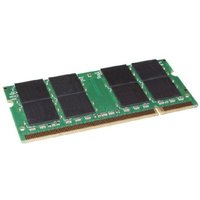

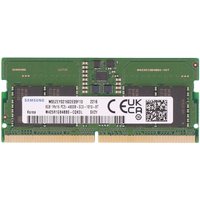
Prices from PCHub.UK via ComputersDeal. As an affiliate, we may earn from qualifying purchases. Prices updated 2026-04-10 08:16:07.