

DDR5 RAM offers higher bandwidth, lower power consumption, and on-die ECC compared to DDR4. Base speeds start at 4,800 MHz versus DDR4’s 3,200 MHz. However, DDR5 requires a compatible motherboard and CPU — you cannot mix DDR4 and DDR5 on the same system.
Real-World Performance Comparison

In everyday tasks like web browsing, office work, and video calls, the difference between DDR4-3200 and DDR5-5600 is minimal — typically under 5%. Where DDR5 shines is in memory-intensive workloads: video editing sees 15-25% faster render times, 3D rendering benefits from the extra bandwidth, and some games at high resolutions show 5-10% higher frame rates.
Price Comparison (April 2026)
| Config | DDR4 | DDR5 | Difference |
|---|---|---|---|
| 16GB (2x8GB) | ~£30 | ~£45 | +50% |
| 32GB (2x16GB) | ~£55 | ~£70 | +27% |
When to Stay with DDR4
If your current system uses DDR4 and meets your performance needs, there’s no compelling reason to upgrade just for DDR5. The platform cost (new CPU + motherboard + DDR5 RAM) far exceeds the performance gain for most users. DDR4 will remain widely available and well-supported through 2027 at minimum.
When DDR5 Makes Sense
Building a new system? DDR5 is the clear choice for future-proofing. Intel 13th/14th Gen and AMD Ryzen 7000+ platforms all support DDR5, and prices have dropped significantly since launch. For content creators and power users, the extra bandwidth provides measurable benefits in daily workflows.
Frequently Asked Questions
Can I put DDR5 in a DDR4 motherboard?
No — DDR4 and DDR5 slots are physically different and not interchangeable. You need a DDR5-compatible motherboard and CPU.
Is DDR5 faster for gaming?
At 1080p with a fast GPU, DDR5 can provide 5-15% higher frame rates in CPU-bound games. At 4K, the difference is negligible as the GPU becomes the bottleneck.
Recommended DDR5 Laptop RAM

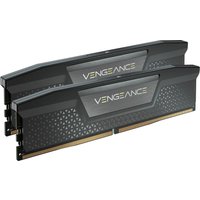

Kingston Technology
Kingston Technology KTH-PL556E-32G memory module 32 GB 1 x 32 GB DDR5
£786.79
View Deal



