The Gigabyte G6 (2024) is a mid-range gaming laptop featuring the Intel Core i7-13620H processor and RTX 4050 or 4060 GPU. This guide covers RAM, SSD, charger, dock, and full specifications for upgrading and maintaining your G6.
RAM Compatibility & Upgrade Guide

The Gigabyte G6 (2024) features user-upgradeable DDR5 memory with 2 SO-DIMM slots supporting up to 32GB of DDR5-4800 RAM. This allows for moderate to significant memory upgrades depending on your needs.
Upgrade potential: ★★★★★ (Fully upgradeable)
Compatible RAM Configurations
| Module Capacity | Speed | Type | Maximum Config |
|---|---|---|---|
| 8GB DDR5 | DDR5-4800 | SO-DIMM | 16GB (2×8GB) |
| 16GB DDR5 | DDR5-4800 | SO-DIMM | 32GB (2×16GB) |
Recommended Upgrade: If your G6 ships with 8GB, upgrade to 16GB or 32GB for better gaming performance and multitasking capability.
SSD & Storage Compatibility
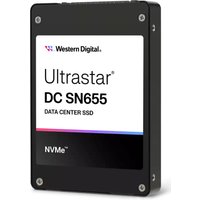
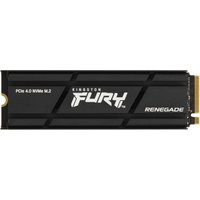
The Gigabyte G6 (2024) features 2 M.2 2280 PCIe Gen 4 NVMe slots, providing ample storage expansion for games and media.
| Product | Capacity | Speed | Price (£) | Link |
|---|---|---|---|---|
| Samsung 990 Pro | 1TB / 2TB | 7,100 MB/s | £79–£129 | View on Amazon UK |
| SK Hynix P41 Platinum | 1TB / 2TB | 7,100 MB/s | £75–£120 | View on Amazon UK |
| Crucial P5 Plus | 1TB / 2TB | 6,600 MB/s | £59–£99 | View on Amazon UK |
| WD Black SN850X | 1TB / 2TB | 7,100 MB/s | £69–£119 | View on Amazon UK |
Storage Notes: Both M.2 slots accept PCIe Gen 4 drives in 2280 form factor. You can use them independently for separate storage or configure RAID 0 for a single large drive.
Charger & Power Compatibility
The Gigabyte G6 (2024) uses a proprietary 150W barrel connector, which is sufficient for light to moderate gaming with the RTX 4050/4060 GPU.
| Charger Type | Wattage | Connector | Use Case |
|---|---|---|---|
| Original Gigabyte 150W | 150W | Proprietary Barrel | General gaming and productivity |
| USB-C PD 65W | 65W | USB Type-C | Light productivity, slower charging |
Note: The G6’s lower power GPU (RTX 4050/4060) doesn’t require the massive 280W+ chargers of flagship models. The 150W charger is well-suited for this system.
Dock & Hub Compatibility
The Gigabyte G6 (2024) features standard USB 3.2 Type-C ports. While not as fast as Thunderbolt, USB 3.2 docks and hubs offer excellent compatibility with most peripherals and external storage solutions.
Compatible Docking Options:
- USB 3.2 Type-C hubs (universal compatibility)
- USB 3.1 docks (backward compatible)
- Standard USB-C adapters for peripherals
- Displayport Alt Mode for external displays
Tip: The G6 is perfect for students and casual gamers. A basic USB-C hub will handle most accessory needs without the cost of Thunderbolt docks.
Full Specifications Table
| Component | Specification |
|---|---|
| CPU | Intel Core i7-13620H |
| GPU | NVIDIA RTX 4050 or RTX 4060 Laptop |
| Display | 16″ FHD (1920×1200) 165Hz IPS |
| RAM | 2× DDR5-4800 SO-DIMM (up to 32GB, User-upgradeable) |
| Storage | 2× M.2 2280 PCIe Gen 4 NVMe (User-replaceable) |
| Charger | 150W Proprietary Barrel (USB-C PD 65W backup) |
| Connectivity | USB 3.2 Type-C, Multiple USB 3.2 Type-A, Headphone Jack, HDMI |
| Weight | ~2.2 kg |
| Battery | 50Wh Li-Po |
| Upgradeability Score | ★★★★★ |
Frequently Asked Questions
Can I upgrade the RAM in the Gigabyte G6 2024?
Yes! The G6 (2024) has 2 DDR5-4800 SO-DIMM slots supporting up to 32GB of total memory. This is one of the most affordable gaming laptops with full RAM upgradeability.
What storage capacity should I aim for?
With 2 M.2 slots, you can achieve 4TB of storage if needed. For most gamers, 1TB or 2TB is practical, leaving room for a large game library.
Is the 150W charger enough for gaming?
Yes, the 150W charger is sufficient for the RTX 4050/4060. This laptop targets mid-range gaming rather than extreme performance, so power delivery is well-matched.
Does the G6 support high refresh displays?
The standard G6 (2024) features a 165Hz FHD display, which is good for gaming. The RTX 4050/4060 can drive high frame rates at 1080p, making the 165Hz refresh rate appropriate for this GPU.
Can I use external monitors with the G6?
Yes, via USB-C DisplayPort Alt Mode or HDMI output. The G6 supports external display connections for extended desktop setups, though it lacks Thunderbolt for the highest bandwidth.
Recommended Products
These are the products we recommend based on this guide. All links go to Amazon UK where you can check current prices and availability.
| Product | Why We Recommend It | Amazon UK |
|---|---|---|
| Corsair Vengeance DDR5 SO-DIMM 32GB (2×16GB) 5600MHz | Top-rated DDR5 kit for gaming & productivity | View on Amazon UK |
| Kingston Fury Impact DDR5 SO-DIMM 32GB (2×16GB) 5600MHz | Excellent DDR5 alternative with XMP support | View on Amazon UK |
| Crucial DDR5 SO-DIMM 16GB 5600MHz | Affordable single-stick DDR5 | View on Amazon UK |
| G.Skill Ripjaws DDR5 SO-DIMM 32GB 5600MHz | High performance DDR5 for enthusiasts | View on Amazon UK |
| Samsung 990 Pro 2TB NVMe M.2 2280 | Fastest consumer NVMe — ideal for gaming & editing | View on Amazon UK |
| WD Black SN850X 2TB NVMe | Excellent Gen4 speed with heatsink option | View on Amazon UK |
| Crucial P5 Plus 1TB NVMe | Great value Gen4 SSD | View on Amazon UK |
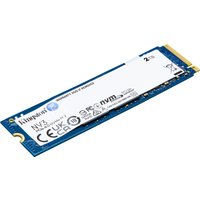
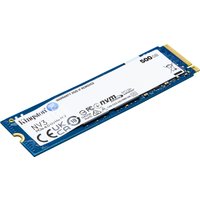
| Kingston NV2 1TB NVMe | Budget-friendly with solid reliability | View on Amazon UK |
Prices and availability may vary. As an Amazon Associate, we earn from qualifying purchases.
Related Gigabyte Upgrade Guides
- Gigabyte AORUS 17H BXF
- Gigabyte G7 KE (2022)
- Gigabyte A5 X1 (2022)
- Gigabyte AERO 14 OLED (2023)
- Gigabyte G5 GE (2022)
- Gigabyte Upgrade Guide
Not sure what fits? Use our free Compatibility Checker covering 3,195+ models.