HP HP ZBook Fury 16 G9 (2022) Specifications
The HP HP ZBook Fury 16 G9 (2022) is a mobile workstation for creative professionals and power users. This guide covers RAM, SSD, charger compatibility, and upgrade paths for this model. For a comprehensive overview of all HP upgradeable models, visit the HP Laptop Upgrades hub.
| Component | Specification |
|---|---|
| Processor | i7-12850HX + RTX A3000 |
| RAM | DDR5, 4 slots (upgradeable) |
| Max RAM | 128GB |
| Storage | M.2 2280 NVMe PCIe Gen4, 2 slots |
| Charger | 200W Barrel |
| Ports | 2x Thunderbolt 4, 2x USB 3.2, 1x HDMI 2.1, 1x SD |
| Display | 16.0″ 4K DreamColor IPS |
| Weight | 2.84 kg (6.26 lbs) |
Memory Upgrade Path

The HP ZBook Fury 16 G9 features 4 SO-DIMM slots for DDR5 RAM, allowing upgrades up to 128GB. Both slots are user-accessible, and the upgrade process is straightforward.
Recommended DDR5 RAM Upgrades:
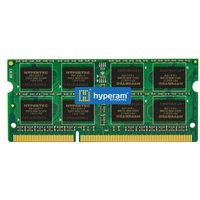
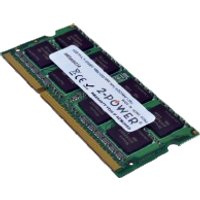
- Corsair Vengeance DDR5 SO-DIMM — Premium DDR5 laptop memory with excellent compatibility.
- Kingston Fury Impact DDR5 SO-DIMM — High-performance DDR5 with solid heat dissipation.
- Crucial DDR5 SO-DIMM — Budget-friendly DDR5 with proven stability.
Storage Expansion

The HP ZBook Fury 16 G9 uses a standard M.2 2280 NVMe SSD with a NVMe PCIe Gen4 interface. With 2 M.2 slots, you can run dual NVMe drives for expanded storage.
Recommended M.2 2280 SSDs:
- Samsung 990 Pro NVMe 2280 — Flagship NVMe SSD with exceptional speeds.
- WD Black SN850X 2280 — High-performance NVMe with excellent sustained writes.
- Crucial P5 Plus NVMe 2280 — Excellent value NVMe with strong real-world performance.
Power Delivery & Charging
The HP ZBook Fury 16 G9 uses a 200W Barrel charger. This uses a proprietary barrel connector. Use the original charger or a compatible replacement rated for the same wattage.
Port & Docking Capabilities
Connectivity: 2x Thunderbolt 4, 2x USB 3.2, 1x HDMI 2.1, 1x SD
The Thunderbolt 4 ports provide fast external storage and high-bandwidth peripherals. Consider a Thunderbolt dock like the CalDigit TS4 or Belkin Thunderbolt 4 Dock Pro for desktop expansion.
Upgrade Difficulty & Tools Required
The HP ZBook Fury 16 G9 has a difficulty rating of 3/5 for upgrades (5 = easiest). The upgrade process is moderate — requires careful handling of bottom panel clips.
Tools needed:
- Phillips screwdriver (M2.5 or similar)
- Plastic spudger or pry tool (for bottom panel clips)
- ESD wrist strap (optional but recommended)
We recommend backing up your data and consulting the official service manual before opening the chassis.
Frequently Asked Questions
Can I upgrade the RAM in the HP HP ZBook Fury 16 G9?
Yes, the HP ZBook Fury 16 G9 has 4 SO-DIMM slots for user-upgradeable DDR5 memory, supporting up to 128GB.
What is the maximum RAM for the HP ZBook Fury 16 G9?
The HP ZBook Fury 16 G9 supports up to 128GB of DDR5 memory.
Can I add a second SSD to the HP ZBook Fury 16 G9?
The HP ZBook Fury 16 G9 has 2 M.2 slots. You can add a second NVMe SSD.
What charger does the HP ZBook Fury 16 G9 need?
The HP ZBook Fury 16 G9 uses a 200W Barrel charger.
Is the HP ZBook Fury 16 G9 easy to upgrade?
The HP ZBook Fury 16 G9 has a difficulty rating of 3/5. Some care needed with bottom panel clips.
Recommended Products
These are the products we recommend based on this guide. All links go to Amazon UK where you can check current prices and availability.
| Product | Why We Recommend It | Amazon UK |
|---|---|---|
| Corsair Vengeance DDR5 SO-DIMM | Premium DDR5 laptop memory with excellent compatibility. | View on Amazon UK |
| Kingston Fury Impact DDR5 SO-DIMM | High-performance DDR5 with solid heat dissipation. | View on Amazon UK |
| Crucial DDR5 SO-DIMM | Budget-friendly DDR5 with proven stability. | View on Amazon UK |
| Samsung 990 Pro NVMe 2280 | Flagship NVMe SSD with exceptional speeds. | View on Amazon UK |
| WD Black SN850X 2280 | High-performance NVMe with excellent sustained writes. | View on Amazon UK |
| Crucial P5 Plus NVMe 2280 | Excellent value NVMe with strong real-world performance. | View on Amazon UK |
Prices and availability may vary. As an Amazon Associate, we earn from qualifying purchases.
Related HP Upgrade Guides
- HP Battery Replacement: EliteBook, Pavilion & OMEN Step-by-Step
- Best RAM for HP Laptops in 2026
- HP ProLiant DL365 Gen11 RAM & SSD Upgrade Guide (2023)
- HP ProLiant ML30 Gen11 RAM & SSD Upgrade Guide (2023)
- HP ProLiant DL385 Gen10 Plus RAM & SSD Upgrade Guide (2020)
- HP Upgrade Guide
Not sure what fits? Use our free Compatibility Checker covering 3,195+ models.
Helpful Guides
Shop Compatible Upgrades at PCHub.UK
Prices updated automatically from PCHub.UK — click to view full specs and buy


Prices from PCHub.UK via ComputersDeal. As an affiliate, we may earn from qualifying purchases. Prices updated 2026-04-10 13:15:58.