

LPDDR5 and DDR5 are the two main types of RAM in modern laptops, but they serve different purposes. LPDDR5 is soldered (non-upgradeable) and prioritizes power efficiency, while DDR5 comes in SODIMM form (upgradeable). Understanding the differences helps you make informed decisions about laptop purchases and upgrades.
Overview Comparison Table

| Specification | LPDDR5 | DDR5 SODIMM |
|---|---|---|
| Speed Options | 6400 MHz typical | 4800-5600 MHz |
| Voltage | 0.6V (ultra-low power) | 1.25V |
| Power Consumption | Ultra-low (extending battery) | Higher (drains battery faster) |
| Form Factor | Soldered directly to motherboard | Removable SODIMM modules |
| Upgradeable | No (fixed at purchase) | Yes (swap modules anytime) |
| Real-World Performance | Excellent for typical use | Slightly faster in benchmarks |
| Typical Capacity | 16GB or 24GB (configs) | 8GB-32GB per module |
| Price (for user) | Fixed cost in laptop purchase | Upgrade cost ($100-300+) |
LPDDR5 — Ultra-Low Power & Fixed Capacity
LPDDR5 is soldered directly to the motherboard and designed specifically for power efficiency. The “LP” stands for “Low Power,” and it consumes about 50% of the power that traditional DDR5 does. This extends battery life significantly in ultra-thin laptops like MacBook Air and premium business machines.
Key advantages: Ultra-low power consumption extends battery life by 2-3 hours on average. 6400 MHz speeds exceed DDR5 options in benchmarks. Optimized for thermal efficiency in thin chassis. Soldered design reduces device thickness. Cost is fixed at purchase — no upgrade costs later.
Limitations: Non-upgradeable — you’re stuck with whatever RAM configuration shipped with the laptop. If you buy 16GB and need 32GB later, you can’t upgrade without replacing the entire motherboard.
Best for: Users who prioritize battery life, laptop models with space constraints (ultra-thin MacBooks, high-end ultrabooks), professionals who rarely need to upgrade RAM.
DDR5 SODIMM — Upgradeable & Flexible
DDR5 SODIMM (Small Outline DIMM) modules plug into standard laptop RAM slots, allowing easy upgrades. While standard DDR5 runs at higher voltage (1.25V) than LPDDR5, many modern laptops achieve excellent performance. DDR5 SODIMM is the preferred upgrade path for gaming and productivity laptops.
Key advantages: Fully upgradeable — start with 16GB and add 32GB later. Much cheaper than buying a new laptop. Supports various manufacturers (Kingston, Corsair, SK Hynix, Samsung). Easy installation — no tools required on most laptops. More capacity options available (up to 48GB/96GB in some models).
Limitations: Uses more power than LPDDR5, reducing battery life slightly. Requires open RAM slots on your motherboard. Some premium laptops don’t have upgradeable RAM.
Best for: Gamers, content creators, budget-conscious upgraders, anyone needing more than 16GB RAM. Windows laptop users who want flexibility.
Head-to-Head Performance Comparison
| Metric | LPDDR5 | DDR5 SODIMM | Winner |
|---|---|---|---|
| Benchmark Speed | 6400 MHz | 5600 MHz (max) | LPDDR5 (+14%) |
| Real-World Gaming | Excellent | Excellent | Tie |
| Multitasking Performance | Excellent | Excellent | Tie |
| Battery Life | Extended (2-3 hours more) | Standard | LPDDR5 |
| Power Consumption | 0.6V (ultra-low) | 1.25V | LPDDR5 (50% less power) |
| Upgradeability | None (soldered) | Fully upgradeable | DDR5 |
| Maximum Capacity | Fixed at purchase | Up to 96GB | DDR5 |
| Upgrade Flexibility | None | Excellent | DDR5 |
Which Should You Choose?
Choose LPDDR5 laptops if: Battery life is your top priority. You use a MacBook or premium ultrabook that emphasizes thin design. You’re comfortable with fixed RAM at purchase. You don’t expect to do RAM-intensive work requiring 32GB+. You can accept the non-upgradeable limitation.
Choose DDR5 SODIMM upgradeable laptops if: You want the flexibility to upgrade RAM later. You might need 32GB or more RAM for creative work or multitasking. You game or do video editing. You want better long-term value (upgrade later instead of buying new). You use Windows laptops or high-end gaming machines.
The verdict: For typical office work and general use, both offer identical real-world performance. LPDDR5 is better for battery life and thin designs. DDR5 SODIMM is better for future-proofing and flexibility. Most MacBooks use LPDDR5; most gaming and Windows laptops use upgradeable DDR5 SODIMM.
Frequently Asked Questions
Can I upgrade LPDDR5 RAM?
No. LPDDR5 is soldered directly to the motherboard. The only way to get more RAM is to buy a new laptop. This is why it’s crucial to buy sufficient RAM upfront (16GB minimum for future-proofing).
Is DDR5 as power-efficient as LPDDR5?
No. DDR5 SODIMM runs at 1.25V compared to LPDDR5’s 0.6V, consuming roughly twice as much power. However, newer optimized implementations are improving efficiency.
Which RAM is faster in real use?
They’re equal in real use. LPDDR5’s speed advantage (6400 vs 5600 MHz) is only visible in benchmarks, not gaming or productivity workflows.
Should I buy 16GB or 32GB with DDR5?
For most users: 16GB is sufficient. For video editing, 3D work, or heavy multitasking: 32GB is worth the upgrade. With upgradeable SODIMM, you can start with 16GB and add more later if needed.
Recommended DDR5 RAM for Upgrades
| Product | Speed | Capacity | Type | Link |
|---|---|---|---|---|
| Kingston Fury Beast DDR5 | 5600 MHz | 16GB | SODIMM | View on Amazon UK |
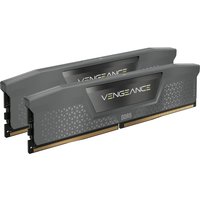
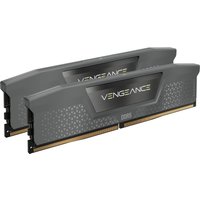
| Corsair Vengeance DDR5 | 5600 MHz | 16GB | SODIMM | View on Amazon UK |
| Kingston Fury Beast DDR5 | 5600 MHz | 32GB Kit | SODIMM | View on Amazon UK |
| SK Hynix DDR5 | 5600 MHz | 16GB | SODIMM | View on Amazon UK |
Related RAM & Performance Guides
- Laptop RAM Compatibility Guide (2026) — DDR4, DDR5 & LPDDR5
- Laptop SSD Compatibility Guide (2026) — NVMe, SATA, M.2 Sizes Explained
- Laptop Charger Compatibility Guide (2026) — USB-C, Power Delivery & GaN
Recommended DDR5 Laptop RAM


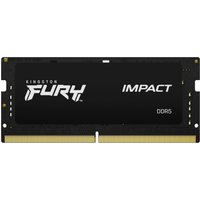
Kingston Technology
Kingston Technology FURY 32GB 4800MT/s DDR5 CL38 SODIMM (Kit of 2) Imp
£434.86
View Deal
