The Apple MacBook Pro 16″ M4 Max (2024) is the flagship professional laptop, introducing Thunderbolt 5 support — a first for any Mac. This guide covers unified memory up to 128GB, SSD storage, Thunderbolt 5 and Thunderbolt 4 connectivity, external display support, dock selection, and charger specifications.
Unified Memory (RAM) Specifications

The MacBook Pro 16″ M4 Max features Apple’s unified memory soldered directly to the chip. Like all Apple silicon, RAM cannot be upgraded or replaced after purchase.
Available memory configurations:
- 36GB unified memory — Entry M4 Max config; 8GB increase from M3 Max base
- 48GB unified memory — Balanced for professional video and 3D work
- 96GB unified memory — High-end for 8K video workflows and extreme dataset processing
- 128GB unified memory — Maximum tier; for rendering farms, machine learning, and complex timeline work
The introduction of 128GB unified memory addresses professional demands for large-scale video colour grading, real-time timeline rendering with effects, and parallel processing tasks. Video professionals moving from Intel Mac systems often choose 96GB or 128GB to avoid external swap.
SSD Storage Options & Upgradeability
The M4 Max uses soldered SSD storage — internal storage cannot be replaced or upgraded post-purchase. Storage configurations are permanent decisions.
Available storage tiers:
- 1TB (base)
- 2TB
- 4TB
- 8TB
M4 Max 8TB option is ideal for professionals avoiding external storage workflows. For 4K/8K RAW video editing, 4TB minimum is recommended. Pair high internal storage with external Thunderbolt SSDs for media libraries and backups. OWC Envoy Pro SSD supports Thunderbolt 5 connectivity on M4 Max.
Thunderbolt 5 & Thunderbolt 4 Ports
The MacBook Pro 16″ M4 Max is the first Mac with Thunderbolt 5 (TB5) ports. It includes three TB5-capable ports (backward compatible with TB4 and USB-C devices) supporting 4 external displays at up to 6K resolution.
Thunderbolt 5 specifications:
- Bandwidth: 120 Gbps (double TB4’s 40 Gbps)
- Backward compatible with TB4, TB3, and USB-C PD
- Future-proof for next-generation external devices
- Faster SSD data transfer (up to 5000MB/s on TB5 SSDs)
- Supports simultaneous 8K video + high-speed data on single port
Most existing TB4 docks function at TB4 speeds on M4 Max. True TB5 docks are emerging but remain expensive; current TB4 docks remain practical for immediate use.
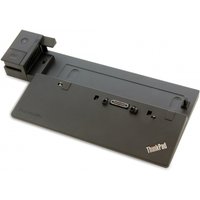
Thunderbolt 5 & 4 Dock Selection
Docks compatible with M4 Max TB5 ports:
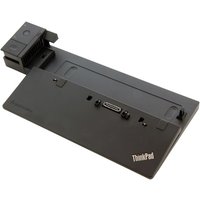
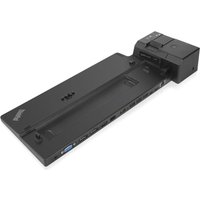
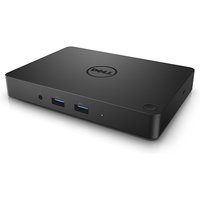
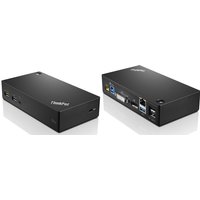
- OWC 13-port Thunderbolt 3 Dock — Functions at TB4 speeds on M4 Max TB5 ports; 96W charging still sufficient for M4 Max; backwards compatible
- CalDigit Thunderbolt 3 Dock — TB4-compatible; 98W power delivery; works reliably with M4 Max in TB4 mode
- Belkin Thunderbolt 3 Pro Dock 2.0 — Compact TB4 dock; 96W charging; good for travel with M4 Max
True Thunderbolt 5 docks are not yet widely available (early 2024). Current TB4 docks function normally on M4 Max ports but at TB4 speeds (40 Gbps instead of 120 Gbps). Plan to upgrade to TB5 docks when they become available for full performance.
Charger & Power Specifications
The M4 Max 16″ includes a 140W USB-C power adapter, matching M4 Pro and earlier M3 generations. Charging is available from any TB5/TB4 port.
Power delivery specs:
- 140W USB-C PD 3.1 — Standard charger for M4 Max 16″
- Sufficient power for sustained rendering, video export, and 3D workloads
- MagSafe 3 available as secondary option (slower than USB-C)
- Compatible with existing USB-C PD docks and chargers rated 140W+
During intensive rendering (DaVinci Resolve, Cinema 4D), plug the M4 Max into 140W power to ensure battery doesn’t drain. Lower-wattage chargers (96W) will charge slowly and may lose battery under peak CPU/GPU load.
External Display Support
The M4 Max supports up to 4 external displays in clamshell mode (lid closed), the maximum of any MacBook Pro. When open, you can use 2 external displays + the built-in 16″ screen.
Professional monitor recommendations:
- Pro Display XDR — Apple’s 6K reference monitor for colour-critical broadcast and cinema work
- LG UltraFine 6K — 6K alternative with excellent colour gamut; cost-effective vs Pro Display XDR
- LG 32UN880 — 32″ 4K Thunderbolt all-in-one with integrated power delivery
- BenQ SW240 — 24″ colour-accurate for photo editing and design review
- Dell P-series UltraSharp (32″) — Large 4K for panoramic editing and multi-window workflows
Daisy-chainable TB5 displays will reduce port usage when available — a single TB5 cable can power multiple displays in sequence.
Hardware Specifications Table
| Component | Specification | Notes |
|---|---|---|
| Processor | Apple M4 Max (12-core CPU, 20-core GPU) | Soldered; not upgradeable; most powerful Mac chip |
| Memory | 36GB, 48GB, 96GB, or 128GB unified | Soldered; must choose at purchase; 128GB is new high tier |
| Storage | 1TB, 2TB, 4TB, or 8TB SSD | Soldered; internal upgrade not possible; 8TB is maximum |
| Ports | 3x Thunderbolt 5, HDMI 2.1, SD UHS-II | TB5 is 3x faster than TB4; backward compatible |
| Charging | 140W USB-C PD 3.1 | Charges from any TB5 port |
| Displays Supported | Up to 4 external displays (6K) | Clamshell mode; 2 external + built-in when open |
| MagSafe | MagSafe 3 | Optional charging cable |
| GPU Performance | 20-core GPU (up from 18-core M3 Max) | 11% more GPU cores than M3 Max; significant rendering boost |
Frequently Asked Questions
What is Thunderbolt 5 and why does M4 Max have it?
Thunderbolt 5 doubles bandwidth to 120 Gbps (from 40 Gbps on TB4), enabling faster external SSD transfer, simultaneous 8K video + data, and future device compatibility. M4 Max is the first Mac to support TB5, positioning it as future-proof for high-end workflows.
Do I need a Thunderbolt 5 dock for M4 Max?
No. Existing TB4 and TB3 docks work fine on M4 Max, just at TB4 speeds (40 Gbps). True TB5 docks are not yet widely available. Your current dock remains practical; upgrade when TB5 docks become affordable.
How much RAM do I need for 8K video editing?
For 8K RAW workflows (DaVinci Resolve, Adobe Premiere), 96GB minimum is recommended. 128GB is ideal if doing real-time timeline effects and colour work. Anything less risks swapping to external storage, which slows scrubbing significantly.
Is M4 Max worth upgrading from M3 Max?
If you’re on M3 Max: M4 Max offers ~15–20% faster CPU, larger GPU (20 cores vs 18), TB5 support, and up to 128GB RAM. For video professionals doing high-volume work, the performance and TB5 future-proofing justify the upgrade. For light-to-moderate work, M3 Max remains capable.
Should I buy 96GB or 128GB?
96GB is practical for most professional video workflows. 128GB is insurance for extreme timelines, parallel rendering, and machine learning tasks. If working with 8K RAW frequently, 128GB prevents any memory pressure.
What’s the difference between M4 Pro and M4 Max?
M4 Max has a larger GPU (20 cores vs 16), supports 4 displays (vs 3), higher max RAM (128GB vs 48GB), TB5 ports (vs TB4), and handles extreme rendering tasks. Pro is excellent for most work; Max is for high-end video/3D professionals.
Which external SSD works best with TB5?
OWC Envoy Pro SSD is TB4 but achieves excellent speeds. Genuine TB5 external SSDs (up to 5000MB/s) are emerging; verify specs when purchasing. For now, TB4 SSDs are the practical choice.
Recommended Products
These are the products we recommend based on this guide. All links go to Amazon UK where you can check current prices and availability.
| Product | Why We Recommend It | Amazon UK |
|---|---|---|
| Corsair Vengeance DDR4 SO-DIMM 32GB (2×16GB) 3200MHz | Best overall DDR4 upgrade kit | View on Amazon UK |
| Kingston Fury Impact DDR4 SO-DIMM 32GB (2×16GB) 3200MHz | Reliable alternative with tight latency | View on Amazon UK |
| Crucial DDR4 SO-DIMM 16GB 3200MHz | Budget single-stick upgrade | View on Amazon UK |
| Samsung DDR4 SO-DIMM 32GB 3200MHz | OEM-quality for business laptops | View on Amazon UK |
| Samsung 990 Pro 2TB NVMe M.2 2280 | Fastest consumer NVMe — ideal for gaming & editing | View on Amazon UK |
| WD Black SN850X 2TB NVMe | Excellent Gen4 speed with heatsink option | View on Amazon UK |
| Crucial P5 Plus 1TB NVMe | Great value Gen4 SSD | View on Amazon UK |
| Kingston NV2 1TB NVMe | Budget-friendly with solid reliability | View on Amazon UK |
Prices and availability may vary. As an Amazon Associate, we earn from qualifying purchases.
Related Apple Upgrade Guides
- Which MacBooks Have Soldered SSD & RAM? Complete List (2012-2026)
- Can You Upgrade a MacBook? RAM, SSD & Storage Options by Model
- MacBook External Monitor Compatibility
- Apple MacBook Pro 15″ (2013)
- Apple Mac mini (2014)
- Apple Upgrade Guide
Not sure what fits? Use our free Compatibility Checker covering 3,195+ models.