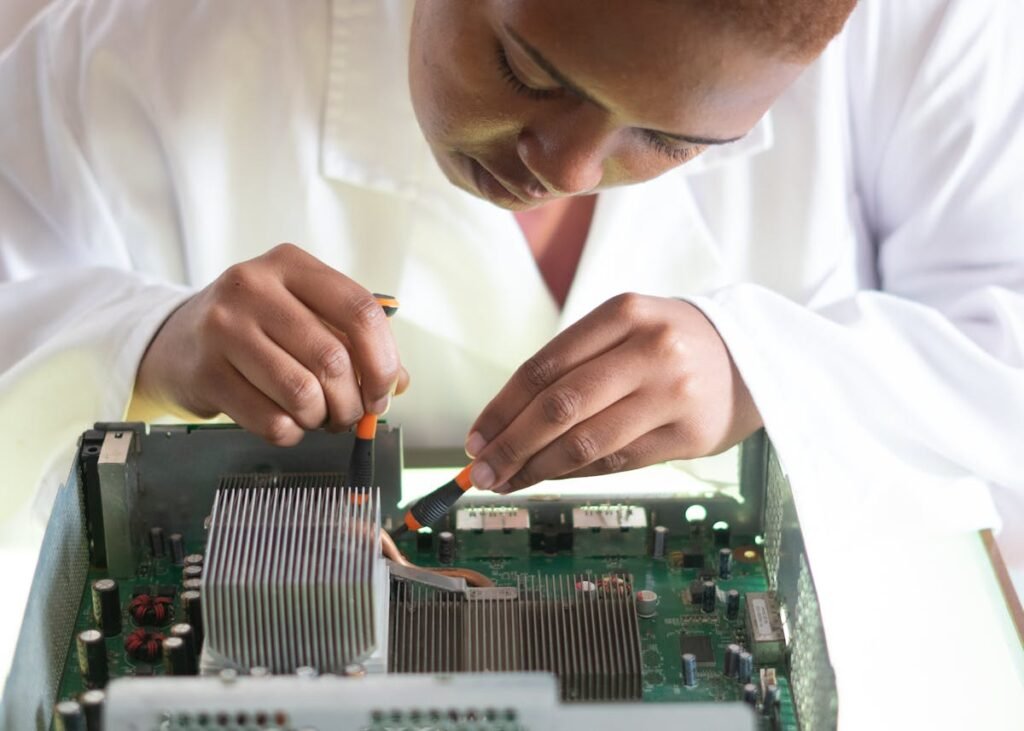
A cracked or damaged MacBook Pro screen is one of the most expensive repairs in the laptop world. Apple’s official replacement costs range from £400 to over £800, but third-party options and DIY repairs can significantly reduce that bill. This guide covers your options, costs, and what to expect for every MacBook Pro generation.
MacBook Pro Screen Replacement Costs (UK, 2026)

| MacBook Pro Model | Apple Official | Third-Party Repair | DIY Parts Cost | Difficulty |
|---|---|---|---|---|
| MacBook Pro 16″ (M3 Pro/Max, 2023) | £699-809 | £350-500 | £250-400 | Very hard |
| MacBook Pro 14″ (M3, 2023) | £579-689 | £300-450 | £200-350 | Very hard |
| MacBook Pro 16″ (M1 Pro/Max, 2021) | £669-779 | £300-450 | £200-350 | Very hard |
| MacBook Pro 14″ (M1 Pro/Max, 2021) | £549-659 | £250-400 | £180-300 | Very hard |
| MacBook Pro 13″ (M2, 2022) | £419-489 | £200-300 | £120-200 | Hard |
| MacBook Pro 13″ (M1, 2020) | £419-489 | £180-280 | £100-180 | Hard |
| MacBook Pro 15″ (2019, Intel) | £569-669 | £200-350 | £150-250 | Hard |
| MacBook Pro 13″ (2016-2019, Intel) | £399-479 | £150-250 | £80-150 | Moderate |
Your Three Options
Option 1: Apple Official Repair
The most expensive option, but gives you a genuine Apple display with full warranty on the repair. Book through the Apple Store or an Apple Authorised Service Provider (AASP). Turnaround is typically 3-5 working days. If you have AppleCare+, accidental damage is covered for a flat £79 excess fee — by far the cheapest option if you have it.
Option 2: Third-Party Repair Shop
Independent repair shops typically charge 30-50% less than Apple. Quality varies significantly — look for shops that use genuine or high-quality aftermarket displays, offer at least a 6-month warranty on the repair, and have strong Google Reviews. In the UK, chains like iSmash and local specialists can be good options. Always ask whether they’re using an original Apple display or an aftermarket replacement.
Option 3: DIY Replacement
The cheapest option but also the riskiest. MacBook Pro screens are notoriously difficult to replace — especially the 14″ and 16″ models with Liquid Retina XDR displays. The display assembly includes the screen, lid, hinges, camera, and antenna cables. iFixit rates most MacBook Pro screen replacements as 7-8 out of 10 on their difficulty scale.
What Makes MacBook Pro Screens So Expensive?
MacBook Pro displays are not simple LCD panels. The 14″ and 16″ models use mini-LED backlighting with over 10,000 dimming zones, ProMotion 120Hz refresh rates, P3 wide colour gamut, and up to 1,600 nits peak brightness. The entire display assembly is bonded to the aluminium lid as a single unit, meaning you replace the whole top half of the laptop — not just the glass.
AppleCare+ — Worth It for Screen Protection
AppleCare+ for MacBook Pro costs £249-349 depending on the model, and covers accidental damage (including screen cracks) for a £79 excess fee. Given that a single screen replacement costs £500-800 without it, AppleCare+ pays for itself with one incident. If you tend to use your MacBook on the go, it’s one of the better value extended warranties available.
Screen Issues That Don’t Require Replacement
| Issue | Likely Cause | Fix | Cost |
|---|---|---|---|
| Flickering display | Software/driver issue | Reset NVRAM, update macOS | Free |
| Single dead pixel | Manufacturing defect | Apple may cover under warranty | Free if under warranty |
| Anti-reflective coating peeling | Known defect (2013-2017 models) | Apple free replacement programme | Free |
| External display not detected | Cable or adapter issue | Try different cable/adapter | £10-30 |
Frequently Asked Questions
How much does it cost to replace a MacBook Pro screen?
Apple charges £400-800 depending on the model. Third-party repair shops charge £150-500. DIY parts cost £80-400. AppleCare+ reduces the cost to a flat £79 excess fee.
Can I replace a MacBook Pro screen myself?
Technically yes, but it’s very difficult. The 14″ and 16″ models with mini-LED displays are especially challenging. Unless you have experience with laptop repairs, we recommend a professional repair shop for MacBook Pro screens.
Is it worth repairing a cracked MacBook Pro screen?
Usually yes, unless the MacBook is very old (pre-2016). A MacBook Pro M1 or M2 with a cracked screen is still a powerful machine — spending £200-400 on a third-party repair is much better value than buying a new MacBook for £1,500+.
Does AppleCare+ cover cracked screens?
Yes. AppleCare+ covers accidental damage including cracked screens for a £79 excess fee (up to 2 incidents per year). Without AppleCare+, you pay the full repair price.
How long does a MacBook Pro screen replacement take?
Apple official repairs take 3-5 working days. Third-party shops often complete same-day or next-day. DIY depends on your skill level but expect 2-4 hours for the actual replacement.
Recommended Products
MacBook Pro Screen Protector
Prevent damage before it happens. Tempered glass protector for MacBook Pro.
Check Price on Amazon UKiFixit MacBook Pro Repair Kit
All the tools you need for MacBook Pro teardowns and screen replacement.
Check Price on Amazon UKUSB-C Portable Monitor 15.6″
Use as a temporary second screen while your MacBook is in for repair.
Check Price on Amazon UKShop Compatible RAM at PCHub.UK
Prices updated automatically from PCHub.UK — click to view full specs and buy


Prices from PCHub.UK via ComputersDeal. As an affiliate, we may earn from qualifying purchases. Prices updated 2026-04-10 13:15:58.