

One drop of the wrong thermal paste can destroy your laptop’s motherboard. In compact laptop designs where CPU components sit millimetres from capacitors and resistors, using conductive thermal paste is a disaster waiting to happen. This guide explains why non-conductive paste matters, the risks of conductive alternatives, and why liquid metal belongs nowhere near a laptop. For product recommendations, see our best thermal paste comparison guide.
| Paste Type | Conductive? | Safe for Laptops? | Temperature Performance |
|---|---|---|---|
| Arctic MX-6 | Non-conductive | Yes, safest choice | 4.0 W/mK (excellent) |
| Noctua NT-H2 | Non-conductive | Yes, excellent | 4.0 W/mK (excellent) |
| Thermal Grizzly Kryonaut | Non-conductive | Yes, safe | 6.0 W/mK (premium) |
| Thermal Grizzly Conductonaut | Conductive | No, dangerous | 7.4 W/mK (not worth risk) |
| Thermal Grizzly Hydronaut | Conductive | No, dangerous | 12.0 W/mK (not worth risk) |
| Cheap off-brand pastes | Often conductive | Highly risky | Variable (3–4 W/mK) |
What Does “Conductive” Mean in Thermal Paste?

The Basic Physics
Thermal paste is a compound of:
- Silicon microparticles: The heat-conducting ingredient.
- Polymer binder: The base that holds particles together.
- Additives: Optional: carbon, silver, or other materials.
Non-conductive paste: The binder and particles don’t conduct electricity. Heat conducts perfectly fine (that’s the whole point), but electricity does not. If paste squeezes onto a motherboard component, no short circuit occurs.
Conductive paste: Contains metallic particles (silver, aluminum) that actively conduct electricity. If conductive paste touches a component, electricity flows, causing shorts and instant motherboard failure.
Why This Matters in Laptops
Laptop motherboards have minimal spacing between components. The CPU die is surrounded by:
- VRM capacitors: Power delivery components.
- MOSFET circuits: Voltage regulation transistors.
- Signal traces: Tiny copper wires carrying data.
- RAM and storage chips: Memory components.
One tiny drip of conductive paste hitting a capacitor leg = instant short = motherboard dead. The laptop won’t power on, no repair possible (expensive replacement required).
Desktop computers have more spacing between components, allowing some margin for error with conductive pastes. Laptops have none.
The Case Against Liquid Metal in Laptops
Liquid Metal Performance (Tempting but Dangerous)
Thermal Grizzly Conductonaut (liquid metal) achieves 7.4 W/mK—significantly higher than any non-conductive paste. It’s the thermal paste of choice for overclocked desktops where maximum heat transfer is needed.
Why It’s Dangerous in Laptops
- Highly conductive: Liquid metal conducts electricity as well as it conducts heat. One spill = motherboard failure.
- Migration: Laptop vibration and thermal cycling cause liquid metal to migrate away from the CPU die. You may apply it perfectly, then 6 months later it’s pooled on nearby components.
- Temperature extremes: Liquid metal thickens in freezing temperatures and becomes more fluid at extreme heat. Laptops experience wider temperature swings than desktops (cold car trunk to hot summer day).
- Incompatibility with aluminum heatsinks: Liquid metal reacts chemically with aluminum, creating corrosion and reduced conductivity over time. Many laptop heatsinks are aluminum.
- Professional application required: Liquid metal should be applied with Isolontape or barriers to prevent spillage. DIY application is nearly guaranteed to cause shorts.
Real-World Consequence
Case study: A user repasted their gaming laptop with Conductonaut liquid metal. Within 2 months, vibration caused liquid metal to pool near MOSFET circuits. The laptop exhibited random shutdowns, then refused to power on. Motherboard replacement cost: £200–300.
Cost-benefit: Liquid metal offers maybe 1–2°C more cooling than Kryonaut. That 1–2°C is absolutely not worth a £300 motherboard replacement.
Verdict: Never Use Liquid Metal in Laptops
Thermal Grizzly Conductonaut and Hydronaut are for desktops only. If you see them recommended for laptops online, disregard that advice. Stick with non-conductive options like Arctic MX-6, Noctua NT-H2, or Thermal Grizzly Kryonaut.
Non-Conductive Thermal Pastes: The Safe Choices
Best Non-Conductive Options
All of these are safe for laptops (non-conductive):
- Arctic MX-6 (4.0 W/mK): £5–7, best value, safe for accidental spillage.
- Arctic MX-4 (3.5 W/mK): £4–5, budget option, equally safe.
- Noctua NT-H2 (4.0 W/mK): £10–13, longest-lasting, includes cleaning wipes.
- Thermal Grizzly Kryonaut (6.0 W/mK): £12–18, premium non-conductive, excellent for gaming.
- Coollaboratory Liquid Ultra (4.0 W/mK): £8–12, non-conductive alternative, German engineering.
All of these are genuinely safe to use in laptops without risk of electrical shorts. They differ in thermal performance and longevity, but safety is not a concern with any of them.
Why These Are Non-Conductive
Arctic, Noctua, Kryonaut, and Coollaboratory all use silicon-based particles suspended in non-conductive polymers. Even if paste spills on capacitors or resistors, electricity doesn’t flow. At worst, paste insulates slightly, but it doesn’t short.
Beware of Cheap Off-Brand Thermal Paste
The Conductive Paste Trap
Budget thermal paste brands (Sabrent, knock-off brands on Amazon, mystery pastes on eBay) sometimes use silver or aluminum particles for conductivity (ironically, trying to improve performance). This makes them electrically conductive and dangerous in laptops.
How to Identify Risky Pastes
- Metallic color: Bright silver or shimmery paste is often conductive (uses metallic particles). Avoid.
- No specifications listed: If the paste doesn’t list thermal conductivity (W/mK) and conductive properties, assume it’s risky.
- Suspiciously cheap: If paste is under £3, it’s likely conductive or low-quality. Stick with brands that cost £5+.
- Unknown brand: Thermal paste from unrecognizable manufacturers is risky. Stick with trusted brands (Arctic, Noctua, Thermal Grizzly, Coollaboratory).
- Designed for car engines: Automotive thermal paste is sometimes conductive (cars have more spacing). Not suitable for laptops.
The Safe Rule
Buy only from recognized computer thermal paste brands: Arctic, Noctua, Thermal Grizzly, Coollaboratory. These companies explicitly state non-conductive properties. Cost is £5–18 per tube—a small price for safety.
Safe Application Practices for Any Non-Conductive Paste
Minimize Spillage Risk
- Use sparingly: Pea-grain size. Excess paste increases spillage risk.
- Apply to CPU die only: Don’t apply paste anywhere except the CPU and GPU dies. Never squirt paste near capacitors or resistors.
- Work carefully: Take your time. Rushed application increases mess.
- Have isopropyl alcohol nearby: If paste spills on nearby components, immediately dab with alcohol-soaked cloth to clean it up.
- Use a protective barrier (optional but recommended): Thin painter’s tape around the CPU die creates a buffer zone. Professional repasters often use this.
Cleanup Protocol
If non-conductive paste spills on motherboard components:
- Don’t panic. Non-conductive paste won’t cause electrical shorts.
- Dampen a cloth with isopropyl alcohol (90%+).
- Gently wipe away the paste. Use coffee filters or lint-free cloth—don’t leave fibers behind.
- Allow alcohol to evaporate. Wait 5 minutes before reassembling.
- Power on to test. If the laptop boots normally, no harm done.
This cleanup is impossible with conductive liquid metal. That’s another reason to avoid it in laptops—no safe recovery from spillage.
Why the Thermal Conductivity Gain Isn’t Worth Conductive Paste
The Math
- Kryonaut (non-conductive, 6.0 W/mK): ~3°C cooler than Arctic MX-6.
- Liquid metal (conductive, 7.4 W/mK): ~4°C cooler than Arctic MX-6, or ~1°C cooler than Kryonaut.
- That extra 1°C: Worth a £300 motherboard replacement risk? Absolutely not.
Real-World Gaming Impact
Even if liquid metal kept your laptop 5°C cooler (optimistic estimate), in gaming:
- You drop from 85°C to 80°C under load.
- Performance improvement: 2–3% FPS gain (throttling avoidance).
- Risk: Motherboard death within 1–2 years as liquid metal migrates.
- Cost-benefit: Terrible. Not worth it.
Non-Conductive Paste with Maximum Safety Margin
Tier 1: Maximum Safety (Budget Conscious)
Arctic MX-6 (£5–7) — Non-conductive, affordable, no spillage risk. Even if you’re sloppy, nothing breaks. Recommended for first-timers.
Tier 2: Maximum Longevity (Professional Use)
Noctua NT-H2 (£10–13) — Non-conductive, lasts 5–8 years, includes safety wipes. Perfect for workstations.
Tier 3: Maximum Performance (Gaming Laptops)
Thermal Grizzly Kryonaut (£12–18) — Non-conductive, 6.0 W/mK (highest safe conductivity), 3°C cooler than Arctic. Best for gaming laptops running at thermal limits.
Choose one of these three. You cannot go wrong with any of them.
Frequently Asked Questions
What happens if I accidentally spill non-conductive paste on the motherboard?
Nothing bad. Non-conductive paste is not electrically conductive, so it won’t cause shorts. Simply dampen a cloth with isopropyl alcohol (90%+), wipe away the paste, let it dry, and boot up. Your laptop will be fine.
Are all “professional-grade” thermal pastes safe for laptops?
No. Thermal Grizzly’s Conductonaut (liquid metal) is professional-grade but dangerous in laptops. Stick with non-conductive pastes. When shopping, explicitly check for “non-conductive” in the product description.
Can I tell if paste is conductive just by looking at it?
Somewhat. Metallic-colored paste (shiny silver, aluminum-looking) is often conductive. Opaque gray or white paste is typically non-conductive. However, don’t rely on color alone—always check the product specifications. When in doubt, refer to our thermal paste safety and comparison guide.
Is it true that conductive paste cools better?
Slightly—conductive pastes like liquid metal can be 1–2°C cooler. But that tiny gain is absolutely not worth the risk of motherboard destruction in a laptop. Non-conductive pastes like Kryonaut (6.0 W/mK) are already excellent and safe.
What if I bought liquid metal by mistake? Should I use it?
No. If you have Thermal Grizzly Conductonaut or Hydronaut, return it or save it for a desktop computer. Buy Arctic MX-6 or Kryonaut instead for your laptop. The cost difference is £3–10—not worth the risk.
Are there any non-conductive alternatives to Arctic MX-6 and Kryonaut?
Yes: Noctua NT-H2, Coollaboratory Liquid Ultra, Corsair TM30, Razer Thermal Paste. All are non-conductive and safe. Arctic and Thermal Grizzly are simply the most popular and well-tested in the laptop community.
Why do some laptop manufacturers use conductive paste from the factory?
They don’t. Factory thermal paste is always non-conductive. Manufacturers test extensively to ensure safety. If your laptop came with conductive paste, something is very wrong, and you should contact the manufacturer.
Is there a way to safely use liquid metal in a laptop?
Theoretically yes, with professional-grade barriers (Isolontape, specialized liquid metal barriers). However, DIY application of these barriers is error-prone and not recommended. For laptops, stick with non-conductive paste. The cooling gain is not worth the complexity and risk.
Recommended Products
These are the products we recommend based on this guide. All links go to Amazon UK where you can check current prices and availability.
| Product | Why We Recommend It | Amazon UK |
|---|---|---|
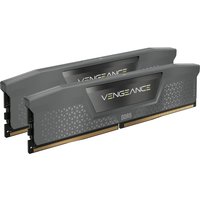
| Corsair Vengeance DDR4 SO-DIMM 32GB (2×16GB) 3200MHz | Best overall DDR4 upgrade kit | View on Amazon UK |
| Kingston Fury Impact DDR4 SO-DIMM 32GB (2×16GB) 3200MHz | Reliable alternative with tight latency | View on Amazon UK |
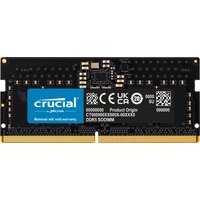
| Crucial DDR4 SO-DIMM 16GB 3200MHz | Budget single-stick upgrade | View on Amazon UK |
| Samsung DDR4 SO-DIMM 32GB 3200MHz | OEM-quality for business laptops | View on Amazon UK |
| Samsung 990 Pro 2TB NVMe M.2 2280 | Fastest consumer NVMe — ideal for gaming & editing | View on Amazon UK |
| WD Black SN850X 2TB NVMe | Excellent Gen4 speed with heatsink option | View on Amazon UK |
| Crucial P5 Plus 1TB NVMe | Great value Gen4 SSD | View on Amazon UK |
| Kingston NV2 1TB NVMe | Budget-friendly with solid reliability | View on Amazon UK |
Prices and availability may vary. As an Amazon Associate, we earn from qualifying purchases.
Related Guides
- Laptop Fan Cleaning Thermal Performance
- Arctic Mx 6 Vs Mx 4 Laptop
- Dynabook Laptop Upgrades
- Huawei Laptop Upgrades
- Hp Laptop Upgrades
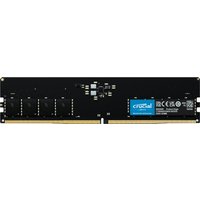
Recommended RAM Upgrades

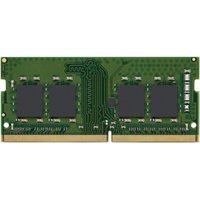
Kingston Technology
Kingston Technology ValueRAM memory module 8 GB 1 x 8 GB DDR4 3200 MT/
£97.58
View Deal

