
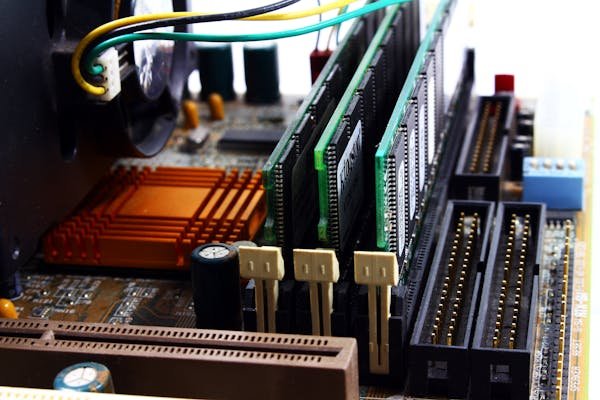
When you’re looking to upgrade your laptop’s RAM, you’ll quickly encounter two terms: OEM RAM and aftermarket RAM. The price difference can be shocking — Dell OEM RAM might cost £200 whilst a Kingston or Corsair stick with identical specs costs £50. This guide explains the difference, debunks common myths, and helps you make the right choice for your laptop upgrade in 2026.
The truth is simpler than you might think: most laptop RAM comes from the same handful of manufacturers regardless of branding. Understanding how RAM supply chains work will save you hundreds of pounds and help you avoid paying premium prices for no technical advantage.
Quick Comparison: OEM RAM vs Aftermarket RAM
| Aspect | OEM RAM | Aftermarket RAM |
|---|---|---|
| Price | £200–400 per 16GB kit | £50–100 per 16GB kit |
| Availability | Must order from manufacturer | Amazon, Scan, Ebuyer, in stock immediately |
| Warranty | Often 1–2 years (limited) | 3–5 years (lifetime with Corsair/Kingston) |
| Performance | Identical specs to aftermarket | Identical specs to OEM |
| Compatibility Guarantee | Certified by laptop maker | Usually compatible, test recommended |
| Who Makes It | Samsung, Micron, SK Hynix | Kingston, Corsair, G.Skill (use same chips) |
Browse Laptop RAM on Amazon UK
What Does “OEM” Actually Mean?
OEM stands for “Original Equipment Manufacturer” — in this context, it means RAM that Dell, Lenovo, HP, Apple, or another laptop maker specifies and pre-installs in their machines. You can order this exact same RAM directly from the laptop manufacturer as a replacement or upgrade, usually at a premium price.
The RAM inside your laptop was not made by Dell or Lenovo. It was made by Samsung, Micron (Crucial), or SK Hynix. These three companies produce over 90% of all DRAM chips globally. The laptop manufacturer simply specifies certain chips, tests them in their hardware, certifies them, applies their logo, and packages them as “OEM RAM.”
OEM RAM comes with the assurance that your laptop maker has verified compatibility. However, this certification comes at a significant cost markup — often 300–400% higher than equivalent aftermarket products.
What Is Aftermarket RAM?
Aftermarket RAM is produced by third-party brands like Kingston, Corsair, G.Skill, TeamGroup, Patriot, Silicon Power, and ADATA. These companies do not manufacture DRAM chips themselves — they source chips from Samsung, Micron, or SK Hynix, then design PCBs (printed circuit boards), test the modules, and sell them under their own brand.
The crucial point: the actual memory chips inside a Kingston SO-DIMM are often the same part number as the chips inside your Dell OEM RAM. Kingston and Corsair use the same Samsung or Micron chips, test them to the same specifications, and often use the same factories.
Aftermarket RAM is cheaper because these brands sell globally through retailers rather than exclusively to one laptop manufacturer. They leverage volume and don’t pay the research and certification costs that OEM programs require.
Browse Kingston RAM on Amazon UK
Who Actually Makes Your Laptop RAM? The Supply Chain
Understanding the RAM industry structure is key to understanding why aftermarket RAM is safe.
The Three DRAM Manufacturers
Samsung — Largest global producer, supplies OEM and aftermarket brands worldwide. Known for high reliability and consistent quality.
Micron (Crucial brand) — Second-largest, supplies both OEM and aftermarket. Micron is exiting the consumer DRAM market by Q2 2026, which means Crucial consumer RAM will become scarce and aftermarket brands must source more from Samsung and SK Hynix.
SK Hynix — Third major producer, supplies OEM programmes and aftermarket brands. Growing market share as Micron exits.
No laptop manufacturer makes their own RAM chips. Every stick — whether branded “Dell,” “Crucial,” “Kingston,” or “Corsair” — contains chips from one of these three companies. The laptop maker’s only involvement is specifying compatibility profiles (speed, latency, voltage) and testing them in their hardware.
Aftermarket Brands and Their Source Chips
Kingston — Uses Samsung and Micron chips. Kingston has been a trusted OEM supplier for 30 years and also sells aftermarket under their own brand. Many OEMs use Kingston modules rebranded as “Dell RAM” or “HP RAM.”
Corsair — Uses Samsung and Micron chips. Focuses on high-performance gaming and workstation markets. Longer warranties than most brands.
G.Skill — Uses Samsung chips primarily. Specialises in performance RAM and gaming laptops (works closely with Razer, ASUS ROG).
TeamGroup — Uses Micron and Samsung chips. Competes on price; excellent value for money.
Patriot — Uses Samsung chips. Focuses on value segment with strong UK availability.
ADATA — Uses Samsung and Micron chips. Asian brand with growing UK market presence.
Silicon Power — Uses Samsung chips. Budget brand with decent reliability ratings.
The bottom line: all of these brands source from the same three chip manufacturers. You’re not getting an inferior product by choosing Kingston over Dell OEM — you’re likely getting the same chip at a fraction of the cost.
Major Aftermarket Brands: Comparison and Rankings
| Brand | DDR4 Range | DDR5 Range | Warranty | Best For | Value Rating |
|---|---|---|---|---|---|
| Kingston | 8GB–32GB | 8GB–48GB | Lifetime* | Reliability, broad compatibility | ★★★★★ |
| Corsair | 8GB–64GB | 8GB–96GB | Lifetime | Performance, gaming, workstations | ★★★★☆ |
| G.Skill | 8GB–32GB | 8GB–64GB | Lifetime | Gaming laptops, performance tuning | ★★★★☆ |
| TeamGroup | 4GB–32GB | 8GB–32GB | 3–5 years | Budget builds, value | ★★★★★ |
| Patriot | 4GB–16GB | Limited | Lifetime | UK market, budget gaming | ★★★★☆ |
| ADATA | 8GB–32GB | 8GB–32GB | Lifetime | Asian brands, OEM compatibility | ★★★☆☆ |
| Silicon Power | 4GB–16GB | Limited | Lifetime | Budget, emerging markets | ★★★☆☆ |
*Kingston lifetime warranty requires registration and proof of purchase through their website.
Browse Corsair RAM on Amazon UK
Specs Are Identical — So Why the Price Difference?
When you compare a Dell OEM 16GB DDR4-3200 SO-DIMM against a Kingston 16GB DDR4-3200 SO-DIMM, the specifications are identical:
- Same 260-pin connector
- Same 3200 MHz speed
- Same CAS latency (usually CL22)
- Same 1.2V operating voltage
- Same 8-chip or 16-chip density
- Same lifespan and reliability
In many cases, the Kingston stick is manufactured in the same factory as the Dell stick. The only difference is the branding, packaging, and warranty support structure.
Where Does the Price Premium Come From?
OEM RAM costs more because:
- Certification and testing — Dell, Lenovo, HP must test and certify every batch with their BIOS and hardware
- Exclusive supply agreements — manufacturers guarantee exclusivity to OEM channels for a period
- Warranty complexity — OEM warranties often require returning the RAM through the laptop maker, not a third party
- Support overhead — OEM programmes have higher per-unit support costs
- Low volume channels — OEM RAM sells through limited channels (usually direct from manufacturer)
- Profit margin flexibility — OEM divisions can charge higher margins since customers have limited alternatives
Aftermarket RAM costs less because:
- Bulk purchasing power — Kingston, Corsair buy millions of chips at discounts
- Global retail distribution — sold through Amazon, Scan, Ebuyer, Currys — high volume reduces per-unit costs
- No certification requirement — aftermarket brands don’t pay for OEM testing; they release industry-standard specs and customers test compatibility
- Competitive markets — multiple aftermarket brands drive prices down
- Support scalability — lifetime warranties are profitable at volume; support costs spread across millions of units
Is OEM RAM Actually Better?
Short answer: No. OEM RAM is not technically better than aftermarket RAM.
Both use the same chips from Samsung, Micron, or SK Hynix. Both are tested to the same standards. Both will have the same performance, reliability, and lifespan. The only advantage of OEM RAM is the certified-compatibility assurance and the ability to claim warranty support directly through your laptop maker.
For most users, this assurance is not worth a 300–400% price premium.
The Myth: “OEM RAM is certified, so aftermarket might not work”
This myth leads people to overpay. Here’s what actually happens with certification:
When Dell specifies “Kingston 16GB DDR4-3200,” they’re not asking Kingston to build something special. They’re asking Kingston to provide industry-standard DDR4-3200 SO-DIMM modules that meet JEDEC specifications. Kingston then sells these exact same modules under their own brand on Amazon. When you buy Kingston RAM on Amazon for your Dell laptop, you’re getting the same tested, certified module — just not through the OEM channel.
The “certified” label is marketing. What matters is: Does the RAM meet JEDEC DDR4-3200 specifications? Yes. Will it work in your laptop? Almost certainly yes, especially if your laptop supports DDR4 speeds up to 3200 MHz or faster.
When to Buy OEM RAM vs Aftermarket
Buy OEM RAM If:
- You own an Apple MacBook — Apple solders RAM directly to the motherboard on most models. You cannot upgrade it. If you bought a MacBook with upgradeable RAM (pre-2016 models), OEM RAM is your only official option, though it’s rarely worth the cost.
- Your warranty is critical — Some enterprise laptops have strict warranty terms. Check your warranty documentation before upgrading. In most cases, RAM upgrades don’t void warranties under UK Consumer Rights Act, but corporate policies may differ.
- You want absolute peace of mind — If you’re risk-averse and the price doesn’t matter, OEM RAM removes uncertainty. But the uncertainty is minimal.
Buy Aftermarket RAM If (Almost Everyone):
- You own a Dell, Lenovo, HP, ASUS, or any non-Apple laptop — All of these brands support RAM upgrades officially and aftermarket RAM works just fine.
- You want to save 70–80% on upgrade costs — A Kingston 16GB DDR4-3200 SO-DIMM costs £50–70 on Amazon. The exact same upgrade from Dell costs £250–400. That’s real money.
- You want better warranty coverage — Kingston and Corsair offer lifetime warranties. Dell OEM RAM typically has 1–2 year limited warranties.
- You value availability — Aftermarket RAM is in stock on Amazon within hours. OEM RAM can take weeks to arrive from the manufacturer.
- You want to avoid vendor lock-in — Aftermarket brands can be used in future laptops. OEM RAM is locked to one model family.
Browse G.Skill RAM on Amazon UK
Can Aftermarket RAM Void Your Warranty?
This is a common concern, especially for users in the UK and EU. The short answer: In the UK, RAM upgrades cannot void your warranty legally.
UK Consumer Rights Act and Warranty Law
The UK Consumer Rights Act 2015 and EU Directive 1999/44/EC are clear: manufacturers cannot refuse warranty claims based on aftermarket components unless the aftermarket component directly caused the failure.
For example:
- Your hard drive fails — the manufacturer cannot refuse warranty because you upgraded RAM
- Your screen cracks — warranty applies; the RAM upgrade is irrelevant
- Your motherboard fails due to defective VRM (voltage regulator) — warranty covers it; the aftermarket RAM didn’t cause this
Exception: If the RAM upgrade directly caused the failure (e.g., you installed incompatible RAM that caused voltage issues and damaged the memory controller), the manufacturer can refuse warranty. This is extremely rare and almost never happens with properly specified RAM.
What Laptop Manufacturers Officially Say
Dell: “User-installed RAM upgrades do not void your warranty” — stated publicly.
Lenovo: “Memory module replacement is a user-replaceable part” — no warranty impact.
HP: “Upgrading RAM yourself does not affect your system warranty” — clearly stated in support docs.
ASUS: “RAM is a serviceable component; upgrades supported” — standard policy.
Check your specific laptop’s warranty documentation to be certain, but the legal standard across the UK and EU protects consumer rights even if individual manufacturer policies seem restrictive.
How to Check Compatibility Before Buying Aftermarket RAM
The main concern with aftermarket RAM is ensuring compatibility. Unlike OEM RAM, which comes with a compatibility guarantee, aftermarket RAM requires you to verify two things: speed support and physical slot capacity.
Method 1: Check Task Manager (Windows)
- Right-click the taskbar and select “Task Manager”
- Click the “Performance” tab
- Click “Memory” in the left panel
- You’ll see: installed RAM capacity, speed (e.g., 3200 MHz), and manufacturer
This shows your current RAM specs. When buying a replacement or upgrade, match the speed (e.g., 3200 MHz) and ensure your laptop has free slots or you’re replacing existing modules.
Method 2: Check System Information (Windows)
- Press Windows+Pause/Break or search “System Information”
- Look for “Installed RAM” field
- Check Device Manager: Devices → Memory
Method 3: Check Your Laptop Model’s Specifications
Visit the manufacturer’s support page for your specific model. For example:
- Dell: support.dell.com → enter your Service Tag → specifications
- Lenovo: support.lenovo.com → enter model number → specifications
- HP: hp.com/support → enter model → memory specs
The spec sheet will list: maximum RAM capacity, supported speeds, number of slots, RAM type (DDR4/DDR5).
Method 4: Use Our Compatibility Checker
Rather than hunting through manufacturer spec sheets, use a dedicated tool. We maintain a free compatibility checker that lets you enter your laptop model number and see all compatible RAM upgrades with direct Amazon links and pricing.
Key Compatibility Rules
- Match the generation: DDR4 RAM only fits DDR4 slots. DDR5 only fits DDR5 slots. They are physically incompatible (different pin layouts). Check your current RAM type before buying.
- Match or exceed the speed: If your laptop supports DDR4-3200, you can install DDR4-3200 (will run at 3200) or DDR4-3600 (will run at 3200, won’t downclock to 3200). You cannot install slower RAM and expect it to work at full speed — it will work but at the lower speed.
- Check slot availability: Most laptops have 2 memory slots. If both are occupied, you must replace existing modules or only use 1 slot. Confirm slot count in your spec sheet.
- Voltage requirements: Most DDR4 is 1.2V. Some high-performance RAM runs at 1.35V. Laptops typically support both. Check the spec sheet for voltage requirements.
- Form factor: Laptops use SO-DIMM (small outline DIMM), not full-size DIMM. Always buy SO-DIMM for laptops. This is standard for all aftermarket brands.
Browse TeamGroup RAM on Amazon UK
Crucial RAM: What Happens When Micron Exits?
Crucial is Micron’s consumer brand. In 2026, Micron is exiting the consumer DRAM market, which means Crucial consumer RAM is being phased out. This has important implications for aftermarket RAM buyers:
Current situation: Crucial RAM is still widely available through 2026, often at very competitive prices (clearance sales). Crucial’s warranty is strong (lifetime) and their products have reliable compatibility.
Future situation: After Micron exits, Crucial RAM will become scarce. No new Crucial modules will be manufactured for consumers. This means the market share will consolidate around Kingston, Corsair, Samsung, G.Skill, and other remaining brands.
Recommendation: If you need RAM in 2026, buy from established brands like Kingston or Corsair. Their warranty coverage is excellent (lifetime) and they’re not going anywhere. Avoid Crucial if you’re purchasing after mid-2026, as support and availability may become problematic.
Frequently Asked Questions
Is third-party laptop RAM safe for my laptop?
Yes, absolutely. Third-party RAM from established brands like Kingston, Corsair, and G.Skill is just as safe as OEM RAM. Both use identical chips from Samsung, Micron, or SK Hynix. The safety concern is not about brand reliability — it’s about compatibility, which you can verify using Task Manager or a compatibility checker before purchasing.
Will aftermarket RAM void my warranty?
No. Under UK Consumer Rights Act and EU law, RAM upgrades cannot void your warranty unless the upgrade directly caused the failure. Manufacturers like Dell, Lenovo, and HP explicitly confirm this on their support pages. A RAM upgrade does not affect warranty for unrelated components (screen, hard drive, motherboard, etc.).
Is Kingston RAM as good as Dell OEM RAM?
Kingston RAM is better than Dell OEM RAM in nearly every measurable way: cheaper, better warranty (lifetime vs 1–2 years), faster availability, and identical performance. Both likely use the same Samsung or Micron chips from the same factories. Dell OEM RAM’s only advantage is that it comes with a certification sticker, which doesn’t affect performance.
Do all RAM brands use the same chips?
Yes. Aftermarket brands (Kingston, Corsair, TeamGroup, G.Skill, Patriot) all source DRAM chips from Samsung, Micron, or SK Hynix. These three companies produce 90%+ of global DRAM. No aftermarket brand manufactures their own chips. The difference between brands is the PCB design, testing standards, warranty, and customer support — not the actual memory chips.
What’s the cheapest good laptop RAM brand?
TeamGroup and Silicon Power offer the best value for money. They’re budget brands that use Samsung or Micron chips and come with lifetime warranties, often costing 10–20% less than Kingston or Corsair. For most users, TeamGroup DDR4-3200 SO-DIMM offers exceptional value at £45–60 per 16GB module. If you prefer a more established brand, Kingston offers the best value-to-reputation ratio.
Can I mix OEM and aftermarket RAM?
Yes, you can mix OEM and aftermarket RAM in the same laptop without any compatibility issues, provided they match the speed, generation (DDR4 vs DDR5), and voltage. However, if the modules have different speeds, both will run at the slower speed. For example, mixing a 3200 MHz module with a 3600 MHz module means both run at 3200 MHz — this is normal and safe.
Do I need to update BIOS before installing aftermarket RAM?
No. Aftermarket RAM meets JEDEC industry standards, so no BIOS update is required. BIOS updates are only needed for very new RAM technologies (e.g., new DDR5 speed certifications) or to fix specific compatibility issues. If your RAM is DDR4 or standard DDR5, it will work without any BIOS modification.
Recommended Products
These are the products we recommend based on this guide. All links go to Amazon UK for the latest prices and current stock availability.
| Product | Why We Recommend It | Amazon UK |
|---|---|---|
| Kingston 16GB DDR4-3200 SO-DIMM | Best overall value. Most compatible, lifetime warranty, widely available. Perfect for upgrading Dell, Lenovo, HP laptops from 2019–2023. | View on Amazon UK |
| Corsair 16GB DDR4-3200 SO-DIMM | Premium brand with higher quality control. Corsair offers excellent customer support and lifetime warranty. Slightly more expensive but worth it for gaming and workstation laptops. | View on Amazon UK |
| TeamGroup 16GB DDR4-3200 SO-DIMM | Best budget option. Same performance as Kingston at 10–15% lower price. Lifetime warranty and good UK availability. Ideal if you’re upgrading multiple laptops. | View on Amazon UK |
| Kingston 16GB DDR5-4800 SO-DIMM | For new 2024+ laptops with DDR5 support. Kingston DDR5 modules are reliable and widely available. Good warranty support and compatibility. | View on Amazon UK |
| G.Skill 16GB DDR4-3200 SO-DIMM | Gaming-optimised RAM for laptops. Works great in ASUS ROG and Razer Blade machines. Reliable performance and good value. | View on Amazon UK |
| Patriot 16GB DDR4-3200 SO-DIMM | Good UK availability with competitive pricing. Strong lifetime warranty and reliable performance across all laptop brands. | View on Amazon UK |
Prices and availability may vary. As an Amazon Associate, we earn from qualifying purchases.
Related Guides
- Laptop RAM Compatibility Guide (2026) — DDR4, DDR5 & LPDDR5
- DDR4 vs DDR5 Laptop RAM — Is It Worth Upgrading in 2026?
- Dell Laptop Upgrade Guide (2026) — RAM, SSD & Charger Compatibility
- HP Laptop Upgrade Guide (2026) — RAM, SSD & Charger Compatibility
- Lenovo Laptop Upgrade Guide
- ASUS Laptop Upgrade Guide (2026) — RAM, SSD & Charger Compatibility
Try Our Free Compatibility Checker
Search by exact model number to see compatible RAM upgrades with verified specs, warranty information, and direct Amazon UK links.

