Installing incompatible RAM is one of the most common PC building mistakes. The wrong type, speed, or form factor simply will not work — and in rare cases could damage your motherboard. This guide teaches you exactly how to determine what RAM your computer needs, whether you are building new or upgrading an existing system.
Step 1: Identify Your RAM Type

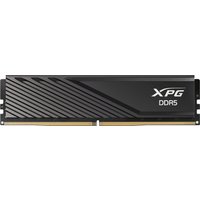
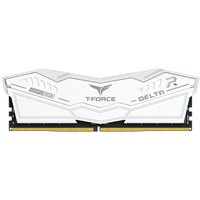
Desktop PCs use DIMM modules while laptops and some mini PCs use smaller SO-DIMM modules. Beyond physical size, you need the correct generation: DDR3 (older systems, 2011-2016), DDR4 (most current systems, 2015-present), or DDR5 (newest platforms, 2022-present). These generations are physically different and not interchangeable — a DDR4 module will not fit in a DDR5 slot.
Step 2: Check Maximum Capacity and Slots
Your motherboard limits how much RAM you can install. Check the specifications for maximum capacity (e.g. 128GB) and number of DIMM slots (typically 2 or 4). You can use tools like CPU-Z or the System Information utility in Windows to see how many slots are available and which are occupied.
Step 3: Match Speed and Timings
RAM speed (measured in MHz) should match or exceed your motherboard’s supported speeds. Common DDR4 speeds are 2666, 3200, and 3600MHz. DDR5 ranges from 4800 to 8000+MHz. While faster RAM will often work (it downclock to the supported speed), buying RAM faster than your board supports wastes money. For AMD Ryzen systems, DDR5-6000 is the sweet spot.
Step 4: Enable Dual-Channel Mode
Always install RAM in matched pairs for dual-channel performance, which nearly doubles memory bandwidth. In a 4-slot motherboard, install two sticks in slots 2 and 4 (the second and fourth from the CPU). Check your motherboard manual for the recommended slot configuration.
Step 5: ECC vs Non-ECC
Consumer desktops and laptops use non-ECC (unbuffered) RAM. Servers and workstations often require ECC (Error-Correcting Code) RAM, which detects and corrects single-bit memory errors. Using ECC RAM in a non-ECC motherboard typically will not work.
Frequently Asked Questions
Can I mix different RAM brands?
Technically yes, but it is not recommended. Mixing brands can cause instability or prevent XMP profiles from working. Always use matched kits for best results.
Can I add RAM to a laptop?
Many modern laptops have soldered RAM that cannot be upgraded. Check your specific model — our laptop upgrade guides indicate whether RAM is upgradeable.
What happens if I install incompatible RAM?
The system typically will not boot — you will see no display output. In rare cases, the system may boot but be unstable. Incompatible RAM will not damage your motherboard.