

One of the biggest frustrations for laptop buyers is discovering their new laptop has soldered RAM — meaning the memory is permanently attached to the motherboard and cannot be upgraded. This comprehensive list covers every major laptop series and model that uses soldered RAM in 2026, helping you make an informed decision before you buy.
Table of Contents

- What is Soldered RAM?
- Apple — All Models Have Soldered RAM
- Dell — Soldered RAM Models
- HP — Soldered RAM Models
- Lenovo — Soldered RAM Models
- ASUS, Acer, MSI & Other Brands
- The Pattern: Which Laptops Have Soldered RAM?
- What to Do If Your Laptop Has Soldered RAM
- Recommended Products
- Frequently Asked Questions
What is Soldered RAM?
Soldered RAM (also called onboard RAM or LPDDR memory) is memory that’s permanently attached to the laptop’s motherboard during manufacturing. Unlike traditional SODIMM modules that plug into slots and can be removed and replaced, soldered RAM cannot be upgraded or changed after purchase.
Manufacturers use soldered RAM to make thinner laptops, improve power efficiency (LPDDR5/5X uses less power than standard DDR5), and reduce component costs. However, this means whatever RAM configuration you buy is what you’re stuck with for the life of the laptop.
Apple — All Models Have Soldered RAM
| Model | RAM Type | Options | Notes |
|---|---|---|---|
| MacBook Air M1/M2/M3/M4 | Unified LPDDR | 8/16/24/32 GB | Always soldered |
| MacBook Pro 14″/16″ M-series | Unified LPDDR | 18/36/48/64/128 GB | Always soldered |
| iMac M-series | Unified LPDDR | 16/24/32 GB | Always soldered |
| Mac Mini/Mac Studio/Mac Pro | Unified LPDDR | 16-192 GB | Always soldered |
Every Apple product with Apple Silicon (M1, M2, M3, M4 chips) uses soldered unified memory. This is integral to Apple’s architecture — the memory is shared between CPU and GPU. You must choose your RAM configuration at purchase time.
Dell — Soldered RAM Models
| Model | RAM Type | Upgradeable? |
|---|---|---|
| XPS 13 (2022+) | LPDDR5 | No — fully soldered |
| XPS 14 (2024+) | LPDDR5X | No — fully soldered |
| XPS 15 (2024+) | LPDDR5X | No — fully soldered |
| XPS 16 (2024+) | LPDDR5X | No — fully soldered |
| Latitude 7000 (some models) | LPDDR5 | No — check specific model |
| Inspiron 14 (thin models) | LPDDR5 | Some configs soldered |
| Latitude 5000/3000 series | DDR4/DDR5 SODIMM | Yes — has SODIMM slots |
| Inspiron 15/16 (standard) | DDR4/DDR5 SODIMM | Yes — has SODIMM slots |
HP — Soldered RAM Models
| Model | RAM Type | Upgradeable? |
|---|---|---|
| Spectre x360 13/14 | LPDDR5/5X | No — fully soldered |
| Spectre x360 16 | LPDDR5X | No — fully soldered |
| Dragonfly G4/Pro | LPDDR5X | No — fully soldered |
| Envy 13/14 (thin) | LPDDR5 | No — fully soldered |
| EliteBook 630/640/650 G10+ | DDR5 SODIMM | Yes — has SODIMM slots |
| EliteBook 830/840/860 G10+ | DDR5 SODIMM | Yes — has SODIMM slots |
| Pavilion 14/15 | DDR4/DDR5 SODIMM | Most models upgradeable |
| OMEN 16/17 | DDR5 SODIMM | Yes — 2 SODIMM slots |
Lenovo — Soldered RAM Models
| Model | RAM Type | Upgradeable? |
|---|---|---|
| ThinkPad X1 Carbon Gen 11+ | LPDDR5X | No — fully soldered |
| ThinkPad X1 Nano | LPDDR5 | No — fully soldered |
| ThinkPad Z13/Z16 | LPDDR5X | No — fully soldered |
| Yoga 9i / Yoga Pro | LPDDR5X | No — fully soldered |
| IdeaPad Slim 5/7 (thin models) | LPDDR5 | No — soldered |
| ThinkPad T14/T16 Gen 4+ | DDR5 SODIMM | Yes — 1-2 SODIMM slots |
| ThinkPad L-series | DDR4/DDR5 SODIMM | Yes — 2 SODIMM slots |
| Legion 5/7 series | DDR5 SODIMM | Yes — 2 SODIMM slots |
ASUS, Acer, MSI & Other Brands
| Brand/Model | RAM Type | Upgradeable? |
|---|---|---|
| ASUS ZenBook 13/14 (thin) | LPDDR5/5X | No — soldered |
| ASUS ROG Zephyrus G14/G16 | LPDDR5X | No — soldered |
| ASUS VivoBook (some thin models) | LPDDR5 | Some configs soldered |
| ASUS TUF Gaming | DDR5 SODIMM | Yes — 2 SODIMM slots |
| Acer Swift Go 14 / Swift Edge | LPDDR5 | No — soldered |
| Acer Nitro / Predator Helios | DDR5 SODIMM | Yes — 2 SODIMM slots |
| MSI Prestige / Summit | LPDDR5 | No — soldered |
| MSI GF/GP/GE Gaming | DDR5 SODIMM | Yes — 2 SODIMM slots |
| Microsoft Surface Pro/Laptop | LPDDR5X | No — always soldered |
| Samsung Galaxy Book | LPDDR5 | Most models soldered |
| Framework Laptop 13/16 | DDR5 SODIMM | Yes — fully upgradeable |
The Pattern: Which Laptops Have Soldered RAM?
There’s a clear pattern across all brands: Ultrabooks and thin-and-light laptops (under 1.4 kg) almost always use soldered LPDDR5/5X RAM. Premium consumer lines (XPS, Spectre, ZenBook, Yoga) increasingly solder RAM. Business laptops in compact form factors (X1 Carbon, Dragonfly) use soldered RAM. Gaming laptops almost always have SODIMM slots. Mainstream business laptops (ThinkPad T/L, Latitude 5000, EliteBook 600/800) usually keep SODIMM slots. Budget consumer laptops vary — check the specific model.
If upgradeability is important to you, gaming laptops and mainstream business laptops are your safest choices. The Framework Laptop is specifically designed to be fully upgradeable and repairable.
What to Do If Your Laptop Has Soldered RAM
If you discover your laptop has soldered RAM, your options are limited: buy the right configuration from the start (always choose more RAM than you think you need), use ReadyBoost or virtual memory optimisation to squeeze more from what you have, close unnecessary background programs and browser tabs, and consider an SSD upgrade if you haven’t already — it won’t add RAM but can help overall responsiveness.
For your next laptop purchase, use our Laptop Compatibility Checker to verify whether specific models have upgradeable RAM before you buy. This single check can save you years of frustration.
Recommended Products
The most upgradeable laptop available. User-replaceable RAM, SSD, battery, screen, ports, and more.
From £849 · Check Price on Amazon UK →
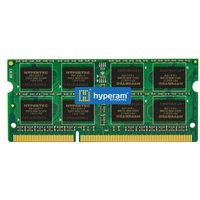
For laptops with SODIMM slots — max out your RAM with this fast DDR5 dual-channel kit.
From £70 · Check Price on Amazon UK →
Max out DDR4 laptops with SODIMM slots. Compatible with most 2018-2023 upgradeable laptops.
From £55 · Check Price on Amazon UK →
If you can’t upgrade RAM, upgrade your SSD instead for improved overall performance.
From £65 · Check Price on Amazon UK →
Frequently Asked Questions
How do I know if my laptop has soldered RAM?
Check your laptop’s specifications on the manufacturer’s website, look for ‘LPDDR’ in the RAM type (almost always soldered), search for your model on our Laptop Compatibility Checker, or check repair guides on iFixit.
Why do manufacturers solder RAM?
Soldered RAM allows thinner laptop designs, uses less power (LPDDR5 vs standard DDR5), can be slightly faster due to shorter signal paths, and reduces manufacturing costs. However, it eliminates upgradeability.
Can a repair shop unsolder and replace RAM?
Technically possible but practically inadvisable. It requires professional BGA rework equipment, carries a high risk of damaging the motherboard, may void any remaining warranty, and costs more than just buying a new laptop with more RAM.
Is soldered RAM faster than SODIMM RAM?
LPDDR5/5X (soldered) can be slightly faster and uses less power than standard DDR5 SODIMM. However, the performance difference in real-world use is typically small — the main trade-off is power efficiency vs upgradeability.
What’s the difference between LPDDR5 and DDR5?
LPDDR5 (Low Power DDR5) is always soldered to the motherboard, uses less power (better battery life), and comes in different package sizes. Standard DDR5 comes in SODIMM or DIMM modules that plug into slots and can be replaced. Performance is similar.
Should I buy more RAM upfront if it’s soldered?
Absolutely yes. If your laptop has soldered RAM, always buy more than you think you need today. 16 GB should be the absolute minimum in 2026, and 32 GB is strongly recommended for anyone who plans to keep their laptop for 3+ years.
Final Thoughts
The trend toward soldered RAM is accelerating across all laptop brands, particularly in thin-and-light and premium models. Before buying any laptop, always check whether the RAM is upgradeable. If it’s soldered, buy the maximum configuration you can afford — you won’t be able to upgrade later.
Check Your Laptop’s Compatibility
Use our free tool to find compatible RAM and SSD upgrades for your specific laptop model.
Launch Compatibility Checker →Shop Compatible RAM at PCHub.UK
Prices updated automatically from PCHub.UK — click to view full specs and buy


Prices from PCHub.UK via ComputersDeal. As an affiliate, we may earn from qualifying purchases. Prices updated 2026-04-10 13:15:58.

