The Microsoft Surface Laptop 6 for Business features Intel Core Ultra 7 165H, 13.5″ or 15″ PixelSense (2256×1504 / 2496×1664) display, and soldered LPDDR5X memory (64GB maximum). While RAM cannot be upgraded after purchase, the SSD is user-replaceable, making it the primary upgrade path. This guide covers complete Microsoft Surface Laptop 6 for Business compatibility for upgrades.
RAM Compatibility for Microsoft Surface Laptop 6 for Business

The Microsoft Surface Laptop 6 for Business uses soldered LPDDR5X memory that cannot be upgraded after purchase. You must choose your RAM configuration at the time of ordering.
Memory Type: LPDDR5X (soldered to motherboard)
Stock Configuration: 8GB, 16GB, 32GB, or 64GB
Maximum Capacity: 64GB
Upgradeable: No — RAM is permanently soldered
| Configuration | Memory | Total | Best For |
|---|---|---|---|
| Base config | 8GB, 16GB, 32GB, LPDDR5X | 8GB, 16GB, 32GB, | Basic tasks, web browsing |
| Upgraded config | 64GB LPDDR5X | 64GB | Maximum configuration |
Since RAM is soldered, choosing the right amount at purchase is critical. For general productivity and web browsing, 8GB, 16GB, 32GB, is adequate. For professional use, video editing, or running virtual machines, configure with the maximum available. There is no way to upgrade later, so err on the side of more RAM if your budget allows.
SSD & Storage Upgrades
The Microsoft Surface Laptop 6 for Business includes a single M.2 slot for SSD storage. The M.2 2230 PCIe Gen 4 NVMe interface provides fast read/write speeds.
Stock Configuration: 256GB, 512GB, or 1TB
Maximum Capacity: 1TB
Interface: M.2 2230, NVMe over PCIe Gen 4
Slots: 1
| Upgrade Option | Replacement SSD | Total Storage | Best For |
|---|---|---|---|
| Keep factory | 256GB (keep) | 256GB | Light use, basic storage needs |
| Recommended upgrade | 1TB replacement | 1TB | Most users, good balance of space and cost |
| Premium upgrade | 2TB replacement | 2TB | Large file collections, creative professionals |
For M.2 2230 drives, options are more limited than standard 2280 — the WD SN740 and Samsung PM991a are popular choices. To upgrade: power down, remove bottom panel, locate the M.2 slot, remove the retaining screw, slide out the old drive, insert the new one at 30 degrees, and secure with the screw.
Charger & Power Compatibility
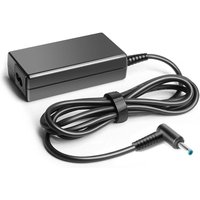
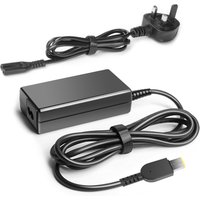
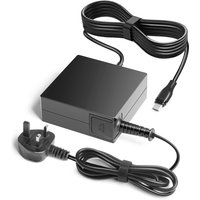
The Microsoft Surface Laptop 6 for Business ships with a 65W Surface Connect. USB-C Power Delivery is supported, allowing use of third-party USB-C chargers.
Stock Charger: 65W Surface Connect
USB-C Power Delivery: Yes
| Charger Option | Wattage/Type | Charging Speed | Notes |
|---|---|---|---|
| Stock charger | 65W Surface Connect | Full speed charging | Included with laptop |
| USB-C PD fallback | 100W USB-C PD | Slower charging, reduced performance | Portable alternative for travel |
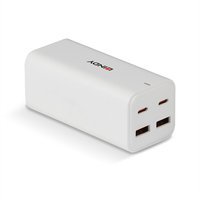
For the best portable charging experience, a GaN USB-C PD charger matching or exceeding the stock wattage is recommended. This lets you leave the original charger at your desk and carry a compact GaN adapter for travel.
Buy Compatible Charger on Amazon UK
Dock & Hub Compatibility
The Microsoft Surface Laptop 6 for Business supports Thunderbolt, enabling full-bandwidth docking solutions.
Thunderbolt Support: Yes
USB-C Power Delivery: Yes
Recommended Dock Type: Thunderbolt dock for full desktop replacement
| Dock Type | Connection | Use Case | Notes |
|---|---|---|---|
| Thunderbolt dock | Thunderbolt 4/5 | Full desktop replacement | Up to 40Gbps, dual 4K displays, charging |
| USB-C dock | USB-C 3.2 | Basic desktop setup | Single display, peripherals, charging |
| USB-C hub | USB-C multiport | Portable expansion | HDMI + USB-A + card reader for travel |
A Thunderbolt dock like the CalDigit TS4 or Anker 777 provides the best desktop experience — dual 4K displays, fast data transfer, and single-cable charging.
Buy Compatible Dock on Amazon UK
Microsoft Surface Laptop 6 for Business Full Specifications
| Component | Specification |
|---|---|
| Processor | Intel Core Ultra 7 165H |
| Display | 13.5″ or 15″ PixelSense (2256×1504 / 2496×1664) |
| RAM | LPDDR5X (max 64GB) — soldered |
| Storage | M.2 2230 PCIe Gen 4 NVMe (removable) |
| Thunderbolt | Yes |
| USB-C PD Charging | Yes |
| Charger | 65W Surface Connect |
| Weight | 1.34kg |
Frequently Asked Questions
Can I upgrade the RAM in the Microsoft Surface Laptop 6 for Business?
No. The Microsoft Surface Laptop 6 for Business uses soldered memory that cannot be upgraded after purchase. You must choose your RAM configuration at the time of ordering. We recommend selecting the highest amount your budget allows.
Can I upgrade the SSD in the Microsoft Surface Laptop 6 for Business?
Yes. The SSD uses a standard M.2 slot and can be replaced with a compatible NVMe drive.
Does the Microsoft Surface Laptop 6 for Business support USB-C charging?
Yes. You can charge via any USB-C Power Delivery charger. Match or exceed the stock wattage for full-speed charging.
Is the Microsoft Surface Laptop 6 for Business still worth buying in 2026?
For its price point, the Microsoft Surface Laptop 6 for Business remains competitive. While RAM is soldered, the SSD can be upgraded for more storage.
What accessories are compatible with the Microsoft Surface Laptop 6 for Business?
Thunderbolt docks (CalDigit TS4, Anker 777), USB-C hubs, external monitors (up to 4K/6K), and USB-C PD chargers.
Recommended Products
These are the products we recommend based on this guide. All links go to Amazon UK where you can check current prices and availability.
| Product | Why We Recommend It | Amazon UK |
|---|---|---|
| WD SN740 1TB M.2 2230 NVMe | Top M.2 2230 SSD for compact laptops | View on Amazon UK |
| Samsung PM991a 1TB M.2 2230 | Reliable 2230 NVMe option | View on Amazon UK |
| Anker 737 GaN 120W USB-C Charger | Compact high-power GaN charger | View on Amazon UK |
Prices and availability may vary. As an Amazon Associate, we earn from qualifying purchases.
Related Dynabook Upgrade Guides
- Microsoft Surface Go 3 RAM & SSD Upgrade Guide
- Microsoft Surface Laptop Studio RAM & SSD Upgrade Guide
- Microsoft Surface Pro 8 RAM & SSD Upgrade Guide
- Microsoft Surface Pro 7 RAM & SSD Upgrade Guide
- Microsoft Surface Laptop Go 3 RAM & SSD Upgrade Guide
- Dynabook Upgrade Guide
Not sure what fits? Use our free Compatibility Checker covering 3,195+ models.