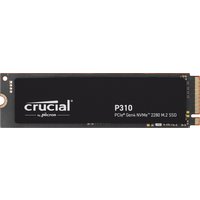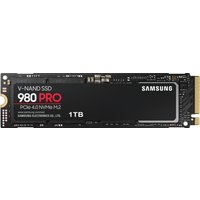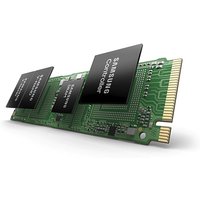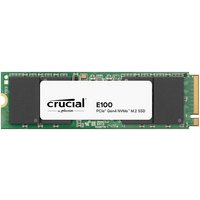
Quick Summary: The ASUS ZenBook ZenBook 14 UM3406 (2024) (2024) supports LPDDR5X Soldered RAM (up to 32GB, Soldered (not upgradeable)) and M.2 2280 NVMe PCIe 4.0 SSD (1 M.2 slot). Note: RAM is soldered and cannot be upgraded.
ASUS ZenBook ZenBook 14 UM3406 (2024) RAM Specifications

| Spec | Details |
|---|---|
| RAM Type | LPDDR5X Soldered |
| Maximum RAM | 32GB |
| RAM Slots | Soldered (not upgradeable) |
| Processor | AMD Ryzen 7 8840U |
ASUS ZenBook ZenBook 14 UM3406 (2024) SSD Specifications
| Spec | Details |
|---|---|
| SSD Type | M.2 2280 NVMe PCIe 4.0 |
| SSD Slots | 1 M.2 slot |
How to Upgrade RAM
The ASUS ZenBook ZenBook 14 UM3406 (2024) has soldered RAM that cannot be upgraded. Choose the right config when purchasing.
How to Upgrade the SSD
- Power off and disconnect cables
- Remove bottom panel
- Locate M.2 2280 NVMe PCIe 4.0 slot(s)
- Remove mounting screw, slide out old SSD
- Insert new SSD and secure
- Replace cover
- Clone old drive or install OS from USB
Recommended Upgrades
Best RAM
LPDDR5X Soldered from Crucial, Kingston, or Corsair. Upgrade to 32GB with matched pairs.
Best SSD
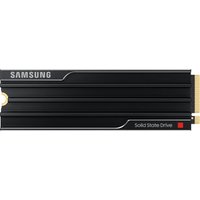
Samsung 990 Pro or WD Black SN850X M.2 2280 NVMe PCIe 4.0 SSD for best performance.
FAQ
Maximum RAM for ASUS ZenBook ZenBook 14 UM3406 (2024)?
Up to 32GB of LPDDR5X Soldered (Soldered (not upgradeable)).
Can I upgrade the SSD?
Yes, M.2 2280 NVMe PCIe 4.0 with 1 M.2 slot.
Is RAM soldered?
Yes, soldered and not upgradeable.
Related ASUS Upgrade Guides
- Best RAM for ASUS Laptops 2026
- ASUS ProArt StudioBook 16 OLED (2023) RAM & SSD Upgrade Guide (2023)
- ASUS ProArt StudioBook 16 OLED (2024) RAM & SSD Upgrade Guide (2024)
- ASUS ProArt StudioBook 16 OLED (2022) RAM & SSD Upgrade Guide (2022)
- ASUS ExpertBook B9 (2023) RAM & SSD Upgrade Guide (2023)
- ASUS Upgrade Guide
Not sure what fits? Use our free Compatibility Checker covering 3,195+ models.