
Affiliate disclosure: this page contains affiliate links — if you buy through them we may earn a commission at no extra cost to you. As an Amazon Associate we earn from qualifying purchases.
RAM Compatibility for Huawei MateBook 16s (2023)
The Huawei MateBook 16s (2023) is a 16″ laptop released in 2023. It uses LPDDR5 memory that is soldered to the motherboard and cannot be upgraded after purchase. The maximum supported RAM is 16GB.
Memory Specifications
| Specification | Details |
|---|---|
| Memory Type | LPDDR5 |
| RAM Slots | Soldered (not upgradeable) |
| Max Capacity | 16GB |
| Speed | LPDDR5-6400 MHz |
| Upgradeable | No (soldered) |
| Form Factor | 16″ |
RAM Upgrade Options
Important: The Huawei MateBook 16s (2023) has soldered RAM that cannot be upgraded after purchase. The memory is permanently attached to the motherboard. When buying this laptop, choose the RAM configuration you need upfront, as it cannot be changed later.
Storage Compatibility
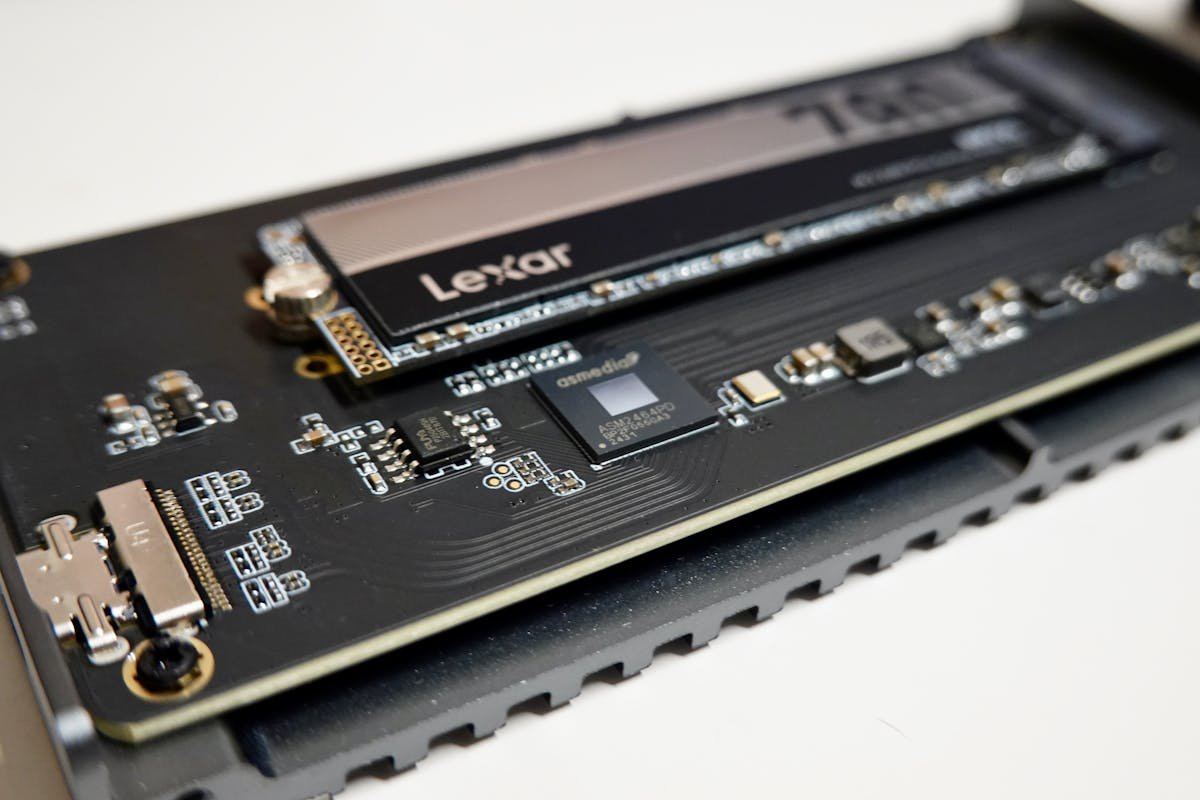
The Huawei MateBook 16s (2023) supports 1x M.2 NVMe for storage. NVMe SSDs offer significantly faster read/write speeds compared to SATA drives, with sequential reads up to 7,000 MB/s on PCIe 4.0 models.
| Storage Type | Details |
|---|---|
| Storage Interface | 1x M.2 NVMe |
| SSD Form Factor | M.2 2280 |
Recommended SSDs
Best SSD: Samsung 980 Pro 1TB NVMe
Top-tier NVMe performance with up to 7,000 MB/s reads. Excellent endurance and 5-year warranty.
Frequently Asked Questions
Can I upgrade the RAM in the Huawei MateBook 16s (2023)?
No, the Huawei MateBook 16s (2023) has soldered RAM that cannot be upgraded. You must choose your RAM configuration at the time of purchase.
What is the maximum RAM for the Huawei MateBook 16s (2023)?
The maximum supported RAM is 16GB of LPDDR5.
What type of SSD does the Huawei MateBook 16s (2023) use?
The Huawei MateBook 16s (2023) uses 1x M.2 NVMe. We recommend an NVMe SSD for maximum performance.
Upgrades that fit the HUAWEI MateBook 16s 2023
What fits: Charger: USB-C
Spec source: consumer.huawei.cn (checked 26 Sep 2026).
As an Amazon Associate we earn from qualifying purchases. Prices & availability shown on Amazon.
How we verify this guide
We cross-reference compatibility figures against manufacturer specifications where available, official service manuals, and the standards that govern fit — memory type and speed (DDR4 / DDR5 / LPDDR5), maximum supported capacity and slot count, SSD form factor and interface (M.2 2280, NVMe PCIe vs SATA, keying), and charger wattage and connector (USB-C Power Delivery, GaN). We’re explicit about soldered or non-upgradeable parts, prioritise primary sources over retailer listings, and re-verify the data on a regular cycle. More on our method →
Free download: The 2026 Laptop RAM Upgrade Compatibility Cheat Sheet
Find out in minutes whether your laptop’s RAM is upgradeable, exactly which DDR4/DDR5/LPCAMM2 stick fits, and how much is worth it. Enter your email and we’ll send the PDF instantly.