Quick Specs Summary

| Spec | Details |
|---|---|
| Display | 16″ IPS/OLED up to 240Hz 1440p |
| CPU | Intel Core i9-14900HX (14th Gen Raptor Lake Refresh) |
| GPU | NVIDIA RTX 4090 / 4080 |
| RAM Type | DDR5-5600 |
| RAM Slots | 2× SO-DIMM (up to 32GB) |
| SSD Slots | 2× M.2 2280 NVMe Gen4 |
| Charger | 240W barrel connector |
| Thunderbolt | Thunderbolt 4 |
| Upgradeability | ★★★★★ |
ASUS ROG Strix G16 (2024): Desktop Power in a Desktop Replacement
The ASUS ROG Strix G16 (2024, G614) is a 16″ desktop-replacement gaming machine powered by the Intel Core i9-14900HX and up to RTX 4090. This is the upgrade-friendly gaming beast — full RAM expansion, dual SSD slots, and a massive 240W power budget.
If you want maximum upgradeability in a gaming laptop, the Strix G16 (2024) ticks every box. This guide covers RAM, SSD, charger options, and how to get the most from your machine.
RAM Compatibility & Upgrades
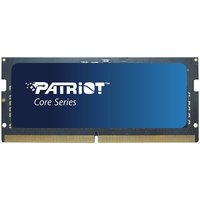
The ASUS ROG Strix G16 (2024) features 2× SO-DIMM slots with DDR5-5600 memory. Maximum capacity is 32GB total (16GB × 2).
This model ships with 16GB, 32GB, or 64GB configurations — but the two SO-DIMM slots max out at 32GB combined. If you purchased the 64GB model, you have 2× 32GB modules, which is the maximum possible.
Compatible RAM Modules
| Module | Type | Price |
|---|---|---|
| Crucial DDR5-5600 32GB | DDR5-5600 SODIMM | £85 |
| Kingston Fury Impact DDR5-5600 32GB | DDR5-5600 SODIMM | £95 |
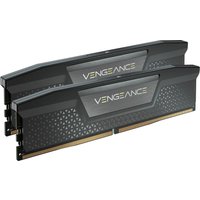
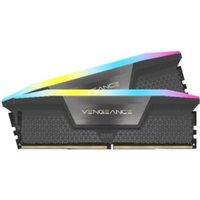
| Corsair Vengeance DDR5-5600 32GB | DDR5-5600 SODIMM | £98 |
Browse DDR5 SODIMM RAM on Amazon UK
RAM Upgrade Recommendations
Gaming: 16GB is sufficient for competitive gaming. 32GB offers headroom for streaming + gaming simultaneously.
Content creation: Upgrade to 32GB immediately for video editing, 3D rendering, and multitasking workloads.
Dual SSD Storage
The ASUS ROG Strix G16 (2024) provides 2× M.2 2280 NVMe Gen4 slots, allowing you to run dual-drive configurations. This is perfect for separating your OS from games or creative projects.
Compatible SSD Drives
| Drive | Spec | Speed | Price |
|---|---|---|---|
| Samsung 990 Pro 1TB | M.2 2280 Gen4 | 7,100 MB/s | £85 |
| WD Black SN850X 1TB | M.2 2280 Gen4 | 7,100 MB/s | £75 |
| Crucial P5 Plus 1TB | M.2 2280 Gen4 | 6,600 MB/s | £60 |
Storage Configuration Ideas
Setup 1 (Gaming): 1TB Samsung 990 Pro (OS + games) + 2TB WD Black SN850X (extra games library)
Setup 2 (Creative): 500GB Crucial P5 Plus (OS) + 2TB Samsung 990 Pro (project files, cache, exports)
Charger & Power Delivery
The ASUS ROG Strix G16 (2024) uses a 240W barrel connector charger for maximum GPU power delivery. This wattage is necessary to prevent thermal throttling during sustained RTX 4090 gaming.
ASUS 240W chargers on Amazon UK
Charger Notes
The Strix G16 (2024) does not support USB-C PD charging — you must use the 240W barrel connector. No USB-C alternative is available.
Thunderbolt 4 Docking
The Strix G16 (2024) features Thunderbolt 4 connectivity, perfect for external GPU enclosures, high-speed storage, and advanced docking setups.
Recommended docks:
- CalDigit TS4 — 98W charging, 6 × USB-A, 1Gbps Ethernet
- OWC Thunderdock 6 — 96W charging, 6 × USB-A, 10Gbps Ethernet
Upgradeability Score
| Component | Score | Notes |
|---|---|---|
| RAM | ★★★★★ | Fully upgradeable, 2× SO-DIMM |
| SSD | ★★★★★ | Dual M.2 2280 Gen4 slots |
| Charger | ★★★☆☆ | Proprietary 240W barrel |
| Overall | ★★★★★ | Excellent for gamers & creators |
How to Upgrade RAM & SSD
Both RAM and SSD upgrades require only a Phillips #0 screwdriver.
RAM upgrade: Open the underside panel, push the retention clips, slide in your module at 45°. Takes 3 minutes.
SSD upgrade: Locate the M.2 slot, unscrew the retention screw, slide in your drive at 45°. Takes 2 minutes per drive.
Frequently Asked Questions
What RAM does the ASUS ROG Strix G16 (2024) support?
The Strix G16 (2024) supports DDR5-5600 in 2× SO-DIMM slots, with a maximum of 32GB total (16GB × 2 modules).
Can I upgrade to 64GB RAM in the Strix G16 (2024)?
No — the two SO-DIMM slots support a maximum of 32GB (16GB × 2). Some configurations may ship with 32GB already installed.
Does the Strix G16 (2024) have multiple SSD slots?
Yes — it has 2× M.2 2280 NVMe Gen4 slots, allowing dual-drive configurations for maximum storage flexibility.
What charger does the Strix G16 (2024) require?
The Strix G16 (2024) requires a 240W barrel connector charger (proprietary). USB-C PD is not supported.
Is the ASUS ROG Strix G16 (2024) easily upgradeable?
Yes — this is one of the most upgrade-friendly gaming laptops available. RAM and dual SSDs are easily replaceable with standard tools.
Recommended Products
These are the products we recommend based on this guide. All links go to Amazon UK where you can check current prices and availability.
| Product | Why We Recommend It | Amazon UK |
|---|---|---|
| Corsair Vengeance DDR5 SO-DIMM 32GB (2×16GB) 5600MHz | Top-rated DDR5 kit for gaming & productivity | View on Amazon UK |
| Kingston Fury Impact DDR5 SO-DIMM 32GB (2×16GB) 5600MHz | Excellent DDR5 alternative with XMP support | View on Amazon UK |
| Crucial DDR5 SO-DIMM 16GB 5600MHz | Affordable single-stick DDR5 | View on Amazon UK |
| G.Skill Ripjaws DDR5 SO-DIMM 32GB 5600MHz | High performance DDR5 for enthusiasts | View on Amazon UK |
| Samsung 990 Pro 2TB NVMe M.2 2280 | Fastest consumer NVMe — ideal for gaming & editing | View on Amazon UK |
| WD Black SN850X 2TB NVMe | Excellent Gen4 speed with heatsink option | View on Amazon UK |
| Crucial P5 Plus 1TB NVMe | Great value Gen4 SSD | View on Amazon UK |
| Kingston NV2 1TB NVMe | Budget-friendly with solid reliability | View on Amazon UK |
Prices and availability may vary. As an Amazon Associate, we earn from qualifying purchases.
Related ASUS Upgrade Guides
- Best RAM for ASUS Laptops 2026
- ASUS ProArt StudioBook 16 OLED (2023) RAM & SSD Upgrade Guide (2023)
- ASUS ProArt StudioBook 16 OLED (2024) RAM & SSD Upgrade Guide (2024)
- ASUS ProArt StudioBook 16 OLED (2022) RAM & SSD Upgrade Guide (2022)
- ASUS ExpertBook B9 (2023) RAM & SSD Upgrade Guide (2023)
- ASUS Upgrade Guide
Not sure what fits? Use our free Compatibility Checker covering 3,195+ models.
Helpful Guides
Recommended 32GB RAM Upgrades

Kingston Technology
Kingston Technology KCP432SD8/32 memory module 32 GB 1 x 32 GB DDR4 32
£274.02
View Deal