The ROG Strix SCAR 16 is the desktop-replacement gamer’s dream — Intel Core i9-14900HX, RTX 4080/4090 Laptop, 16″ QHD 240Hz Mini LED display, and everything is upgradeable. Unlike the ultraportable Zephyrus line, SCAR puts upgradeability first. Here’s exactly what you can upgrade and how.
Can You Upgrade RAM in the ROG Strix SCAR 16?

Yes. RAM is fully upgradeable. The SCAR 16 uses two DDR5-5600 SO-DIMM slots, supporting up to 64GB total. This is a huge difference from the soldered Zephyrus line.
What you get: Most SCAR 16 models ship with 16GB or 32GB. You can easily add another DIMM to max out at 64GB. Even better: you can swap to faster DDR5 sticks if you want to overclock.
Upgrade strategy: Start with 16GB + 16GB = 32GB. That’s plenty for gaming and multitasking. If you do video editing or heavy livestreaming, go 32GB + 32GB = 64GB from day one.
| Slot | Type | Speed | Maximum | Upgradeable |
|---|---|---|---|---|
| SO-DIMM Slot 1 | DDR5 | 5600 MHz | 32GB | Yes |
| SO-DIMM Slot 2 | DDR5 | 5600 MHz | 32GB | Yes |
Recommended RAM Upgrades
Looking to upgrade? Here are proven options:
- Corsair Dominator Platinum RGB 32GB (2×16GB) — High-end DDR5, RGB lighting, XMP profiles. Check price on Amazon UK.
- Kingston Fury Beast 32GB (2×16GB) — Excellent value DDR5, proven stability. Check price on Amazon UK.
- G.Skill Trident Z5 64GB (2×32GB) — Maximum capacity, OC-ready. Check price on Amazon UK.
Pro tip: The SCAR 16 BIOS supports XMP profiles. Buy DDR5-5600 XMP sticks and enable XMP in BIOS for an easy speed boost with zero risk.
SSD & Storage Compatibility
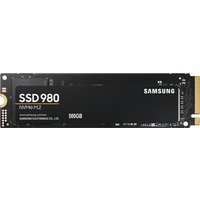
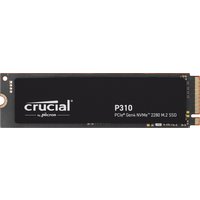
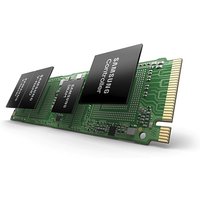
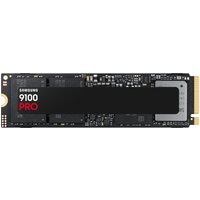
The ROG Strix SCAR 16 has two M.2 2280 slots, both PCIe Gen 4 NVMe. You can run them individually or in RAID 0 for extreme speed.
Default config: Usually ships with 1× 1TB in Slot 1. You can add a second 1TB or 2TB drive to Slot 2 for storage expansion or RAID 0.
| Slot | Type | Interface | RAID Support | User-Replaceable |
|---|---|---|---|---|
| M.2_1 (Primary) | M.2 2280 | PCIe 4.0 NVMe | Yes (RAID 0) | Yes |
| M.2_2 (Secondary) | M.2 2280 | PCIe 4.0 NVMe | Yes (RAID 0) | Yes |
Recommended SSD Upgrades
Maxing out storage? Here’s what works:
- Samsung 990 EVO Plus 2TB — Reliable, 5000MB/s, great value. Check price on Amazon UK.
- WD Black SN850X 2TB — Proven in high-end gaming. Check price on Amazon UK.
- Sabrent Rocket 4 Plus 2TB — Excellent RAID 0 candidate. Check price on Amazon UK.
RAID 0 note: Two identical SSDs in RAID 0 give you double the speed (10GB/s+). Downside: if one drive fails, you lose both volumes. Ideal for content creation, not ideal for your only storage.
Charger & Power Compatibility
The ROG Strix SCAR 16 uses a proprietary 330W barrel connector — one of the highest wattages in gaming laptops. No USB-C charging.
Why 330W? The Intel Core i9-14900HX + RTX 4080/4090 combo draws serious power. 330W ensures full sustained performance under gaming load and leaves room for cooling fans.
| Connector Type | Wattage | Use Case |
|---|---|---|
| Barrel (proprietary) | 330W | Gaming, streaming, content creation |
Charger Best Practices
Gaming: Always use the 330W barrel. Full stop. This laptop demands it.
On battery: Gaming on battery is not recommended. You’ll get 30–45 minutes before thermal throttling kicks in. Keep it plugged in.
Charger replacement: If your barrel charger fails, replacement ASUS 330W chargers are available on Amazon UK. Third-party alternatives are risky — verify compatibility carefully.
Dock & Hub Compatibility
The ROG Strix SCAR 16 does not include Thunderbolt 4. However, it has solid connectivity for a gaming machine:
- 2× USB 3.2 Gen 2 Type-A (10Gbps)
- 1× USB 3.2 Gen 2 Type-C (10Gbps)
- HDMI 2.1
- Ethernet (RJ-45, some models)
- 3.5mm audio
Docking: A USB 3.2 Gen 2 Type-C hub works fine for external storage and peripherals. Gaming laptops rarely need Thunderbolt — Ethernet and USB-A suffice.
Best setup: Keep the USB-C port for charging accessories if needed, and use HDMI 2.1 for external monitors. Most SCAR owners dock at a desk with Ethernet hardwired.
Full Specifications Table
| Component | Specification |
|---|---|
| Display | 16″ QHD (2560×1440), IPS, 240Hz, Mini LED backlight |
| CPU | Intel Core i9-14900HX (24-core, up to 5.8GHz) |
| GPU | NVIDIA RTX 4080 Laptop / 4090 Laptop |
| RAM | 2× DDR5-5600 SO-DIMM, up to 64GB (fully upgradeable) |
| Storage | 2× M.2 2280 PCIe 4.0 NVMe (RAID 0 supported, user-replaceable) |
| Battery | 90Wh |
| Weight | ~2.3kg |
| Ports | 2× USB 3.2 Gen 2 Type-A, 1× USB 3.2 Gen 2 Type-C, HDMI 2.1, RJ-45 Ethernet (varies), 3.5mm audio |
| Charger | 330W barrel (no USB-C charging) |
| Upgradeability | ★★★★★ (RAM, SSD, charger all upgradeable) |
Frequently Asked Questions
Can I upgrade both RAM and SSD in the ROG Strix SCAR 16?
Yes to both. The SCAR 16 is fully upgradeable. Add up to 64GB RAM via DDR5 SO-DIMM slots, and add a second SSD to the M.2_2 slot (up to 4TB total with two 2TB drives).
What’s the difference between RAID 0 and single drive?
RAID 0 combines two drives into one volume with double the speed (10GB/s+). If one fails, you lose all data. Single drives are safer. Use RAID 0 only for fast working drives, not backups or your game library.
Is 330W really necessary for gaming?
Yes. The Core i9-14900HX + RTX 4090 can pull 200W+ sustained. 330W provides headroom for cooling and full sustained performance. Running on less will throttle the CPU and GPU.
Does the SCAR 16 support Thunderbolt 4?
No. The SCAR 16 focuses on gaming (USB 3.2 Gen 2) rather than creative workflows (Thunderbolt). For gaming and streaming, it’s more than adequate.
Can I use the SCAR 16 on battery for gaming?
Technically yes, but expect severe throttling after 30–45 minutes due to power limits. Always plug in the 330W charger for gaming sessions. The SCAR 16 is a desktop replacement, not portable gaming.
Looking for other ROG models? See our complete ASUS ROG gaming laptop compatibility guide.
Recommended Products
These are the products we recommend based on this guide. All links go to Amazon UK where you can check current prices and availability.
| Product | Why We Recommend It | Amazon UK |
|---|---|---|
| Corsair Vengeance DDR5 SO-DIMM 32GB (2×16GB) 5600MHz | Top-rated DDR5 kit for gaming & productivity | View on Amazon UK |
| Kingston Fury Impact DDR5 SO-DIMM 32GB (2×16GB) 5600MHz | Excellent DDR5 alternative with XMP support | View on Amazon UK |
| Crucial DDR5 SO-DIMM 16GB 5600MHz | Affordable single-stick DDR5 | View on Amazon UK |
| G.Skill Ripjaws DDR5 SO-DIMM 32GB 5600MHz | High performance DDR5 for enthusiasts | View on Amazon UK |
| Samsung 990 Pro 2TB NVMe M.2 2280 | Fastest consumer NVMe — ideal for gaming & editing | View on Amazon UK |
| WD Black SN850X 2TB NVMe | Excellent Gen4 speed with heatsink option | View on Amazon UK |
| Crucial P5 Plus 1TB NVMe | Great value Gen4 SSD | View on Amazon UK |
| Kingston NV2 1TB NVMe | Budget-friendly with solid reliability | View on Amazon UK |
Prices and availability may vary. As an Amazon Associate, we earn from qualifying purchases.
Related ASUS Upgrade Guides
- Best RAM for ASUS Laptops 2026
- ASUS ProArt StudioBook 16 OLED (2023) RAM & SSD Upgrade Guide (2023)
- ASUS ProArt StudioBook 16 OLED (2024) RAM & SSD Upgrade Guide (2024)
- ASUS ProArt StudioBook 16 OLED (2022) RAM & SSD Upgrade Guide (2022)
- ASUS ExpertBook B9 (2023) RAM & SSD Upgrade Guide (2023)
- ASUS Upgrade Guide
Not sure what fits? Use our free Compatibility Checker covering 3,195+ models.