The ROG Zephyrus G14 (2023) is ASUS’s ultraportable gaming flagship — 14″ QHD+ 165Hz display, AMD Ryzen 9 7940HS, and RTX 4090 Laptop in a 1.6kg chassis. But here’s the catch: nearly all your upgrades are locked down. RAM is soldered. You get one SSD slot. This guide shows you exactly what you can change, what you’re stuck with, and how to buy the right configuration from day one.
Can You Upgrade RAM in the ROG Zephyrus G14 (2023)?

No. RAM is soldered to the motherboard and not upgradeable. Your choices are locked at purchase: 16GB or 32GB LPDDR5X-6400. This is ASUS’s trade-off for the 1.6kg weight and slim design.
What to do: Buy the 32GB model upfront. It costs roughly £150–£200 more than the 16GB base, but you can’t change it later. For gaming at 1440p and streaming, 32GB gives you breathing room. For pure gaming? 16GB works, but 32GB is future-proof.
Soldered vs. upgradeable: ASUS soldered the RAM to reduce thermals and save weight. The upside: lower power draw, better battery life. The downside: you’re buying your max RAM configuration on day one. This is the trade-off you make for ultraportable gaming.
| Configuration | RAM Type | Slots | Maximum | Upgradeable |
|---|---|---|---|---|
| Base | LPDDR5X-6400 | Soldered | 16GB | No |
| Standard | LPDDR5X-6400 | Soldered | 32GB | No |
Recommended Upgrade Path
You can’t upgrade RAM. Buy the 32GB model at purchase — it’s your only chance. If you bought 16GB and regret it, you’re out of luck without replacing the motherboard.
SSD & Storage Compatibility
The ROG Zephyrus G14 (2023) has one user-replaceable M.2 2280 slot running PCIe Gen 4. You can swap or upgrade your SSD, but you only have one drive. No second slot, no RAID.
Base configuration: Usually ships with a 512GB Micron 2450NV or similar Gen 4 drive. Many owners upgrade to 1TB or 2TB to match their game library.
| Slot | Type | Interface | Size | User-Replaceable |
|---|---|---|---|---|
| M.2_1 (Primary) | M.2 2280 | PCIe 4.0 NVMe | 512GB–2TB | Yes |
Recommended SSD Upgrades
If you need more than 512GB, here’s what works:
- Samsung 990 EVO Plus 1TB — Reliable, fast (5000MB/s), widely available. Check price on Amazon UK.
- WD Black SN850X 1TB — Western Digital’s fast Gen 4. Excellent for gaming. Check price on Amazon UK.
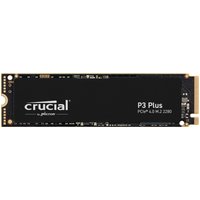
- Crucial P5 Plus 2TB — Great value, proven performance. Check price on Amazon UK.
Pro tip: The Zephyrus G14 runs cool enough for passive SSDs. You don’t need heatspreaders, but they don’t hurt.
Charger & Power Compatibility
The ROG Zephyrus G14 (2023) has a dual-charging setup:
- 100W USB-C Power Delivery — Charges the laptop at a slower pace (works for light tasks, not gaming under load).
- 180W barrel connector — The primary charger. Required for gaming and full load.
Why both? Ultraportable gamers want options. USB-C charges slowly for everyday use. The barrel hits 180W for sustained gaming.
| Connector Type | Wattage | Use Case |
|---|---|---|
| USB-C PD | 100W | Light work, slow charging |
| Barrel (proprietary) | 180W | Gaming, full power |
Important: Use the Right Charger
Do not use only USB-C for gaming. 100W is not enough for sustained RTX 4060/4070/4090 gaming. The GPU will throttle. Use the 180W barrel connector when plugged in for gaming.
You can swap the 180W barrel charger for a third-party equivalent if it fails, but make sure it’s 180W minimum and compatible with the connector. Original ASUS replacements are available on Amazon UK.
USB-C alternatives: A 100W USB-C charger (like those for MacBook Pro) can top up your battery during breaks, but won’t provide full power while gaming.
Dock & Hub Compatibility
The ROG Zephyrus G14 (2023) does not have Thunderbolt 4. Some configurations include USB4, but support varies by region and model revision.
Connectivity:
- 2× USB 3.2 Gen 2 (Type-A)
- 1× USB 3.2 Gen 2 (Type-C, 10Gbps)
- HDMI 2.1
- 3.5mm audio
Docking options: A USB-C multiport hub works for extra USB and HDMI, but bandwidth is limited to 10Gbps. External GPUs (eGPUs) are not supported. For external displays, use HDMI 2.1 or a USB-C to DisplayPort adapter.
Best practice: Buy a simple USB-C hub with USB-A, HDMI, and SD card. Avoid bandwidth-hungry setups like dual displays + multiple USB 3 devices simultaneously.
Full Specifications Table
| Component | Specification |
|---|---|
| Display | 14″ QHD+ (2560×1600), IPS, 165Hz, 512-zone Mini LED (some configs) |
| CPU | AMD Ryzen 9 7940HS (8-core, up to 5.2GHz) |
| GPU | NVIDIA RTX 4060 Laptop / 4070 Laptop / 4090 Laptop (variants) |
| RAM | 16GB or 32GB LPDDR5X-6400 (soldered, not upgradeable) |
| Storage | 1× M.2 2280 PCIe 4.0 NVMe (user-replaceable) |
| Battery | 80Wh |
| Weight | ~1.6kg |
| Ports | 2× USB 3.2 Gen 2 Type-A, 1× USB 3.2 Gen 2 Type-C, HDMI 2.1, 3.5mm audio |
| Charger | 100W USB-C + 180W barrel |
| Upgradeability | ★★☆☆☆ (SSD only) |
Frequently Asked Questions
Can I upgrade the RAM in the ROG Zephyrus G14 (2023)?
No. RAM is soldered to the motherboard. You cannot upgrade it. You must choose 16GB or 32GB at purchase. If you need 32GB, buy the 32GB model upfront — you won’t be able to add more later.
Will upgrading the SSD void my warranty?
No. ASUS explicitly allows SSD replacement on the Zephyrus G14. Swapping the M.2 drive does not void your warranty, as long as you don’t damage other components in the process.
Can I use USB-C power delivery to charge while gaming?
Technically yes, but I don’t recommend it. 100W USB-C is below the RTX 4060/4070/4090 full load demand. Your GPU will throttle and your battery may slowly drain even while plugged in. Always use the 180W barrel connector for gaming sessions.
What SSDs are compatible with the ROG Zephyrus G14 (2023)?
Any M.2 2280 PCIe Gen 4 NVMe SSD. No special ASUS firmware required. Popular choices: Samsung 990 EVO Plus, WD Black SN850X, Crucial P5 Plus, and SK Hynix P41 Platinum. All are faster than the base drive and widely available.
Does the ROG Zephyrus G14 (2023) support Thunderbolt docking stations?
No. The Zephyrus G14 (2023) does not have Thunderbolt 4. Some regional variants may have USB4, but it’s not the default. Stick to simple USB-C hubs and multiport adapters for external displays and storage.
Need help with other ASUS models? Check out our complete ASUS ROG and TUF Gaming compatibility guide.
Recommended Products
These are the products we recommend based on this guide. All links go to Amazon UK where you can check current prices and availability.
| Product | Why We Recommend It | Amazon UK |
|---|---|---|
| Corsair Vengeance DDR5 SO-DIMM 32GB (2×16GB) 5600MHz | Top-rated DDR5 kit for gaming & productivity | View on Amazon UK |
| Kingston Fury Impact DDR5 SO-DIMM 32GB (2×16GB) 5600MHz | Excellent DDR5 alternative with XMP support | View on Amazon UK |
| Crucial DDR5 SO-DIMM 16GB 5600MHz | Affordable single-stick DDR5 | View on Amazon UK |
| G.Skill Ripjaws DDR5 SO-DIMM 32GB 5600MHz | High performance DDR5 for enthusiasts | View on Amazon UK |
| Samsung 990 Pro 2TB NVMe M.2 2280 | Fastest consumer NVMe — ideal for gaming & editing | View on Amazon UK |
| WD Black SN850X 2TB NVMe | Excellent Gen4 speed with heatsink option | View on Amazon UK |
| Crucial P5 Plus 1TB NVMe | Great value Gen4 SSD | View on Amazon UK |
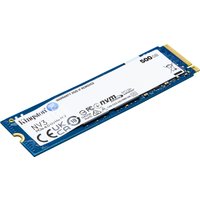
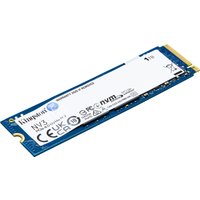
| Kingston NV2 1TB NVMe | Budget-friendly with solid reliability | View on Amazon UK |
Prices and availability may vary. As an Amazon Associate, we earn from qualifying purchases.
Related ASUS Upgrade Guides
- Best RAM for ASUS Laptops 2026
- ASUS ProArt StudioBook 16 OLED (2023) RAM & SSD Upgrade Guide (2023)
- ASUS ProArt StudioBook 16 OLED (2024) RAM & SSD Upgrade Guide (2024)
- ASUS ProArt StudioBook 16 OLED (2022) RAM & SSD Upgrade Guide (2022)
- ASUS ExpertBook B9 (2023) RAM & SSD Upgrade Guide (2023)
- ASUS Upgrade Guide
Not sure what fits? Use our free Compatibility Checker covering 3,195+ models.
Helpful Guides
Recommended NVMe SSDs

Western Digital
Western Digital Green SN3000(WDS100T4G0E-00CPSO) 1TB NVMe SSD. M.2 Int
£160.82
View Deal