Quick Specs Summary
| Spec | Details |
|---|---|
| Display | 16″ |
| CPU | Intel 12th/13th Gen Core i5/i7 or AMD Ryzen 5/7 |
| RAM Type | DDR4-3200 or DDR5-4800 (variant-dependent, 8GB soldered + 1× SO-DIMM) |
| RAM Slots | 1× SO-DIMM + 8GB soldered |
| Max RAM | 24GB (DDR4) or 32GB (DDR5) |
| SSD Type | M.2 2280 PCIe Gen 3/4 NVMe |
| SSD Slots | 1 |
| Charger | 65W barrel connector or USB-C (variant-dependent) |
| Thunderbolt | None (USB 3.2 Gen 1) |
| Upgradeability | ★★★☆☆ |
Can You Upgrade the VivoBook 16?
The ASUS VivoBook 16 X1605ZA/VA is partial — 1 so-dimm slot upgradeable, 8gb soldered. 16-inch budget laptop. Hybrid memory with 1 SO-DIMM slot. Check if your variant is DDR4 or DDR5 before buying. No Thunderbolt.
This guide covers exactly which components you can and can’t replace, what compatible upgrades cost, and how to do it safely. We’ll walk through RAM, SSD, charger options, and break down your upgradeability score at the end.
RAM Compatibility
The ASUS VivoBook 16 X1605ZA/VA uses DDR4-3200 or DDR5-4800 (variant-dependent, 8GB soldered + 1× SO-DIMM) RAM that is soldered directly to the motherboard. This means you cannot upgrade the RAM after purchase.
When you buy this model, it ships with 8GB / 16GB RAM. If you need more than the configuration available, you’ll need to buy a model with higher RAM spec — there’s no way to upgrade it later. This is unfortunately common in thin-and-light business laptops where Lenovo prioritises minimalism over repairability.
Learn more about soldered vs upgradeable RAM on our RAM compatibility hub.
What RAM Configuration Should I Buy?
Since you can’t upgrade, think carefully about your workflow:
- Light use (web, Office, email): 8GB is adequate but tight by 2026 standards.
- Office work & multitasking: 16GB is the sweet spot for most users.
- Development, virtualisation, creative work: 32GB is strongly recommended.
Buy the configuration you’ll need for the next 3–4 years — you won’t be able to add more later.
SSD/Storage Compatibility
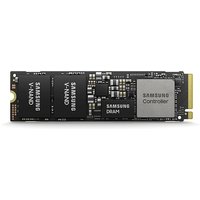
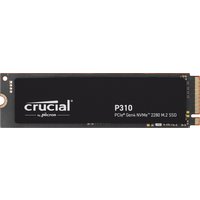
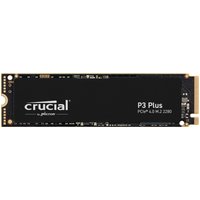
The ASUS VivoBook 16 X1605ZA/VA has 1 × M.2 2280 PCIe Gen 4 NVMe slot. You can replace the SSD with a faster or larger model.
Compatible SSD Drives
| Drive | Spec | Price |
|---|---|---|
| Samsung 990 Pro 1TB | M.2 2280 PCIe Gen 4 | £85 |
| WD Black SN850X 1TB | M.2 2280 PCIe Gen 4 | £75 |
| Crucial P5 Plus 1TB | M.2 2280 PCIe Gen 4 | £60 |

Charger Compatibility
The ASUS VivoBook 16 X1605ZA/VA uses a proprietary barrel connector that requires the original charger. USB-C charging is not supported.
Replacement chargers are available from the manufacturer, but make sure to get the exact model — using the wrong charger voltage can damage the machine.
Original Charger Specs
65W barrel connector or USB-C (variant-dependent)
Find replacement chargers on Amazon UK
Dock & Peripheral Compatibility
The ASUS VivoBook 16 X1605ZA/VA does not include Thunderbolt. Ports are limited to USB-C and USB-A.
You can still use USB-C docks, but look for models rated for your charger wattage or higher to avoid slow charging.
View our dock compatibility guide.
Upgradeability Score Breakdown
| Component | Score | Notes |
|---|---|---|
| RAM | ☆☆☆☆☆ | Soldered — no upgrade |
| SSD | ★★★★★ | Replaceable M.2 |
| Charger | ★☆☆☆☆ | Proprietary barrel — limited options |
| Overall | ★★★☆☆ | Composite score across all upgradeable components |
How to Upgrade
Upgrading RAM or SSD in the ASUS VivoBook 16 X1605ZA/VA is straightforward and doesn’t require special tools beyond a Phillips #0 screwdriver.
RAM upgrade: Open the access panel on the underside, push the retention clips on the SO-DIMM slot, and slide in your new module at a 45° angle. Power off first!
SSD upgrade: Remove the M.2 cover, unscrew the drive retention screw, and slide in your new NVMe at the same 45° angle.
Check iFixit for a detailed VivoBook 16 teardown guide before you start — it’s always good to see exactly what you’re working with.
Return to the ASUS laptop upgrade hub.
Frequently Asked Questions
What RAM does the ASUS VivoBook 16 X1605ZA/VA use?
The ASUS VivoBook 16 X1605ZA/VA uses DDR4-3200 or DDR5-4800 (variant-dependent, 8GB soldered + 1× SO-DIMM) in 1× SO-DIMM + 8GB soldered slots (soldered to the motherboard). Maximum capacity is 24GB (DDR4) or 32GB (DDR5).
Can I upgrade the RAM in the ASUS VivoBook 16 X1605ZA/VA?
No — the RAM is soldered to the motherboard and cannot be upgraded. Choose your RAM configuration carefully at purchase.
What SSD fits the ASUS VivoBook 16 X1605ZA/VA?
An M.2 2280 PCIe Gen 4 NVMe SSD fits the ASUS VivoBook 16 X1605ZA/VA. Current options include the Samsung 990 Pro, WD Black SN850X, and Crucial P5 Plus.
What charger does the ASUS VivoBook 16 X1605ZA/VA need?
The ASUS VivoBook 16 X1605ZA/VA requires a 65W barrel connector or USB-C (variant-dependent) charger (proprietary barrel connector). Any compatible USB-C PD charger rated for this wattage will work.
Is the ASUS VivoBook 16 X1605ZA/VA good for upgrading?
Partial — 1 so-dimm slot upgradeable, 8gb soldered. 16-inch budget laptop. Hybrid memory with 1 SO-DIMM slot. Check if your variant is DDR4 or DDR5 before buying. No Thunderbolt.
Recommended Products
These are the products we recommend based on this guide. All links go to Amazon UK where you can check current prices and availability.
| Product | Why We Recommend It | Amazon UK |
|---|---|---|
| Corsair Vengeance DDR4 SO-DIMM 32GB (2×16GB) 3200MHz | Best overall DDR4 upgrade kit | View on Amazon UK |
| Kingston Fury Impact DDR4 SO-DIMM 32GB (2×16GB) 3200MHz | Reliable alternative with tight latency | View on Amazon UK |
| Corsair Vengeance DDR5 SO-DIMM 32GB (2×16GB) 5600MHz | Top-rated DDR5 kit for gaming & productivity | View on Amazon UK |
| Kingston Fury Impact DDR5 SO-DIMM 32GB (2×16GB) 5600MHz | Excellent DDR5 alternative with XMP support | View on Amazon UK |
| Samsung 990 Pro 2TB NVMe M.2 2280 | Fastest consumer NVMe — ideal for gaming & editing | View on Amazon UK |
| WD Black SN850X 2TB NVMe | Excellent Gen4 speed with heatsink option | View on Amazon UK |
| Crucial P5 Plus 1TB NVMe | Great value Gen4 SSD | View on Amazon UK |
| Kingston NV2 1TB NVMe | Budget-friendly with solid reliability | View on Amazon UK |
Prices and availability may vary. As an Amazon Associate, we earn from qualifying purchases.
Related ASUS Upgrade Guides
- Best RAM for ASUS Laptops 2026
- ASUS ProArt StudioBook 16 OLED (2023) RAM & SSD Upgrade Guide (2023)
- ASUS ProArt StudioBook 16 OLED (2024) RAM & SSD Upgrade Guide (2024)
- ASUS ProArt StudioBook 16 OLED (2022) RAM & SSD Upgrade Guide (2022)
- ASUS ExpertBook B9 (2023) RAM & SSD Upgrade Guide (2023)
- ASUS Upgrade Guide
Not sure what fits? Use our free Compatibility Checker covering 3,195+ models.