MSI Cyborg 15 (2024) Gaming Specifications
MSI’s Cyborg 15 is a 15.6-inch gaming laptop for 2024, featuring Intel 13th-gen processors and RTX 40-series GPUs. Built for budget-conscious gamers, it includes upgradeable DDR5 memory, dual M.2 storage slots, and a 120W barrel charger. The straightforward design prioritizes value and modularity over premium aesthetics.
| Component | Specification |
|---|---|
| Processor | Intel Core i7-13620H (13th Gen, 10-core) |
| GPU | NVIDIA RTX 4050 / 4060 (4GB or 6GB GDDR6) |
| RAM | DDR5-5200 2× SO-DIMM |
| Max RAM | 64GB (32GB × 2) |
| Storage | 2× M.2 2280 NVMe Gen4 slots |
| Charger | 120W barrel connector |
| Ports | 1× Thunderbolt 4, 3× USB-A 3.2, HDMI 2.1, Ethernet |
| Display | 15.6″ FHD (1920×1080) IPS 144Hz, G-Sync |
| Weight | 2.25 kg (4.96 lbs) |
Memory Upgrade: DDR5-5200 Expandable to 64GB

The MSI Cyborg 15 (2024) uses DDR5-5200 in two easily-accessible SO-DIMM slots. This is fully upgradeable and allows expansion to 64GB — excellent for streaming gamers and content creators.
Installed configurations:
- Base models: 16GB (single 16GB module, one empty slot)
- Higher-end: 32GB (2× 16GB)
Maximum upgrade: 64GB DDR5-5200 (2× 32GB SO-DIMM)
Recommended upgrades:
- Kingston FURY Beast DDR5-5600 16GB — Gaming-focused, add to 16GB for 32GB total
- Corsair Vengeance DDR5-5600 64GB kit (2×32GB) — Maximum capacity for streaming + gaming
- Crucial DDR5 16GB — Budget-friendly option
Gaming + streaming strategy: 32GB is excellent for gaming + concurrent streaming/recording. 64GB provides headroom for heavy multitasking and content creation.
Storage: Dual M.2 NVMe Gen4 Slots
The MSI Cyborg 15 (2024) features two M.2 2280 NVMe Gen4 slots for up to 4TB total storage.
Upgrade specifications:
- Form factor: M.2 2280 (standard 42mm length)
- Speed: PCIe Gen4 (up to 7,400 MB/s per slot)
- Capacity: Up to 4TB total (2× 2TB)
- Installation: 15 minutes per drive
Dual-drive strategy: Primary drive (1TB) for OS and main games. Secondary drive (1TB+) for game library expansion and recording buffer.
Recommended SSDs:
- Samsung 990 EVO 1TB or 2TB — Reliable Gen4, excellent speed
- WD Black SN850X 1TB or 2TB — Gaming-optimized, enterprise endurance
- Kingston NV2 2TB — Budget Gen3, excellent value
Power Delivery: 120W Barrel Charger
The MSI Cyborg 15 (2024) uses a 120W barrel charger — sufficient for i7-13620H + RTX 4050/4060 balanced performance.
OEM charger: MSI 120W barrel charger (proprietary connector)
Note: Unlike USB-C PD laptops, barrel chargers are not cross-compatible. Use the original MSI charger for best results. Replacement chargers are available from MSI service centers.
Charging note: 120W is suitable for moderate gaming. During heavy gaming + streaming, you may see slower charge rates or slow discharge even while plugged in. A higher-wattage charger (if available) would provide more headroom.
Connectivity & Ports
The MSI Cyborg 15 (2024) includes:
- 1× Thunderbolt 4 port (USB-C form factor, 40 Gbps, one port only)
- 3× USB-A 3.2 (5 Gbps, extensive peripheral support)
- HDMI 2.1 (4K@120Hz, native output)
- RJ-45 Ethernet (gigabit wired, zero-latency gaming)
Gaming advantage: Wired ethernet eliminates WiFi latency — critical for esports and online multiplayer.
Recommended Thunderbolt 4 dock:
- CalDigit Thunderbolt 4 Dock Pro — Professional desk setup (only one Thunderbolt port available)
Display & Refresh Rate
The MSI Cyborg 15 (2024) features a 15.6″ 144Hz IPS G-Sync display.
Display specifications:
- Resolution: 1920×1080 (FHD, standard gaming resolution)
- Refresh rate: 144Hz (2.4× standard 60Hz)
- Panel type: IPS (wide viewing angles)
- G-Sync: NVIDIA motion sync, tear-free gaming
- Response time: 3ms (fast for gaming)
Optimized for competitive gaming and esports, capable of 100+ fps in modern titles with RTX 4060.
Upgrade Difficulty & Tools
RAM upgrade: Very easy (1/5 difficulty). Bottom panel removal gives direct SO-DIMM access. Both slots are clearly labeled.
SSD upgrade: Easy (2/5 difficulty). Both M.2 slots are accessible from the same bottom panel.
Tools needed:
- Philips screwdriver (magnetic tip helpful)
- Anti-static wrist strap (recommended for gaming components)
Service manual: MSI publishes online documentation. Panel removal is routine maintenance.
Recommended Upgrade Package
- Memory expansion: Kingston FURY Beast DDR5-5600 32GB — Upgrade to 48GB for streaming + gaming
- Primary SSD: Samsung 990 EVO 1TB — OS and main game library
- Secondary SSD: WD Black SN850X 2TB — Game expansion and streaming buffer
- Thunderbolt dock: CalDigit Thunderbolt 4 Dock Pro — Multi-monitor gaming desk
Frequently Asked Questions
Recommended Products
These are the products we recommend based on this guide. All links go to Amazon UK where you can check current prices and availability.
| Product | Why We Recommend It | Amazon UK |
|---|---|---|
| Corsair Vengeance DDR5 SO-DIMM 32GB (2×16GB) 5600MHz | Top-rated DDR5 kit for gaming & productivity | View on Amazon UK |
| Kingston Fury Impact DDR5 SO-DIMM 32GB (2×16GB) 5600MHz | Excellent DDR5 alternative with XMP support | View on Amazon UK |
| Crucial DDR5 SO-DIMM 16GB 5600MHz | Affordable single-stick DDR5 | View on Amazon UK |
| G.Skill Ripjaws DDR5 SO-DIMM 32GB 5600MHz | High performance DDR5 for enthusiasts | View on Amazon UK |
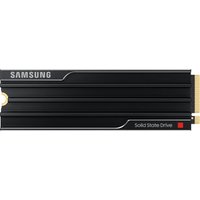
| Samsung 990 Pro 2TB NVMe M.2 2280 | Fastest consumer NVMe — ideal for gaming & editing | View on Amazon UK |
| WD Black SN850X 2TB NVMe | Excellent Gen4 speed with heatsink option | View on Amazon UK |
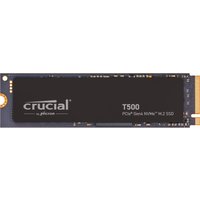
| Crucial P5 Plus 1TB NVMe | Great value Gen4 SSD | View on Amazon UK |
| Kingston NV2 1TB NVMe | Budget-friendly with solid reliability | View on Amazon UK |
Prices and availability may vary. As an Amazon Associate, we earn from qualifying purchases.
Related MSI Upgrade Guides
- MSI Stealth 18 Studio A13V RAM & SSD Upgrade Guide (2023)
- MSI Stealth 16 Mercedes-AMG A13V RAM & SSD Upgrade Guide (2023)
- MSI Stealth 14 Studio A13V RAM & SSD Upgrade Guide (2023)
- MSI Stealth 15M B12U RAM & SSD Upgrade Guide (2022)
- MSI Prestige 15 A12SC RAM & SSD Upgrade Guide (2022)
- MSI Upgrade Guide
Not sure what fits? Use our free Compatibility Checker covering 3,195+ models.