The MSI Stealth 16 Studio is a premium ultrabook designed for creators and professionals who demand portability without sacrificing performance. With its 14th Gen Intel Core i9-14900H, RTX 4070, and OLED 240Hz display, the Stealth 16 Studio offers nearly complete upgradability in a sleek chassis. This guide covers all MSI Stealth 16 Studio compatibility options for RAM, storage, chargers, and docking solutions.
RAM Compatibility for MSI Stealth 16 Studio

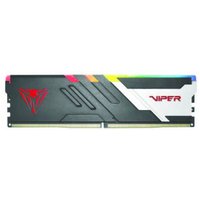
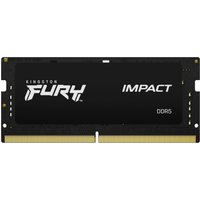
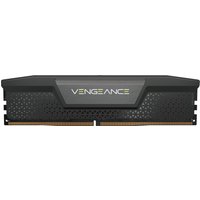
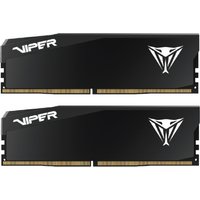
The Stealth 16 Studio features two DDR5 SO-DIMM slots, making it fully upgradeable to 64GB maximum. The factory configuration typically ships with 16GB (2×8GB) or 32GB (2×16GB) DDR5-5600MHz modules.
Stock Configuration: 2×8GB DDR5-5600MHz (16GB total) or 2×16GB (32GB total)
Maximum Capacity: 64GB (2×32GB DDR5-5600MHz)
Supported Speed: DDR5-5600MHz (JEDEC standard; higher speeds may work but are not officially supported)
| Upgrade Path | Configuration | Capacity | Cost |
|---|---|---|---|
| Minimal upgrade | 2×16GB DDR5-5600 | 32GB | £60–80 |
| Professional tier | 2×32GB DDR5-5600 | 64GB | £180–240 |
| Keep stock + add | Replace one 8GB module with 32GB | 40GB max | £80–100 |
To upgrade, power down the laptop completely, remove the bottom panel (usually secured with 5–8 screws), and gently push the retaining clips outward on each SO-DIMM slot. Insert the new module at a 45° angle and press down until the retaining clips snap shut.
Buy DDR5-5600MHz SO-DIMM Modules on Amazon UK
SSD & Storage Upgrades
The Stealth 16 Studio includes two M.2 2280 slots supporting PCIe Gen 4 NVMe drives, allowing for either a dual-SSD configuration or a single large drive plus one empty slot.
Stock Configuration: 1×512GB or 1×1TB PCIe Gen 4 2280 NVMe
Expandable to: 2×2TB (4TB total storage)
Interface: M.2 2280 (22mm wide, 80mm long)
Protocol: NVMe over PCIe Gen 4 (7,000–7,400MB/s read speeds)
| Upgrade Option | Configuration | Total Storage | Speed |
|---|---|---|---|
| Add second drive | 1TB + 2TB NVMe | 3TB | 7,000+ MB/s |
| Replace both | 2×2TB NVMe | 4TB | 7,000+ MB/s |
| Professional media | 2×4TB NVMe | 8TB | 7,000+ MB/s |
Installation is straightforward: power down, remove the bottom panel, locate the M.2 slot (usually marked with a small diagram), insert the SSD at a 30° angle, then press down and secure with the mounting screw. The Stealth 16 Studio supports hot-swap SSD replacement without requiring a BIOS update.
Buy Samsung 980 Pro 2TB NVMe on Amazon UK
Charger & Power Compatibility
The Stealth 16 Studio ships with a 240W barrel connector charger as standard, but also supports USB-C Power Delivery through its Thunderbolt 4 ports for emergency top-ups or lower-power scenarios.
Stock Charger: 240W barrel connector (proprietary MSI connector)
USB-C Power Delivery Support: Up to 100W via Thunderbolt 4 (slower charging)
Power Consumption: Up to 200W under full GPU load (requiring the 240W charger for sustained operation)
For portable professionals, USB-C Power Delivery enables charging from standard laptop power banks or phone chargers, though charging speeds will be slow. The native 240W barrel charger is recommended for daily use to ensure the battery charges within 1.5–2 hours.
Buy MSI 240W Barrel Charger on Amazon UK
Dock & Hub Compatibility
The Stealth 16 Studio features two Thunderbolt 4 ports (full PCIe Gen 4 bandwidth) and one USB-C 3.2 port. All docking solutions must use the Thunderbolt 4 connectors for maximum performance.
Thunderbolt 4 Support: Yes (two ports on left side)
USB-C Power Delivery: Yes (up to 100W via Thunderbolt 4)
Recommended Dock Type: Thunderbolt 4 docking station or USB-C multiport hub
| Dock Type | Use Case | Performance |
|---|---|---|
| Thunderbolt 4 dock | Desktop office setup with multiple external monitors | Full PCIe Gen 4 performance |
| USB-C multiport hub | Portable with 2–3 USB-A devices + SD card reader | USB 3.2 speeds (480Mbps–1.2Gbps) |
| USB-C hub with power delivery | All-in-one charging + connectivity | USB speeds + up to 100W charging |
Buy Thunderbolt 4 Docking Station on Amazon UK
MSI Stealth 16 Studio Full Specifications Table
| Component | Specification | Notes |
|---|---|---|
| Processor | 14th Gen Intel Core i9-14900H | 8P+8E cores, 5.8GHz boost |
| GPU | NVIDIA RTX 4070 | 8GB GDDR6 VRAM |
| Display | 16″ QHD+ OLED 240Hz | 1600p native, colour-accurate |
| RAM | 2×DDR5 SO-DIMM (max 64GB) | 5600MHz JEDEC standard |
| Storage | 2×M.2 2280 PCIe Gen 4 NVMe | Hot-swappable, up to 4TB |
| Ports | 2×Thunderbolt 4, 1×USB-C 3.2, 1×Audio jack, 1×SD reader | Full connectivity suite |
| Charger | 240W barrel + USB-C PD (100W max) | Dual charging capability |
| Weight | ~2.1kg | Ultrabook-class portability |
Frequently Asked Questions
Can I upgrade both RAM and SSD at the same time?
Yes. The Stealth 16 Studio has separate RAM SO-DIMM slots and M.2 SSD slots, so you can upgrade both independently. Both components are accessible from the same bottom panel. Simply power down, remove the panel, upgrade both, and reassemble.
Will I void the warranty by upgrading RAM or SSD?
MSI typically allows user RAM and SSD upgrades without voiding the warranty, but this depends on your region and specific terms. Check your warranty documentation or contact MSI support directly. Removing and reinstalling the bottom panel should not trigger any warranty issues.
What’s the difference between DDR5-5600 and higher-speed DDR5?
The Stealth 16 Studio officially supports DDR5-5600 (JEDEC standard). Higher speeds (DDR5-6000, DDR5-7200) may function but are not guaranteed to work and could introduce instability. Stick with DDR5-5600 for reliability.
Can I use the USB-C ports to charge the laptop?
Yes, but only at reduced speed. The Thunderbolt 4 ports support up to 100W USB Power Delivery, which will charge the laptop slowly (roughly 50% in 2–3 hours). The 240W barrel charger is 3–4× faster and recommended for primary charging.
Are there any compatibility issues with third-party SSDs?
No, the Stealth 16 Studio accepts any standard M.2 2280 PCIe Gen 4 NVMe drive from any manufacturer (Samsung, SK Hynix, Sabrent, etc.). Some drives run slightly warmer and may trigger thermal throttling in sustained video encoding tasks, but all standard NVMe drives are compatible.
Recommended Products
These are the products we recommend based on this guide. All links go to Amazon UK where you can check current prices and availability.
| Product | Why We Recommend It | Amazon UK |
|---|---|---|
| Corsair Vengeance DDR5 SO-DIMM 32GB (2×16GB) 5600MHz | Top-rated DDR5 kit for gaming & productivity | View on Amazon UK |
| Kingston Fury Impact DDR5 SO-DIMM 32GB (2×16GB) 5600MHz | Excellent DDR5 alternative with XMP support | View on Amazon UK |
| Crucial DDR5 SO-DIMM 16GB 5600MHz | Affordable single-stick DDR5 | View on Amazon UK |
| G.Skill Ripjaws DDR5 SO-DIMM 32GB 5600MHz | High performance DDR5 for enthusiasts | View on Amazon UK |
| Samsung 990 Pro 2TB NVMe M.2 2280 | Fastest consumer NVMe — ideal for gaming & editing | View on Amazon UK |
| WD Black SN850X 2TB NVMe | Excellent Gen4 speed with heatsink option | View on Amazon UK |
| Crucial P5 Plus 1TB NVMe | Great value Gen4 SSD | View on Amazon UK |
| Kingston NV2 1TB NVMe | Budget-friendly with solid reliability | View on Amazon UK |
Prices and availability may vary. As an Amazon Associate, we earn from qualifying purchases.
Related MSI Upgrade Guides
- MSI Stealth 18 Studio A13V RAM & SSD Upgrade Guide (2023)
- MSI Stealth 16 Mercedes-AMG A13V RAM & SSD Upgrade Guide (2023)
- MSI Stealth 14 Studio A13V RAM & SSD Upgrade Guide (2023)
- MSI Stealth 15M B12U RAM & SSD Upgrade Guide (2022)
- MSI Prestige 15 A12SC RAM & SSD Upgrade Guide (2022)
- MSI Upgrade Guide
Not sure what fits? Use our free Compatibility Checker covering 3,195+ models.