Acer Swift ultrabooks are a study in upgradeability contradiction. Some models are fully upgradeable with dual SO-DIMM slots and dual M.2 NVMe bays. Others have memory soldered directly to the motherboard with zero upgrade capability. Whether your Swift is future-proof or locked in at purchase depends entirely on which line you own. This guide cuts through the confusion and shows you exactly what you can upgrade — and what you’re stuck with.
The Swift range spans from the ultra-thin Swift 3 (13-14 inches, soldered memory) to the premium Swift X (DDR5 upgradeable) to the budget Swift Go (LPDDR5 soldered). Even within the same “Swift 5” line, you’ll find different memory configurations across years. Choosing the right Swift model is crucial if future upgrades matter to you — we’ll walk through the specs of every current and recent generation.
Acer Swift Series Overview — Upgradeability Breakdown
Here’s the critical question: what Swift model are you actually considering or owning? The following table shows the complete upgradeability matrix across all Swift lines. Pay close attention to the “Memory Type” and “Upgradeable?” columns — they’re the deciding factors.
| Model Line | Screen | Year | Memory Type | Upgradeable? | Max RAM | SSD Slots | Upgrade Score |
|---|---|---|---|---|---|---|---|
| Swift 3 SF314-512 | 14″ | 2022 | LPDDR5 Soldered | No | 16GB (config only) | 1x M.2 2280 | 1/5 |
| Swift 3 SF314-610 | 14″ | 2024 | LPDDR5 Soldered | No | 24GB (config only) | 1x M.2 2280 | 1/5 |
| Swift 5 SF514-56T | 14″ | 2022 | DDR4-3200 SO-DIMM | Yes | 32GB | 2x M.2 2280 | 5/5 |
| Swift 5 SF514-71 | 15.6″ | 2024 | DDR5-5600 SO-DIMM | Yes | 96GB | 2x M.2 2280 | 5/5 |
| Swift Go SFG14-41 | 14″ | 2023 | LPDDR5 Soldered | No | 16GB (config only) | 1x M.2 2280 | 1/5 |
| Swift Go SFG14-73 | 14″ | 2024 | LPDDR5 Soldered | No | 24GB (config only) | 1x M.2 2280 | 1/5 |
| Swift X SFX14-72G | 14″ | 2024 | DDR5-5600 SO-DIMM | Yes | 96GB | 2x M.2 2280 | 5/5 |
| Swift Edge SFA16 | 16″ | 2022 | LPDDR5 Soldered | No | 32GB (config only) | 1x M.2 2280 | 1/5 |
Upgrade scores reflect accessibility to RAM and SSD. Soldered memory = 1/5 (no upgrades possible). Dual SO-DIMM = 5/5 (fully upgradeable).
The Three Swift Types — Which One Do You Have?
Type 1: Soldered Memory (Swift 3, Swift Go, Swift Edge)
The Swift 3, Swift Go, and Swift Edge lines use LPDDR5 memory soldered directly to the motherboard. This is a permanent, irreversible design choice. You cannot upgrade RAM, period. Not now, not later.
Why soldered memory? Acer prioritizes extreme thinness (around 1.5 cm thick) and weight (under 1.4 kg). Soldered memory saves space and weight compared to removable SO-DIMM modules. This is the trade-off: thinner laptop, zero upgrade flexibility.
Implication for buyers: Configure your Swift 3/Go/Edge to maximum RAM at purchase (usually 24GB for 2024 models). Once you buy it, that’s your RAM forever. Selling or trading in the machine is the only way to upgrade.
Type 2: DDR4 SO-DIMM (Swift 5 SF514-56T, 2022)
The Swift 5 2022 model (SF514-56T) breaks from the soldered trend and includes dual DDR4-3200 SO-DIMM slots. This is a unicorn in the Swift range — fully upgradeable despite being ultra-thin.
Upgradeability: Remove the bottom panel (4 screws), access two RAM slots, swap in new DDR4-3200 modules. Maximum capacity: 32GB (2x 16GB sticks). Cost to upgrade from 8GB to 32GB: £50-80.
SSD: The SF514-56T also includes a second M.2 2280 NVMe slot, so you can expand storage from 512GB to 1TB+2TB if needed.
Type 3: DDR5 SO-DIMM (Swift 5 2024, Swift X)
The latest Swift 5 (SF514-71, 2024) and Swift X (SFX14-72G, 2024) models use DDR5-5600 SO-DIMM memory. This is Acer’s answer to future-proofing: you get the speed of DDR5 AND the upgradeability of removable modules.
Upgradeability: Dual DDR5-5600 SO-DIMM slots (same process as DDR4 models). Maximum capacity: 96GB (2x 48GB sticks, if available). Current upgrade cost to 48GB or 96GB: £150-300.
SSD: Both include dual M.2 2280 slots, so you can run 1TB+4TB configurations.
RAM Upgrade Guide for Upgradeable Swift Models

Swift 5 SF514-56T (2022) — DDR4-3200 Upgrades
If you own the 2022 Swift 5, you’re in luck. This is one of the few Acer ultrabooks with true RAM upgradeability.
Base configurations: Ships with 8GB or 16GB DDR4-3200. To upgrade:
- 8GB → 16GB: Add one 8GB DDR4-3200 SO-DIMM stick. Cost: £20-25
- 8GB → 32GB: Replace both sticks with two 16GB DDR4-3200 modules. Cost: £50-70
- 16GB → 32GB: Add one 16GB DDR4-3200 stick. Cost: £30-35
Recommended DDR4-3200 SO-DIMM modules:
- Corsair Vengeance DDR4-3200 SO-DIMM (16GB sticks ~£30)
- Kingston Fury Impact DDR4-3200 (proven in ultrabooks)
- Crucial Ballistix DDR4-3200 (budget-friendly)
Swift 5 SF514-71 (2024) — DDR5-5600 Upgrades
The 2024 Swift 5 jumps to DDR5, which means faster speeds but also higher upgrade costs. However, DDR5 SO-DIMM modules are becoming cheaper as adoption increases.
Base configurations: Ships with 8GB, 16GB, or 24GB DDR5-5600.
- 8GB → 32GB: Add one 24GB DDR5-5600 stick (or two 16GB sticks). Cost: £70-120
- 16GB → 48GB: Add one 32GB stick or replace both with matching 24GB sticks. Cost: £100-150
- Any config → 96GB: Install two 48GB DDR5-5600 SO-DIMM sticks. Cost: £280-350 (48GB modules are still premium)
Recommended DDR5-5600 SO-DIMM modules:
- Corsair Vengeance DDR5-5600 SO-DIMM (16GB-48GB, widely compatible)
- Kingston Fury Beast DDR5-5600 (competitive pricing)
- G.Skill Flare DDR5-5600 (enthusiast choice)
Swift X SFX14-72G (2024) — DDR5-5600 Upgrades
The Swift X is Acer’s premium ultrabook, positioned above the Swift 5. It ships with more generous base RAM (usually 16GB or 24GB DDR5) and supports the same upgrades as the 2024 Swift 5.
Upgrade path: Same as Swift 5 SF514-71 above. Recommended approach: configure at purchase to 24GB if budget allows, then upgrade to 48GB or 96GB down the road.
SSD & Storage Upgrades
The SSD story is more consistent across the Swift range: all models include at least one M.2 2280 NVMe slot. Upgradeable models (Swift 5, Swift X) include two slots; soldered-memory models (Swift 3, Go, Edge) include one slot.
Models with One SSD Slot (Swift 3, Go, Edge)
You can replace the factory drive but cannot add a second one. If your Swift 3 ships with a slow 512GB drive, you can upgrade to a faster 1TB NVMe. The process:
- Remove the bottom panel
- Locate the M.2 drive (usually near the edge)
- Unscrew the tiny Phillips screw holding the drive
- Pull the drive out at a 30° angle
- Insert your new NVMe drive and secure with the screw
- Boot up; your OS recognizes it automatically
Recommended M.2 2280 NVMe drives for Swift ultrabooks:
- Samsung 980 Evo Plus (1TB-2TB, great balance of speed and power efficiency for ultrabooks)
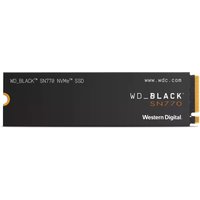
- WD Black SN850X (1TB-2TB, fastest option if you care about pure speed)
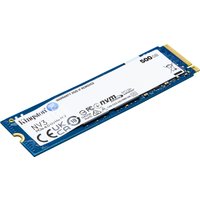
- Kingston NV2 (512GB-2TB, budget-friendly for secondary drives)
- Crucial P5 Plus (500GB-2TB, balanced performance and value)
Models with Two SSD Slots (Swift 5, Swift X)
Upgrade strategy: keep the factory 512GB or 1TB drive, add a second 1TB-2TB drive in slot 2. Total cost for a 2TB upgrade: £100-150.
Recommended combo: Factory drive (OS and frequently-used apps) + 2TB WD Black SN850X (projects, creative work, media).
If you want to replace the factory drive entirely:
- Replace slot 1 with a 2TB Samsung 980 Pro or WD Black SN850X (£150-200)
- Add a 4TB Sabrent Rocket 4 Plus in slot 2 (£200-250)
- Total capacity: 6TB for ~£350-450
Power Delivery & Chargers
Swift ultrabooks prioritize portability, so chargers are compact. Most use USB-C Power Delivery (65W or 100W), which means you can use third-party chargers or share with other USB-C laptops.
Charger Reference
- Swift 3, Swift Go: 65W USB-C PD (compatible with many third-party USB-C chargers)
- Swift 5 (2022 & 2024): 65W-100W USB-C PD (supports fast charging with higher wattage adapters)
- Swift X: 100W USB-C PD (shared with other premium ultrabooks like Dell XPS 14)
- Swift Edge: 140W USB-C PD + proprietary connector (requires original charger)
The beauty of USB-C PD is flexibility: a 100W charger can top up any Swift model, though smaller models (3/Go) charge slower. You can also use 65W-100W portable chargers or power banks to extend battery life on the road.
Battery Replacement Guide
Swift batteries are generally non-replaceable by users — they’re glued in and require Acer service (~£120-200 in the UK). However, the good news is that Swift batteries are well-engineered and typically last 4-5 years before significant degradation.
Signs your battery needs replacement:
- Only 2-3 hours of battery life under light use (when new it was 8-10 hours)
- Battery health (via BatteryReport on Windows or `system_profiler SPPowerDataType` on macOS) shows below 50%
- Battery percentage drops randomly (e.g., 60% → 20% without use)
- Laptop won’t turn on without AC power despite showing charge
If you’re considering upgrading a Swift and battery health is declining, factor in a £150-200 service cost into your decision.
Choosing the Right Swift Model (For Upgradeability)
If upgradeability is important to you: Choose the Swift 5 (2024, DDR5) or Swift X. Both offer dual SO-DIMM slots and dual NVMe bays. Avoid Swift 3, Go, and Edge — their soldered memory locks you into the configuration you buy today.
If you want future-proof DDR5 performance: Go for Swift 5 SF514-71 (2024) or Swift X. DDR5 SO-DIMM modules are still premium-priced (£30-40 per 8GB stick vs £20-25 for DDR4), but prices are dropping as adoption increases. In 2-3 years, DDR5 upgrades will be much cheaper.
If you already own a Swift 3/Go/Edge with soldered memory: Don’t worry about upgrading RAM — you can’t, so there’s no regret spending hundreds on it. Instead, focus on SSD upgrades if needed and keeping your laptop clean and thermally healthy. Consider replacing the internal SSD with a faster model for a ~£100 investment.
Complete Upgrade Examples
Swift 5 2022 (DDR4) Upgrade:
- Add 16GB DDR4-3200 SO-DIMM (8GB → 24GB): £30
- Add 2TB WD Black SN850X SSD: £120
- Total cost: £150 | Final specs: 24GB RAM + 2.5TB storage
Swift 5 2024 (DDR5) Upgrade:
- Add 32GB DDR5-5600 SO-DIMM (16GB → 48GB): £120
- Add 2TB Samsung 980 Pro SSD: £150
- Total cost: £270 | Final specs: 48GB RAM + 2.5TB storage
Swift X Upgrade (Premium Setup):
- Add 48GB DDR5-5600 SO-DIMM (24GB → 96GB): £180
- Replace factory SSD with 2TB Samsung 980 Pro: £150
- Add 4TB Sabrent Rocket 4 Plus in slot 2: £200
- Total cost: £530 | Final specs: 96GB RAM + 6TB storage
Common Swift Upgrade Mistakes
- Assuming all Swift models are upgradeable: They’re not. Swift 3, Go, and Edge have soldered memory. Only Swift 5 and X are upgradeable. Check your exact model before buying RAM.
- Buying the wrong memory type: Swift 5 2022 uses DDR4; Swift 5 2024 and Swift X use DDR5. They’re incompatible. Verify your model year and memory type before purchasing.
- Assuming one M.2 slot means you can add a second: Soldered-memory models (3, Go, Edge) have only one SSD slot. You can replace it but not expand. Upgradeable models (5, X) have two slots.
- Ignoring warranty implications: Opening your Swift voids the warranty in most cases. If it’s still under warranty and needs repair, send it to Acer instead of opening it yourself.
- Overheating from blocked vents: Ultrabooks have tight internal layouts. Keep intake vents clean and avoid using on soft surfaces (beds, cushions) that block airflow.
When NOT to Upgrade
If your Swift is older than 4-5 years or showing signs of physical damage (cracked screen, non-functional keyboard, battery swelling), prioritize repair or replacement over component upgrades. Spending £200+ on RAM and SSD for a declining machine is poor investment.
Also, if you’re hitting CPU performance ceilings (e.g., video rendering takes 3x longer than expected despite 24GB RAM), adding more memory won’t solve the problem. Ultrabook CPUs are inherently less powerful than gaming laptops — accept their limitations rather than chase them with upgrades.
Recommended Products
These are the products we recommend based on this guide. All links go to Amazon UK where you can check current prices and availability.
| Product | Why We Recommend It | Amazon UK |
|---|---|---|
| Corsair Vengeance DDR4 SO-DIMM 32GB (2×16GB) 3200MHz | Best overall DDR4 upgrade kit | View on Amazon UK |
| Kingston Fury Impact DDR4 SO-DIMM 32GB (2×16GB) 3200MHz | Reliable alternative with tight latency | View on Amazon UK |
| Corsair Vengeance DDR5 SO-DIMM 32GB (2×16GB) 5600MHz | Top-rated DDR5 kit for gaming & productivity | View on Amazon UK |
| Kingston Fury Impact DDR5 SO-DIMM 32GB (2×16GB) 5600MHz | Excellent DDR5 alternative with XMP support | View on Amazon UK |
| Samsung 990 Pro 2TB NVMe M.2 2280 | Fastest consumer NVMe — ideal for gaming & editing | View on Amazon UK |
| WD Black SN850X 2TB NVMe | Excellent Gen4 speed with heatsink option | View on Amazon UK |
| Crucial P5 Plus 1TB NVMe | Great value Gen4 SSD | View on Amazon UK |
| Kingston NV2 1TB NVMe | Budget-friendly with solid reliability | View on Amazon UK |
Prices and availability may vary. As an Amazon Associate, we earn from qualifying purchases.
Related Acer Upgrade Guides
- Best RAM for Acer Laptops 2026
- Acer TravelMate Spin P4 TMP414RN-53 (2023) RAM & SSD Upgrade Guide (2023)
- Acer TravelMate P6 TMP614-53 (2023) RAM & SSD Upgrade Guide (2023)
- Acer TravelMate P4 TMP416-52 (2024) RAM & SSD Upgrade Guide (2024)
- Acer TravelMate P4 TMP414-52 (2023) RAM & SSD Upgrade Guide (2023)
- Acer Upgrade Guide
Not sure what fits? Use our free Compatibility Checker covering 3,195+ models.
Helpful Guides
Related Resources
- Laptop Upgrade Compatibility Checker — Check RAM, SSD & charger compatibility for 3,195+ models
- RAM Compatibility Guide — DDR4, DDR5 & LPDDR5 explained
- SSD Compatibility Guide — NVMe, SATA & M.2 sizes
- Charger Compatibility Guide — USB-C, Power Delivery & GaN
- Docking Station Compatibility Guide — Thunderbolt, USB-C & DisplayLink
Popular Brand Upgrade Guides
- Dell Laptop Upgrades
- Lenovo Laptop Upgrades
- HP Laptop Upgrades
- ASUS Laptop Upgrades
- Acer Laptop Upgrades
- MSI Laptop Upgrades