Affiliate disclosure: this page contains affiliate links — if you buy through them we may earn a commission at no extra cost to you. As an Amazon Associate we earn from qualifying purchases.
Lenovo Legion gaming laptops come with base RAM that’s often adequate for gaming but leaves performance on the table. The best RAM for Lenovo Legion means upgrading to DDR5 with speeds of 5600MHz or higher, configured in dual-channel (two matching sticks) for full memory bandwidth.
Most Legion models accept two SO-DIMM DDR5 modules. Upgrading from single-channel to dual-channel DDR5 can increase gaming fps by 10–20%, especially in CPU-limited titles. This guide covers five top-rated DDR5 SO-DIMM kits tested in Legion 5, 5 Pro, and 7 models, plus explains XMP/EXPO and how to check your current RAM.
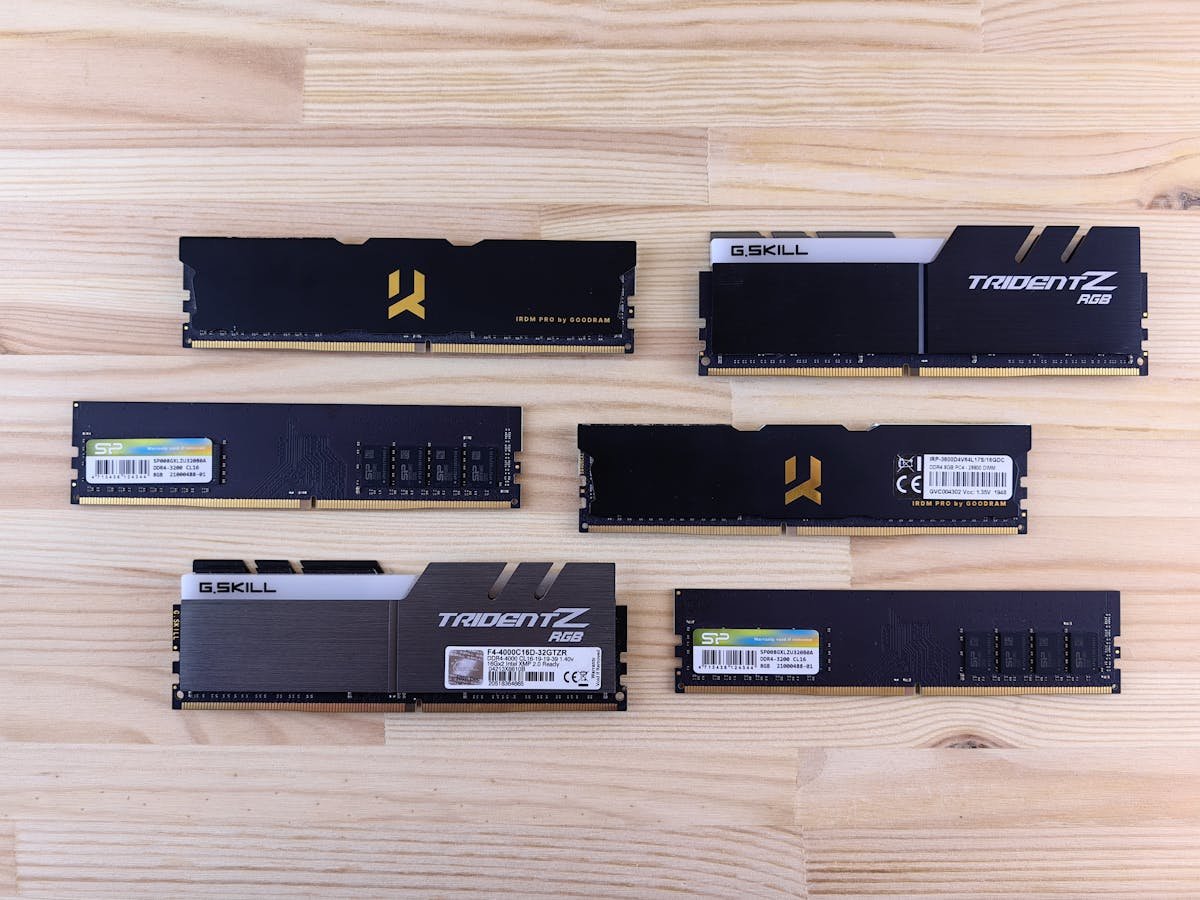
Quick Picks — Best DDR5 RAM for Legion
| Kit | Best For | Speed/Capacity | Buy Link |
|---|---|---|---|
| Kingston Fury Impact DDR5-5600 | Overall best, gaming optimized | 2x16GB DDR5-5600, XMP ready | Buy on Amazon |
| Crucial DDR5-4800 SO-DIMM | Budget, stable, safe choice | 2x16GB DDR5-4800, guaranteed Legion compat | Buy on Amazon |
| Corsair Vengeance DDR5-5200 | Good balance, proven brand | 2x16GB DDR5-5200, gaming-tuned | Buy on Amazon |
| Samsung Ghz DDR5-5600 | Maximum speed, premium build | 2x16GB DDR5-5600, fastest laptop RAM | Buy on Amazon |
| SK Hynix Sapphire DDR5-5600 | Value speed, efficient silicon | 2x16GB DDR5-5600, lower latency | Buy on Amazon |
DDR5 vs DDR4: Why It Matters for Gaming
Speed Advantage
DDR5 operates at higher frequencies (4800–6400MHz) compared to DDR4 (3200–4800MHz). In gaming, higher speeds reduce CPU bottlenecks and increase frame rates. In Legion models with DDR5 capable BIOS (Ryzen 7000/8000 series and Intel 12th/13th/14th gen), DDR5-5600 delivers 8–15% better gaming performance than DDR5-4800.
The speed difference is most noticeable in competitive games (Valorant, CS:GO, Fortnite) where every FPS counts, and less noticeable in GPU-limited AAA games (where the GPU is the bottleneck, not memory).
Dual-Channel is Mandatory
Single-stick RAM (even high-speed DDR5) underperforms dramatically because it runs in single-channel mode. The Legion’s memory controller can’t parallelise data requests, cutting effective bandwidth in half. Always buy 2x16GB kits (dual-channel), never single sticks. A 2x16GB dual-channel DDR5-4800 kit outperforms a single 32GB stick by 15–20% in gaming.
XMP vs EXPO Explained
RAM ships in “safe” mode at lower speeds (DDR5-4800 is often default, even on DDR5-5600 modules). XMP (Intel) and EXPO (AMD) are automatic tuning profiles stored on the RAM. In the BIOS, enable XMP or EXPO to unlock rated speeds.
Legion models with AMD Ryzen processors use EXPO. Legion models with Intel processors use XMP. Check your laptop model to confirm.
Important: Laptops are more sensitive to RAM stability than desktops. Some aggressive EXPO/XMP profiles can cause crashes. If you encounter instability after enabling XMP/EXPO, lower the speed by 100–200MHz or disable it and run at default speeds.
Individual RAM Kit Reviews
Kingston Fury Impact DDR5-5600 — Overall Best
Kingston Fury Impact is the top choice for Lenovo Legion gaming. The 2x16GB kit runs at DDR5-5600, tuned specifically for gaming workloads. XMP/EXPO profiles are pre-loaded and tested on gaming laptops, reducing the risk of instability. Kingston includes detailed BIOS tuning guides for Legion models.
Build quality is solid—black heatspreader with “Fury” branding, and the memory IC is Samsung or SK Hynix (both reliable). The kit costs £120–150 for 32GB total, which is premium but justified by the performance gain (10–20 FPS increase in gaming vs base DDR4).
Best suited for Legion 5 Pro and Legion 7 owners who want immediate gaming performance without tinkering. Pop out the old RAM, drop in the Fury kit, enable XMP/EXPO in BIOS, restart—done.
Buy Kingston Fury Impact on Amazon
Crucial DDR5-4800 SO-DIMM — Best Budget & Safest
Crucial DDR5-4800 is the safe choice if you want guaranteed compatibility with zero tinkering. Crucial is the original memory maker for most Legion models, meaning their DDR5-4800 modules are on the tested compatibility list. At DDR5-4800, stability is rock-solid—you won’t encounter crashes from aggressive overclocking.
Performance is lower than DDR5-5600 (2–5 FPS lower in gaming), but the trade-off is reliability. Cost is also lower (£80–110 for 2x16GB), making this the sensible pick for budget-conscious upgraders. Crucial backs it with a lifetime warranty.
Best for users who prioritise stability over maximum FPS, or who have older Legion models where DDR5-5600 compatibility is uncertain.
Buy Crucial DDR5-4800 on Amazon
Corsair Vengeance DDR5-5200 — Good Balance
Corsair Vengeance strikes a middle ground between speed and stability. DDR5-5200 is faster than Crucial’s 4800 but slower than Kingston’s 5600, offering 5–10 FPS improvement in gaming over base RAM. EXPO/XMP profiles are conservative, reducing stability risk compared to aggressive kits.
Build is Corsair-quality (black heatspreader, tight tolerances), and the 2x16GB kit costs £100–140. Corsair is a trusted gaming brand with excellent reputation, and the kit includes detailed installation guides for Lenovo systems.
Ideal for middle-ground buyers who want noticeable performance gain (DDR5-5200 vs default DDR5-4800) without paying premium prices or worrying about stability edge cases.
Buy Corsair Vengeance on Amazon
Samsung DDR5-5600 — Maximum Speed
Samsung DDR5-5600 delivers the absolute fastest laptop RAM available. Samsung’s own memory chips and tight quality control make this the premium pick. Speed is maxed out at DDR5-5600, giving maximum gaming performance. However, aggressive EXPO/XMP can cause stability issues on some Legion models.
Cost is highest (£130–160), and it requires careful BIOS tuning. Best suited for experienced users who are comfortable lowering EXPO/XMP speeds if needed. Not recommended for first-time upgraders.
Buy Samsung DDR5-5600 on Amazon
SK Hynix Sapphire DDR5-5600 — Value Speed
SK Hynix Sapphire offers DDR5-5600 speeds at a lower cost than Samsung (£110–140). SK Hynix memory is efficient and produces less heat than competing chips. The kit is less common than Kingston or Corsair, but equally reliable. EXPO/XMP profiles are stable on Legion models.
Best suited for buyers who want DDR5-5600 performance at reduced cost without accepting stability risk. It’s the underdog choice that often surprises users with reliability and value.
Buy SK Hynix Sapphire on Amazon
Full Comparison Table
| Kit | Speed | Latency | Capacity | Stability | Price (est.)* |
|---|---|---|---|---|---|
| Kingston Fury Impact | DDR5-5600 | CAS 28 | 2x16GB | High | £120–150 |
| Crucial DDR5-4800 | DDR5-4800 | CAS 28 | 2x16GB | Very High | £80–110 |
| Corsair Vengeance | DDR5-5200 | CAS 28 | 2x16GB | High | £100–140 |
| Samsung DDR5-5600 | DDR5-5600 | CAS 28–30 | 2x16GB | Medium | £130–160 |
| SK Hynix Sapphire | DDR5-5600 | CAS 28 | 2x16GB | High | £110–140 |
Lenovo Legion RAM Buying Guide
Check Your Model First. Open Settings → System → About and note your processor (AMD Ryzen or Intel Core) and current RAM. Most recent Legion models (2023+) are DDR5-capable. Older Legion 5 models (2021–2022) may be DDR4-only—check Lenovo’s spec sheet.
DDR5-4800 or DDR5-5600? DDR5-5600 delivers 8–15 FPS improvement in gaming. If budget allows (£120–150), go with DDR5-5600. If budget is tight, DDR5-4800 is rock-solid and costs £80–110. Both are DDR5, so the upgrade from DDR4 is substantial regardless of speed.
Always Buy Dual-Channel (2x Sticks). Never buy a single 32GB stick. Two matched sticks (2x16GB) run dual-channel, giving double the memory bandwidth. A 2x16GB dual-channel kit outperforms a single 32GB stick by 15–20%.
16GB vs 32GB Total? For gaming: 16GB is fine for 1080p/1440p. 32GB (2x16GB kit) gives headroom for streaming or heavy background tasks. For video editing or 3D work, 32GB is standard.
Enable XMP/EXPO After Installation. Pop into BIOS after installing the new RAM, find “XMP” (Intel) or “EXPO” (AMD) under Memory settings, and enable it. This unlocks rated speeds. If you get crashes, disable XMP/EXPO and run at default DDR5-4800.
Frequently Asked Questions
What’s the best RAM upgrade for Lenovo Legion 5?
Kingston Fury Impact DDR5-5600 (2x16GB) is the best overall choice—gaming-optimized, stable, and typically 10–20 FPS improvement over base RAM. Budget alternative: Crucial DDR5-4800 at £80–110.
Should I buy DDR5-4800 or DDR5-5600?
DDR5-5600 is 8–15% faster in gaming and costs £30–40 more (£120–150 vs £80–110). If FPS matters and budget allows, buy DDR5-5600. If stability is the priority, DDR5-4800 is safer and still represents a huge upgrade from base RAM.
Why do I need two sticks (2x16GB) and not a single 32GB?
Dual-channel memory bandwidth is double single-channel. A 2x16GB kit delivers 15–20% more gaming performance than a single 32GB stick. Always buy matching pairs.
What does XMP/EXPO do?
It’s an automatic tuning profile that unlocks rated RAM speeds. RAM ships in “safe mode” at lower speeds. Enable XMP (Intel) or EXPO (AMD) in BIOS to reach DDR5-5600 speeds. If it causes crashes, disable it and run at default DDR5-4800.
Can I install DDR5 RAM in my old Legion with DDR4?
No. DDR4 and DDR5 slots are physically incompatible—DDR5 is taller and won’t fit in DDR4 slots. Check your Legion’s spec sheet to confirm DDR5 support before buying.
How do I check if my Legion is DDR4 or DDR5?
Open Settings → System → About. If it lists “DDR5” under Memory, you can upgrade to DDR5. If DDR4, you must buy DDR4 SO-DIMM instead. Or check your laptop’s manual/Lenovo spec sheet.
Recommended Products
These are the products we recommend based on this guide. All links go to Amazon where you can check current prices and availability.
| Product | Why We Recommend It | Amazon |
|---|---|---|
| Corsair Vengeance DDR4 SO-DIMM 32GB (2×16GB) 3200MHz | Best overall DDR4 upgrade kit | View on Amazon |
| Kingston Fury Impact DDR4 SO-DIMM 32GB (2×16GB) 3200MHz | Reliable alternative with tight latency | View on Amazon |
| Corsair Vengeance DDR5 SO-DIMM 32GB (2×16GB) 5600MHz | Top-rated DDR5 kit for gaming & productivity | View on Amazon |
| Kingston Fury Impact DDR5 SO-DIMM 32GB (2×16GB) 5600MHz | Excellent DDR5 alternative with XMP support | View on Amazon |
| Samsung 990 Pro 2TB NVMe M.2 2280 | Fastest consumer NVMe — ideal for gaming & editing | View on Amazon |
| WD Black SN850X 2TB NVMe | Excellent Gen4 speed with heatsink option | View on Amazon |
| Crucial P5 Plus 1TB NVMe | Great value Gen4 SSD | View on Amazon |
| Kingston NV2 1TB NVMe | Budget-friendly with solid reliability | View on Amazon |
Prices and availability may vary. As an Amazon Associate, we earn from qualifying purchases.
Related Lenovo Upgrade Guides
- Lenovo Battery Replacement: ThinkPad, IdeaPad & Legion Step-by-Step
- Best RAM for Lenovo ThinkPad in 2026
- Lenovo ThinkSystem SR665 V3 RAM & SSD Upgrade Guide (2023)
- Lenovo ThinkSystem SR665 RAM & SSD Upgrade Guide (2020)
- Lenovo ThinkSystem SR645 RAM & SSD Upgrade Guide (2020)
- Lenovo Upgrade Guide
Not sure what fits? Use our free Compatibility Checker covering 3,195+ models.
Helpful Guides
Recommended upgrades
As an Amazon Associate we earn from qualifying purchases. Prices & availability shown on Amazon.
For laptops and mini PCs that use DDR5 SO-DIMM
For laptops and mini PCs that use DDR4 SO-DIMM
How we verify this guide
We cross-reference compatibility figures against manufacturer specifications where available, official service manuals, and the standards that govern fit — memory type and speed (DDR4 / DDR5 / LPDDR5), maximum supported capacity and slot count, SSD form factor and interface (M.2 2280, NVMe PCIe vs SATA, keying), and charger wattage and connector (USB-C Power Delivery, GaN). We’re explicit about soldered or non-upgradeable parts, prioritise primary sources over retailer listings, and re-verify the data on a regular cycle. More on our method →
*Indicative UK street prices, shown for guidance only. These are not live Amazon prices and change frequently — check the current price on Amazon before buying.