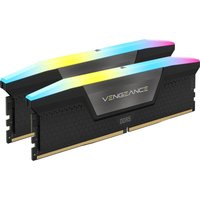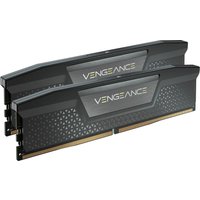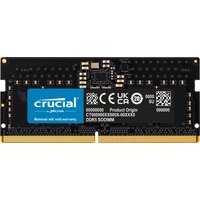
Video editing, 3D rendering, and content creation are among the most RAM-hungry tasks you can throw at a PC. Unlike gaming, where 16-32GB suffices, professional creative workflows regularly demand 64GB or more. This guide covers the best RAM configurations for every creative discipline.
How Much RAM for Video Editing?

For 1080p editing in Premiere Pro or DaVinci Resolve, 32GB is comfortable. For 4K editing, 64GB is the recommended minimum — timeline scrubbing and real-time effects benefit enormously from additional memory. For 8K or multi-cam workflows, 128GB provides the headroom needed for smooth performance. After Effects is particularly memory-hungry, using RAM for its disk cache.
How Much RAM for 3D Rendering?
Blender, Cinema 4D, and Maya users should plan for at least 64GB. Complex scenes with high-polygon models, detailed textures, and volumetric effects can easily consume 100GB+ of RAM. CPU renderers like V-Ray and Arnold benefit more from RAM than GPU renderers. For professional 3D work, 128GB is increasingly standard.
Speed vs Capacity for Creative Work
For creative professionals, capacity trumps speed. Having 64GB at DDR5-5600 is far more valuable than 32GB at DDR5-7200. Once you have sufficient capacity, faster RAM does help with render times — DDR5-6000 CL30 offers the best balance of speed and cost for AMD Ryzen systems.
| Use Case | Recommended RAM | Buy |
|---|---|---|
| 1080p Video Editing | 32GB DDR5-5600 (2x16GB) | Check Price |
| 4K Video / 3D Rendering | 64GB DDR5-6000 (2x32GB) | Check Price |
| 8K / Multi-cam / Heavy 3D | 128GB DDR5-5600 (4x32GB) | Check Price |
ECC RAM for Professional Workstations
If you work with critical projects where data corruption is unacceptable, ECC (Error-Correcting Code) RAM adds a layer of protection. AMD Ryzen supports ECC on consumer platforms, while Intel requires Xeon processors. For most content creators, non-ECC DDR5 is perfectly reliable.
Frequently Asked Questions
How much RAM do I need for Premiere Pro?
Adobe recommends 32GB minimum for 4K editing. 64GB provides comfortable headroom for complex timelines with effects.
Is DDR5 worth it for video editing?
Yes. DDR5 higher bandwidth significantly improves rendering and timeline performance. The investment pays for itself in time saved.
Does RAM speed matter for rendering?
Moderately. Faster RAM can reduce render times by 5-15%. But having enough RAM (capacity) is far more important than having fast RAM.