Affiliate disclosure: this page contains affiliate links — if you buy through them we may earn a commission at no extra cost to you. As an Amazon Associate we earn from qualifying purchases.
The MacBook Pro 2015 is the last Apple laptop where you can actually upgrade the storage yourself. Unlike modern sealed MacBooks, the 2015 model uses a proprietary 12+16 pin SSD connector—not standard M.2. Finding the best SSD for MacBook Pro 2015 means choosing between purpose-built Apple upgrades (OWC Aura, Transcend JetDrive) or risky third-party M.2 adapters.
This guide covers the genuine upgrade options that work reliably, plus explains why standard NVMe drives fail in these machines. If your 2015 MacBook Pro is crawling with a 256GB SSD, upgrading to 1TB or 2TB transforms it into a capable machine for another 5 years.
Quick Picks — 2015 MacBook Pro SSDs
| Drive | Best For | Key Spec | Buy Link |
|---|---|---|---|
| OWC Aura Pro X2 | Overall best, official support | 1400 MB/s, 1TB–2TB, full warranty | Buy on Amazon |
| Transcend JetDrive 850 | Budget option, solid performance | 1050 MB/s, 512GB–1TB, macOS ready | Buy on Amazon |
| Transcend JetDrive 820 | Legacy 2013–2014, if still needed | 720 MB/s, 256GB–512GB | Buy on Amazon |
| Sintech NVMe Adapter + Samsung 970 | Risky hack for power users only | Variable speeds, £20 adapter + drive | Buy on Amazon |
The MacBook SSD Connector Problem Explained
Why Standard M.2 Doesn’t Work
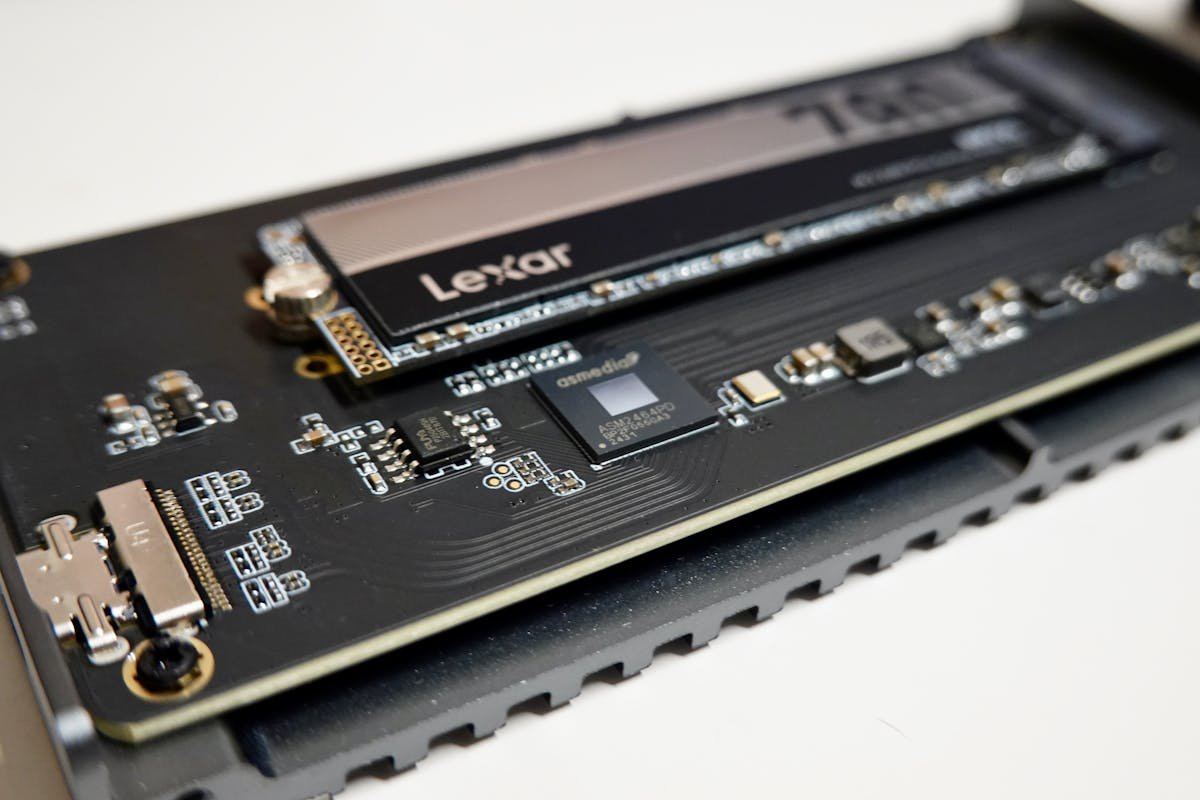
Apple’s 2013–2015 MacBooks use a custom 12+16 pin proprietary connector—not the standard M.2 2280 slot found on Windows laptops and newer Macs. This connector is physically different and electrically incompatible. Shoving a standard NVMe drive into a 2015 MacBook will not work, no matter how hard you push.
Only two manufacturers make drives for this connector: OWC and Transcend. Both have reverse-engineered Apple’s connector and built reliable upgrades. OWC’s Aura line and Transcend’s JetDrive series are the only legitimate options.
The Sintech Adapter Workaround (Risky)
A Chinese vendor named Sintech makes a cheap adapter (£15–20) that allows you to use standard M.2 NVMe drives in the proprietary slot. Technically it works, but Apple never tested it, firmware updates can break compatibility, and reliability is spotty. We don’t recommend this unless you’re a tinkerer willing to accept the risk.
Individual Product Reviews
OWC Aura Pro X2 — Overall Best Choice
OWC Aura Pro X2 is the flagship upgrade for 2015 MacBook Pro. It’s designed specifically for Apple’s proprietary slot, achieving 1400 MB/s—50% faster than Transcend. If you edit video or manage large photo libraries, the speed difference is noticeable. OWC backs the drive with a 5-year warranty, excellent customer support, and transparent specs.
Capacity options are 240GB, 480GB, 960GB, 1TB, and 2TB. For a 2015 MacBook upgrade, jump straight to 1TB or 2TB—storage is cheap compared to the value you’ll get over the next several years. Installation is simple: remove the bottom panel, slide out the old drive, slide in the new one. No tools needed beyond a T5 screwdriver.
Price is higher than Transcend, but the speed and warranty justify the premium if you depend on your MacBook.
Transcend JetDrive 850 — Best Budget Upgrade
Transcend JetDrive 850 is the value pick for 2015 MacBooks. At 1050 MB/s, it’s not as fast as OWC, but still substantially quicker than the original 256GB drive. Transcend is a Taiwanese company with solid reliability, and the JetDrive 850 has a solid track record in 2015 MacBook Pros.
Capacity runs 256GB to 1TB. For most users upgrading a 256GB original, the 512GB model offers good value. If you shoot video or keep games, grab 1TB. Transcend includes installation tools and a macOS ready-check utility, making the process foolproof.
Warranty is 3 years—shorter than OWC, but covers manufacturing defects. Best suited for users who want a reliable upgrade without spending premium prices.
Buy Transcend JetDrive 850 on Amazon
Transcend JetDrive 820 — Legacy 2013/2014 Model
If you own a MacBook Pro 2013 or 2014 (not 2015), you need the JetDrive 820, not the 850. The 820 uses an older Apple connector (12 pin only, no 16 pin). They look identical, but they’re not compatible—the 850 will not fit in older MacBooks.
The 820 maxes out at 720 MB/s—slower than modern options, but a huge upgrade over original SSDs. Only grab this if you’re upgrading a 2013 or 2014 model.
Buy Transcend JetDrive 820 on Amazon
Sintech NVMe Adapter — Advanced Users Only
The Sintech adapter lets you use any standard M.2 NVMe drive in a 2015 MacBook. The appeal: you can use ultra-fast Samsung 970 Evo Plus or WD Black drives at half the price of OWC. The downside: it’s unsupported, macOS updates have occasionally broken compatibility, and there’s no warranty if something goes wrong.
If you’re comfortable troubleshooting and willing to accept the risk, this combo offers the best performance-per-pound. But if you want peace of mind and support, stick with OWC or Transcend.
Buy Sintech Adapter + Samsung 970 on Amazon
Full Comparison Table
| Drive | Connector | Speed | Capacity | Warranty | Price (1TB est.)* |
|---|---|---|---|---|---|
| OWC Aura Pro X2 | 12+16 pin Apple | 1400 MB/s | 240GB–2TB | 5 years | £180–220 |
| Transcend JetDrive 850 | 12+16 pin Apple | 1050 MB/s | 256GB–1TB | 3 years | £120–160 |
| Transcend JetDrive 820 | 12 pin Apple (legacy) | 720 MB/s | 256GB–512GB | 3 years | £80–120 |
| Sintech + Samsung 970 | Adapter required | 3500 MB/s | 250GB–1TB | Unsupported | £70–100 |
Buying Guide: Choosing Your 2015 MacBook Upgrade
Connector Check. Before buying, confirm your MacBook year. 2015 and early 2013–2014 models use proprietary connectors. 2016 and later use standard M.2 (don’t upgrade those—they’re soldered). Check “About This Mac” in System Preferences to confirm your model.
Speed Matters If You Edit. OWC’s 1400 MB/s is noticeably faster than Transcend’s 1050 MB/s if you transfer large files daily or edit video. For everyday browsing and office work, Transcend is sufficient.
Capacity Decision. A 2015 MacBook with 256GB original storage is cramped. Upgrade to at least 512GB (removes the pain), ideally 1TB (future-proofs you for 5+ years). 2TB is overkill unless you store video projects locally.
Warranty & Support Matter. OWC’s 5-year warranty and legendary support are worth the premium if your MacBook is critical to your work. If it’s a secondary machine, Transcend’s 3-year warranty is adequate.
Installation. Both OWC and Transcend drives are dead simple to install—you need only a T5 screwdriver and 5 minutes. Plenty of YouTube guides walk you through it. Don’t pay someone £50 to do this.
Frequently Asked Questions
Can I use a regular M.2 SSD in my 2015 MacBook Pro?
No, not without an adapter. 2015 MacBooks use a proprietary 12+16 pin connector, not standard M.2. You must buy OWC or Transcend. The Sintech adapter workaround exists but is unsupported and risky.
Which is better, OWC or Transcend?
OWC is faster (1400 vs 1050 MB/s) and has a longer warranty (5 vs 3 years). Transcend is cheaper and still very reliable. For heavy workloads (video, photo editing), OWC. For general use, Transcend is excellent value.
Can I upgrade a 2016 or newer MacBook Pro SSD?
No. 2016 and later models solder the SSD directly to the logic board. They’re not upgradeable. The 2015 is the last user-upgradeable Apple laptop for storage.
How long does installation take?
5–10 minutes. Remove the bottom panel (10 screws), slide out the old drive, slide in the new one. No tools beyond a T5 screwdriver. Tons of YouTube guides show step-by-step how.
Will upgrading to 1TB or 2TB make my 2015 MacBook faster?
Yes, noticeably. The original 256GB SSDs are often throttled by Apple’s firmware to preserve lifespan. A larger SSD removes bottlenecks and can speed up boot/app launch times. You’ll feel the difference.
Is the Sintech adapter safe to use?
It works for many users, but it’s unsupported and unreliable with macOS updates. If you’re tech-savvy and willing to troubleshoot, it offers great value. Otherwise, buy OWC or Transcend for peace of mind.
Recommended Products
These are the products we recommend based on this guide. All links go to Amazon where you can check current prices and availability.
| Product | Why We Recommend It | Amazon |
|---|---|---|
| Corsair Vengeance DDR4 SO-DIMM 32GB (2×16GB) 3200MHz | Best overall DDR4 upgrade kit | View on Amazon |
| Kingston Fury Impact DDR4 SO-DIMM 32GB (2×16GB) 3200MHz | Reliable alternative with tight latency | View on Amazon |
| Crucial DDR4 SO-DIMM 16GB 3200MHz | Budget single-stick upgrade | View on Amazon |
| Samsung DDR4 SO-DIMM 32GB 3200MHz | OEM-quality for business laptops | View on Amazon |
| Samsung 990 Pro 2TB NVMe M.2 2280 | Fastest consumer NVMe — ideal for gaming & editing | View on Amazon |
| WD Black SN850X 2TB NVMe | Excellent Gen4 speed with heatsink option | View on Amazon |
| Crucial P5 Plus 1TB NVMe | Great value Gen4 SSD | View on Amazon |
| Kingston NV2 1TB NVMe | Budget-friendly with solid reliability | View on Amazon |
Prices and availability may vary. As an Amazon Associate, we earn from qualifying purchases.
Related Apple Upgrade Guides
- Which MacBooks Have Soldered SSD & RAM? Complete List (2012-2026)
- Can You Upgrade a MacBook? RAM, SSD & Storage Options by Model
- MacBook External Monitor Compatibility
- Apple MacBook Pro 15″ (2013)
- Apple Mac mini (2014)
- Apple Upgrade Guide
Not sure what fits? Use our free Compatibility Checker covering 3,195+ models.
Helpful Guides
How we verify this guide
We cross-reference compatibility figures against manufacturer specifications where available, official service manuals, and the standards that govern fit — memory type and speed (DDR4 / DDR5 / LPDDR5), maximum supported capacity and slot count, SSD form factor and interface (M.2 2280, NVMe PCIe vs SATA, keying), and charger wattage and connector (USB-C Power Delivery, GaN). We’re explicit about soldered or non-upgradeable parts, prioritise primary sources over retailer listings, and re-verify the data on a regular cycle. More on our method →
*Indicative UK street prices, shown for guidance only. These are not live Amazon prices and change frequently — check the current price on Amazon before buying.