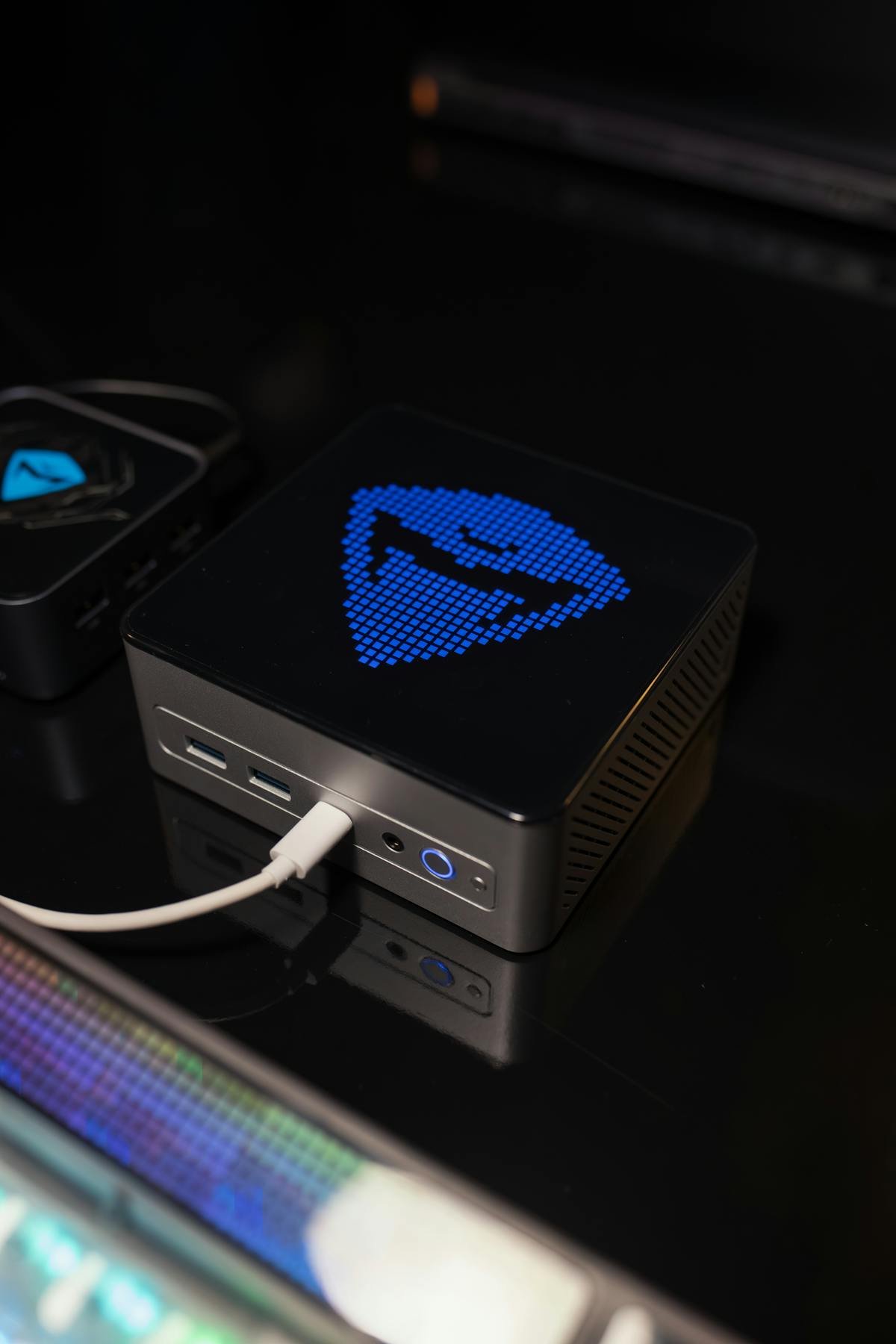
Short answer: yes, absolutely. Mini PCs are designed and proven for continuous 24/7 operation. Low power consumption (10-65W), efficient thermal design, and solid-state storage mean mini PCs can run continuously without degradation. In fact, they’re better suited for 24/7 use than gaming desktops (which consume 200-500W and generate excessive heat).
Why Mini PCs Are Ideal for 24/7 Operation
1. Low power consumption
A mini PC drawing 35-50W over 24/7 for a year generates far less heat and stress than a 300W gaming desktop. Lower power = lower component wear.
2. Passive or efficient cooling
Most mini PCs use:
- Silent/low-speed fans running at 1200-2500 RPM
- Fanless designs (Geekom A7, some Minisforum models)
- Aluminum or copper heatsinks with minimal air circulation
Fans at low speed last indefinitely (100,000+ hour MTBF). High-speed gaming PC fans (5000-6000 RPM) fail faster.
3. No moving parts in storage
All modern mini PCs use SSDs (NVMe), not mechanical hard drives. SSDs have no moving parts and handle 24/7 operation perfectly. HDDs with 5400-7200 RPM spinning 24/7 fail within 3-5 years.
4. Efficient chipset design
Mobile-grade processors and chipsets (from laptop CPUs) are engineered for continuous, efficient operation in constrained thermal environments. They run cooler and more reliably than desktop parts.
Temperature Comparison: Mini PC vs Desktop
| Device Type | Idle Temp | Full Load Temp | Safe Max Temp | Thermal Stress |
|---|---|---|---|---|
| Mini PC (cooled fan) | 35-45°C | 55-70°C | 90-100°C | Low |
| Mini PC (fanless) | 40-50°C | 60-80°C | 90°C | Very Low |
| Office Desktop (i5, no GPU) | 30-40°C | 60-75°C | 95°C | Low |
| Gaming Desktop (RTX 4070) | 40-50°C | 80-95°C | 100°C | High |
Key insight: Mini PCs operate at lower absolute temperatures and have more thermal headroom. Components degrade slower at 60°C than at 85°C.
MTBF (Mean Time Between Failure) Ratings
MTBF is the statistical average time before a component fails under continuous operation. Higher MTBF = more reliable.
| Component Type | Typical MTBF | Equivalent Years (24/7) | Reality Check |
|---|---|---|---|
| Mini PC fan (silent, low speed) | 80,000 – 100,000 hours | 9-11 years | Most last 10-15 years |
| Gaming PC fan (high speed) | 50,000 – 70,000 hours | 5.7-8 years | Often fail at 5-7 years |
| SSD (NVMe) | 1,500,000 – 2,000,000 hours | 170-228 years | Practical limit: 10-15 years (tech obsolescence) |
| HDD (5400 RPM) | 600,000 – 800,000 hours | 68-91 years | Actual failure: 3-5 years (due to manufacturing variance) |
| Motherboard capacitors | 2,000,000+ hours (modern) | 228+ years | Most mini PCs use Japanese capacitors (very reliable) |
Bottom line: A mini PC’s limiting factor is usually the fan (if any), which will outlast the hardware’s relevance by years.
Best Mini PC Models for 24/7 Operation
Enterprise/Business Models (Built for 24/7)
| Model | CPU | Cooling | 24/7 Rating | Price |
|---|---|---|---|---|
| Lenovo ThinkCentre M100 Tiny | Intel Core i5-12500T | Silent fan | Designed for continuous duty | £400-600 |
| HP EliteDesk 800 G3 Mini | Intel Core i5-7500T | Whisper-quiet cooling | Enterprise-grade reliability | £300-500 (used) |
| Dell OptiPlex 7080 Micro | Intel Core i5-10500T | Optimized for low noise | 24/7 server capability | £400-700 (used) |
Consumer Models (Excellent for 24/7)
| Model | CPU | Cooling | Estimated Lifespan (24/7) | Price |
|---|---|---|---|---|
| Geekom A7 (fanless) | Ryzen 5 5500U | Passive (no fan) | 15+ years (thermal limited) | £300-400 |
| Beelink SER7 | Ryzen 7 7840U | Efficient dual-fan design | 10-12 years (fan limited) | £500-600 |
| Minisforum UM773 Lite | i5-1240P | Whisper-quiet cooling | 10-12 years (fan limited) | £450-550 |
| ASUS NUC 14 Pro | i5-1440P | High-quality fan + heatsink | 12-15 years | £700-900 |
Power Consumption for 24/7 Duty
Running a mini PC 24/7 for one year at various power levels:
| Device Type | Power Draw | Annual Consumption | Annual Cost (UK £0.34/kWh) | 5-Year Cost |
|---|---|---|---|---|
| Mini PC (35W average) | 35W | 307 kWh | £104 | £520 |
| Mini PC (50W average) | 50W | 438 kWh | £149 | £745 |
| Desktop (200W average) | 200W | 1752 kWh | £595 | £2975 |
| Gaming PC (350W average) | 350W | 3066 kWh | £1042 | £5210 |
5-year savings running a mini PC instead of a desktop: £2000-4500 in electricity costs alone.
Use Cases for 24/7 Mini PC Servers
- Plex Media Server: Stream movies and TV to family members remotely. Mini PC uses 30-45W continuously, excellent uptime.
- NAS / File Backup: Auto-sync from computers to external drives or cloud. Set it and forget it.
- Home Assistant: Smart home hub running 24/7 to control lights, locks, cameras. Mini PC is over-engineered for this but works perfectly.
- VPN Gateway / Network Storage: Provide secure access and file storage for remote workers.
- Cryptocurrency Node: Run a Bitcoin or Ethereum full node. Mini PC provides sufficient bandwidth, uses minimal power.
- Security Camera Recording: Continuous NVR (Network Video Recorder) for security cameras. Replace expensive NVR appliances.
- Print Server / Samba Server: Serve printers and shared folders to a small office or home network.
- Game Server / Minecraft Host: Run a personal game server for friends (Minecraft, CS2, Ark Survival). Low player count needs little power.
BIOS Settings for 24/7 Reliability
To optimize a mini PC for continuous operation, configure these BIOS settings:
- Wake on LAN (WoL): Enable to allow remote power-on via network. Useful if the mini PC crashes — restart from another machine.
- Auto Power On: Set mini PC to boot automatically after a power loss. Ensures uptime if electricity cuts.
- Thermal Throttling: Leave enabled (default). Reduces CPU speed if temperature exceeds threshold, protecting hardware.
- Fast Boot / Fast Resume: Enable for faster startup and recovery from sleep.
- Disable Sleep/Hibernate timers: Set to “Never” if running a 24/7 server. Sleep states can cause unexpected wake-ups.
- System Fan Mode: Set to “Smart” or “Always On” (not quiet mode) for 24/7 operation. Quiet mode may under-cool during continuous duty.
Storage: SSD vs HDD for 24/7 Use
SSD (NVMe) — strongly recommended for 24/7:
- NVMe SSDs have no moving parts = indefinite run time
- Lower power consumption (0.5-1W vs 3-5W for HDD)
- Faster file access, better for continuous I/O
- Write endurance: modern SSDs rated for 600 TBW (terabytes written) over 5 years, more than enough for typical use
Enterprise SSDs for servers:
- Enterprise-grade SSDs with longer MTBF ratings are ideal for 24/7 operation.
HDD (mechanical) — acceptable but not ideal:
- Spinning 24/7 accelerates failure (electromechanical wear)
- Typical lifespan: 3-5 years in continuous operation (vs 8-10 years in normal use)
- Higher power (3-5W per drive)
- Prone to catastrophic failure without warning
Recommendation: Use SSD for the OS and primary data. If you need bulk storage, connect external USB drives (not powered on 24/7) for archival. Consider a UPS (Uninterruptible Power Supply) to protect against power loss.
Remote Management for Always-On Systems
For headless (no monitor) 24/7 servers, enable:
- SSH (Secure Shell): Remote terminal access on Linux. Industry standard for server management.
- RDP (Remote Desktop Protocol): Windows remote access via Microsoft’s Remote Desktop client.
- Wake-on-LAN (WoL): Power on the mini PC from another computer on the network if it crashes.
- Monitoring software: Uptimerobot, Nagios, or systemd timers to auto-restart if the service crashes.
FAQ
Q: Will running a mini PC 24/7 shorten its lifespan?
A: Slightly, but far less than running a gaming desktop 24/7. A mini PC should run 10-15 years at 24/7 before fans wear out. The tech becomes obsolete before the hardware fails.
Q: What’s the loudest mini PC running 24/7?
A: Fan speed scales with load. A mini PC idle at 5-15W barely audible (~15-20dB). Under load (35-50W), fans ramp up to 25-35dB (still quiet compared to desktops at 40-50dB).
Q: Do I need a UPS (uninterruptible power supply) for a mini PC server?
A: Optional but recommended. A small 500W UPS (£50-100) prevents data corruption if power cuts. Low power draw means even a small UPS provides 1+ hours backup.
Q: Can a fanless mini PC run 24/7?
A: Yes. Fanless models (Geekom A7) use passive cooling and will run indefinitely. They tend to run slightly warmer (60-80°C) but this is well within safe limits.
Q: What mini PC is best for a Plex server?
A: Any mini PC with stable cooling and quiet operation. Geekom A7 (fanless) for silent operation, or Beelink SER7 (quiet fan) for power users with 4K transcoding.
Q: How often should I clean a mini PC running 24/7?
A: Every 6-12 months. Compressed air to blow out dust from vents. Dust buildup reduces cooling efficiency and makes fans work harder.
Recommended Products
These are the products we recommend based on this guide. All links go to Amazon UK where you can check current prices and availability.
| Product | Why We Recommend It | Amazon UK |
|---|---|---|
| Corsair Vengeance DDR4 SO-DIMM 32GB (2×16GB) 3200MHz | Best overall DDR4 upgrade kit | View on Amazon UK |
| Kingston Fury Impact DDR4 SO-DIMM 32GB (2×16GB) 3200MHz | Reliable alternative with tight latency | View on Amazon UK |
| Crucial DDR4 SO-DIMM 16GB 3200MHz | Budget single-stick upgrade | View on Amazon UK |
| Samsung DDR4 SO-DIMM 32GB 3200MHz | OEM-quality for business laptops | View on Amazon UK |
| Samsung 990 Pro 2TB NVMe M.2 2280 | Fastest consumer NVMe — ideal for gaming & editing | View on Amazon UK |
| WD Black SN850X 2TB NVMe | Excellent Gen4 speed with heatsink option | View on Amazon UK |
| Crucial P5 Plus 1TB NVMe | Great value Gen4 SSD | View on Amazon UK |
| Kingston NV2 1TB NVMe | Budget-friendly with solid reliability | View on Amazon UK |
Prices and availability may vary. As an Amazon Associate, we earn from qualifying purchases.