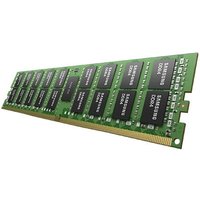
The Dell G Series represents Dell’s gaming-focused laptop line, built for demanding games and creative workloads. Whether you own a G15, G16, or their professional G7 counterpart, upgrading RAM and storage is critical for maintaining smooth framerates and managing large game libraries. This guide covers G15/G16 models from the 5530 through 7640 generations, detailing compatibility, upgrade options, and performance tips.
Dell G Series Compatibility Master Table
The following table lists popular G Series models with their RAM and storage specifications. Note that higher-end models (7630, 7640) support dual storage slots.
| Model | RAM Type | Max RAM | SSD Slots | Max Storage | Charger |
|---|---|---|---|---|---|
| Dell G15 5530 | DDR4 SODIMM | 32GB (2×16) | 1x M.2 NVMe | 1TB | 240W AC |
| Dell G15 5540 | DDR5 SODIMM | 32GB (2×16) | 1x M.2 NVMe | 1TB | 240W AC |
| Dell G16 7630 | DDR4 SODIMM | 64GB (2×32) | 2x M.2 NVMe | 2TB | 330W AC |
| Dell G16 7640 | DDR5 SODIMM | 64GB (2×32) | 2x M.2 NVMe | 2TB | 330W AC |
RAM Upgrade for Gaming

DDR4 G Series (5530, 7630)
The G15 5530 and G16 7630 use DDR4 SODIMM memory. Gaming benefits from 16GB as a baseline, but 32GB is increasingly recommended for future-proofing and streaming/recording alongside gameplay.
Upgrade recommendation: If your G15 5530 came with 8GB or 16GB, adding a matching module doubles your capacity. For the G16 7630 (which supports 64GB), upgrading to 2x32GB is worthwhile if you plan to keep the laptop for 3+ years. DDR4-3200 or faster modules are preferred.
Popular gaming-optimized RAM options:
- Corsair Vengeance DDR4 16GB SODIMM — Budget-friendly, proven in gaming
- Kingston Fury Impact DDR4 16GB — Lightweight design, suitable for gaming laptops
- G.Skill Flare X DDR4 32GB SODIMM — High performance for power users
DDR5 G Series (5540, 7640)
Newer G Series models use DDR5 SODIMM, offering faster data rates than DDR4. The G16 7640 can hold up to 64GB (2x32GB DDR5 modules), providing exceptional future-proofing.
Upgrade recommendation: For gaming on G15 5540, 16GB DDR5 is sufficient today, but 32GB is recommended for heavy multitasking or professional work alongside gaming. For G16 7640, 32GB is a solid target, with 64GB being extreme but possible.
DDR5-5600 modules are standard:
SSD Upgrade for Gaming

Single-Slot Models (G15 5530/5540)
The G15 models have one M.2 slot, typically pre-populated with a 512GB drive. Upgrading to 1TB or larger is essential for modern gaming, as individual game sizes range from 50GB to 150GB+.
Recommended upgrades:
- Samsung 970 EVO Plus 1TB (PCIe 3.0) — DDR4 models, reliable and proven
- Samsung 990 EVO 1TB (PCIe 4.0) — For DDR5 models, excellent performance
- Crucial P5 Plus 1TB (PCIe 4.0) — Another solid choice with fast load times
Dual-Slot Models (G16 7630/7640)
The G16 series features two M.2 slots, enabling you to add a second drive alongside the original, or replace both with larger drives. This is ideal for large game libraries without relying on external storage.
Common configurations:
- Keep original + add 1TB: Total 1.5TB for most games
- Replace both with 1TB each: Total 2TB, plenty for extensive libraries
- Add 2TB to original 1TB: Total 3TB (requires 2TB-capacity SSDs)
For optimal gaming performance on G16 models, consider pairing the new drive with your existing one (both should ideally be similar speeds for consistency).
Thermal and Cooling Upgrades
Gaming laptops generate significant heat. While not a direct RAM/SSD upgrade, thermal management improvements can prevent throttling and extend component lifespan.
- Thermal pads: Replace old thermal pads between the GPU/CPU and heatsink. Brands like Thermal Grizzly Minus Pad or Gelid Extreme are gaming-grade.
- Thermal paste: Repaste the CPU with high-performance paste like Thermal Grizzly Kryonaut every 1–2 years of heavy gaming.
- Cooling pad: For sustained gaming sessions, an external laptop cooling pad with fans (like Thermaltake Massive) helps dissipate heat.
Common Gaming Upgrade Paths
Esports Path: £80–150
Upgrade to 16GB RAM (if currently 8GB) and 512GB–1TB SSD. This handles competitive gaming (Valorant, CS:GO, Fortnite) with low latency and fast map loads.
AAA Gaming Path: £150–250
Combine 32GB RAM with a 1TB primary SSD (+ secondary 512GB on G16 if available). This comfortably handles demanding games like Cyberpunk, Hogwarts Legacy, and heavy multitasking while streaming/recording.
Creator/Professional Path: £200–350
Max out RAM to 32GB (or 64GB on G16) and add dual 1TB+ SSDs. This is ideal for gaming combined with video editing, 3D modeling, or software development. G16 with 64GB DDR5 and dual 2TB drives is the ultimate G Series setup.
Frequently Asked Questions
How much RAM do I need for gaming in 2025?
16GB is the practical minimum for gaming at 1080p/1440p with modern AAA titles. 32GB is recommended if you multitask (Discord, Twitch, OBS) or plan to keep the laptop for 3+ years. Competitive esports games (Valorant, CS:GO) are lighter and fine with 16GB.
Will upgrading my SSD improve gaming framerates?
Not directly. Framerates are driven by the GPU. However, a faster SSD reduces load times into maps and menus, and prevents stutters if the system is writing large amounts of data to disk. From a gamer’s perspective, SSD speed feels more important than it technically is.
Can I use both M.2 slots on my G16 7630/7640 simultaneously?
Yes. Most G16 models support two independent M.2 slots. Both can be populated and will be recognized by Windows (shown as separate drives in File Explorer). Ensure both SSDs are NVMe (not SATA).
Do I need to back up my data before upgrading?
Absolutely. Before adding or replacing an SSD, clone or back up your Windows installation and files to an external drive or cloud storage. If you’re just adding a second drive (not replacing), backup is less critical, but still recommended as a precaution.
What’s the difference between DDR4 and DDR5 gaming performance?
In gaming, DDR5 provides a 2–5% framerate boost over DDR4 in GPU-limited scenarios, but the difference is not dramatic at high framerates (144Hz+). The real advantage is future-proofing; DDR5 will be standard longer. For 1440p 60Hz–165Hz gaming, DDR4 is still perfectly adequate.
Recommended Products
These are the products we recommend based on this guide. All links go to Amazon UK where you can check current prices and availability.
| Product | Why We Recommend It | Amazon UK |
|---|---|---|
| Corsair Vengeance DDR4 SO-DIMM 32GB (2×16GB) 3200MHz | Best overall DDR4 upgrade kit | View on Amazon UK |
| Kingston Fury Impact DDR4 SO-DIMM 32GB (2×16GB) 3200MHz | Reliable alternative with tight latency | View on Amazon UK |
| Corsair Vengeance DDR5 SO-DIMM 32GB (2×16GB) 5600MHz | Top-rated DDR5 kit for gaming & productivity | View on Amazon UK |
| Kingston Fury Impact DDR5 SO-DIMM 32GB (2×16GB) 5600MHz | Excellent DDR5 alternative with XMP support | View on Amazon UK |
| Samsung 990 Pro 2TB NVMe M.2 2280 | Fastest consumer NVMe — ideal for gaming & editing | View on Amazon UK |
| WD Black SN850X 2TB NVMe | Excellent Gen4 speed with heatsink option | View on Amazon UK |
| Crucial P5 Plus 1TB NVMe | Great value Gen4 SSD | View on Amazon UK |
| Kingston NV2 1TB NVMe | Budget-friendly with solid reliability | View on Amazon UK |
Prices and availability may vary. As an Amazon Associate, we earn from qualifying purchases.
Related Dell Upgrade Guides
- Dell Battery Replacement: Latitude, XPS & Inspiron Step-by-Step
- Best RAM for Dell Laptops in 2026
- Dell Precision T7920 RAM & SSD Upgrade Guide (2018)
- Dell Precision T7875 RAM & SSD Upgrade Guide (2024)
- Dell Precision T5860 RAM & SSD Upgrade Guide (2024)
- Dell Upgrade Guide
Not sure what fits? Use our free Compatibility Checker covering 3,195+ models.
Helpful Guides
Related Resources
- Laptop Upgrade Compatibility Checker — Check RAM, SSD & charger compatibility for 3,195+ models
- RAM Compatibility Guide — DDR4, DDR5 & LPDDR5 explained
- SSD Compatibility Guide — NVMe, SATA & M.2 sizes
- Charger Compatibility Guide — USB-C, Power Delivery & GaN
- Docking Station Compatibility Guide — Thunderbolt, USB-C & DisplayLink
Popular Brand Upgrade Guides
- Dell Laptop Upgrades
- Lenovo Laptop Upgrades
- HP Laptop Upgrades
- ASUS Laptop Upgrades
- Acer Laptop Upgrades
- MSI Laptop Upgrades
Recommended 64GB RAM Upgrades

Kingston Technology
Kingston Technology ValueRAM 64GB DDR4 (Kit of 4) memory module 4 x 16
£149.69
View Deal