
Affiliate disclosure: this page contains affiliate links — if you buy through them we may earn a commission at no extra cost to you. As an Amazon Associate we earn from qualifying purchases.
Before You Start
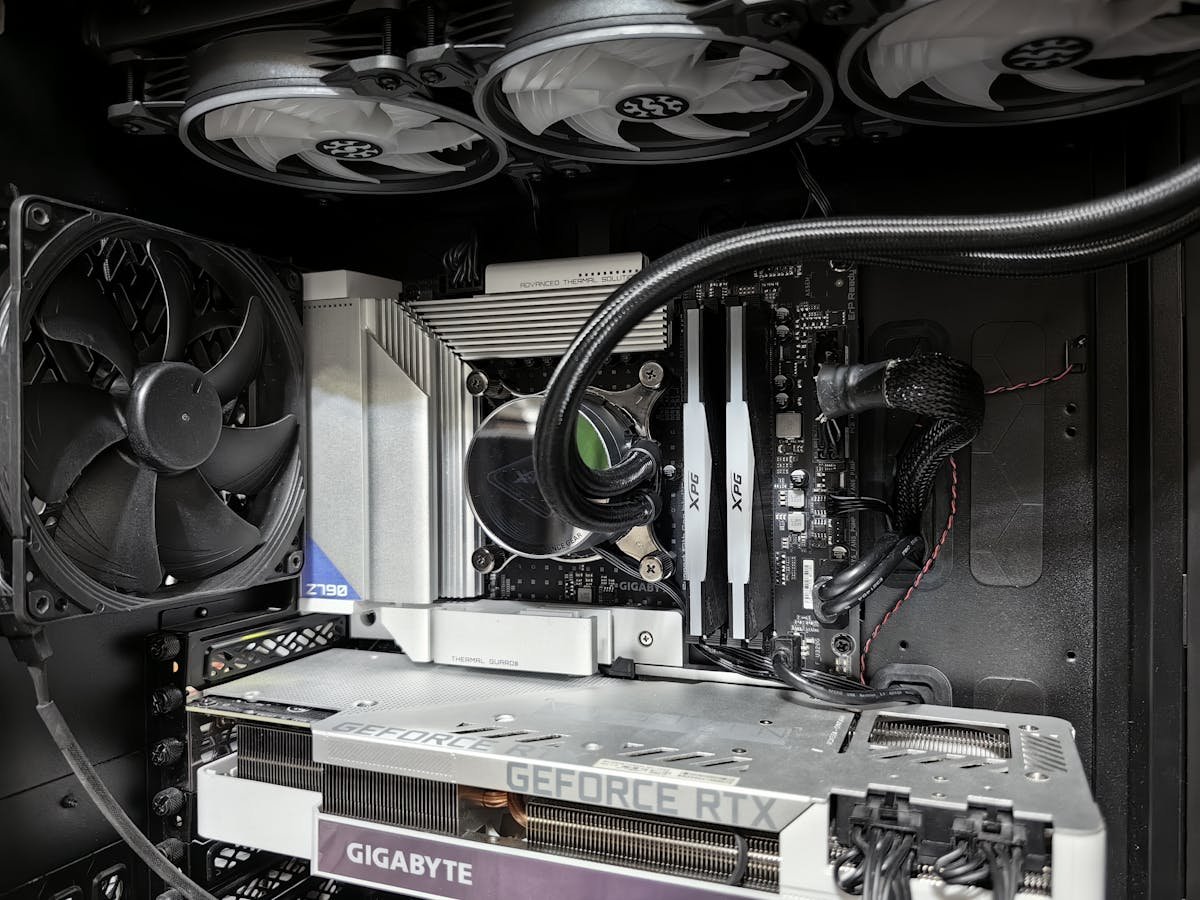
Desktop RAM uses full-size DIMM modules (larger than laptop SO-DIMMs). You need: compatible DDR4 or DDR5 DIMMs, a Phillips screwdriver to open the case, and anti-static precautions. The installation takes 5-10 minutes.
Step-by-Step Installation
1. Power off and unplug the PC. 2. Remove the side panel. 3. Locate the DIMM slots near the CPU. 4. Open the retention clips on the target slots. 5. Align the notch on the DIMM with the slot key. 6. Press firmly until both clips snap into place. 7. Close the case, power on, and verify in BIOS.
Slot Configuration
In a 4-slot motherboard, install 2 DIMMs in slots 2 and 4 (A2 and B2) for dual-channel mode. Check your motherboard manual — slot numbering and colour coding varies by manufacturer. Never install a single stick in the wrong slot, as it may prevent dual-channel operation.
Frequently Asked Questions
Which slots should I use for 2 DIMMs?
Typically slots 2 and 4 (second and fourth from CPU). Check your motherboard manual for the recommended configuration.
Do I need to configure RAM in BIOS?
After installation, enter BIOS and enable XMP (Intel) or EXPO (AMD) to run at the rated speed. Otherwise, RAM runs at default JEDEC speeds.
Recommended upgrades
As an Amazon Associate we earn from qualifying purchases. Prices & availability shown on Amazon.
For desktops that use DDR5 DIMMs
For desktops that use DDR4 DIMMs
How we verify this guide
We cross-reference compatibility figures against manufacturer specifications where available, official service manuals, and the standards that govern fit — memory type and speed (DDR4 / DDR5 / LPDDR5), maximum supported capacity and slot count, SSD form factor and interface (M.2 2280, NVMe PCIe vs SATA, keying), and charger wattage and connector (USB-C Power Delivery, GaN). We’re explicit about soldered or non-upgradeable parts, prioritise primary sources over retailer listings, and re-verify the data on a regular cycle. More on our method →